Tutorials
SOLIDWORKS sheet metal — 13 lessons
Sheet metal parts are cut flat and then bent, so SOLIDWORKS models them with a thickness, a bend radius and a bend calculation, and keeps a flat pattern you can export for the laser. The course builds one bracket from a base flange, adds flanges, hems, jogs, bends, corners and forming tools, then covers flat patterns, the K-factor, converting solids, lofted transitions and DXF files for cutting.
 Kevin Walsh
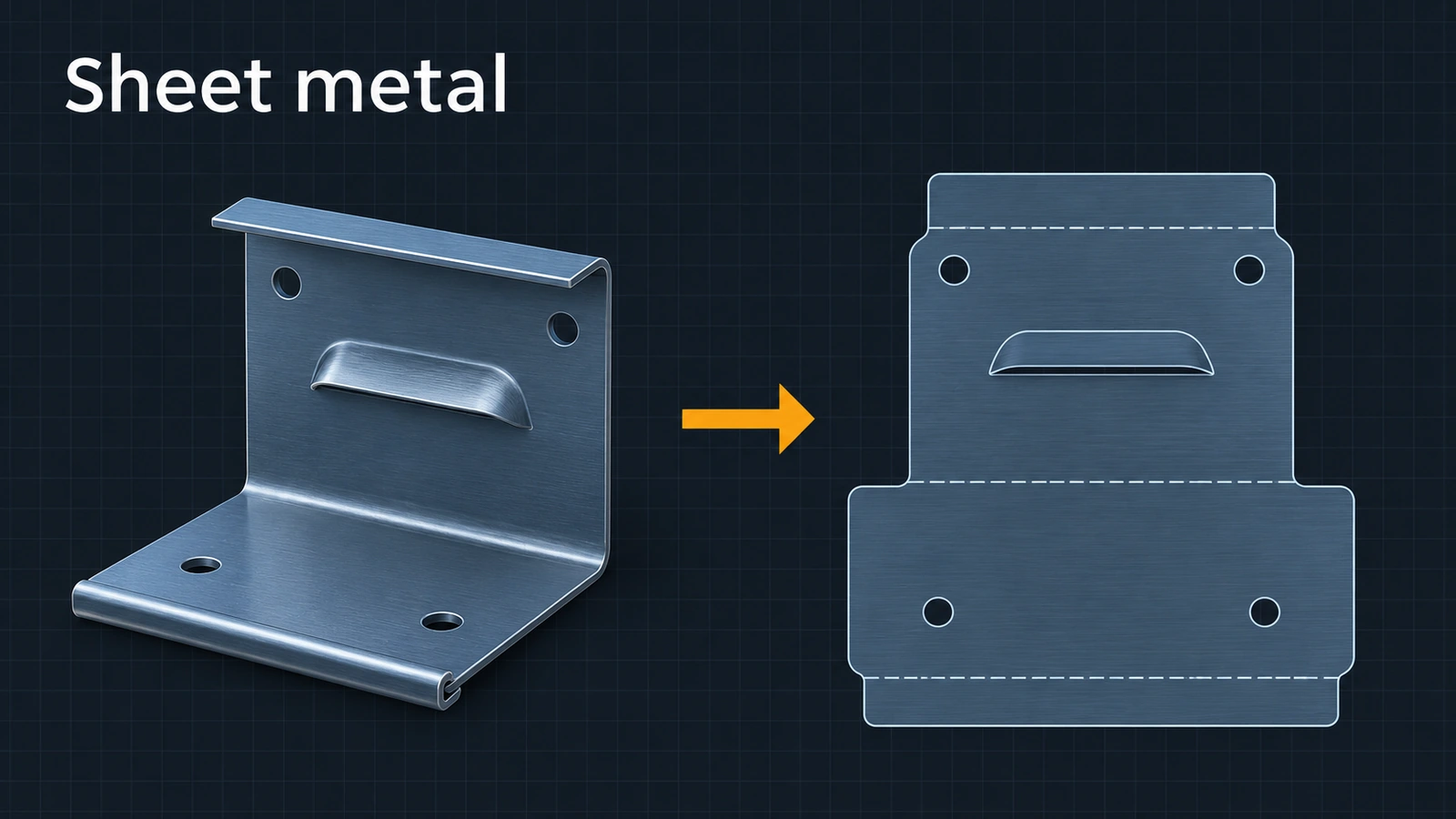
What the course covers
| Group | Lessons |
|---|---|
| Walls | Base flange, edge flange, miter flange, hem, jog, sketched bend |
| Details | Corners, forming tools |
| Flat and maths | Flat pattern, K-factor and bend tables |
| Other ways in | Convert to sheet metal, lofted bend |
| Output | Flat pattern to DXF for laser cutting |
Lessons 1–2, 4, 9, 10 and 13 use one bracket: a 100 × 60 base flange in 2 mm sheet with a 2 mm bend radius and K-factor 0.5, plus a 30 mm edge flange. Its flat blank is 100 × 86.71 mm — you can check it yourself in the K-factor calculator. The bracket's drawing uses the views from the drawings course.
Preparing for the sheet metal exam? Its topic list — flanges, closed corners, K-factor and gauge tables, hems, jogs, sketched bends, forming tools, flat patterns and converting solids — matches lessons 1–11.
Practise it: fold and flatten the sheet metal box project.
The 13 sheet metal lessons
-
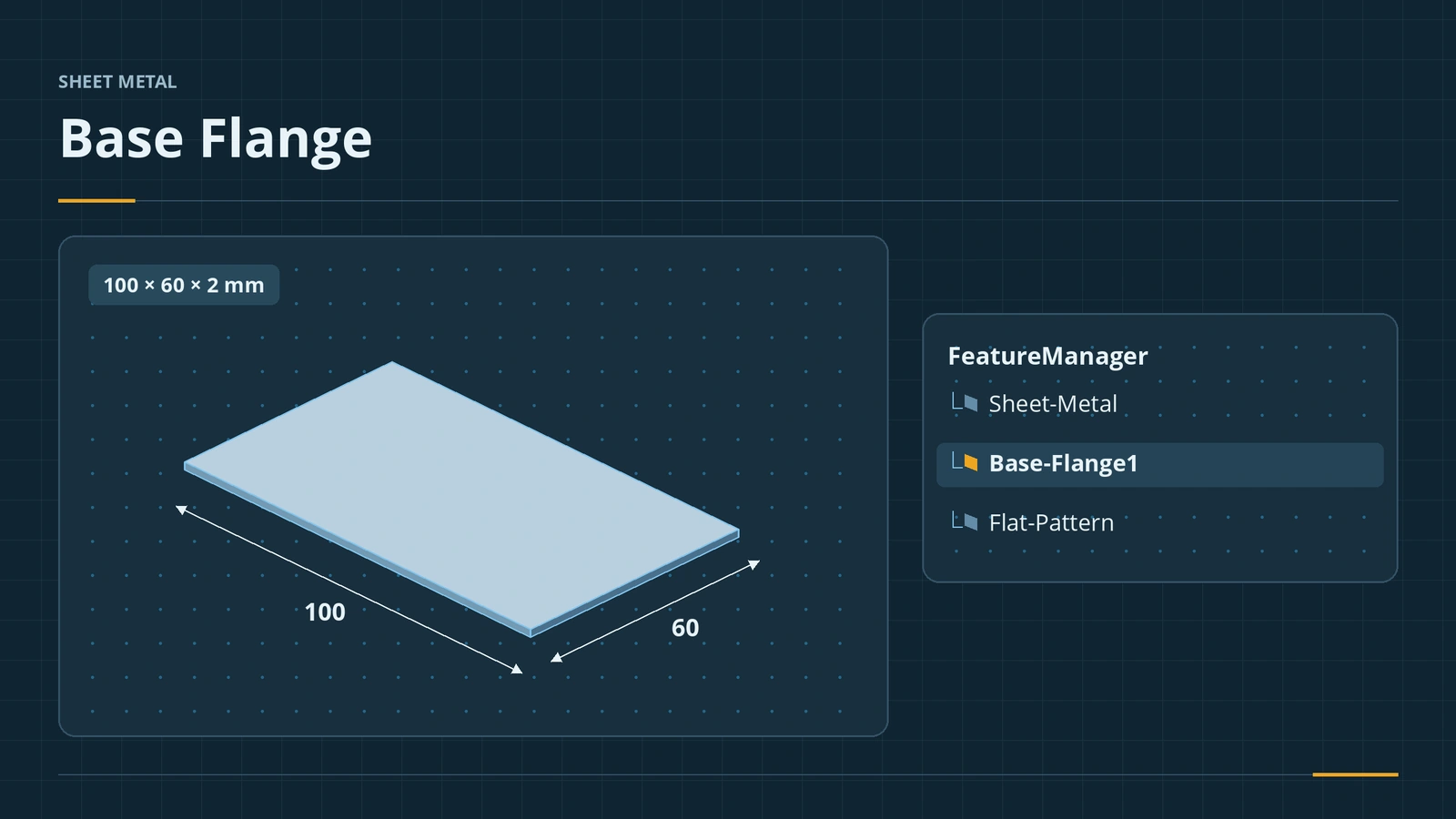 Base Flange — the first sheet metal featureStart a SOLIDWORKS sheet metal part with Base Flange/Tab: open and closed profiles, thickness, bend radius, K-factor, gauge tables and auto relief.
-
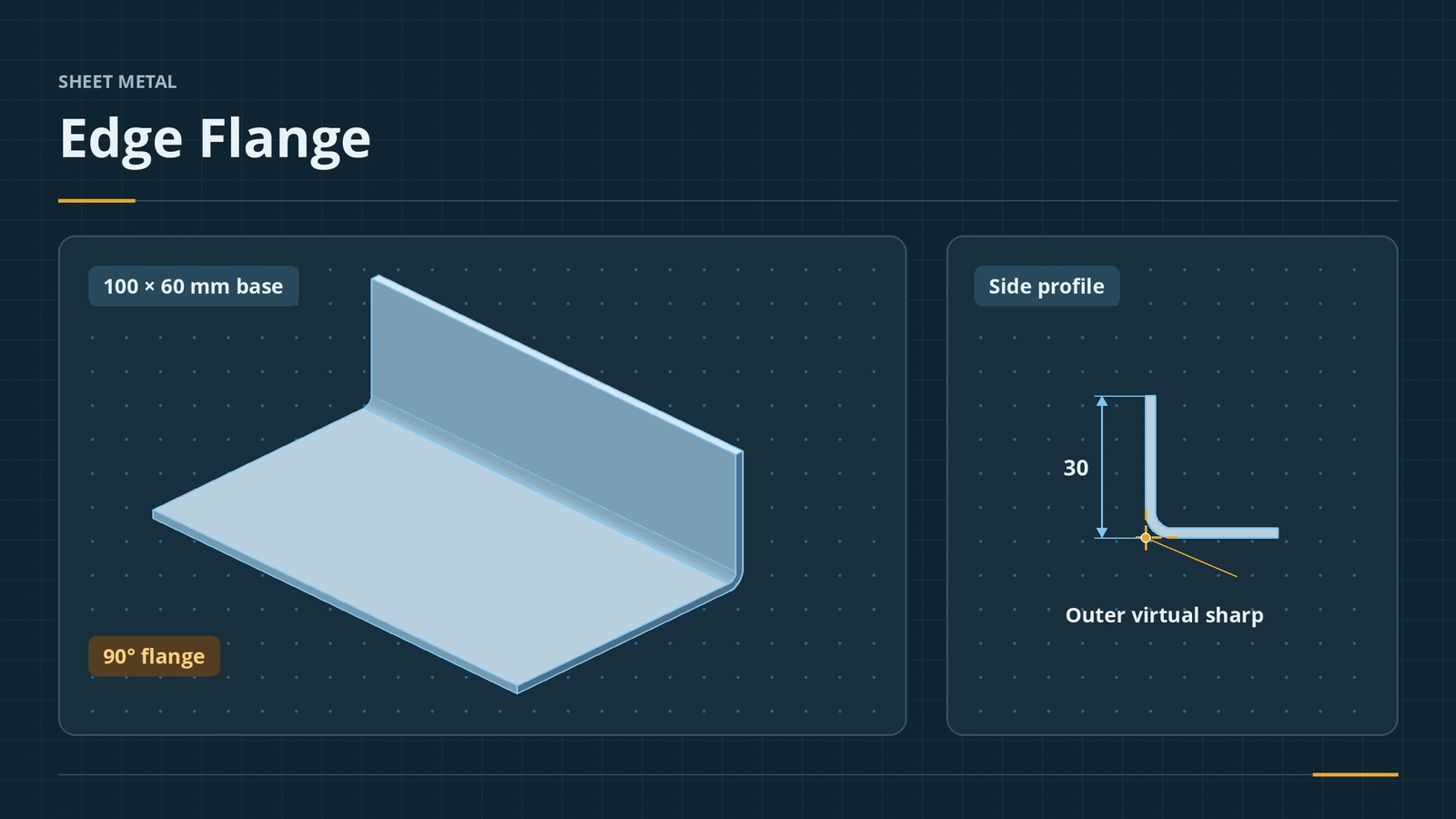 Edge Flange in SOLIDWORKS sheet metalAdd a SOLIDWORKS edge flange: length to outer or inner virtual sharp, flange position, angle, Edit Flange Profile, custom relief and multi-length.
-
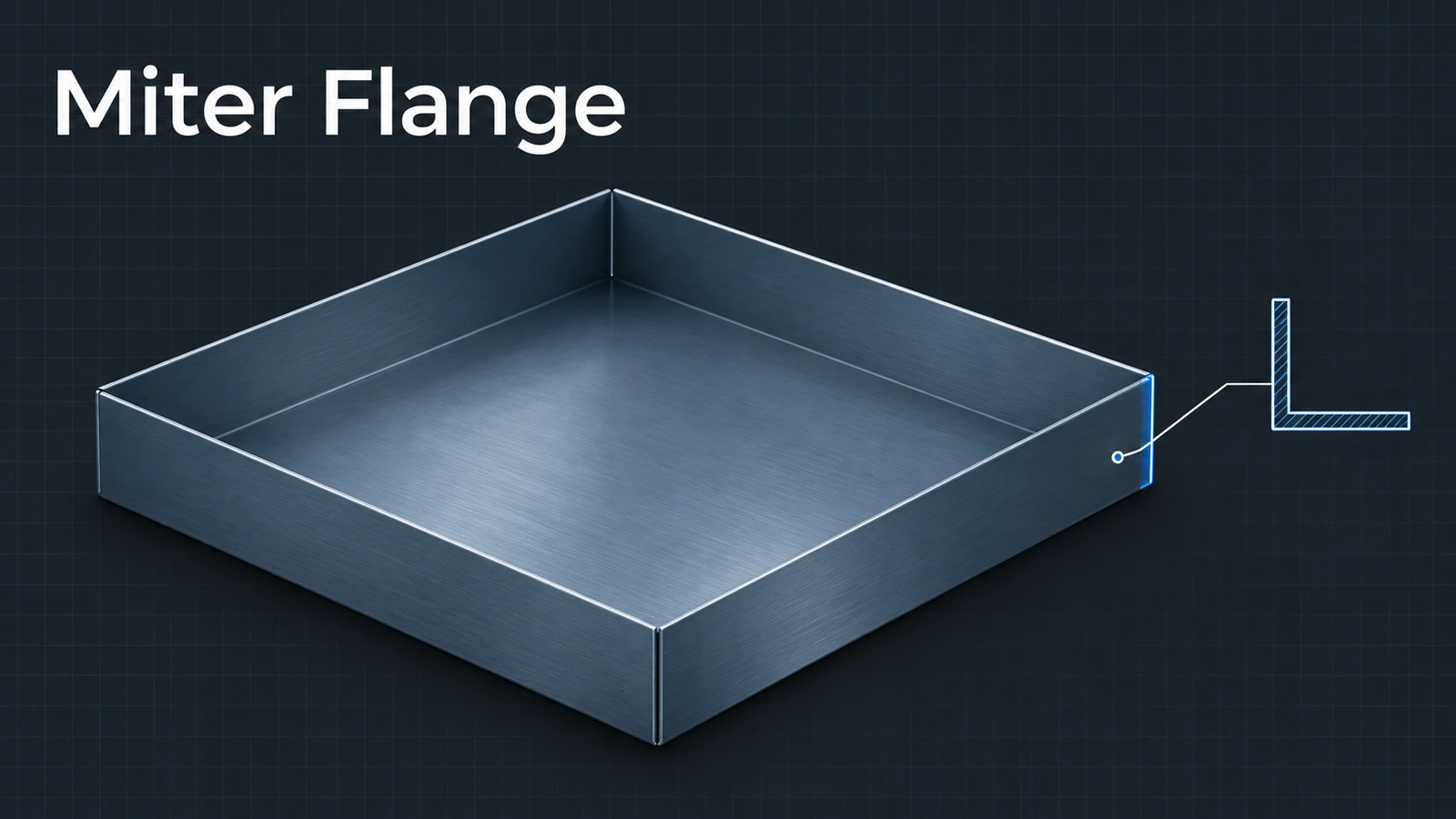 Miter Flange in SOLIDWORKS sheet metalUse the SOLIDWORKS Miter Flange: sketch a profile normal to an edge, run it along connected edges, set gap, offsets and position, and avoid errors.
-
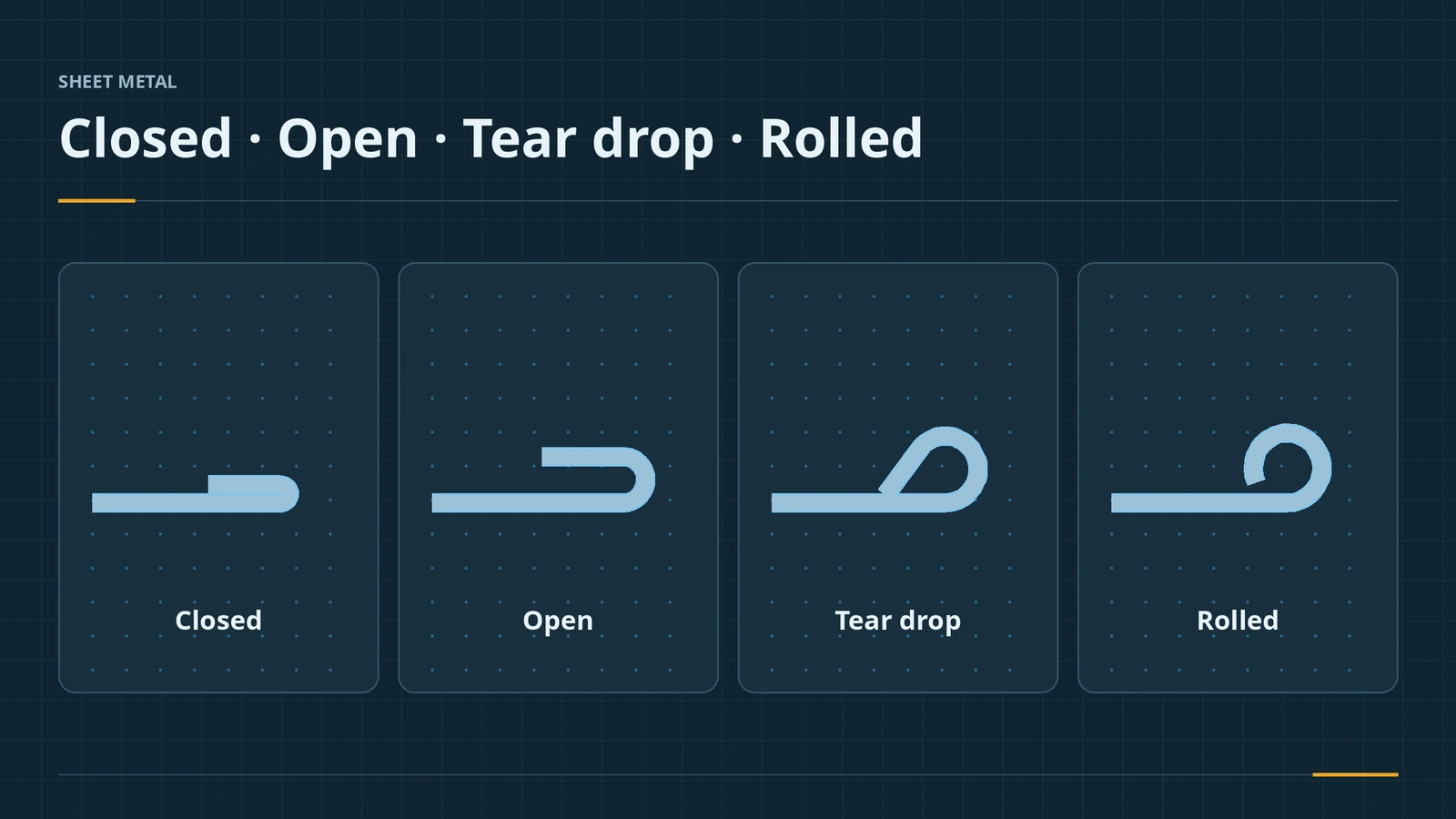 Hems in SOLIDWORKS sheet metalAdd a hem in SOLIDWORKS sheet metal: closed, open, tear drop and rolled types, bend position, length, gap and radius, hem width and design rules.
-
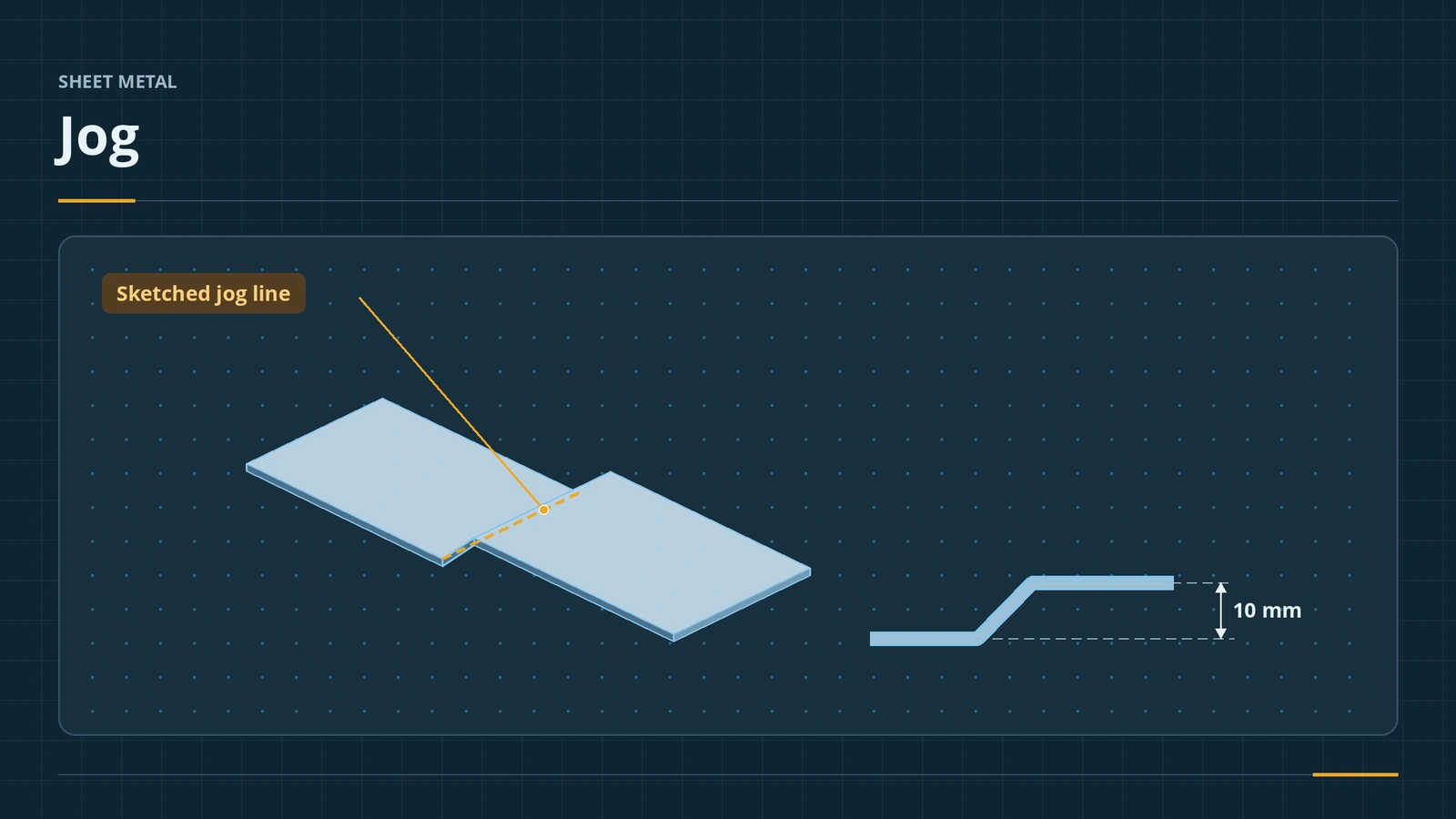 Jog in SOLIDWORKS sheet metalUse the SOLIDWORKS sheet metal Jog: one sketched line, fixed face, jog offset and dimension position, jog position, angle, Fix projected length.
-
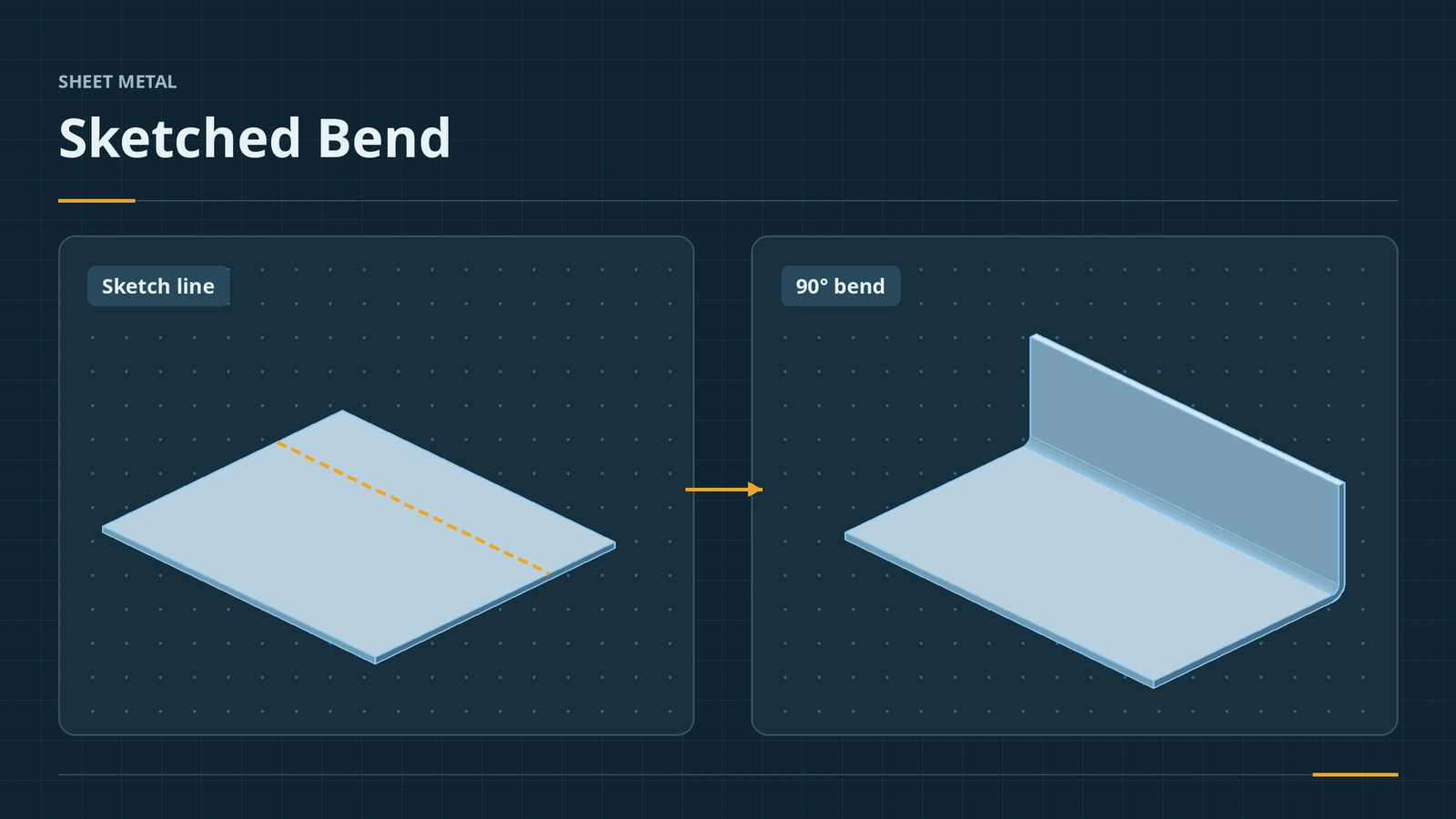 Sketched Bend in SOLIDWORKS sheet metalBend sheet metal along a sketched line in SOLIDWORKS: bend lines, fixed face, bend position, angle and radius — ideal for a known flat blank.
-
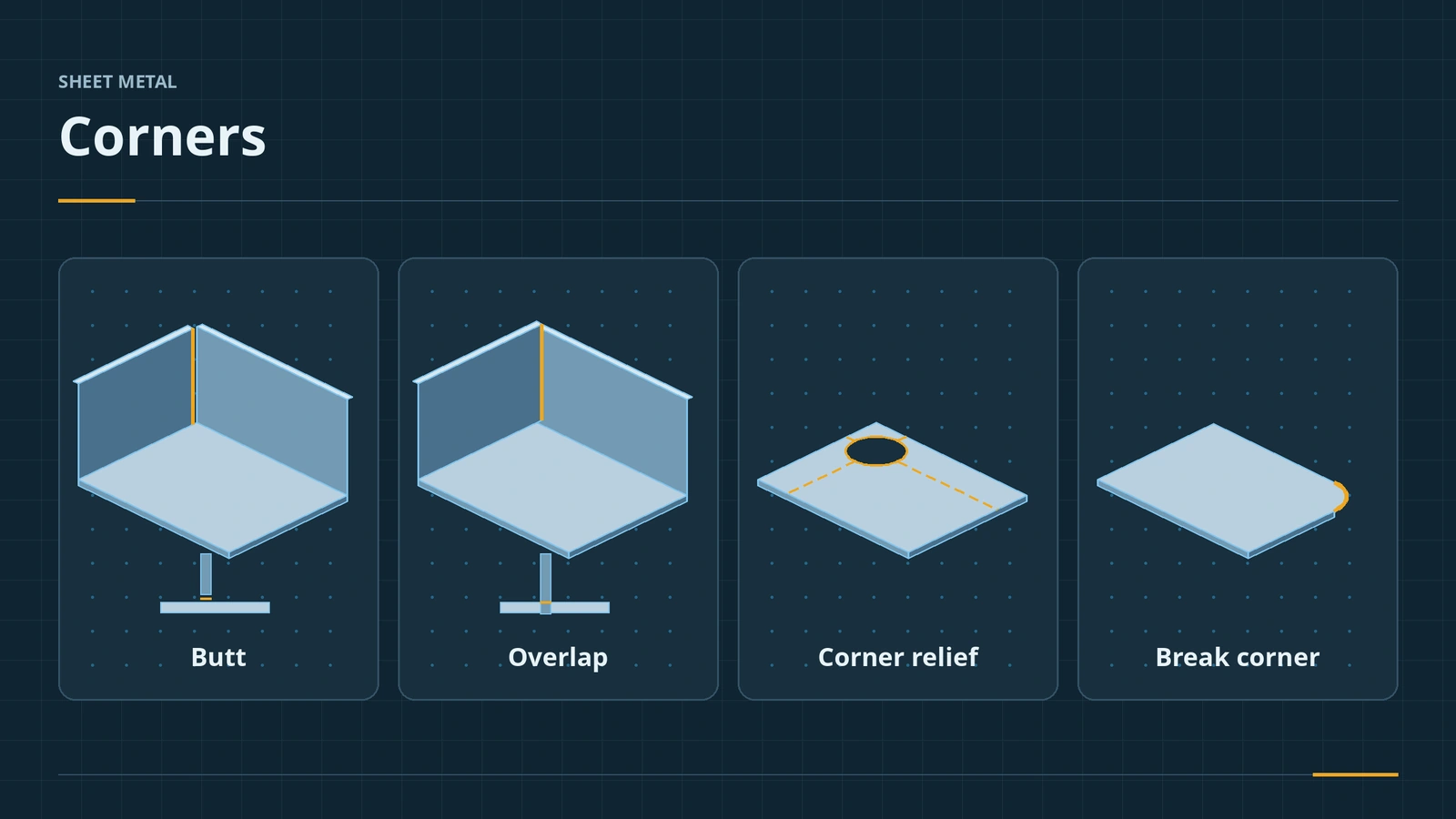 Sheet metal cornersFinish SOLIDWORKS sheet metal corners: Closed Corner butt, overlap and underlap, Break Corner fillets and chamfers, Corner Relief and Welded Corner.
-
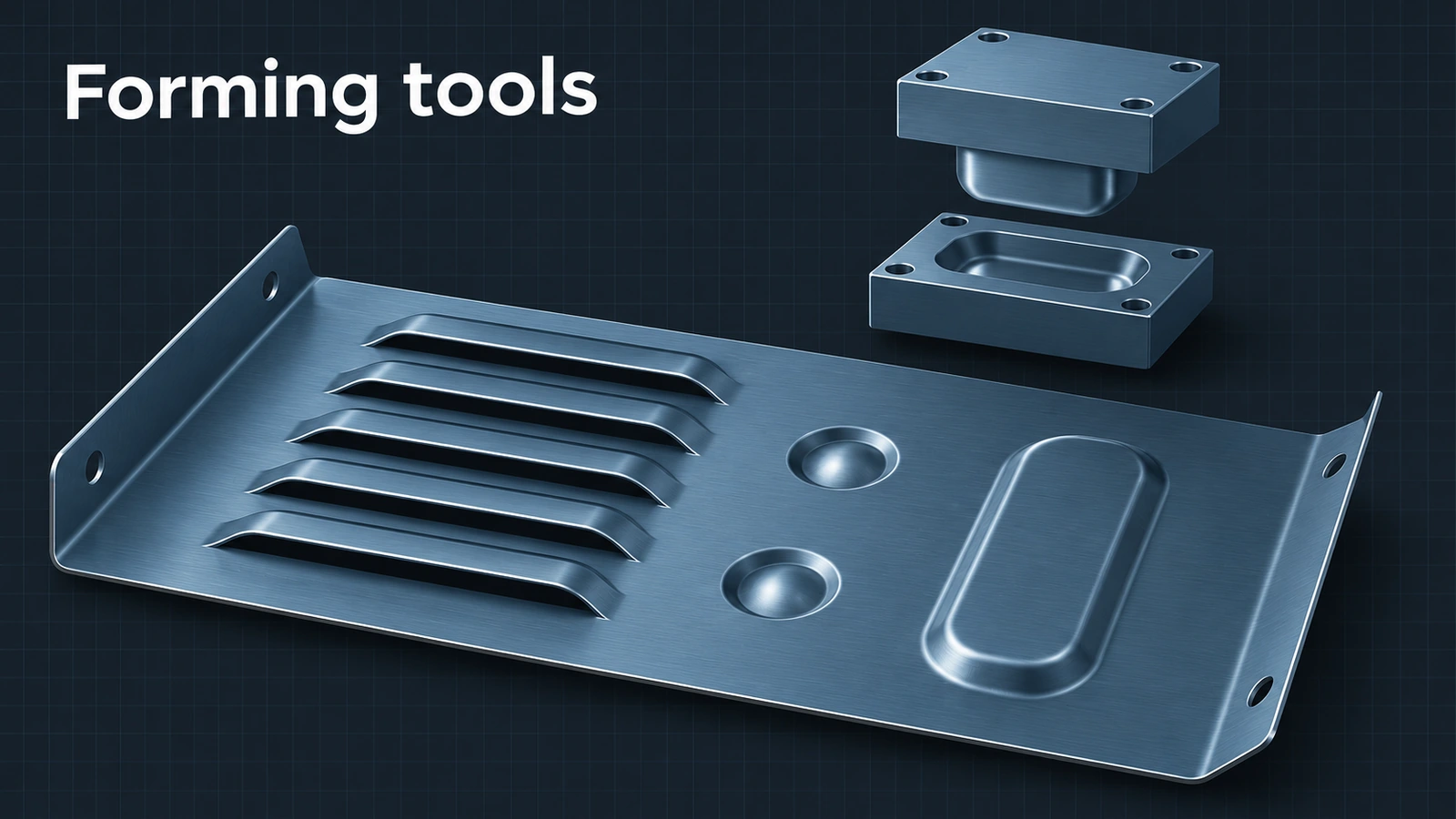 Forming tools in SOLIDWORKS sheet metalUse SOLIDWORKS forming tools: place tools from the Design Library, make your own with the Forming Tool feature and .sldftp files, and Stamp.
-
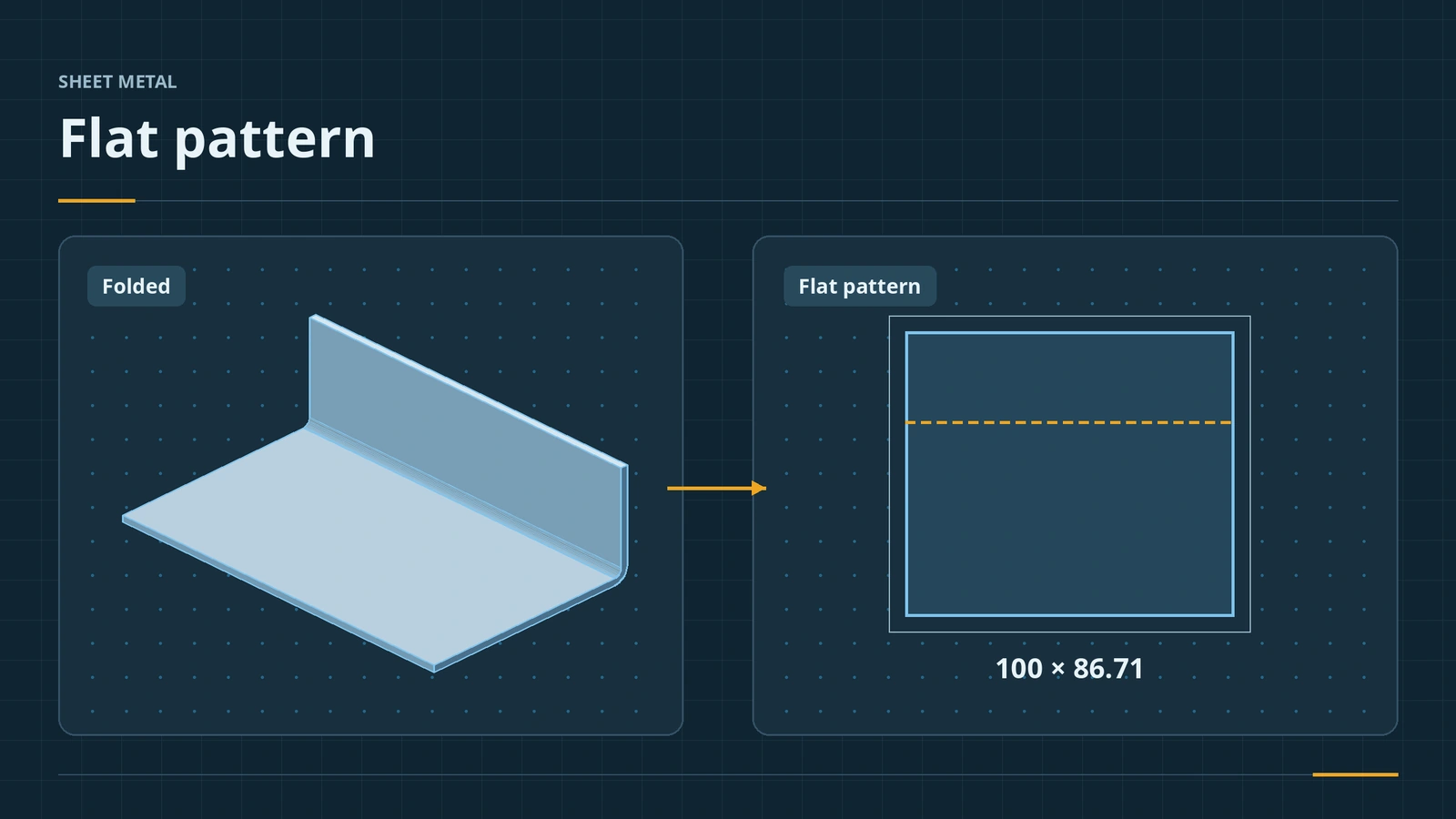 Flat patterns in SOLIDWORKS sheet metalHow the SOLIDWORKS flat pattern works: Flatten, Flat-Pattern options, Unfold and Fold for cuts across bends, bend lines and flat drawing views.
-
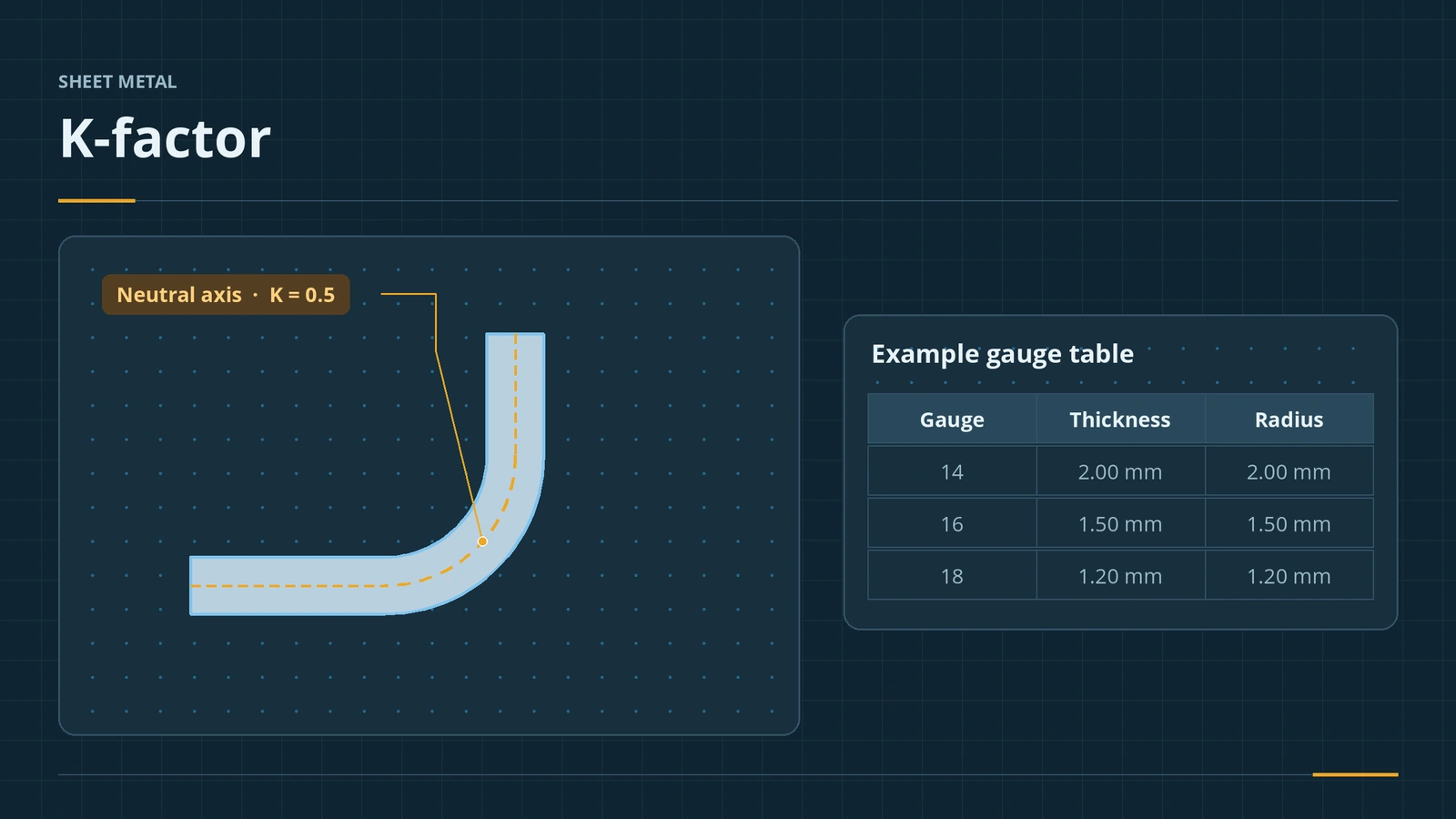 K-factor, bend tables and gauge tablesHow SOLIDWORKS calculates flat lengths: K-factor, bend allowance, bend deduction, bend calculation, bend tables and gauge tables, and where to set each.
-
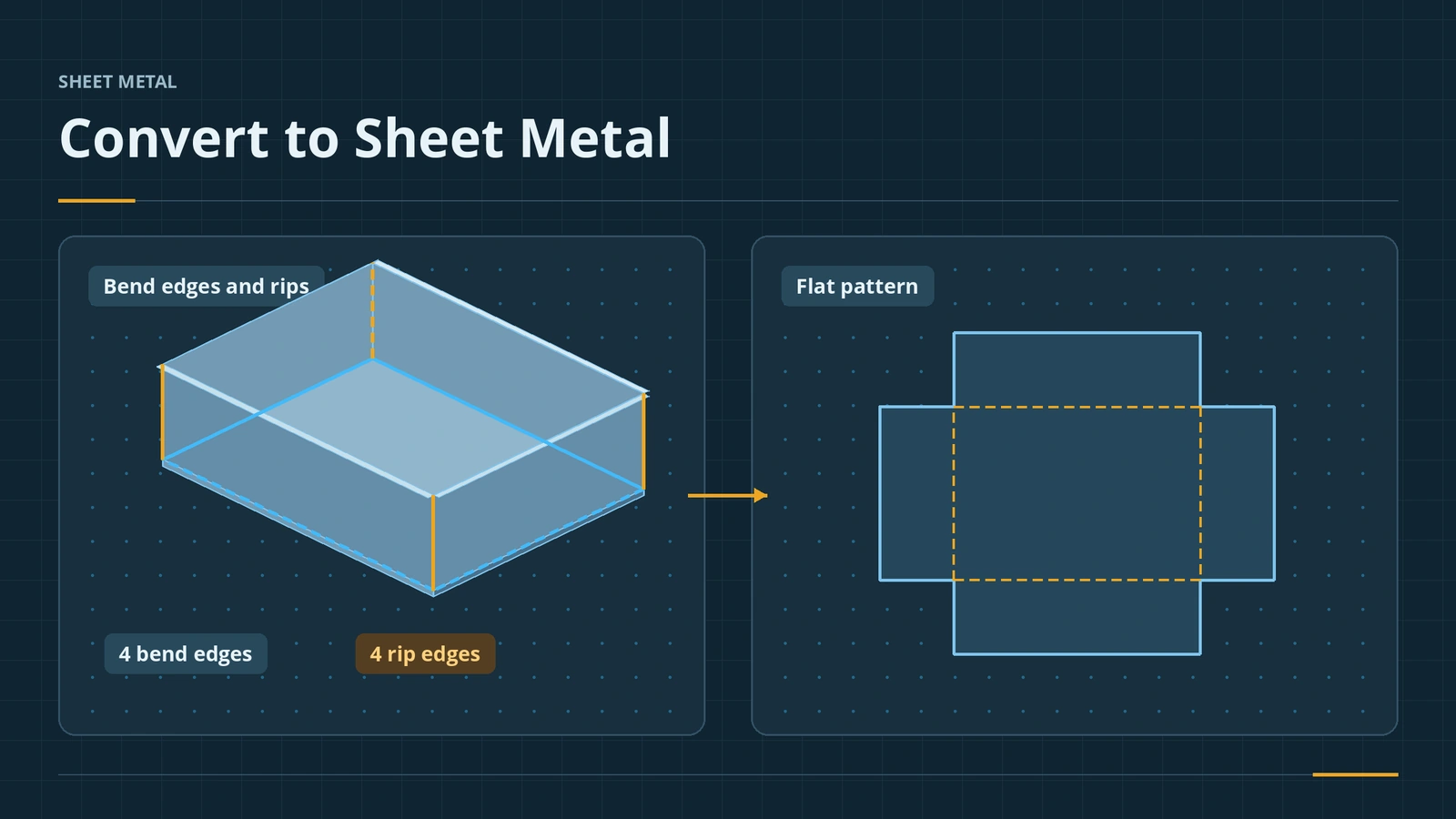 Convert to Sheet Metal and Insert BendsTurn a solid or imported STEP part into SOLIDWORKS sheet metal: Convert to Sheet Metal, bend and rip edges, Insert Bends for shelled parts, Rip.
-
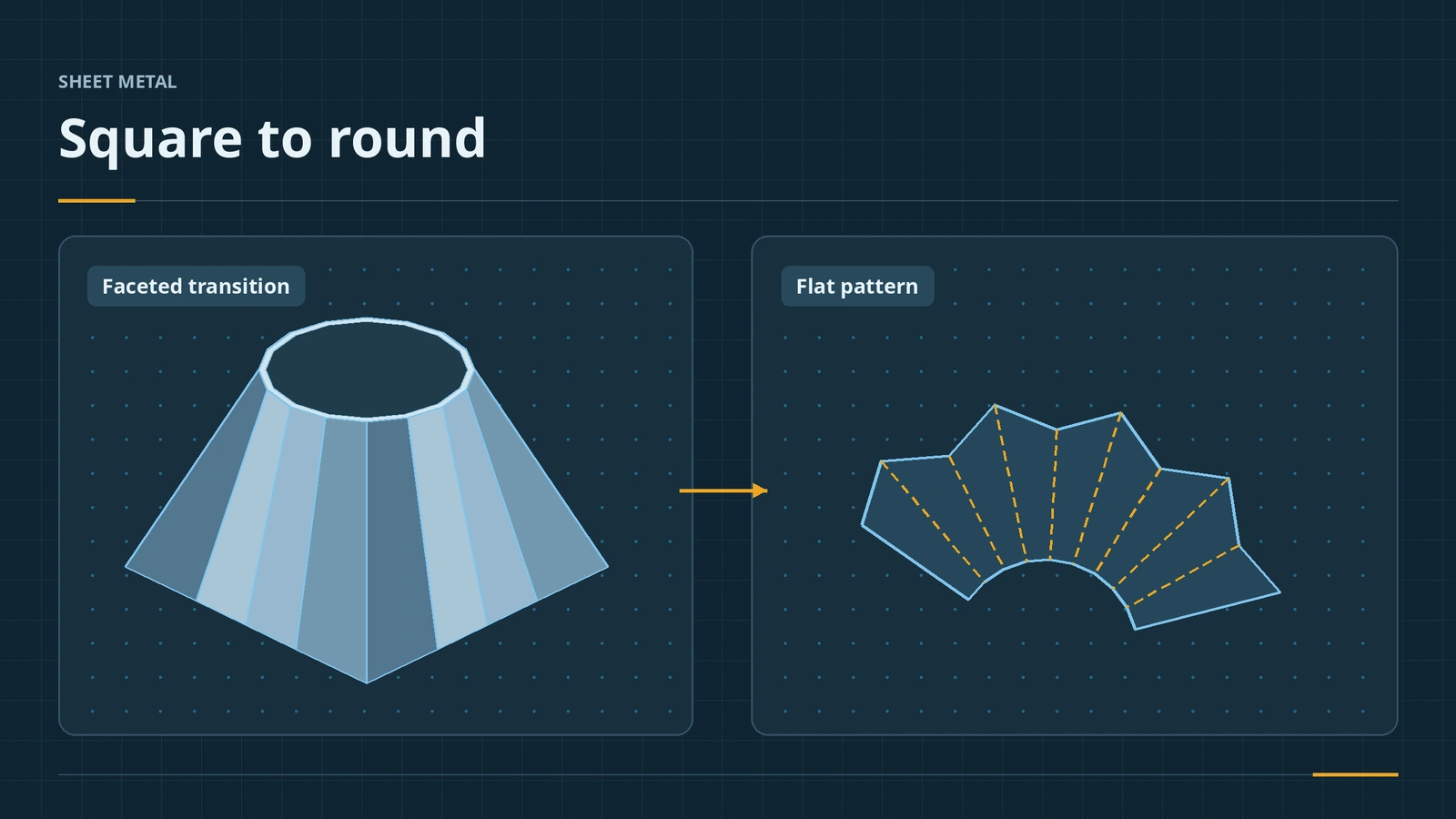 Lofted bends — square to roundMake a sheet metal square-to-round with SOLIDWORKS Lofted Bend: two open profiles, bent vs formed, faceting options and checking the flat pattern.
-
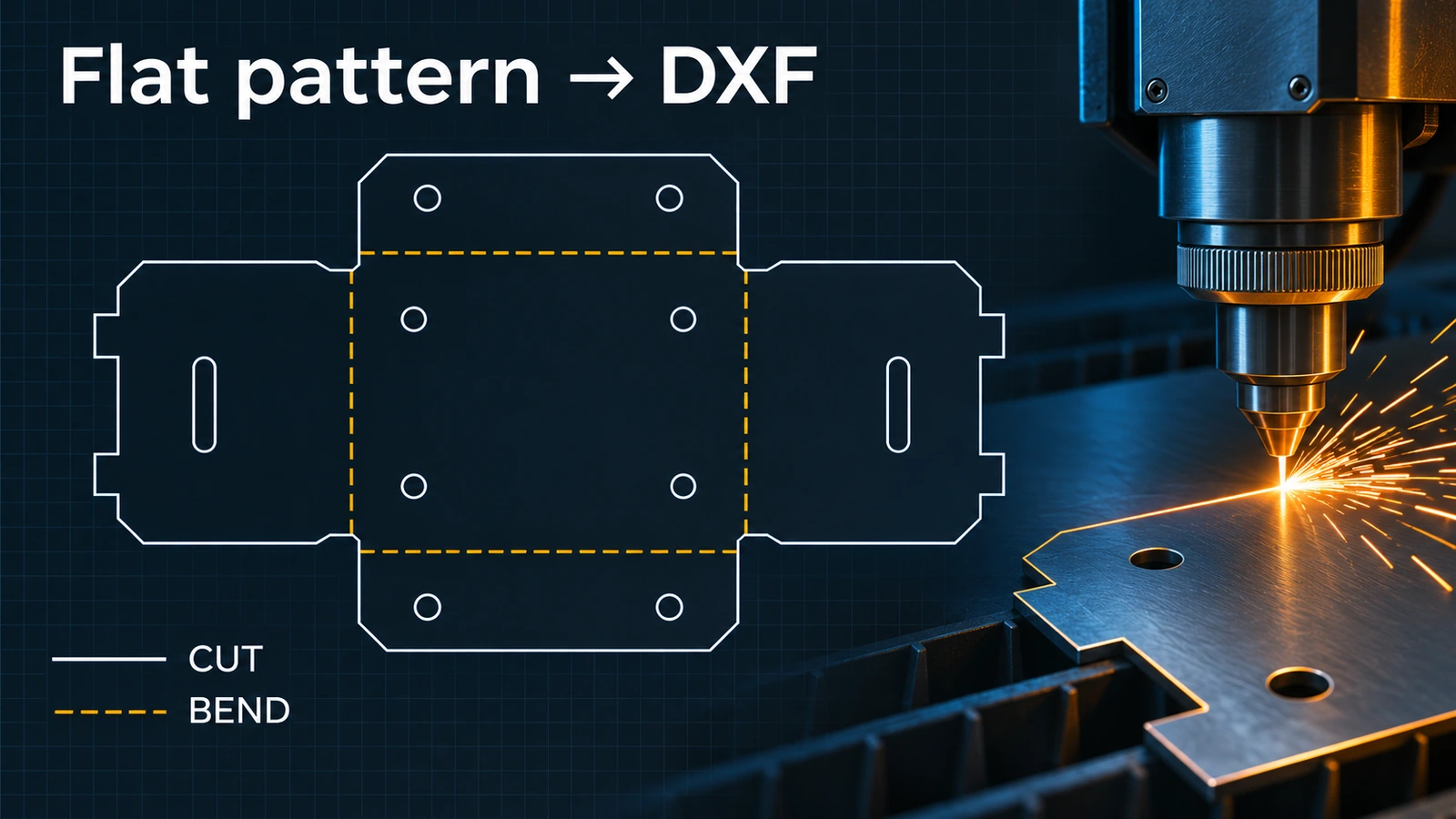 Export a flat pattern to DXF for laser cuttingExport a SOLIDWORKS sheet metal flat pattern to DXF or DWG for laser cutting: entities, alignment, cleanup, bend line layers and 1:1 units.
Frequently asked questions
Is sheet metal included in every SOLIDWORKS licence?
+
Any current commercial, student or Makers licence includes the sheet metal tools — they are not a separate add-in.
What is the default K-factor in SOLIDWORKS?
+
0.5, with K-Factor as the default bend calculation. Real parts usually need values from your fabricator or a gauge table.
How do I get a DXF for laser cutting?
+
Right-click the Flat-Pattern feature, choose Export to DXF/DWG, select Sheet metal and keep only the geometry the shop needs.
Is there a sheet metal certification?
+
Yes. The sheet metal specialist exam tests flanges, K-factor, forming tools and flat patterns; see our sheet metal exam guide.
Related
- K-factor calculator for sheet metal bendsFree sheet metal K-factor calculator: bend allowance, bend deduction, outside setback and flat length for one bend, or the K-factor from a test bend.
- Sheet metal exam (CSWP-SM, formerly CSWPA-SM)The SOLIDWORKS sheet metal exam (CSWP-SM, formerly CSWPA-SM) — $20, 90 minutes, 75% to pass. Flanges, K-factor, forming tools and preparation tips.
- SOLIDWORKS drawings — 14 lessonsFree SOLIDWORKS drawings course: views, sections, details, dimensions, annotations, GD&T, tolerances, BOM, title blocks, sheet formats and PDF/DXF/DWG export.
- How to export DXF and DWG from SOLIDWORKSHow to export SOLIDWORKS drawings to DXF or DWG for AutoCAD, and sheet metal flat patterns to DXF for laser cutting — options, bend lines and common problems.