Sheet metal · Lesson 5
Jog in SOLIDWORKS sheet metal
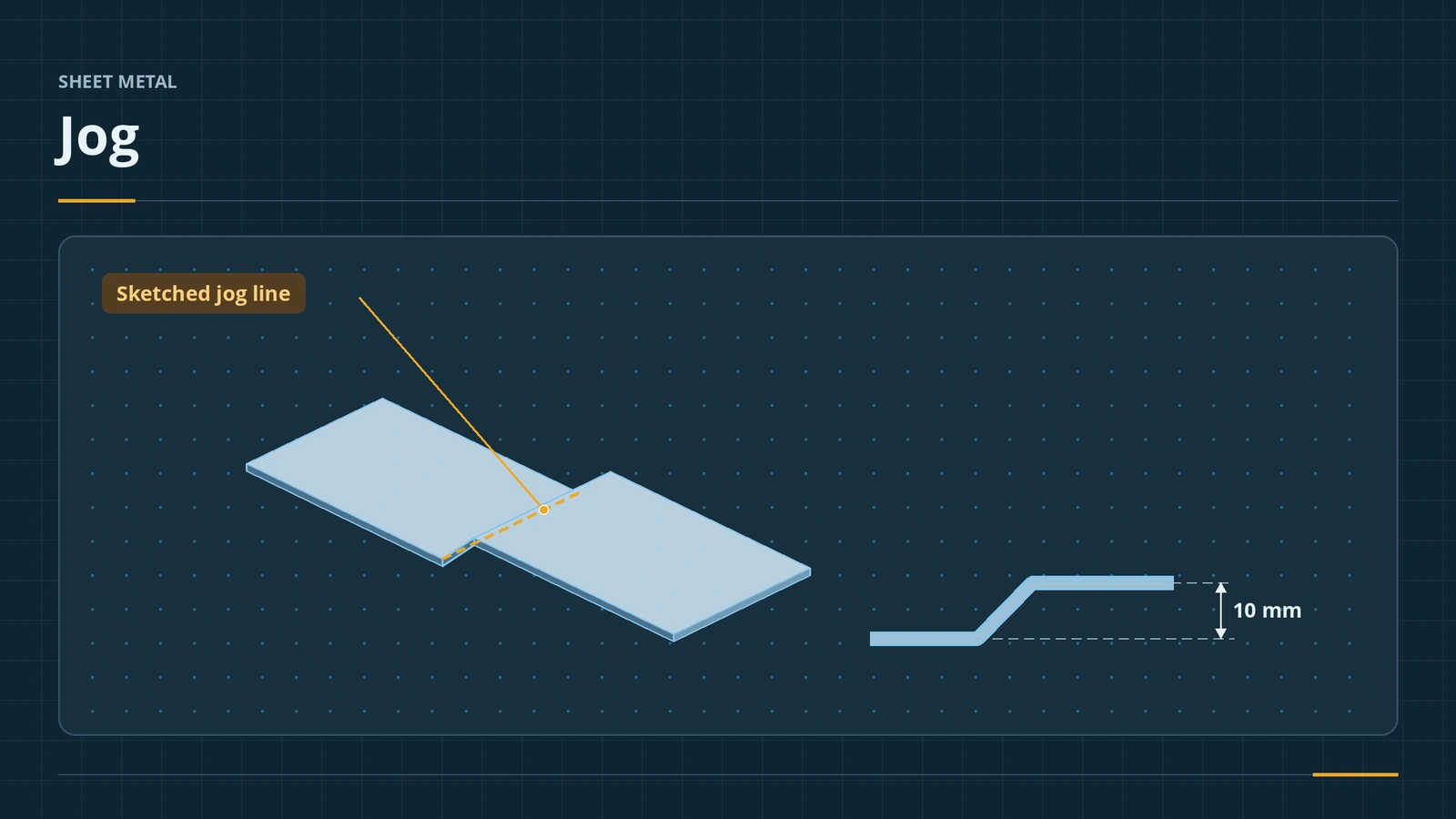
A jog puts a Z-shaped step into a flat wall: two bends from one sketched line, so one part of the sheet sits higher than the other. It is used for joggled joints where one panel overlaps another, and for mounting tabs that need to clear a part. You choose the fixed side, the offset and how it is measured.
 Kevin Walsh
Where to find it
Sheet Metal tab → Jog; Insert → Sheet Metal → Jog
Options
| Option | Choices |
|---|---|
| Fixed face | The side that stays still |
| Jog offset | End condition (Blind) and distance |
| Dimension position | How the offset is measured, such as Outside Offset or Overall Dimension |
| Fix projected length | Keep the projected length or the real length |
| Jog position | Bend Centerline, Material Inside, Material Outside, Bend Outside |
| Angle / radius | Jog angle; default radius or override |
A single bend from a sketched line is the Sketched Bend.
Step by step
-
1
Sketch one line
Make a 100 × 40 base flange, 2 mm. On its top face sketch one line across the 40 mm width, 50 mm from an end.
-
2
Start Jog
Jog, then click the face on one side of the line as the fixed face.
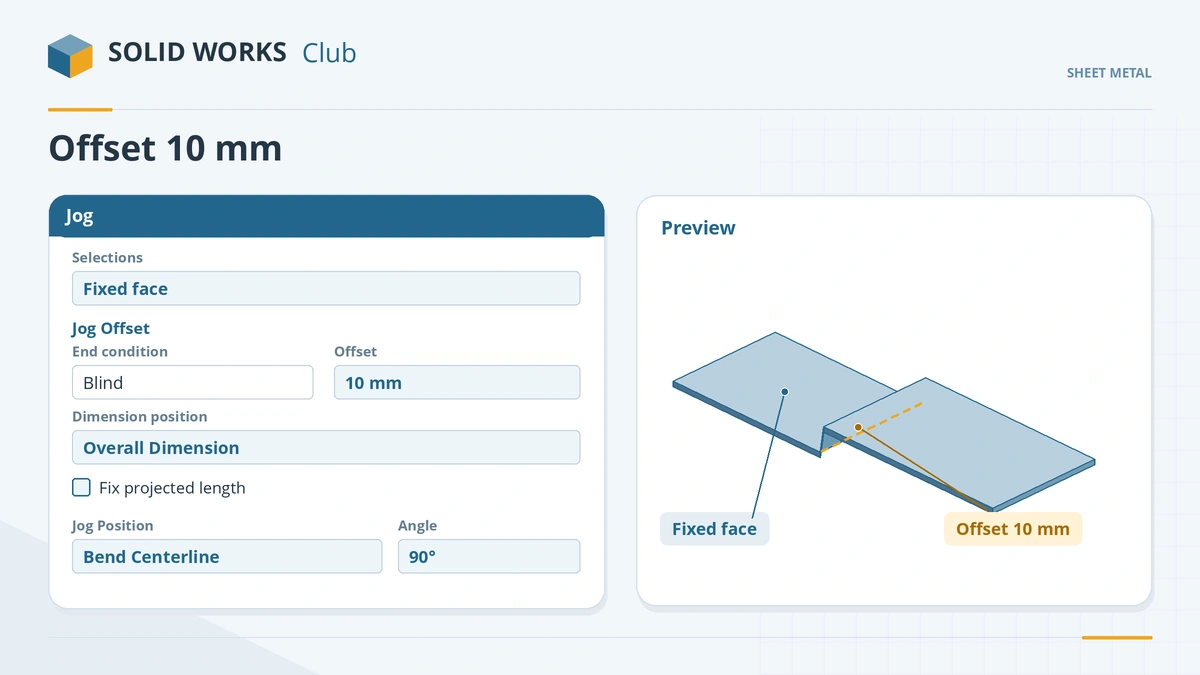
Pick the fixed side, the offset and how it is measured. -
3
Set offset and position
Jog offset Blind, 10 mm, dimension position Overall Dimension. Jog position Bend Centerline, angle 90°. Clear Fix projected length. Click the tick.
-
4
Flatten
Flatten and check the flat. Flatten after every jog — the projected length option changes the blank.
Common mistakes
- A sketch with more than one line — Jog takes exactly one.
- Fix projected length left on when the flat must stay the same — it can add material to the flat pattern.
- Offset measured differently from the drawing — check outside offset vs overall dimension.
Lesson 5 of 13 in the sheet metal course.
Practice
Jog the 100 × 40 tab by 10 mm with Fix projected length cleared. Check: Flatten returns a blank of 100 × 40 mm — the jog only bends the existing length.
Sources
- GoEngineer — Using the sheet metal Jog feature (Sep 2026)
- SOLIDWORKS Help 2024 — Jogs
- DriveWorks — Sheet metal features reference
- CADSoftUSA — Sheet metal tools and commands (Mar 2026)
- SOLIDWORKS blog — Sheet metal tutorial PDF (Mark Eilers)
Checked November 2026. SOLID WORKS Club is independent; menu names can differ slightly between releases.
Frequently asked questions
What does the Jog feature do?
+
It adds two bends from one sketched line, offsetting part of a flat face by a set distance.
What does Fix projected length mean?
+
When on, the projected length of the jogged tab follows your values; when off, the tab keeps its real length, so the flat stays the same.
Can the jog line be at an angle?
+
Yes. The single line can be at any angle and need not span the whole face.
What jog positions are there?
+
Bend Centerline, Material Inside, Material Outside and Bend Outside.
Related
- Sketched Bend in SOLIDWORKS sheet metalBend sheet metal along a sketched line in SOLIDWORKS: bend lines, fixed face, bend position, angle and radius — ideal for a known flat blank.
- Hems in SOLIDWORKS sheet metalAdd a hem in SOLIDWORKS sheet metal: closed, open, tear drop and rolled types, bend position, length, gap and radius, hem width and design rules.
- Base Flange — the first sheet metal featureStart a SOLIDWORKS sheet metal part with Base Flange/Tab: open and closed profiles, thickness, bend radius, K-factor, gauge tables and auto relief.
- Flat patterns in SOLIDWORKS sheet metalHow the SOLIDWORKS flat pattern works: Flatten, Flat-Pattern options, Unfold and Fold for cuts across bends, bend lines and flat drawing views.