Sheet metal · Lesson 10
K-factor, bend tables and gauge tables
A flat pattern is only as accurate as its bend calculation. SOLIDWORKS can work from a K-factor (the default method), a bend allowance, a bend deduction, a bend table, an Excel bend calculation or a gauge table that sets thickness, radius and K-factor together. The values belong to your fabricator's press brake, so ask them — or measure a test bend.
 Kevin Walsh
Where to find it
Sheet-Metal feature (right-click → Edit Feature) → Bend Allowance; Use gauge table
The six bend calculations
| Method | What you enter |
|---|---|
| K-Factor (default) | Neutral axis position: BA = A × (R + K·T) |
| Bend Allowance | Arc length on the neutral axis, added to legs to the tangent lines |
| Bend Deduction | Amount subtracted from legs to the virtual sharp: BD = 2·OSSB − BA |
| Bend Table | Excel table of BA, BD or K by thickness, radius and angle |
| Bend Calculation | Excel sheet with equations by angle range |
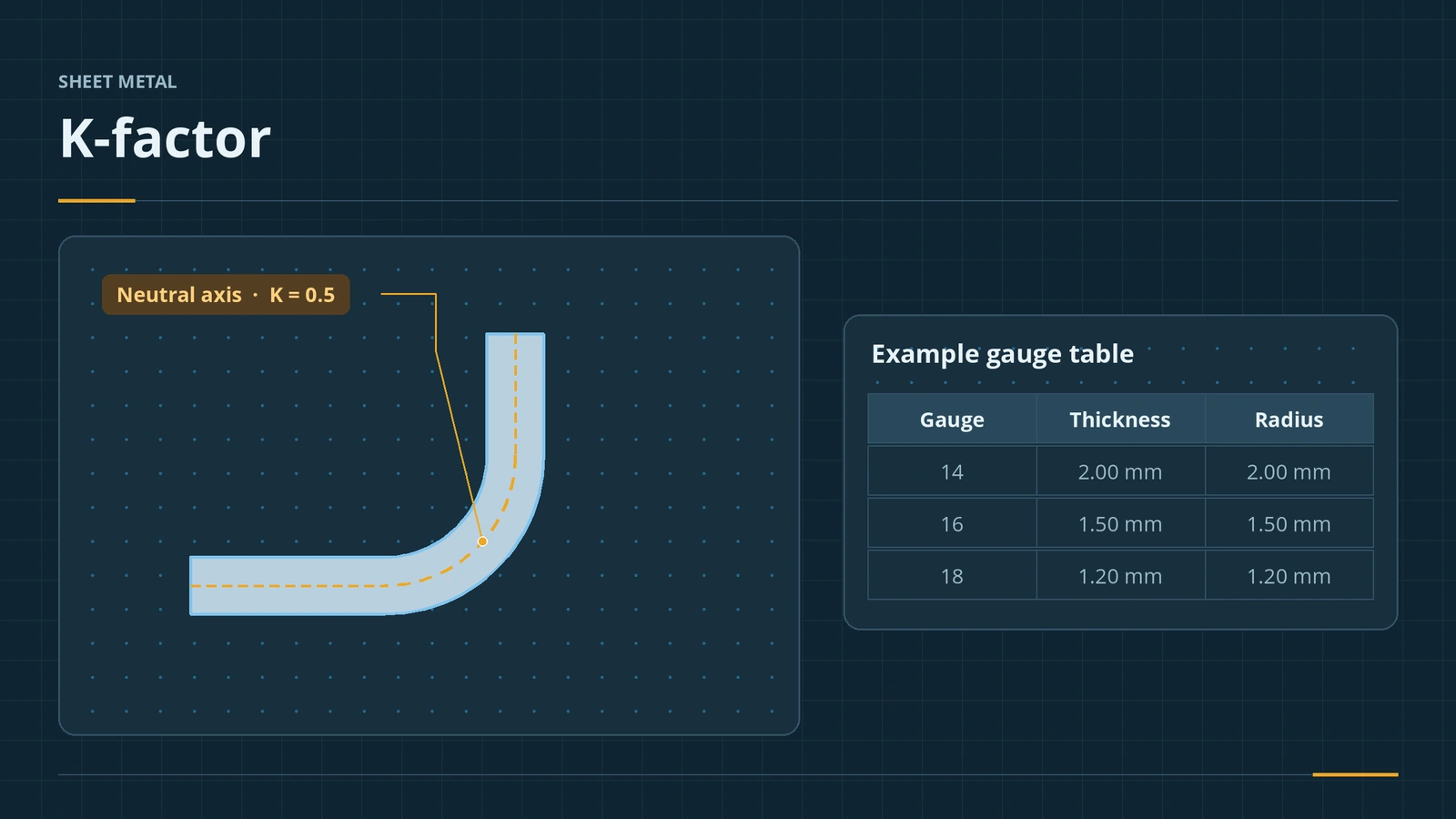
| Gauge Table | Thickness, available radii and K or BA per gauge |
The formulas and a worked example are on the K-factor calculator page. A rough check for 90° bends: the flat is about two thicknesses shorter than the outside legs per bend.
Gauge table tips
- Set the K-factor and units at the top; leave the header row alone.
- Separate several radii with a semicolon and a space.
- List gauges from thinnest to thickest.
- With a gauge chosen, Thickness is greyed out until you tick Override thickness.
Since 2023 the gauge can also appear in the cut list.
Step by step
-
1
Open the sheet metal parameters
In the bracket, right-click Sheet-Metal at the top of the tree → Edit Feature. The part's default thickness, bend radius, bend allowance and relief live here.
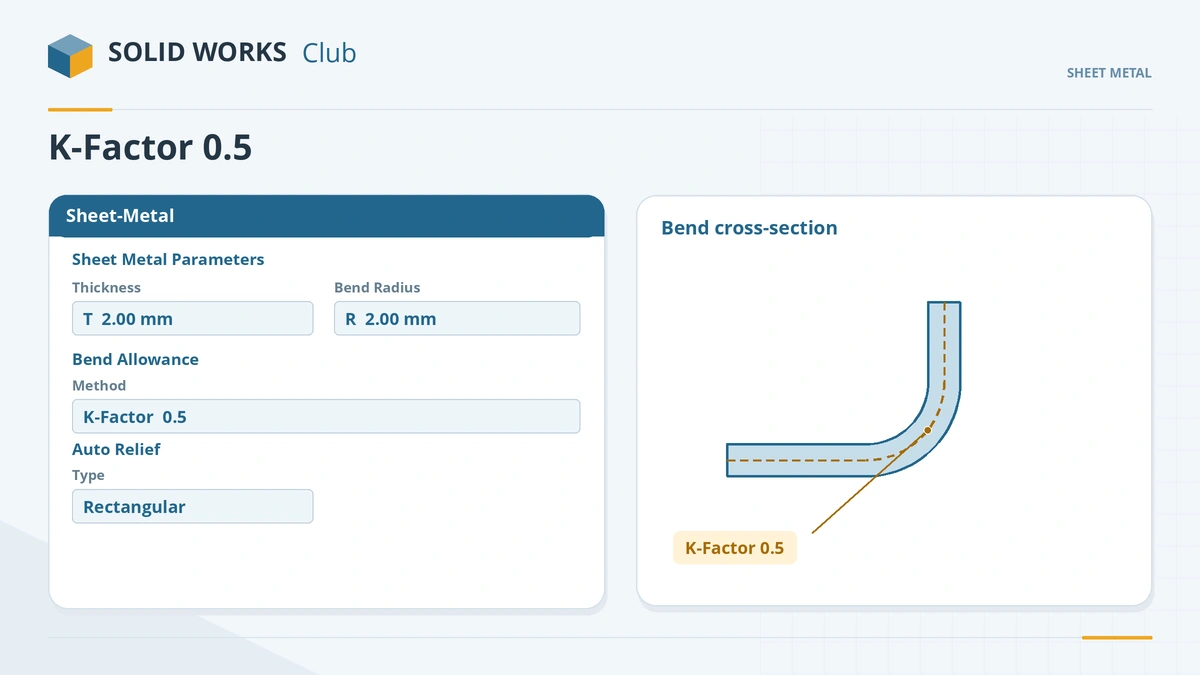
The part's default thickness, radius and K-factor live in the Sheet-Metal feature. -
2
Change the K-factor
Under Bend Allowance, keep K-Factor and change the value from 0.5 to 0.33. Click the tick.
-
3
Compare the flat
Flatten and read the bounding box in the cut list. A smaller K puts the neutral axis closer to the inside, so the blank gets shorter.
-
4
Use a gauge table for real parts
On the first Base Flange, tick Use gauge table and pick a table from the samples or your own. Choose the gauge and one of its bend radii — thickness and K-factor come from the table.
Common mistakes
- Using a 90° bend deduction for other angles — on acute bends the flat comes out much too long.
- Bend tables that set only the allowance while thickness and radius are still typed by hand. Gauge tables lock all three.
- Copying K-factors from the internet. Your shop's tooling and material decide the value; update tables when tooling changes.
Lesson 10 of 13 in the sheet metal course.
Practice
Change the bracket's K-factor from 0.5 to 0.33. Check: the flat pattern bounding box changes from 100 × 86.71 to 100 × 86.18 mm. Confirm both values in the K-factor calculator.
Sources
- GoEngineer — SOLIDWORKS sheet metal bend calculations explained (May 2022)
- Javelin — What are bend allowance, bend deduction and K-factor? (Jun 2017)
- Javelin — Calculating bend allowance, bend deduction and K-factor (Jun 2017)
- Javelin — Bend allowance, bend deduction and K-factor tables (Jun 2017)
- Solid Solutions — What is a K-factor? (Aug 2023)
- SOLIDWORKS Tech Blog — Understanding bend allowance options (Oct 2014)
- The Fabricator — K-factors, Y-factors and press brake bending precision (Mar 2018)
- SOLIDWORKS Help 2024 — Using sheet metal bend parameters
- CADimensions — How do I create gauge tables in SOLIDWORKS?
- CADimensions — Gauge tables provide consistency and reduce errors
- Engineers Rule — Sheet metal improvements in SOLIDWORKS 2023 (Oct 2023)
Checked November 2026. SOLID WORKS Club is independent; menu names can differ slightly between releases.
Frequently asked questions
What is the default bend calculation in SOLIDWORKS?
+
K-Factor. GoEngineer calls it fairly conservative and suitable for most cases; the alternatives are bend table, bend allowance, bend deduction, bend calculation and gauge table.
What K-factor should I use in SOLIDWORKS?
+
Ask your fabricator. SOLIDWORKS' tech blog suggests 0.5 as a start if you have nothing else; K-factors usually lie between about 0.3 and 0.5.
Where are the sample bend and gauge tables?
+
In the install folder under lang\english\Sheet Metal Bend Tables and lang\english\Sheet Metal Gauge Tables. Check the path in Tools → Options → File Locations.
Gauge table or bend table?
+
A gauge table controls thickness, available radii and the bend value per gauge. A bend table controls only the allowance, deduction or K, so many resellers prefer gauge tables.
Related
- K-factor calculator for sheet metal bendsFree sheet metal K-factor calculator: bend allowance, bend deduction, outside setback and flat length for one bend, or the K-factor from a test bend.
- Flat patterns in SOLIDWORKS sheet metalHow the SOLIDWORKS flat pattern works: Flatten, Flat-Pattern options, Unfold and Fold for cuts across bends, bend lines and flat drawing views.
- Base Flange — the first sheet metal featureStart a SOLIDWORKS sheet metal part with Base Flange/Tab: open and closed profiles, thickness, bend radius, K-factor, gauge tables and auto relief.
- Edge Flange in SOLIDWORKS sheet metalAdd a SOLIDWORKS edge flange: length to outer or inner virtual sharp, flange position, angle, Edit Flange Profile, custom relief and multi-length.