Sheet metal · Lesson 9
Flat patterns in SOLIDWORKS sheet metal
Every sheet metal part in SOLIDWORKS carries its own flat pattern — the blank the laser cuts before the press brake bends it. Flatten shows it; the Flat-Pattern feature at the bottom of the tree holds its options; Unfold and Fold let you cut across bends at their true size. In drawings, a flat pattern view adds a flat configuration and bend notes for you.
 Kevin Walsh
Where to find it
Sheet Metal tab → Flatten; FeatureManager → Flat-Pattern feature (right-click → Edit Feature)
Flat-Pattern options
| Option | What it does |
|---|---|
| Fixed face | The face that stays still when the part flattens |
| Merge faces | Merges coplanar faces so bend areas show no lines (on by default) |
| Simplify bends | Straightens curved edges in the flat; many users leave it off for laser parts |
| Corner treatment | Smooths corners of the flat blank |
| Grain direction | Pick an edge or line for the grain |
| Show slit | Shows slits added by some corner reliefs |
| Faces to exclude | Leaves chosen faces out of the flat |
Flat patterns in drawings
Insert a Flat Pattern view from the View Palette or tick Flat pattern in Model View. SOLIDWORKS adds a derived configuration such as DefaultSM-FLAT-PATTERN to the part and shows bend lines with bend notes. Flip View in the view's PropertyManager mirrors it so engraved text reads correctly. Since 2025, flatten, fold and unfold are faster on parts with many bodies or forming tools. Views in general are covered in drawing views.
When it won't flatten: see flatten errors.
Step by step
-
1
Flatten the part
Open the bracket and click Flatten on the Sheet Metal tab. The Flat-Pattern feature is unsuppressed and the part lies flat. Click Flatten again to bend it back.
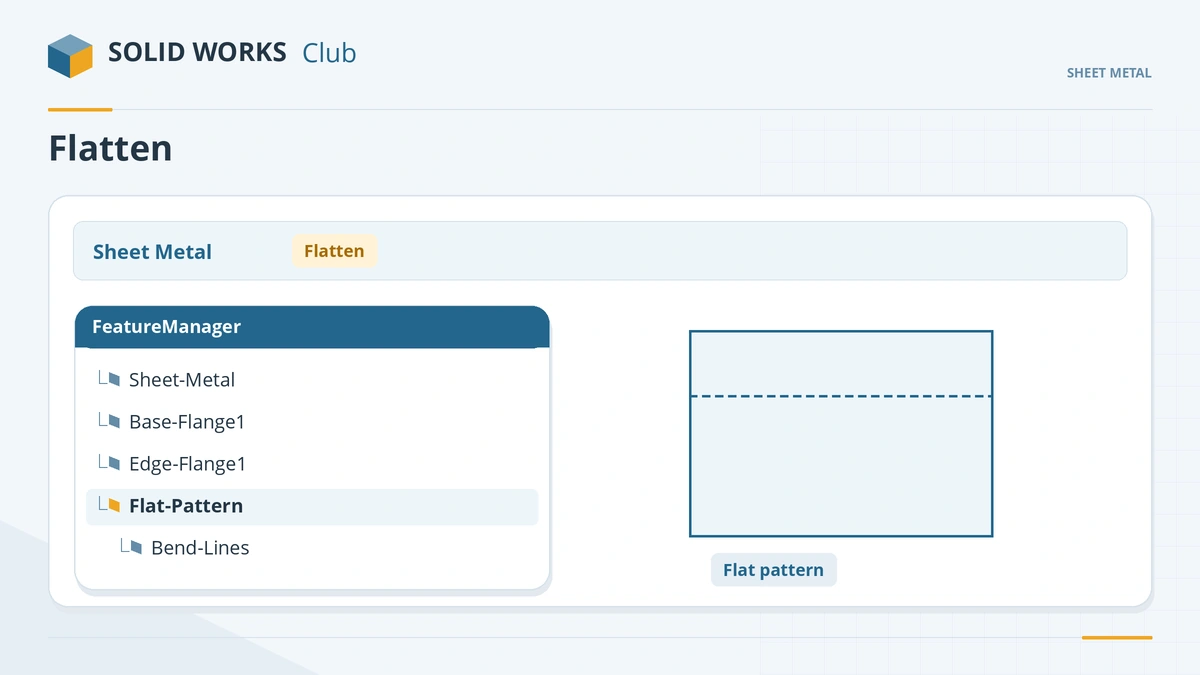
Flatten unsuppresses the Flat-Pattern feature at the bottom of the tree. -
2
Check the flat pattern options
Expand the Flat-Pattern folder, right-click Flat-Pattern → Edit Feature. Keep Merge faces on — it hides the tangent lines in bend areas. Set the Fixed face and, if the material has a grain, Grain direction.
-
3
Cut across a bend
Unfold with the base as the fixed face and Collect All Bends, sketch a slot across the bend, Extrude Cut through all, then Fold. The slot wraps around the bend at its true flat size.
-
4
Read the blank size
Expand the Cut list, right-click the sheet metal item → Properties. Bounding Box Length and Width give the blank size.
Common mistakes
- Toggling Flatten or suppressing Flat-Pattern while the flat configuration is active — the drawing's flat view then shows the bent part. Activate the SM-FLAT-PATTERN configuration, flatten again and refresh the View Palette.
- Editing the design in the flat pattern configuration — make changes in the default configuration.
- Unfold and Fold with different fixed faces.
- Extra lines in a flat drawing view — Merge faces was turned off.
Lesson 9 of 13 in the sheet metal course.
Practice
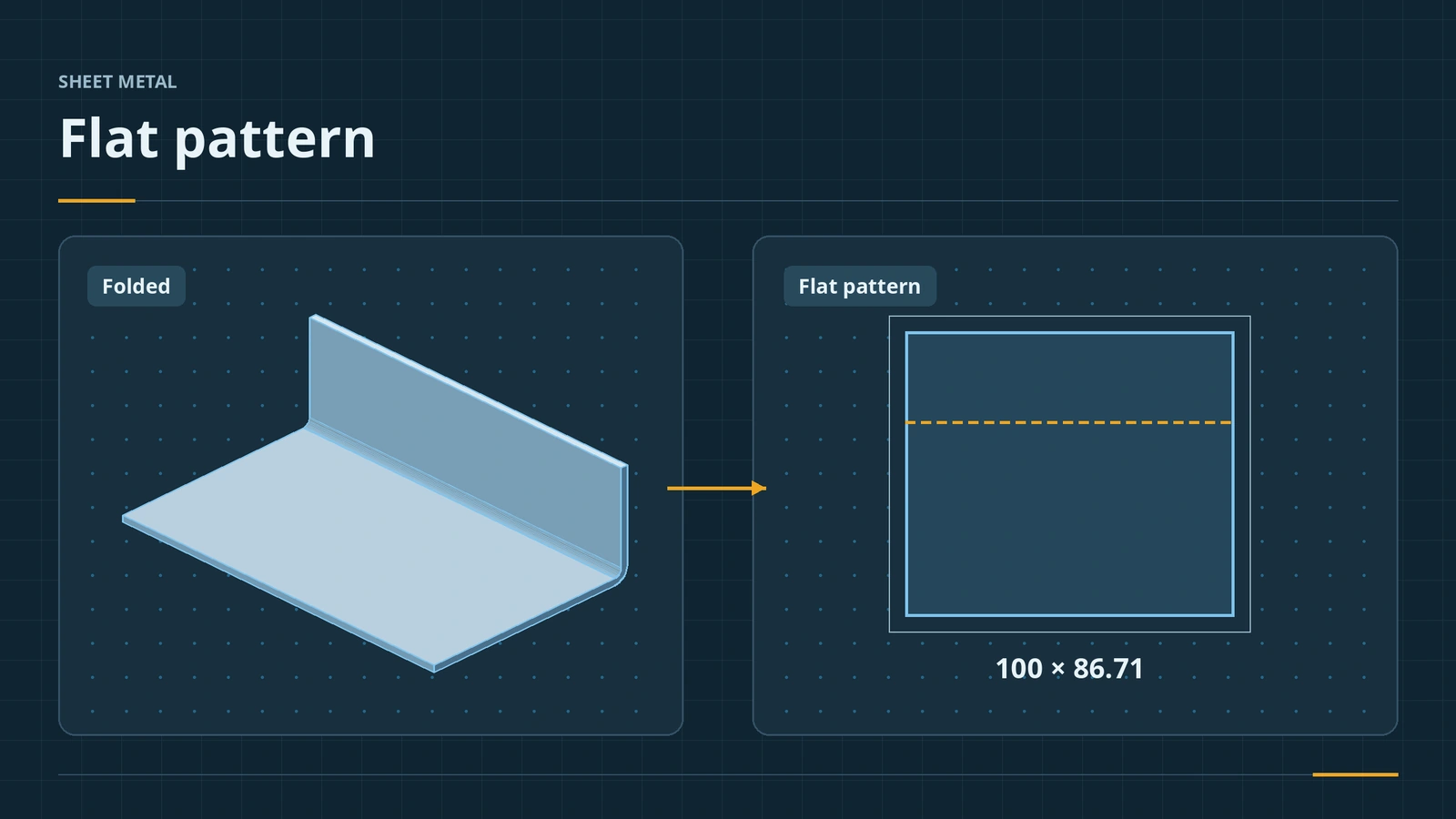
Flatten the bracket from lessons 1–2 (100 × 60 base, 30 mm edge flange, 2 mm thick, R2, K 0.5). Check: the cut list's bounding box is 100 × 86.71 mm — the 60 + 30 outside legs minus a bend deduction of 3.29 mm, which you can confirm in the K-factor calculator.
Sources
- GoEngineer — Sheet metal tutorial: flat pattern and sketched bend (Feb 2020)
- Javelin — Why is my flat pattern displayed as a bent part? (Mar 2014)
- CATI — Sheet metal and flat pattern view direction (Feb 2012)
- SOLIDWORKS Help 2024 — Flat-Pattern PropertyManager
- Hawk Ridge — Show tangent bend lines on the flat pattern
- Javelin — Simplify bends and normal cut (Aug 2013)
- Javelin — Sheet metal corner treatment (Mar 2023)
- GoEngineer — Sheet metal fold and unfold tools explained (Nov 2023)
- GoEngineer — Show sheet metal bend lines in a drawing (Jun 2023)
- Javelin — Automatically create a flat pattern configuration (Aug 2019)
- Javelin — Flat pattern drawing view displays the formed part (Nov 2014)
- Hawk Ridge — Flat pattern drawing view is not flat
- Javelin — Flat pattern drawing view flip and rotate (Nov 2013)
- CATI — Sheet metal grain direction (Feb 2011)
- GoEngineer — Cut list properties: where do they come from? (Dec 2020)
- Solid Solutions — Sheet metal features in SOLIDWORKS 2025 (Dec 2024)
Checked November 2026. SOLID WORKS Club is independent; menu names can differ slightly between releases.
Frequently asked questions
How do I flatten a sheet metal part in SOLIDWORKS?
+
Click Flatten on the Sheet Metal tab. It unsuppresses the Flat-Pattern feature; click it again to return to the bent state.
Why does my flat pattern drawing view show the bent part?
+
The SM-FLAT-PATTERN configuration had Flatten turned off. Activate it, unsuppress Flat-Pattern or click Flatten, and refresh the drawing.
How do I show bend lines?
+
Bend lines live in the Flat-Pattern feature. Since SOLIDWORKS 2022 they are toggled with View → Bend Lines, separate from sketches.
Where do I find the blank size?
+
In the sheet metal cut list properties: Bounding Box Length and Bounding Box Width, which are system properties since 2011.
Related
- K-factor, bend tables and gauge tablesHow SOLIDWORKS calculates flat lengths: K-factor, bend allowance, bend deduction, bend calculation, bend tables and gauge tables, and where to set each.
- Export a flat pattern to DXF for laser cuttingExport a SOLIDWORKS sheet metal flat pattern to DXF or DWG for laser cutting: entities, alignment, cleanup, bend line layers and 1:1 units.
- Sketched Bend in SOLIDWORKS sheet metalBend sheet metal along a sketched line in SOLIDWORKS: bend lines, fixed face, bend position, angle and radius — ideal for a known flat blank.
- SOLIDWORKS drawing viewsHow to place SOLIDWORKS drawing views: Model View, Standard 3 View and projected views, alignment, display styles, tangent edges, moving and hiding views.