Reference
SOLIDWORKS glossary
Short, plain-English definitions of the SOLIDWORKS terms you meet in tutorials, the interface and exam questions — from the FeatureManager design tree and PropertyManager to mates, configurations, design tables, K-factor, SpeedPak and Pack and Go. Terms link to our detailed guides where we have one.
 Kevin Walsh
Jump to: 3 · A · B · C · D · E · F · G · H · I · K · L · M · O · P · R · S · T · W
3
- 3D Interconnect — Opens native files from other CAD systems with a link that can update when the source changes. More →
A
- Ambient occlusion — A display effect that darkens corners and contact areas for more realistic shading.- Appearance — Colour and texture applied to a face, body or part. Visual only — it does not change mass.
B
- Balloon — A drawing label with an item number linked to the bill of materials.- Bend allowance — Length of the neutral axis through a sheet metal bend, added to the flat length.- BOM (bill of materials) — A drawing table listing the parts and quantities in an assembly.- Boss / Base — A feature that adds material. The first solid feature of a part is the base.- Breadcrumbs — A trail near the pointer showing the selected entity's parents — sketch, feature, component. Press D to bring it to the pointer.
C
- Chamfer — A bevel on an edge or vertex.- CommandManager — The tabbed toolbar above the graphics area; tabs change with the document type.- Configuration — A variant of a part or assembly stored in the same file, such as different lengths or suppressed features.- ConfigurationManager — The panel that lists and manages a document's configurations.- Cut — A feature that removes material — extruded, revolved, swept or lofted.
D
- Design Library — A Task Pane library of reusable parts, features, annotations and blocks.- Design table — An embedded Excel sheet that drives dimensions and suppression states across configurations.- Detail view — An enlarged view of part of a drawing view.- DimXpert / MBD Dimensions — Tools to add dimensions and tolerances directly to the 3D model; renamed MBD Dimensions in 2019.- Display state — A saved combination of visibility, colour and display mode for components or bodies.- Draft — A taper on faces so a part can be released from a mould.
E
- eDrawings — Dassault's viewer and lightweight file format for sharing SOLIDWORKS designs. More →- Equation — A mathematical relation between dimensions, global variables or functions.- Exploded view — An assembly view with components moved apart to show how they fit.
F
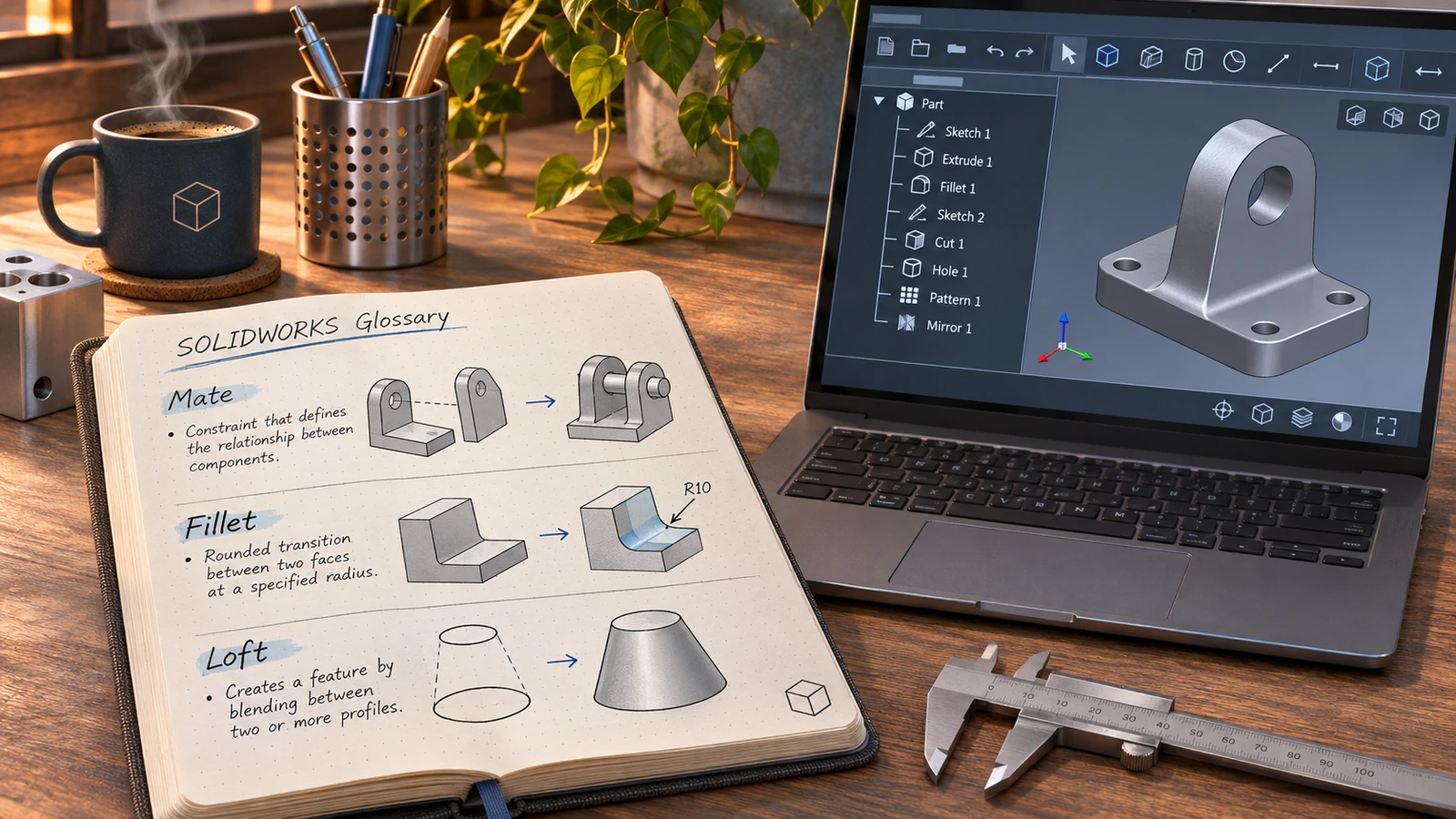
- FeatureManager design tree — The panel on the left listing the features, sketches, planes and components of the active document in order.- Fillet — A rounded edge or corner, inside or outside.- Flat pattern — The unfolded state of a sheet metal part, used for cutting. More →- Fully defined — A sketch whose geometry is completely fixed by dimensions and relations; shown in black.
G
- Global variable — A named value you can use in dimensions and equations, set in Tools → Equations.
H
- Hole Wizard — A feature that creates standard holes — tapped, counterbored, countersunk — from size tables.
I
- Instant3D — Editing geometry by dragging handles and rulers directly in the graphics area.
K
- K-factor — The position of the neutral axis in a sheet metal bend as a fraction of thickness.
L
- Large Design Review — A mode that opens very large assemblies quickly for review, with limited editing.- Lightweight — A component loaded with only part of its data to save memory; marked with a feather icon.- Loft — A feature that blends between two or more profiles.
M
- Mate — A geometric relationship between components in an assembly, such as coincident or concentric.- Mirror — A copy of features, bodies or entities across a plane, planar face or centreline.
O
- Origin — The model's 0,0,0 point; the active sketch's origin is shown in red.
P
- Pack and Go — File → Pack and Go copies a document with all its referenced files, optionally zipped. More →- Parent / child — A child feature depends on its parent; deleting or changing the parent affects the child.- Pattern — A linear, circular or sketch-driven array of features, bodies or components.- PDM — Product data management — a vault that controls file versions, revisions and workflows.- PropertyManager — The panel that appears on the left when you create or edit a feature, showing its options.
R
- RealView — Hardware-accelerated realistic shading of materials and appearances in the viewport; needs a supported graphics card. More →- Rebuild — Recalculating the model after changes. Ctrl+B rebuilds changes; Ctrl+Q rebuilds everything. More →- Reference geometry — Planes, axes, coordinate systems and points used to build features.- Revolve — A feature made by rotating a profile about an axis or centreline.- Rollback bar — The line in the FeatureManager tree that temporarily suppresses everything below it.
S
- Section view — A drawing view of the part cut along a section line.- Shell — A feature that hollows a part to a wall thickness, leaving chosen faces open.- Sketch relation — A geometric constraint such as horizontal, parallel or tangent between sketch entities.- SmartMates — Mates created automatically when you Alt-drag a component onto another.- SpeedPak — A simplified assembly configuration that keeps graphics and selected faces for speed.- Sweep — A feature made by moving a profile along a path.
T
- Toolbox — A library of standard fasteners and hardware, included in Professional and Premium.
W
- Weldment — Tools for frames made from structural profiles, with an automatic cut list. Definitions are written in our own words, based on SOLIDWORKS documentation and reseller references such as the SolidWorks glossary of terms and Javelin's sheet metal terminology. Sheet metal terms are used in practice in the sheet metal course, and the K-factor calculator turns them into flat lengths. Keyboard shortcuts for many of these tools are in SOLIDWORKS keyboard shortcuts.
Error messages explained: for over-defined sketches, dangling relations and rebuild icons, see sketch errors and rebuild errors.
Sketch terms in practice: Smart Dimension, construction geometry and Convert Entities.
Frequently asked questions
What is the FeatureManager design tree?
+
The panel on the left of the SOLIDWORKS window that lists everything in the active document — sketches, features, planes, components — in the order they were created. You select, edit, reorder and suppress items there.
What does "fully defined" mean in SOLIDWORKS?
+
A sketch is fully defined when dimensions and relations fix every entity's size and position. Fully defined geometry turns black; blue geometry is under-defined and can still move.
What is a configuration in SOLIDWORKS?
+
A variant of a part or assembly saved in the same file — for example the same bolt in several lengths. Design tables let you drive many configurations from an Excel sheet.
Related
- SOLIDWORKS keyboard shortcutsEvery default SOLIDWORKS keyboard shortcut in a searchable list and a one-page PDF — rebuild, views, zoom, filters, sketch and assembly keys — and customising.
- SOLIDWORKS file formats and extensionsEvery SOLIDWORKS file extension explained — SLDPRT, SLDASM, SLDDRW, templates, libraries and tables — plus the import and export formats and 3D Interconnect.
- SOLIDWORKS referenceSOLIDWORKS reference — keyboard shortcuts with a PDF, mouse gestures, the S key, file formats, STEP, STL and DXF export, version compatibility and a glossary.
- SOLIDWORKS version history: every release since 1995Every SOLIDWORKS release from SolidWorks 95 to 2027 with release years, revision numbers and file version codes, plus company milestones since 1993.