Requirements & Hardware
SOLIDWORKS certified graphics cards and drivers
SOLIDWORKS certifies professional graphics cards — NVIDIA RTX PRO and RTX Ada, AMD Radeon PRO, Intel Arc Pro — plus a few recent integrated GPUs, each with specific drivers. Gaming cards such as NVIDIA GeForce and AMD Radeon RX are not certified: they usually run SOLIDWORKS, but without certified drivers and with some graphics features unavailable.
 Kevin Walsh

Why certification matters
SOLIDWORKS draws models with OpenGL and, as Dassault's certification programme explains, recommends professional workstation graphics for the best experience. Hardware vendors send cards and systems to Dassault's lab, where each configuration is tested before it appears on the hardware certification page. Certification covers a card and a driver, for a specific SOLIDWORKS version.
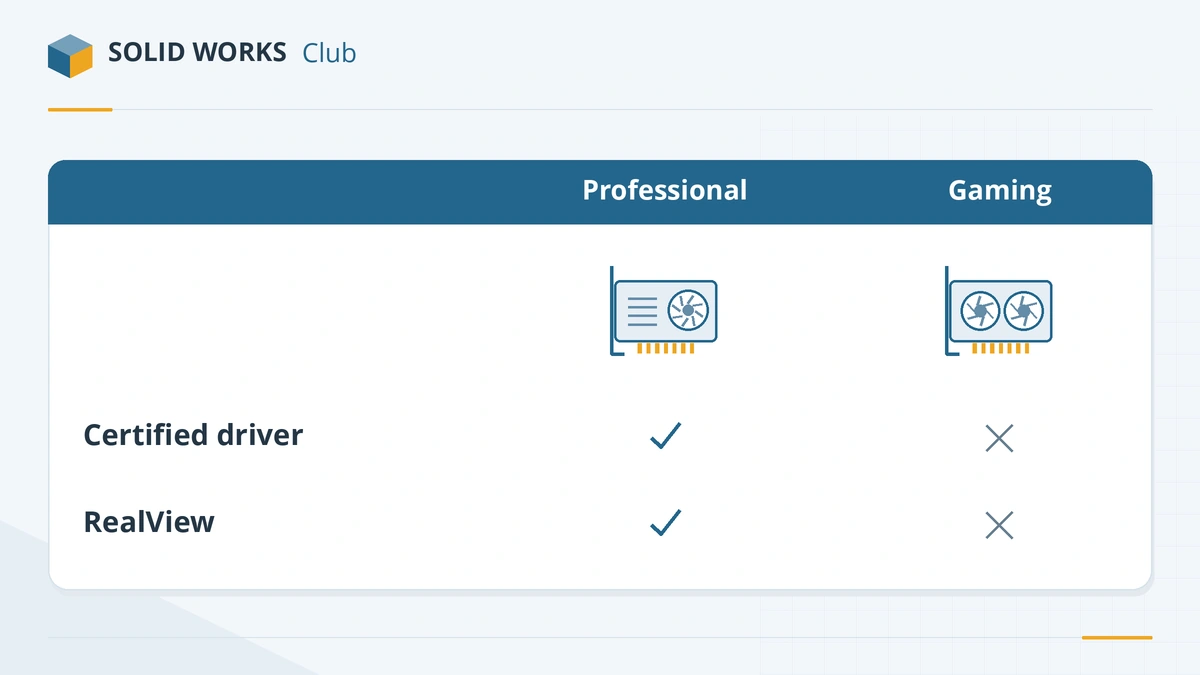
| Certified professional card | Gaming card (GeForce, Radeon RX) | |
|---|---|---|
| On the certification list | Yes | No |
| Certified driver | Yes | No |
| RealView and Ambient Occlusion officially supported | Yes | No |
| Stability | Tested with SOLIDWORKS | Not tested; may work fine |
| Price for the same speed | Higher | Lower |
The SOLIDWORKS blog says gaming cards will not support all SOLIDWORKS functionality (source). Javelin's 2026 hardware guide calls GeForce cards the most common source of instability, and Puget Systems notes that even a low-end RTX PRO card can outperform a faster GeForce card in SOLIDWORKS (source).
Cards on the certification list (2026)
We checked the certification list for SOLIDWORKS 2026 on 2026-11-06. The list names GPUs without separating desktop and laptop versions.
| Family | Certified models (examples) |
|---|---|
| NVIDIA RTX PRO Blackwell | RTX PRO 500, 1000, 2000, 3000, 4000, 4500, 5000, 6000 |
| NVIDIA RTX Ada Generation | RTX 500 to RTX 6000 Ada |
| AMD Radeon PRO | W7500, W7600, W7700, W7900; W6400, W6600, W6800 |
| AMD Radeon AI PRO | R9700 |
| Intel Arc Pro | B50, B60, B390, A-series |
| Integrated | AMD Radeon 780M, AMD Radeon 890M, AMD Radeon 8040S / 8050S / 8060S, Intel Arc 130T / 140T, Intel Arc Pro B390 |
Not on the list when we checked: Radeon PRO W7800 and the new RTX PRO 5500 Blackwell. Cards are added over time, so check again before you buy. For which card to choose, see the best GPU for SOLIDWORKS.
How to find the certified driver
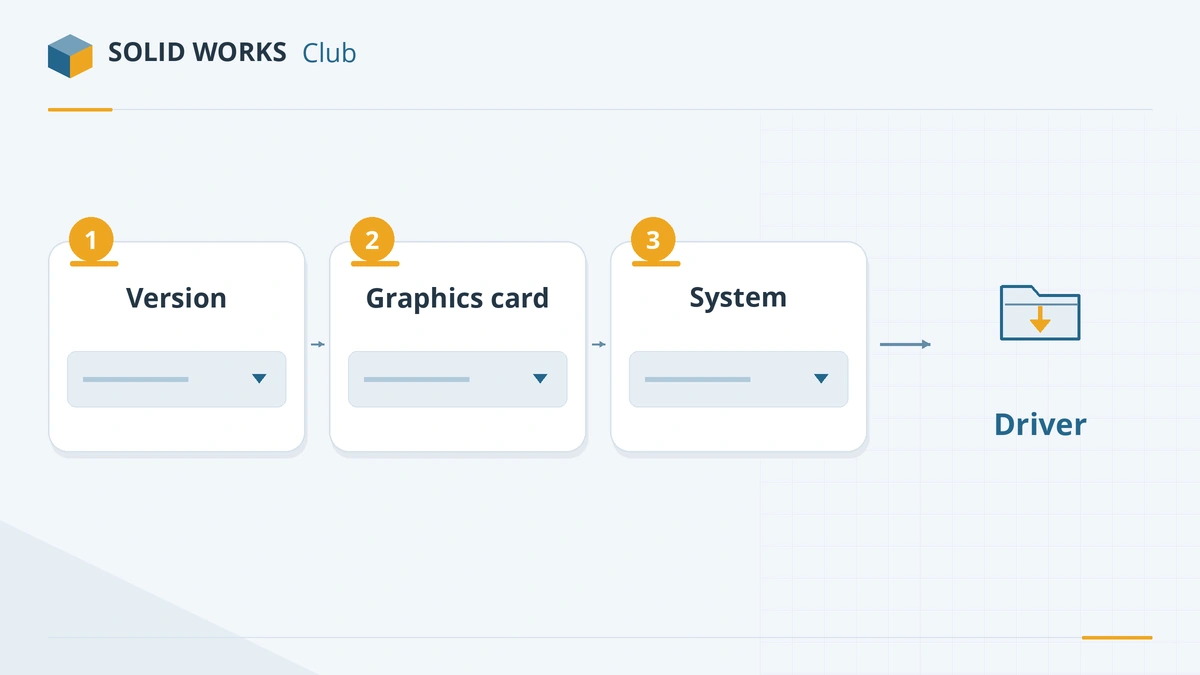
- In SOLIDWORKS, open SOLIDWORKS Rx → Diagnostics to see your graphics card and driver, and click the link to the certification page.
- On the hardware certification page, choose your SOLIDWORKS version and graphics card. GoEngineer suggests filling in only these two filters if your exact computer model is not listed (guide).
- Download the recommended driver. For NVIDIA, a clean install of the driver avoids leftovers from older versions.
- On laptops with integrated and dedicated graphics, set SOLIDWORKS to use the dedicated card in Windows Settings → System → Display → Graphics.
RealView and Enhanced Graphics Performance
RealView (realistic materials in the viewport) and Enhanced Graphics Performance need a supported professional card. If your professional card is not recognised for them, the certification page offers a small patch (SolidWorks_GraphicsCards_Support.msi, for SOLIDWORKS 2020 and later) that adds it to the supported list. On gaming cards and in most virtual machines these options stay unavailable.
What about SOLIDWORKS Visualize?
Visualize renders on the GPU. Javelin's guide says it needs an NVIDIA card with RT cores (Turing generation or newer) and at least 4 GB of memory for full support; AMD cards work only in Fast mode, and a second GPU roughly halves render time.
Choosing a whole computer? See the best laptops for SOLIDWORKS, or check your current PC with the PC checker.
Display problems already? If RealView is greyed out, the screen goes black or SOLIDWORKS warns about your driver, see unsupported graphics card fixes. Crashes and freezes are covered in SOLIDWORKS crashing. GPU rendering matters most in Visualize.
Frequently asked questions
Does SOLIDWORKS work with a GeForce graphics card?
+
Usually, yes — but GeForce cards are not certified. SOLIDWORKS may warn that it cannot find information on your graphics card, and features such as RealView can be unavailable. Javelin calls GeForce cards the most common source of SOLIDWORKS instability.
How do I find the certified driver for my graphics card?
+
Open the SOLIDWORKS hardware certification page, choose your SOLIDWORKS version and graphics card (and optionally your computer model), and use the recommended driver it lists. SOLIDWORKS Rx → Diagnostics links straight to that page.
What does RealView need?
+
A supported, professional graphics card. If your professional card is not recognised for RealView or Enhanced Graphics Performance, the certification page offers a small patch that adds support for it.
Is integrated graphics enough for SOLIDWORKS?
+
For learning and small parts, sometimes. Several recent integrated GPUs — AMD Radeon 780M, 890M and 8060S, and Intel Arc 130T and 140T — are on the certification list. Large assemblies still need a dedicated card.
Related
- Best GPU for SOLIDWORKS in 2026The best graphics card for SOLIDWORKS in 2026 by model size — certified NVIDIA RTX PRO Blackwell and AMD Radeon PRO picks, VRAM, and when a gaming card will do.
- SOLIDWORKS system requirements (2025–2027)Official SOLIDWORKS system requirements for 2025–2027 — Windows 11, 16 GB RAM minimum, 32 GB recommended, x86_64 CPU, certified graphics card and an SSD.
- Can my PC run SOLIDWORKS?Check your computer against the official SOLIDWORKS 2025–2027 requirements in seconds — Windows edition, CPU, RAM, GPU and drive — with a fix for each item.
- Best laptops for SOLIDWORKS in 2026The best laptops for SOLIDWORKS in 2026 — certified Dell, HP and Lenovo mobile workstations by tier, with CPU, RTX PRO GPU and RAM options, and what to avoid.