Tutorials
SOLIDWORKS weldments — 7 lessons
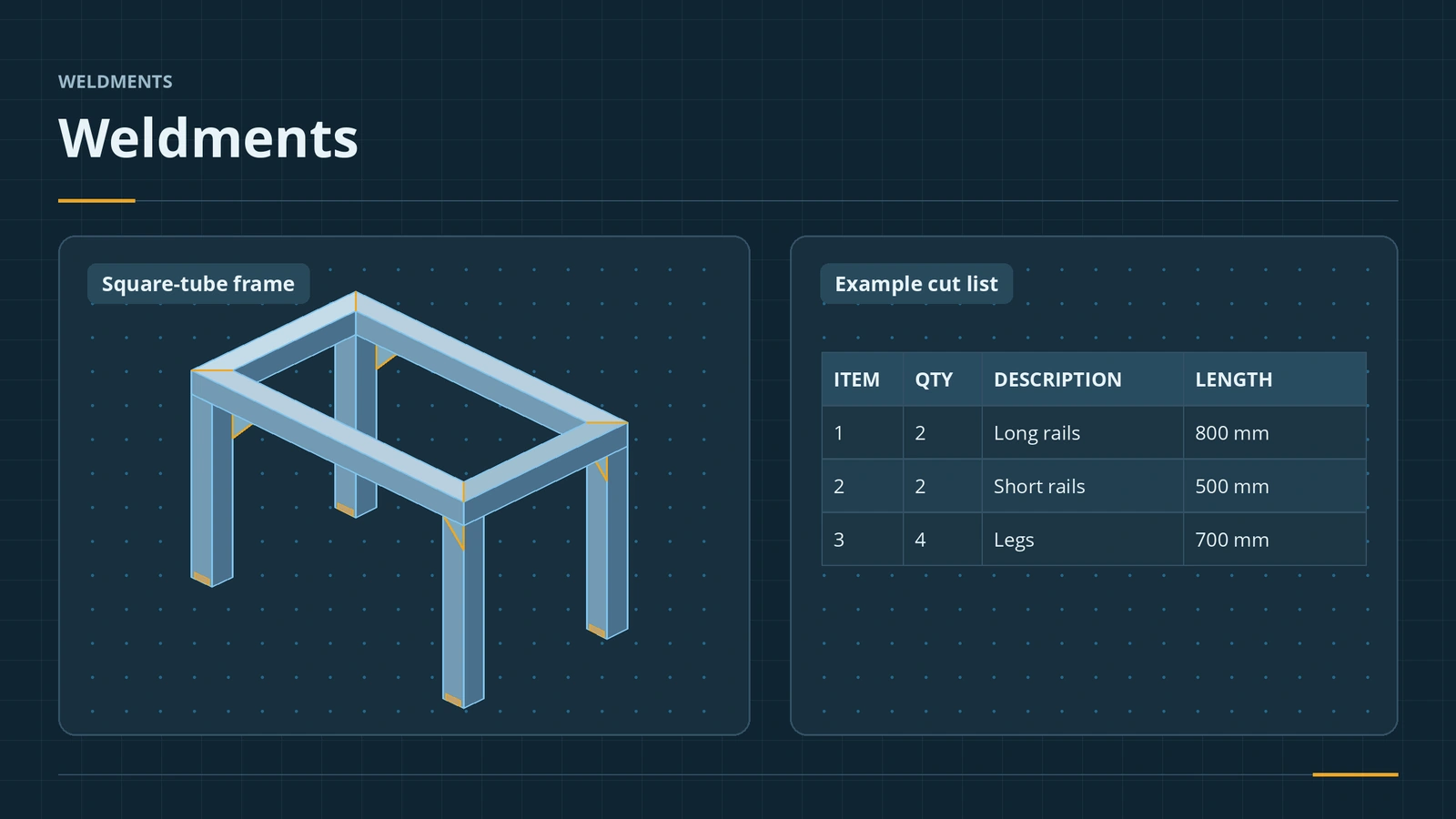
Weldments model welded frames — tables, stands, trailers, racks — as one multibody part. You sketch the layout, sweep standard profiles along it with Structural Member, trim the joints, add gussets and end caps, and SOLIDWORKS keeps a cut list with every member's length and angles. The course builds one table frame from start to finish.
 Kevin Walsh
What the course covers
| Lesson | Topic |
|---|---|
| 1 | Structural members: layout sketch, profiles, groups, corner treatment |
| 2 | Custom profiles: .sldlfp library features, folders, pierce points |
| 3 | Trim/Extend: end trim, miter, butt joints and weld gaps |
| 4 | Gussets |
| 5 | End caps |
| 6 | Cut lists in the part and in drawings |
| 7 | Weld beads and weld symbols |
All lessons use one table frame: a 1000 × 500 mm top and four 400 mm legs in ISO square tube. Weldments are multibody parts, so the multibody lesson is good background. Preparing for the weldments exam? Its topics — members, corner treatments, end caps, gussets, trim/extend, 3D layout sketches and cut lists — are all here.
The 7 weldment lessons
-
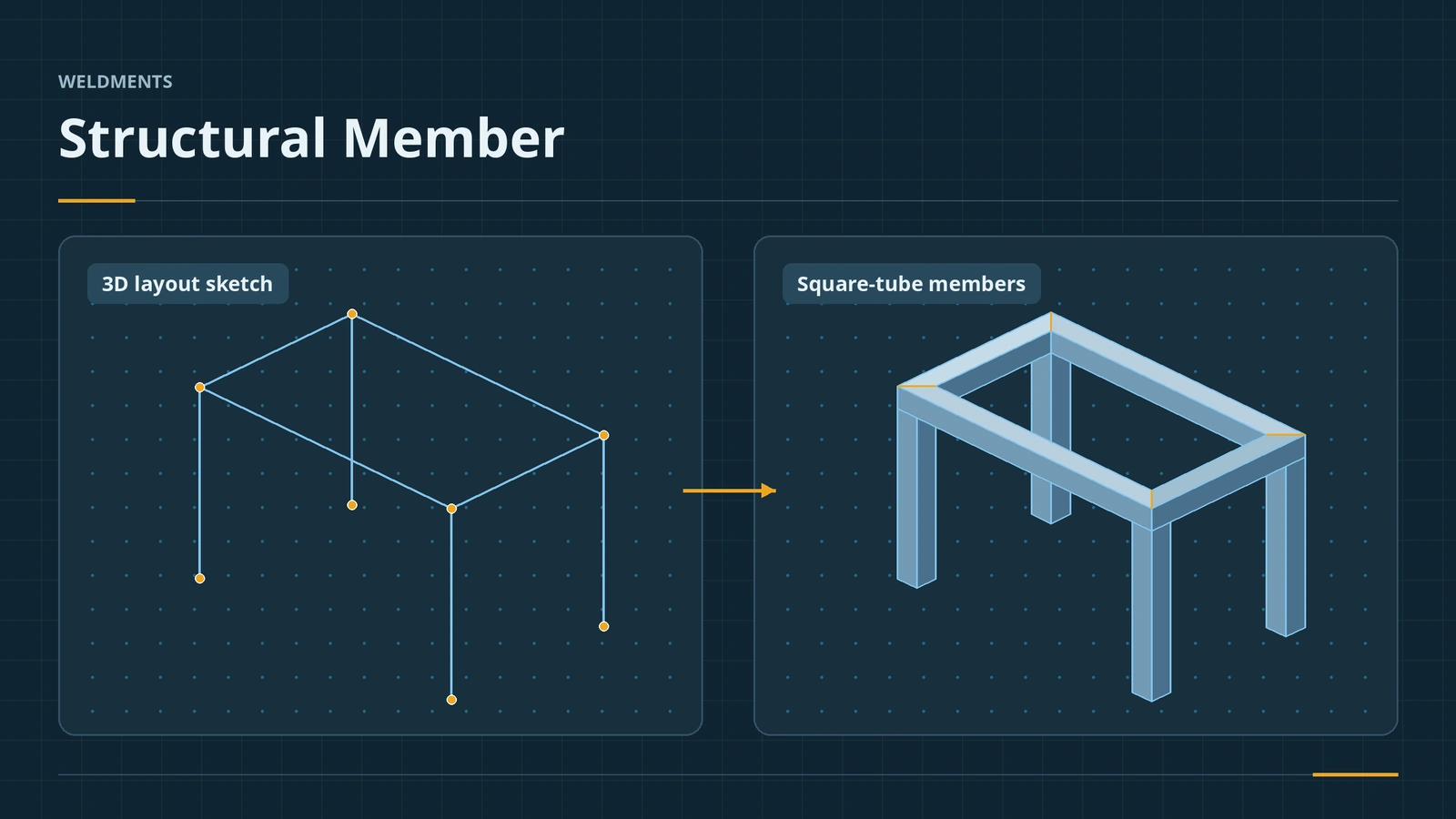 Structural Member — your first weldment frameBuild a SOLIDWORKS weldment frame with Structural Member: layout sketch, standard, type and size, groups, corner treatment, trim order and locating the profile.
-
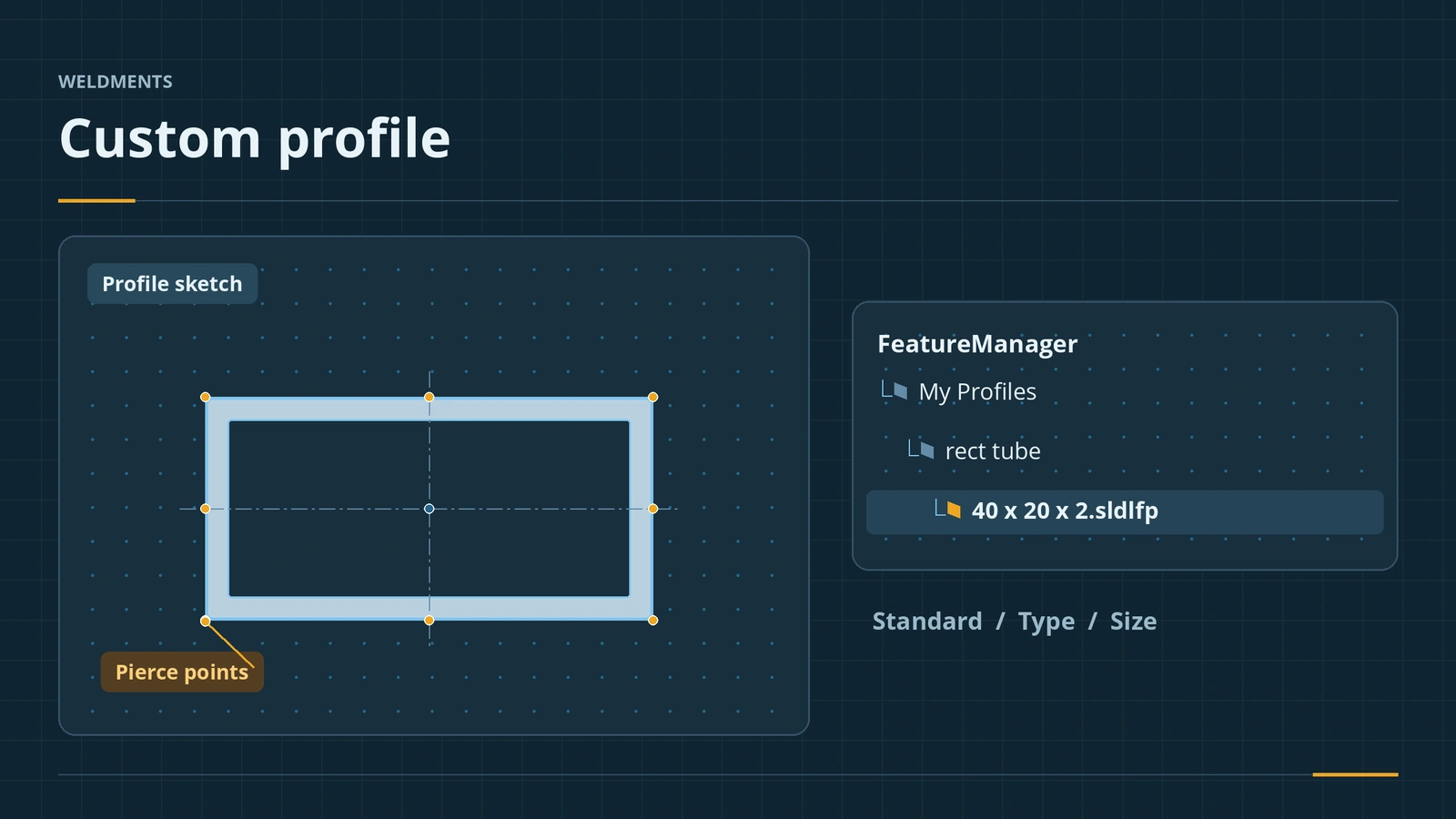 Custom weldment profilesCreate custom SOLIDWORKS weldment profiles: sketch the section, save as .sldlfp, folder structure, File Locations, pierce points, configurations and properties.
-
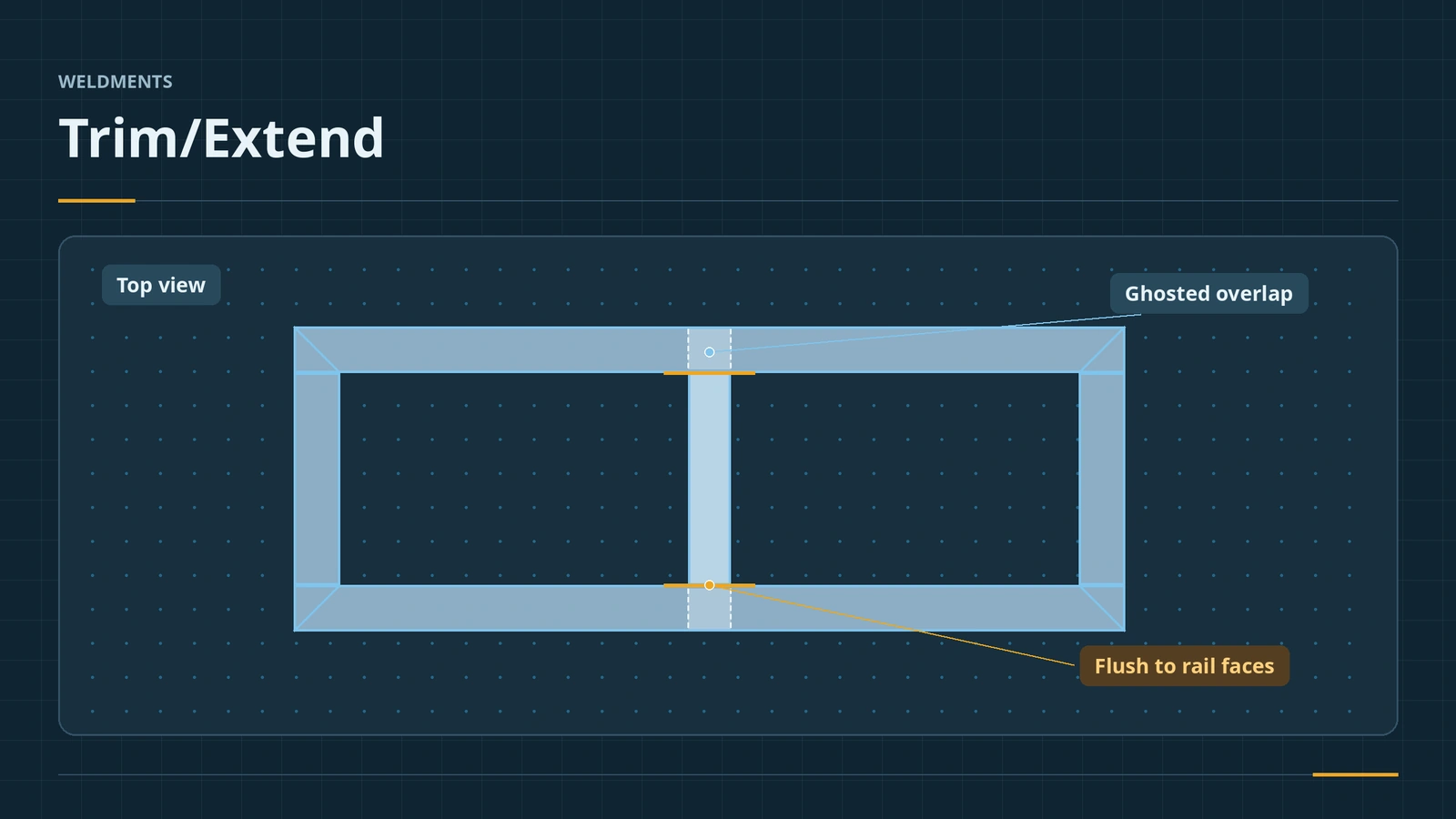 Trim/Extend for weldment membersTrim and extend SOLIDWORKS weldment members: End Trim, End Miter, End Butt1 and End Butt2, face or body boundaries, simple vs coped cuts and weld gap.
-
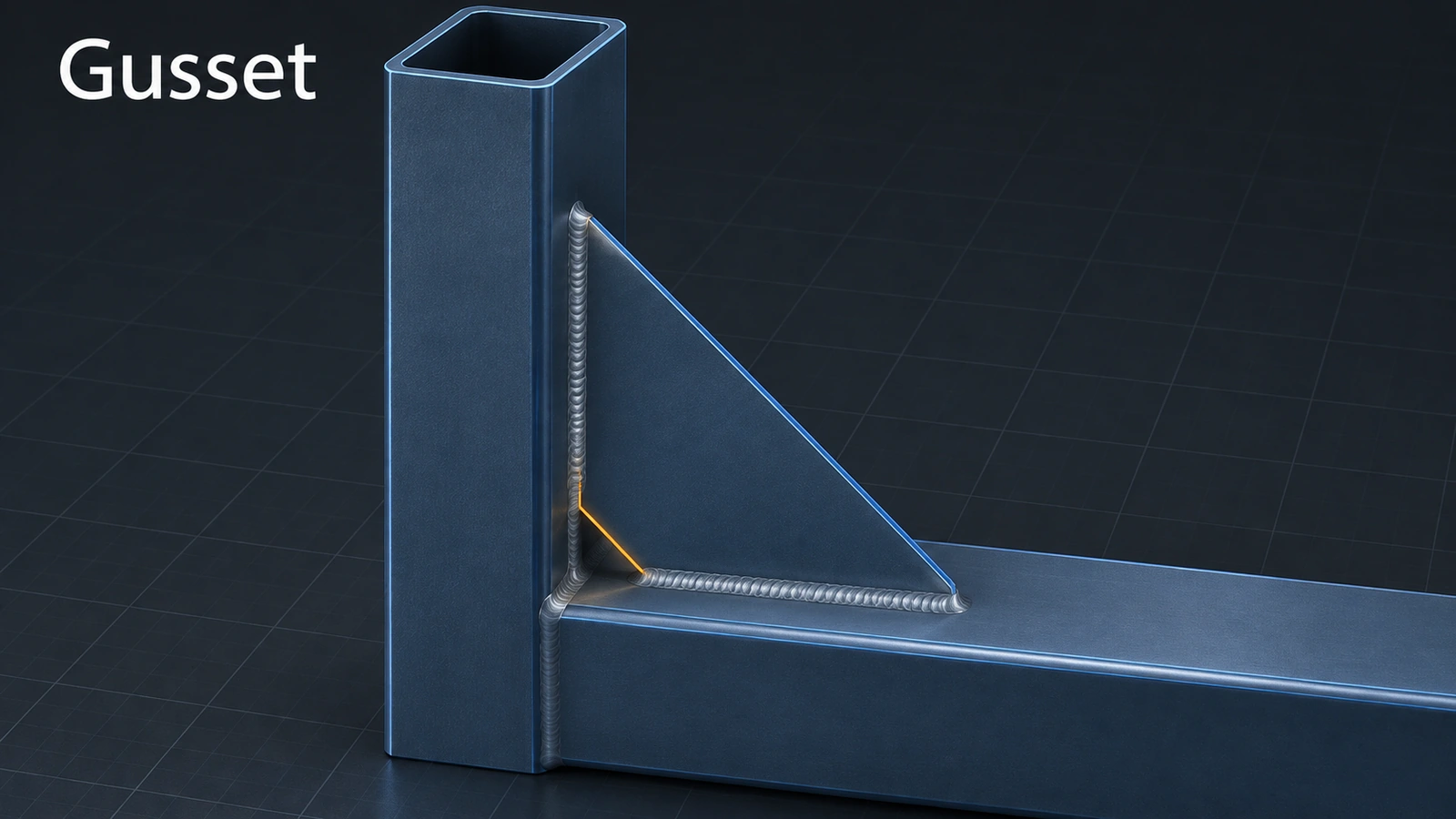 Gussets in SOLIDWORKS weldmentsAdd gussets to a SOLIDWORKS weldment: supporting faces, triangular or polygonal profile, chamfer for the weld, thickness, location and cut list description.
-
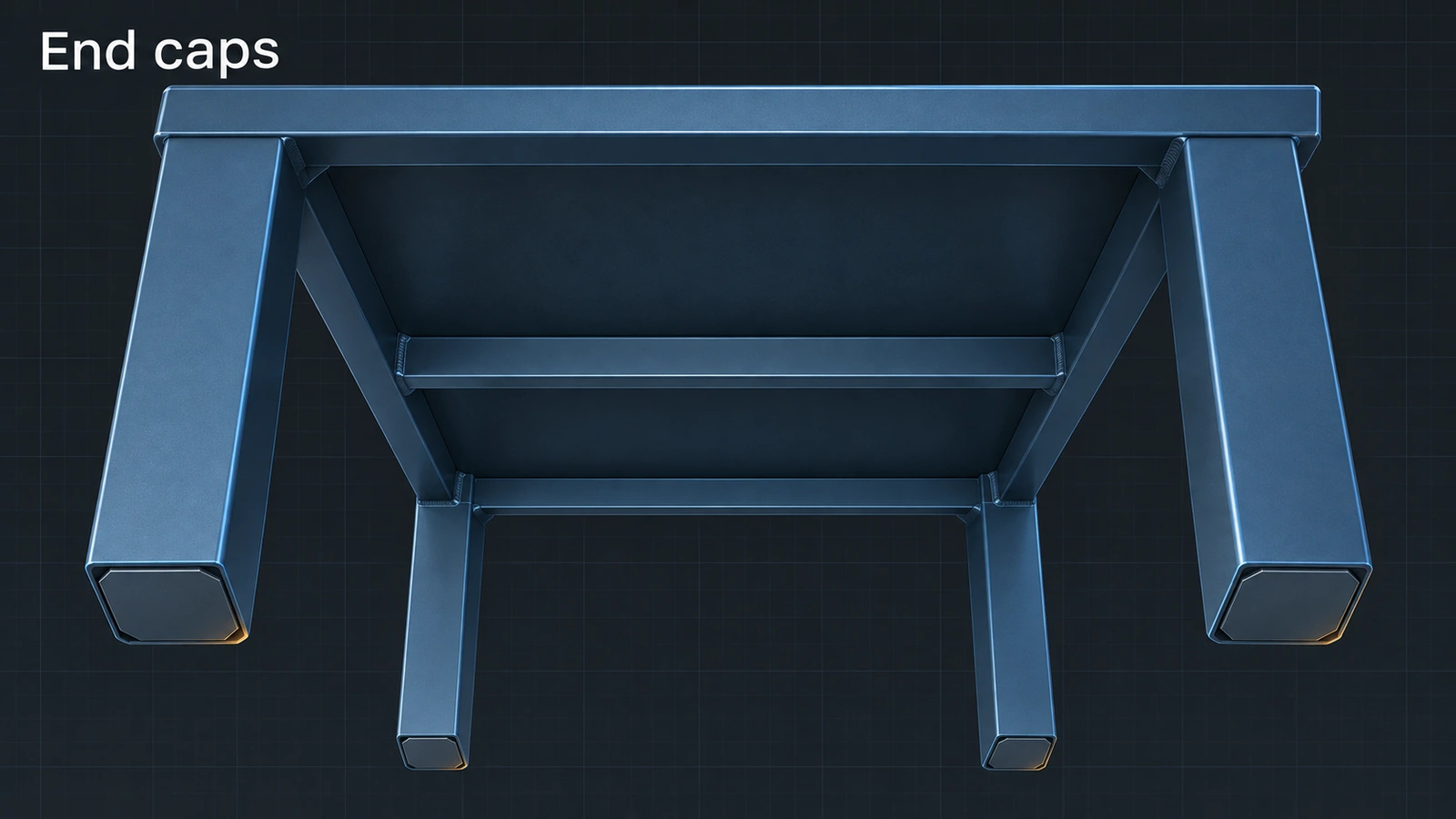 End caps in SOLIDWORKS weldmentsClose open tube ends in a SOLIDWORKS weldment with End Cap: outward, inward and internal directions, thickness, offset or thickness ratio and corner treatment.
-
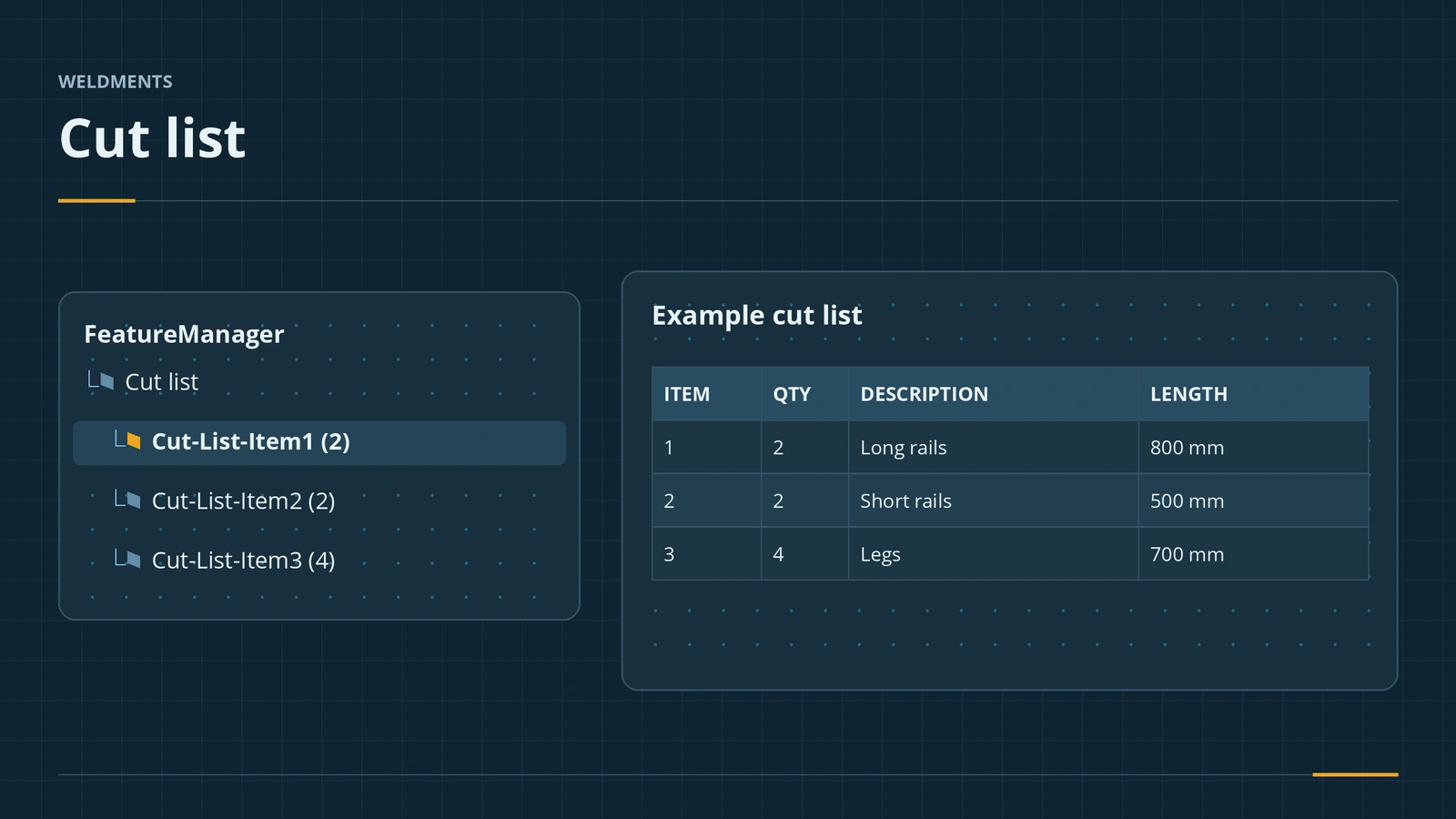 Weldment cut listsHow the SOLIDWORKS weldment cut list works: grouping identical bodies, LENGTH and ANGLE properties, bounding boxes, properties and the cut list table.
-
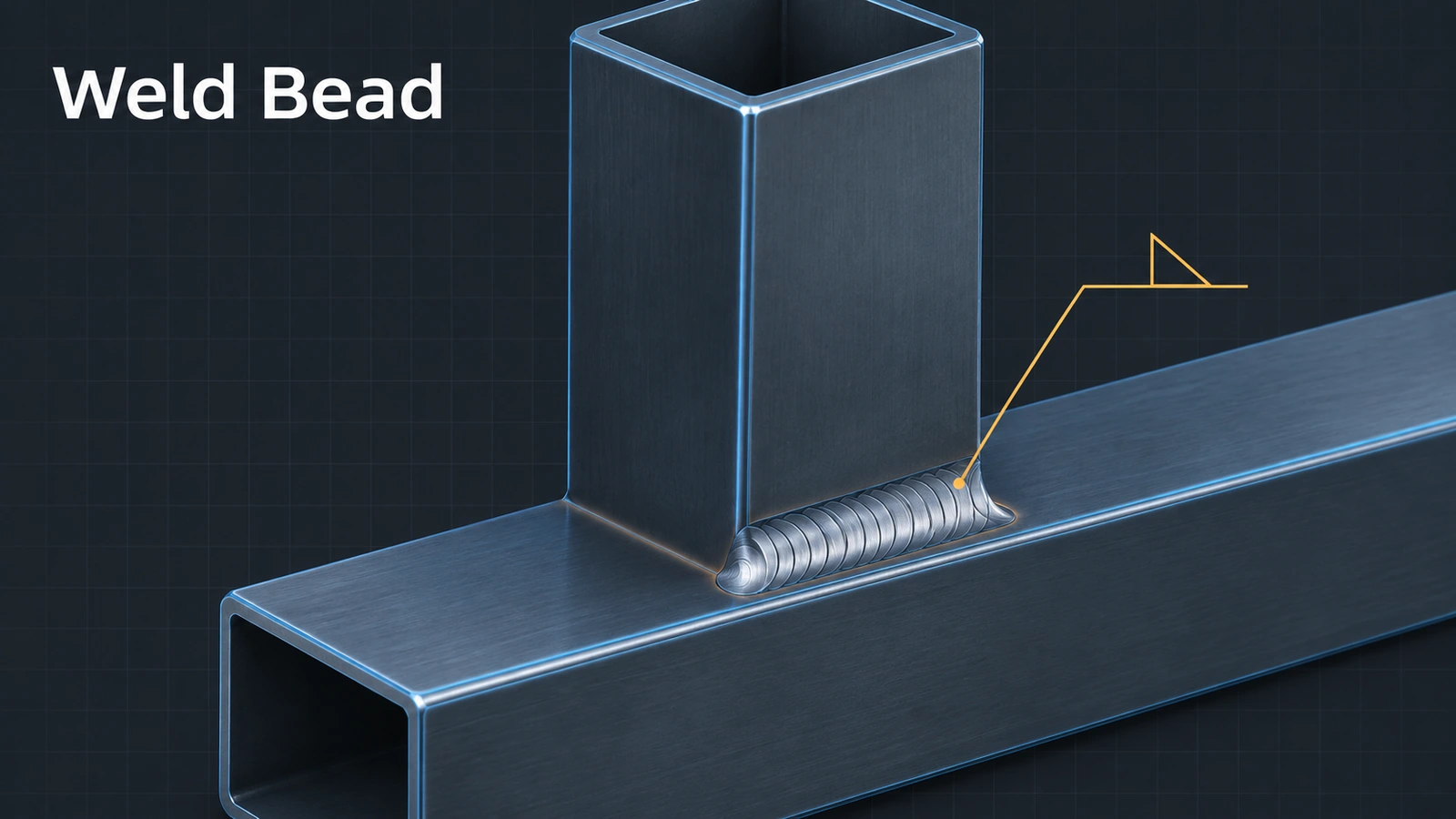 Weld beads in SOLIDWORKS weldmentsAdd welds to SOLIDWORKS weldments: Weld Bead with Smart Weld Selection, bead size and weld symbols, the Weld Folder and weld tables, vs Fillet Bead.
Frequently asked questions
Are weldments included in SOLIDWORKS Standard?
+
Yes. Weldments are part of SOLIDWORKS Standard, Professional and Premium.
Is a weldment a part or an assembly?
+
A part. All members are bodies in one multibody part file, listed in a cut list instead of a BOM.
Where are the weldment profiles?
+
In the folder set under Tools → Options → File Locations → Weldment Profiles. More standards download from the Design Library's SOLIDWORKS Content.
Related
- SOLIDWORKS multibody partsWhat multibody parts are in SOLIDWORKS, how Merge result and Feature Scope work, Save Bodies to make an assembly, and when an assembly is better.
- Weldments exam (CSWP-WD, formerly CSWPA-WD)The SOLIDWORKS weldments exam (CSWP-WD, formerly CSWPA-WD) — $20, 2 hours, 75% to pass. Structural members, corners, gussets, cut lists and tips.
- SOLIDWORKS sheet metal — 13 lessonsFree SOLIDWORKS sheet metal course: base, edge and miter flanges, hems, jogs, bends, corners, forming tools, flat patterns, K-factor and DXF export.
- SOLIDWORKS surfacing — 7 lessonsFree SOLIDWORKS surfacing course: surfaces vs solids, extruded and revolved surfaces, trim, boundary, fill, knit and thicken, with area and volume checks.