Weldments · Lesson 5
End caps in SOLIDWORKS weldments
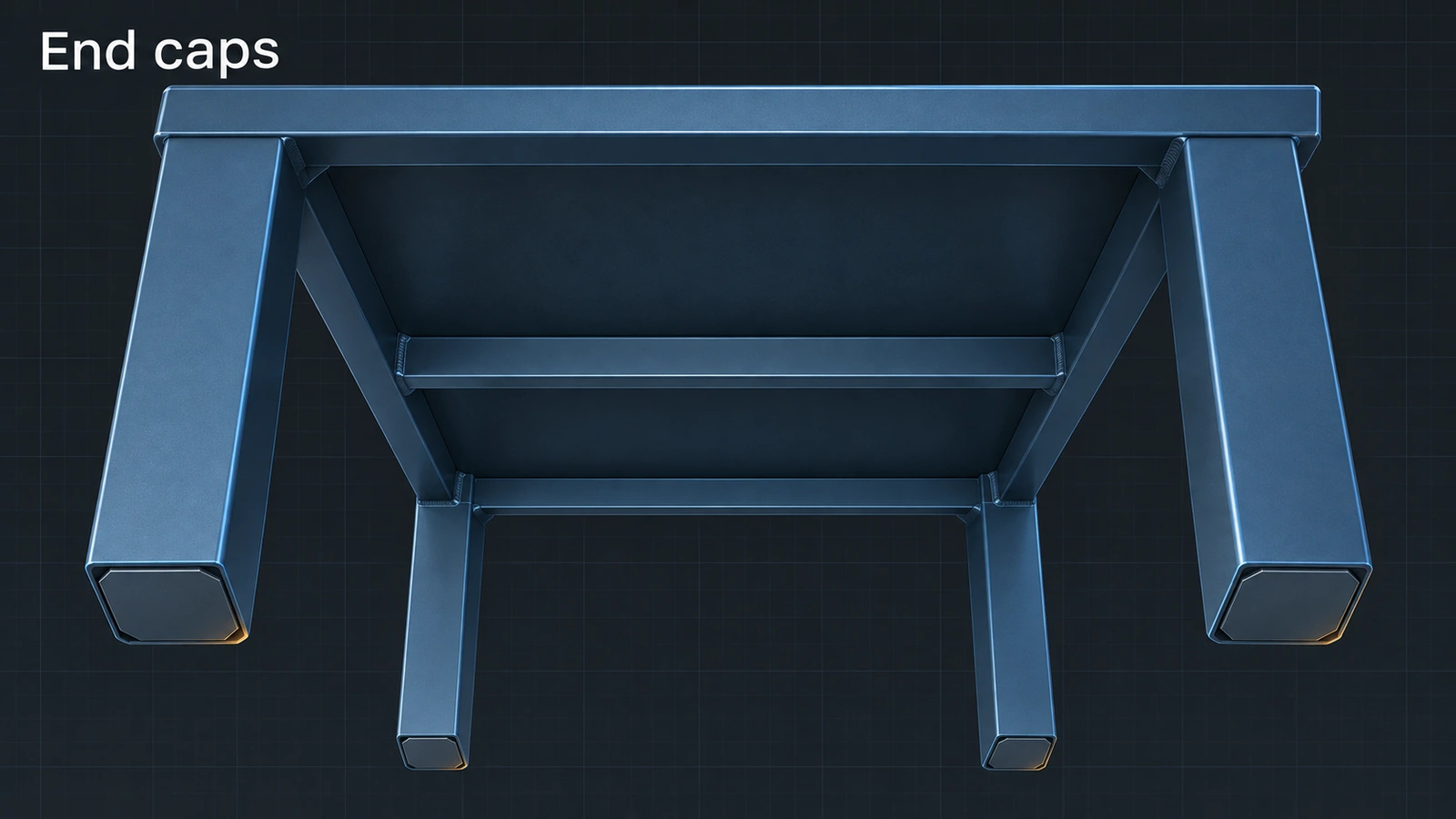
End caps close the open ends of tubes — table feet, handrail ends, frame stubs. Pick the end faces and choose how the cap sits: outward adds it beyond the tube, inward shortens the tube by the cap thickness, internal (since 2015) sets it inside. An offset keeps the cap slightly smaller than the tube so there is room for the weld.
 Kevin Walsh
Where to find it
Weldments tab → End Cap
Options
| Option | Choices |
|---|---|
| Thickness direction | Outward, Inward, Internal (2015+, with inset distance) |
| Thickness | Cap plate thickness |
| Offset | A value or a thickness ratio (ratio × wall thickness) |
| Corner treatment | Chamfer or fillet on the cap corners |
End caps get only a Material property; add a bounding box on their cut list item for a description. Next: the cut list.
Step by step
-
1
Select the end faces
In the table frame, End Cap. Select the bottom faces of all four legs — several faces can go in one feature.
-
2
Choose direction and thickness
Thickness direction Outward, thickness 5 mm.
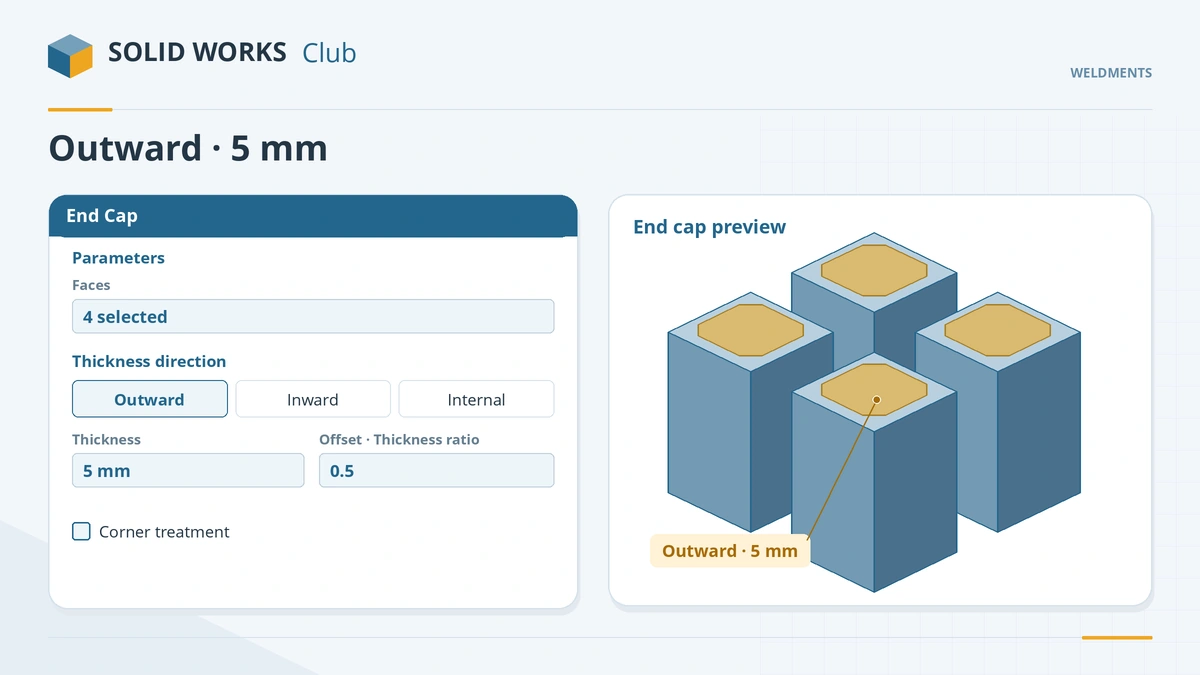
Pick the faces, the direction, the thickness and the offset. -
3
Set the offset
Use Thickness ratio 0.5 so the cap is inset from the tube's outer edge by half the wall thickness. Optionally tick corner treatment for a chamfer or fillet. Click the tick.
Common mistakes
- End caps on open profiles — angle, channel and I-beam are not supported; the profile must be closed with straight edges.
- Switching to Internal without rechecking the offset — it is measured differently.
- Outward caps changing the overall height unexpectedly — use Inward to keep the length.
Lesson 5 of 7 in the weldments course.
Practice
Add 5 mm outward end caps to the four leg ends. Check: the frame's overall height grows by 5 mm, and the cut list gains an end cap item with quantity 4.
Sources
- Hawk Ridge — Weldment tools: gussets and end caps (Nov 2024)
- CATI — SOLIDWORKS 2015 what's new: weldment end caps (Sep 2014)
- Dassault Systèmes — Working with Weldments, SolidPractices (rev. May 2025)
- Javelin — Descriptions for end caps and gussets in cut list tables (Apr 2026)
- CATI — 2022 structure systems: end caps and secondary members (Oct 2021)
Checked November 2026. SOLID WORKS Club is independent; menu names can differ slightly between releases.
Frequently asked questions
How do I add an end cap in SOLIDWORKS?
+
Click End Cap on the Weldments tab, select the tube end faces, choose the direction and thickness, set the offset and click OK.
What is the difference between outward and inward end caps?
+
Outward adds the cap beyond the tube, so the length grows. Inward shortens the tube by the cap thickness, so the length stays the same.
When was the internal end cap added?
+
In SOLIDWORKS 2015. Before that only outward and inward were available.
Why is End Cap greyed out?
+
It needs a structural member with a closed profile. End caps on structure system members arrived with 2021 SP2 / 2022.
Related
- Gussets in SOLIDWORKS weldmentsAdd gussets to a SOLIDWORKS weldment: supporting faces, triangular or polygonal profile, chamfer for the weld, thickness, location and cut list description.
- Weldment cut listsHow the SOLIDWORKS weldment cut list works: grouping identical bodies, LENGTH and ANGLE properties, bounding boxes, properties and the cut list table.
- Structural Member — your first weldment frameBuild a SOLIDWORKS weldment frame with Structural Member: layout sketch, standard, type and size, groups, corner treatment, trim order and locating the profile.
- Weld beads in SOLIDWORKS weldmentsAdd welds to SOLIDWORKS weldments: Weld Bead with Smart Weld Selection, bead size and weld symbols, the Weld Folder and weld tables, vs Fillet Bead.