Weldments · Lesson 4
Gussets in SOLIDWORKS weldments
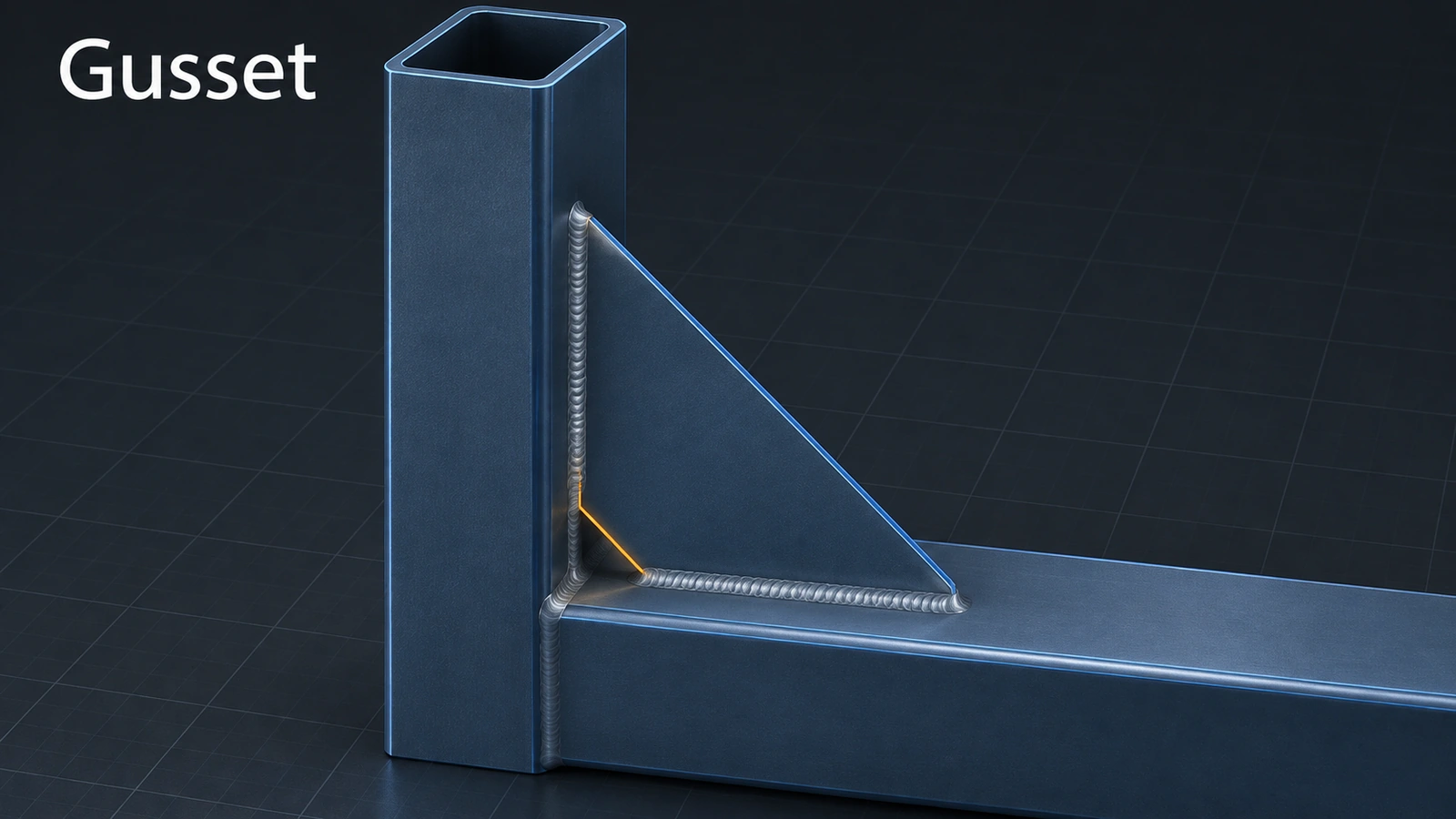
A gusset is a plate welded into a corner to stiffen it. In SOLIDWORKS you pick two flat faces that meet — at any angle — and choose a triangular or polygonal profile, its size, an optional chamfer that leaves room for the weld, the plate thickness and where it sits along the joint.
 Kevin Walsh
Where to find it
Weldments tab → Gusset
Options
| Option | Choices |
|---|---|
| Supporting faces | Two planar faces meeting at any angle |
| Profile | Triangular (two sizes) or polygonal (more sizes) |
| Chamfer | Two lengths, or a length and an angle |
| Thickness | One side, the other side, or both |
| Location | Positions along the joint, with an optional offset |
Gusset colour is set in Document Properties → Model Display. Repeat gussets with mirror or a pattern.
Step by step
-
1
Pick the supporting faces
In the table frame, Gusset. Select the outer face of one leg and the underside of the rail above it — the two faces that form the corner.
-
2
Set the profile
Profile Triangular, both sides 60 mm. Add an inside chamfer so the gusset clears the weld at the corner.
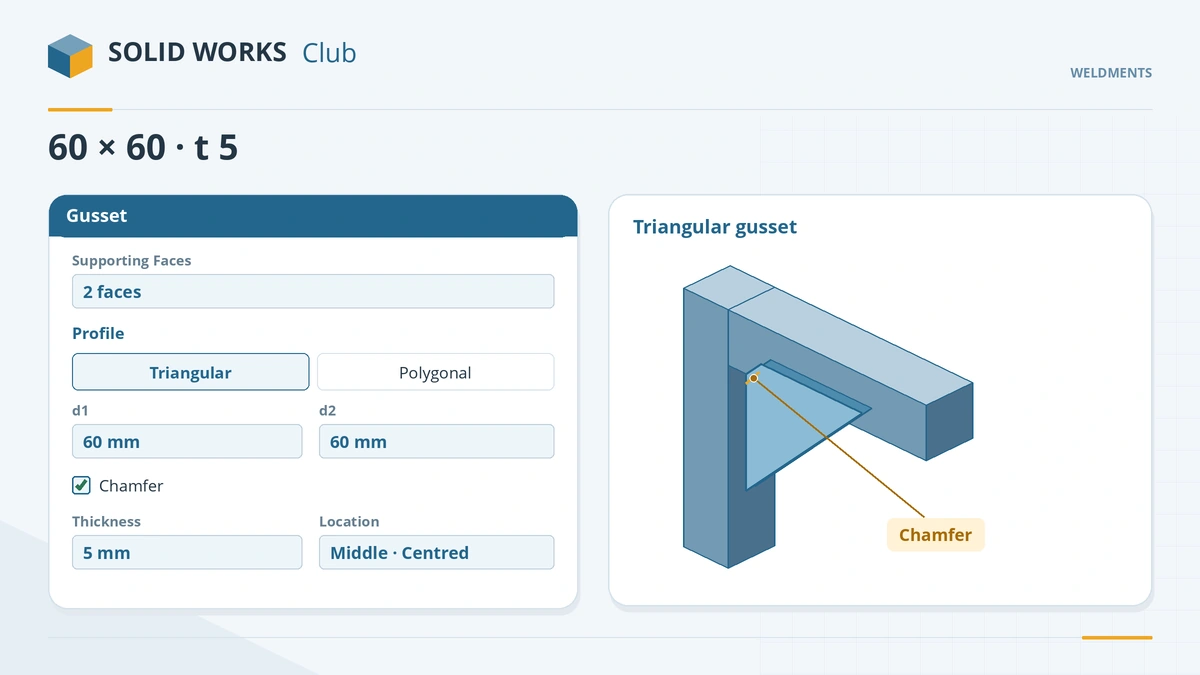
Two supporting faces, a profile and an optional chamfer for the weld. -
3
Thickness and location
Thickness 5 mm, centred on the face (both sides), location in the middle of the member. Click the tick.
-
4
Repeat
One gusset per command: pin the PropertyManager to add more, or mirror/pattern the gusset bodies.
Common mistakes
- Expecting several gussets from one command — it makes one; use the pushpin, mirror or pattern.
- Settings carried over from the last gusset — check sizes every time.
- Blank descriptions in the drawing cut list — right-click the gusset's Cut-List-Item → Create Bounding Box.
Lesson 4 of 7 in the weldments course.
Practice
Add one triangular 60 × 60 gusset, 5 mm thick, under one rail–leg corner. Check: the cut list gains a gusset item with quantity 1; after Create Bounding Box its description reads like Plate, 5 x … x ….
Sources
- Hawk Ridge — Weldment tools: gussets and end caps (Nov 2024)
- TriMech — Weldments 101: adding gussets
- GoEngineer — Weldments: corners, gussets and bounding box (Feb 2023)
- Javelin — Descriptions for end caps and gussets in cut list tables (Apr 2026)
- Dassault Systèmes — Working with Weldments, SolidPractices (rev. May 2025)
Checked November 2026. SOLID WORKS Club is independent; menu names can differ slightly between releases.
Frequently asked questions
How do I add a gusset in SOLIDWORKS?
+
Click Gusset on the Weldments tab, select two planar faces that meet, choose the profile and size, thickness and location, and click OK.
Can a gusset sit in a non-90° corner?
+
Yes. The two supporting faces can meet at any angle.
What is the chamfer on a gusset for?
+
It cuts the inside corner of the plate so it does not clash with the weld bead at the joint.
Why does my gusset have no description in the cut list?
+
Gussets get only a Material property. Create a bounding box on its cut list item to generate a description.
Related
- End caps in SOLIDWORKS weldmentsClose open tube ends in a SOLIDWORKS weldment with End Cap: outward, inward and internal directions, thickness, offset or thickness ratio and corner treatment.
- Trim/Extend for weldment membersTrim and extend SOLIDWORKS weldment members: End Trim, End Miter, End Butt1 and End Butt2, face or body boundaries, simple vs coped cuts and weld gap.
- Weldment cut listsHow the SOLIDWORKS weldment cut list works: grouping identical bodies, LENGTH and ANGLE properties, bounding boxes, properties and the cut list table.
- SOLIDWORKS Mirror and Mirror PartHow to mirror features, faces and bodies in SOLIDWORKS across a plane, use a secondary mirror plane, and create opposite-hand parts with Insert Mirror Part.