Advanced parts · Lesson 10
SOLIDWORKS multibody parts
A multibody part is one part file that holds two or more separate solid bodies. Bodies appear in the Solid Bodies folder at the top of the tree. They let you design several pieces that depend on each other in one place — a mould and its core, a frame and its panels — without managing assembly references. When the design settles, Save Bodies turns them into separate part files and an assembly.
 Kevin Walsh
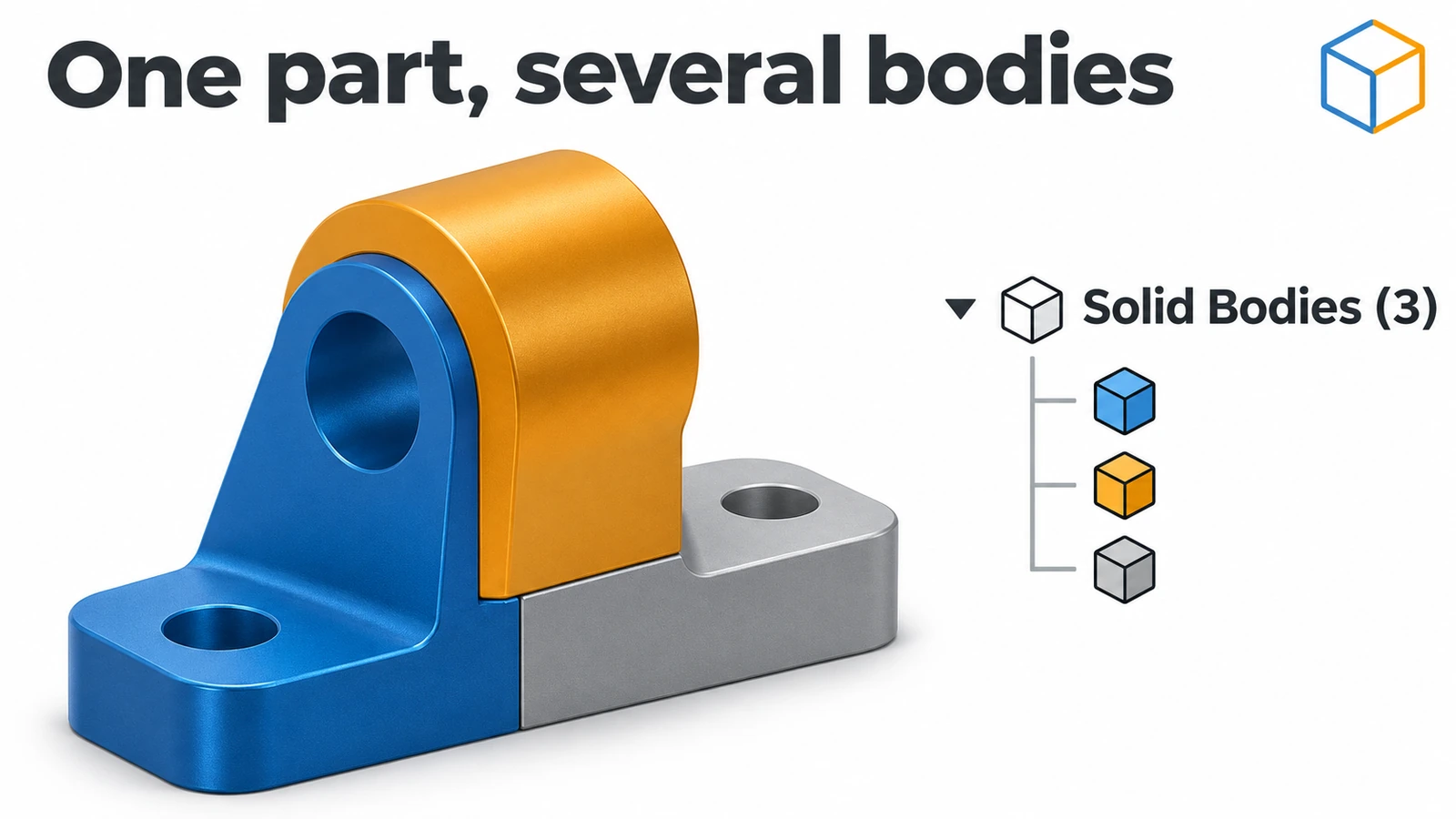
Where to find it
FeatureManager → Solid Bodies folder; feature options Merge result and Feature Scope
Multibody part or assembly?
| Multibody part | Assembly | |
|---|---|---|
| Pieces live in | One file | Separate part files |
| References between pieces | Easy — same file | In-context references |
| Movement / mates | None — static | Mates and motion |
| BOM | Cut lists (weldments) | Full BOM |
| Scale | Few related pieces | Any size |
| Typical use | Moulds, weldments, master models | Products, machines |
Ways to bring bodies in or out
- Save Bodies — bodies to part files plus an assembly.
- Insert into New Part — right-click one body to make a derived part from it.
- Insert → Part — bring another part in as a body (master modelling); position it with Move/Copy Bodies.
- Make Multibody Part — the reverse: an assembly turned into one multibody part linked to it.
Working with bodies continues in Split and Combine. Two whole courses build on multibody parts: weldments and surfacing.
Step by step
-
1
Make two bodies from one sketch
On the Front Plane sketch two separate 40 × 30 mm rectangles 20 mm apart and extrude 10 mm. Because the sketch has two closed regions that do not touch, you get two bodies — look at Solid Bodies (2).
-
2
Add a body that stays separate
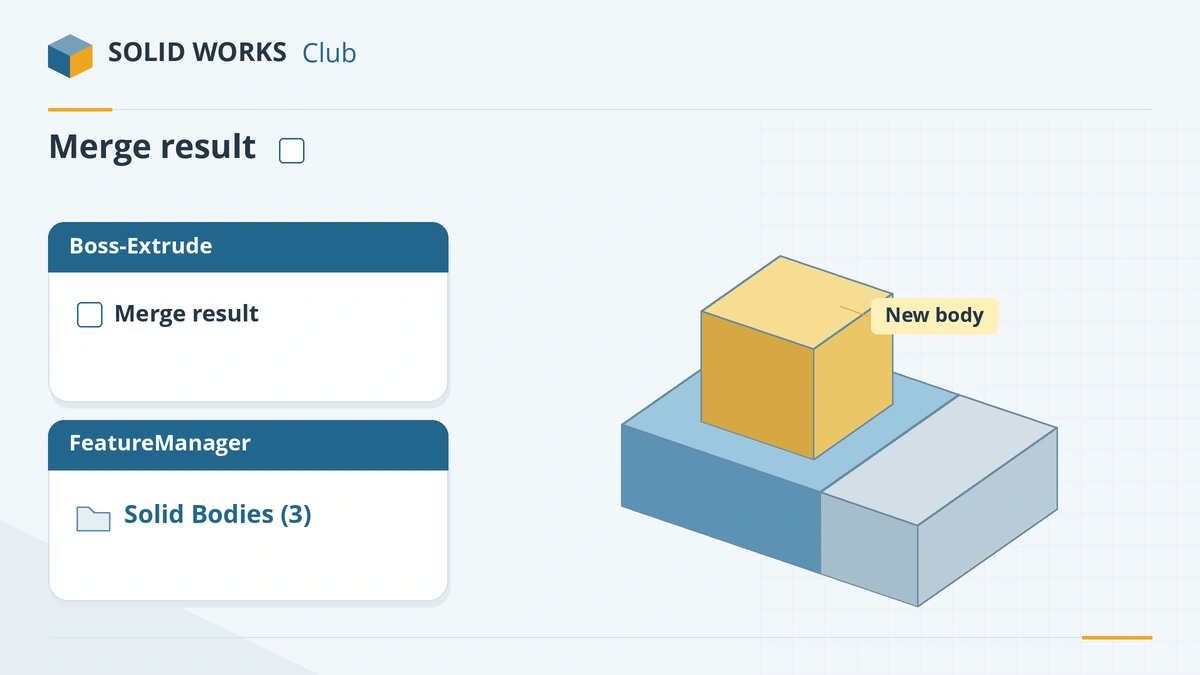
Sketch a 20 × 20 mm square on top of one block and extrude it 10 mm with Merge result unticked. It becomes a third body even though it touches the block.
Untick Merge result and the new extrude stays a separate body. -
3
Target one body with Feature Scope
Add a fillet or cut and open Feature Scope: choose Selected bodies, untick Auto-select and pick only the body you want to change.
-
4
Turn bodies into parts
Rename the bodies (select, F2), right-click Solid Bodies → Save Bodies, tick the bodies, set a file name for each, and under Create Assembly browse to a new assembly name. SOLIDWORKS writes linked part files and an assembly.
Common mistakes
- Merge result left on, so a new feature fuses with a body you wanted to keep separate.
- Adding features after the Save Bodies feature and expecting them in the saved parts — only changes above it propagate.
- Using a multibody part where you need a BOM, motion or many parts. An assembly is the right tool there.
- Mirroring or patterning without picking bodies in Bodies to Mirror/Pattern, so features are copied instead of whole bodies.
Lesson 10 of 16 in the advanced parts course.
Practice
Create the two 40 × 30 × 10 mm blocks from one sketch and the separate 20 × 20 × 10 mm body. Check: Solid Bodies shows 3, and Mass Properties for the whole part reads 28,000 mm³ (24,000 + 4,000).
Sources
- Javelin — How to use multiple bodies in SOLIDWORKS (Jul 2026)
- Javelin — Understanding Feature Scope (Feb 2024)
- Hawk Ridge — Feature Scope in SOLIDWORKS (Dec 2023)
- GoEngineer — Create an assembly from a multibody part (Jun 2022)
- Solid Solutions — Export bodies from parts to assemblies (Sep 2023)
- SOLIDWORKS Tech Blog — Creating and using derived parts (2018)
- Javelin — How to insert a part into a part (Feb 2022)
- SOLIDWORKS Help 2024 — Make multibody part from an assembly
Checked November 2026. SOLID WORKS Club is independent; menu names can differ slightly between releases.
Frequently asked questions
What is a multibody part in SOLIDWORKS?
+
A part file containing two or more solid bodies, listed in the Solid Bodies folder. Each body could be a separate physical piece.
How do I keep a new feature as a separate body?
+
Untick Merge result in the feature's PropertyManager. The new feature then becomes its own body even if it touches existing ones.
How do I turn a multibody part into an assembly?
+
Use Save Bodies (right-click the Solid Bodies folder), choose the bodies and file names, and fill in Create Assembly. The new parts are linked to the master part.
Should I use a multibody part or an assembly?
+
Multibody parts suit tightly related geometry designed together — moulds, weldments, master models. Use an assembly when you need a BOM, motion, many parts or different people working on parts.
Related
- Split, Combine and Intersect in SOLIDWORKSHow to use Split, Combine (Add, Subtract, Common), Intersect and Delete/Keep Body in SOLIDWORKS to cut bodies apart, join them, and use one body as a tool.
- SOLIDWORKS Move/Copy BodiesHow to move, rotate and copy bodies in SOLIDWORKS with Move/Copy Bodies, using translation, rotation or mate-style constraints, plus Insert Part.
- SOLIDWORKS Extruded Boss/BaseHow to use Extruded Boss/Base in SOLIDWORKS: every end condition from Blind to Mid Plane, Direction 2, draft, thin features, Selected Contours and Merge result.
- SOLIDWORKS materialsHow to apply materials in SOLIDWORKS, create a custom material library, set materials per body, keep your colours, and link the material to a custom property.