Basic exercise 3
Exercise 3: Stepped shaft
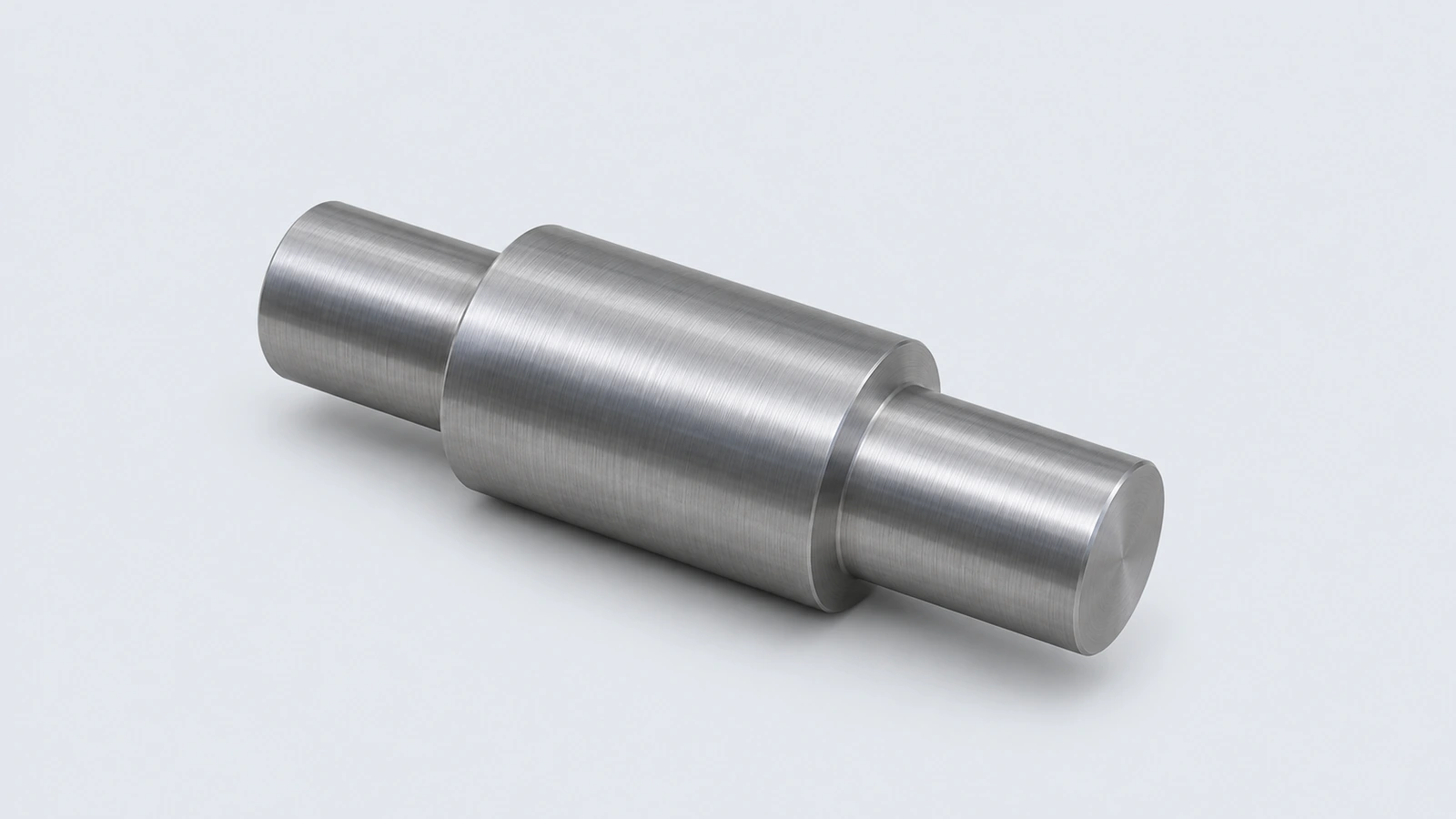
A steel shaft with three diameters and chamfered ends. Build it as stacked extrusions or, better, as one revolved profile — the way most turned parts are modelled.
 Kevin Walsh
- Level
- Basic
- Time
- 15 min
- Material
- Mild carbon steel, 7.85 g/cm³
- Check mass
- 443.43 g
The drawing
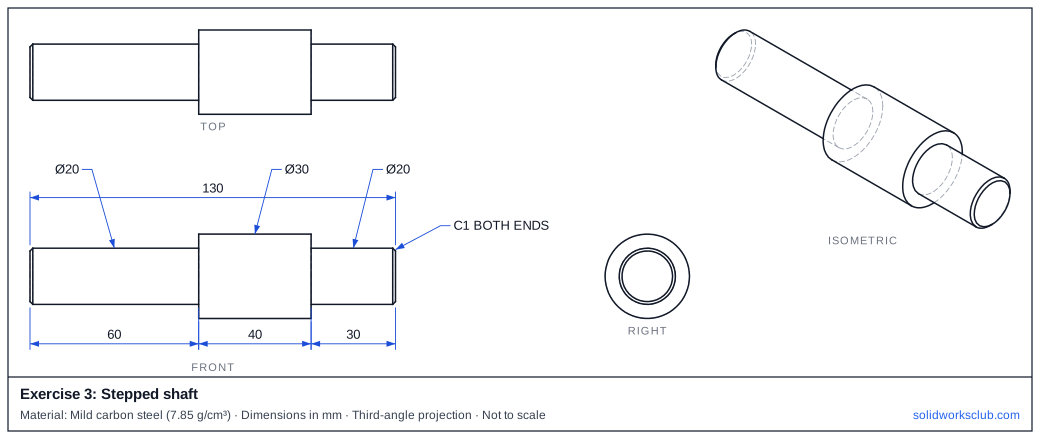
What you practise
- Revolving a half-profile about a centreline
- Diameter dimensions on a revolve sketch
- Chamfers on both shaft ends
How to approach it
- Sketch a centreline along the shaft axis on the Front plane.
- Draw the upper half-profile: steps of 60, 40 and 30 mm long with radii 10, 15 and 10.
- Dimension to the centreline across it to get diameters directly.
- Revolve 360°, then chamfer 1 mm on both end edges.
Check your result
Apply the material — Mild carbon steel — or a custom material with a density of 7.85 g/cm³, then open Evaluate → Mass Properties. The mass should be 443.43 g (volume 56,487.93 mm³). If you are out by a factor of 1,000, the density units are wrong; check them with the mass calculator. Mass properties are explained in the mass properties lesson.
Next: exercise 4.
Download files
Commands used
Show solution
- Front plane: centreline, closed half-profile of lengths 60/40/30 and heights 10/15/10.
- Revolve 360°.
- Chamfer 1 mm on the two end circular edges.
- Check the length: 130 mm overall.
Frequently asked questions
How do I dimension a diameter in a revolve sketch?
+
Select the centreline and a line, then place the dimension on the far side of the centreline — Smart Dimension shows the diameter.
What is the mass of exercise 3?
+
443.43 g in mild carbon steel at 7.85 g/cm³ — a volume of 56,487.93 mm³.
Related
- Exercise 4: Hub flangeSOLIDWORKS practice exercise 4, hub flange: extruding a second feature from a face. Dimensioned drawing, STEP file and a check mass of 439.57 g.
- Exercise 2: Chamfered bushingSOLIDWORKS practice exercise 2, chamfered bushing: two concentric circles in one sketch. Dimensioned drawing, STEP file and a check mass of 171.79 g.
- SOLIDWORKS Line toolHow to draw lines in SOLIDWORKS: the Line, Centerline and Midpoint Line tools, chain drawing, switching to a tangent arc, orientation options and L.
- Mass calculator for SOLIDWORKS and CSWA problemsCalculate part mass from volume and density in mm, cm, m or inches, with typical densities for steel, aluminium, brass and copper. Built for CSWA checks.