Basic exercise 7
Exercise 7: Hex spacer
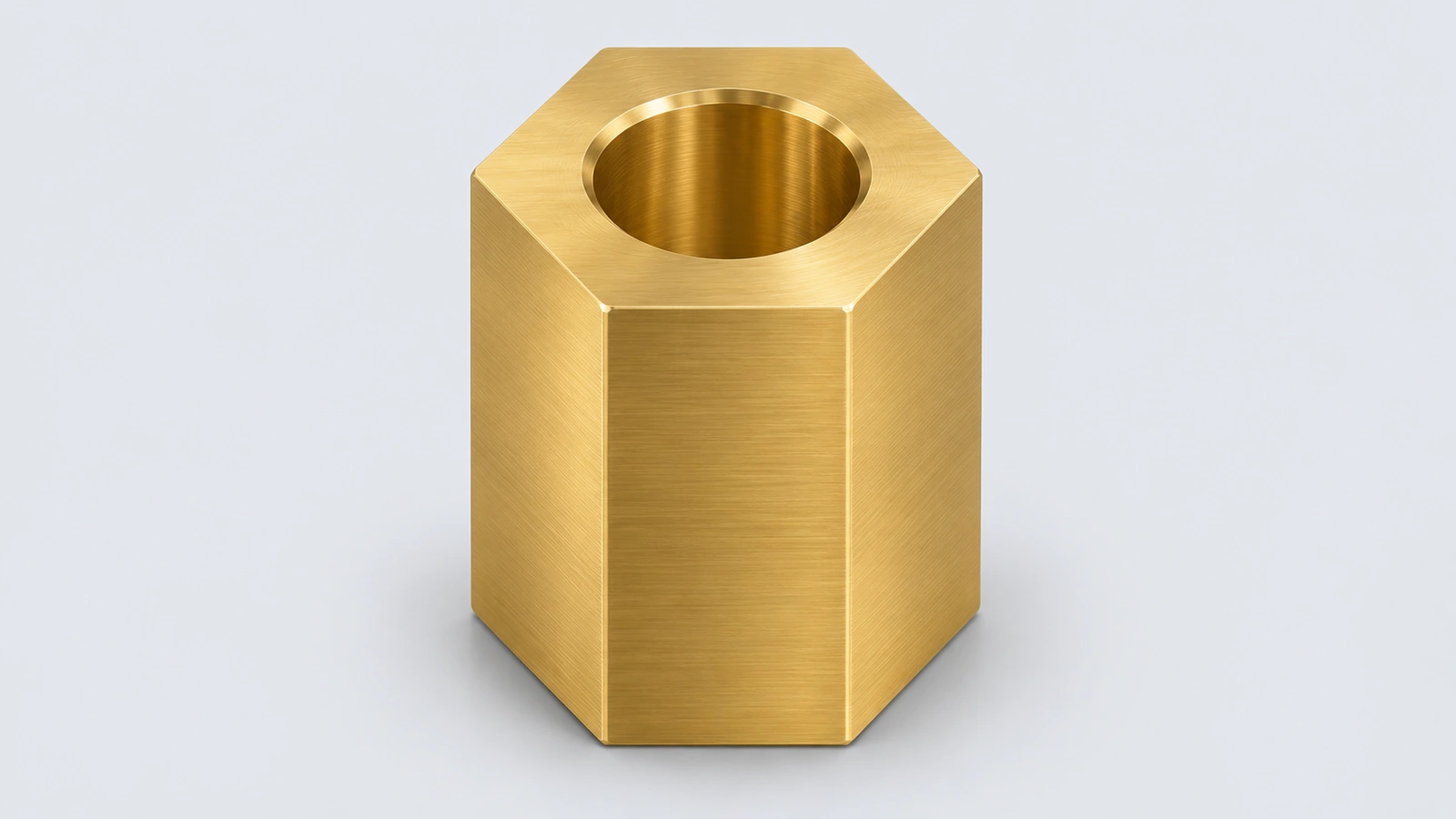
A brass hex spacer, 24 mm across flats. The Polygon tool draws the hexagon; the trick is dimensioning across the flats, not the corners.
 Kevin Walsh
- Level
- Basic
- Time
- 10 min
- Material
- Brass C26000, 8.53 g/cm³
- Check mass
- 98.71 g
The drawing
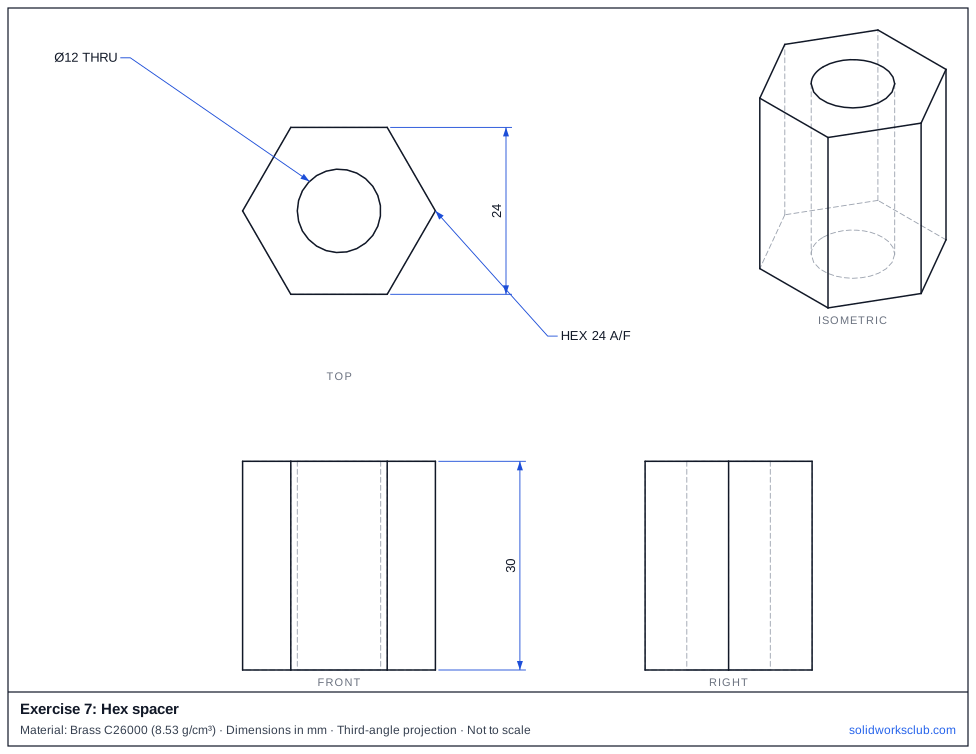
What you practise
- Polygon tool with six sides
- Across-flats dimension
- Concentric through hole
How to approach it
- Polygon, 6 sides, centred on the origin.
- Dimension two opposite flats: 24 mm. Make one flat horizontal.
- Extrude 30 mm, then a Ø12 hole through the centre.
Check your result
Apply the material — Brass C26000 — or a custom material with a density of 8.53 g/cm³, then open Evaluate → Mass Properties. The mass should be 98.71 g (volume 11,572.00 mm³). If you are out by a factor of 1,000, the density units are wrong; check them with the mass calculator. Mass properties are explained in the mass properties lesson.
Next: exercise 8.
Download files
Commands used
Show solution
- Polygon 6 sides at the origin, horizontal relation on one edge, 24 across flats.
- Extrude 30.
- Ø12 → Cut Through All.
- Hexagon area = 2√3 × 12² = 498.83 mm².
Frequently asked questions
Across flats or across corners?
+
Spanners and hex stock are sized across flats. Across corners is 24 / cos 30° = 27.71 mm.
What is the mass of exercise 7?
+
98.71 g in brass c26000 at 8.53 g/cm³ — a volume of 11,572.00 mm³.
Related
- Exercise 8: Shelled cupSOLIDWORKS practice exercise 8, shelled cup: shell with a removed face. Dimensioned drawing, STEP file and a check mass of 37.90 g.
- Exercise 6: Slotted plateSOLIDWORKS practice exercise 6, slotted plate: straight Slot sketch entity. Dimensioned drawing, STEP file and a check mass of 98.92 g.
- SOLIDWORKS polygon tool (hexagons and more)How to sketch a hexagon or any regular polygon in SOLIDWORKS: 3 to 40 sides, inscribed vs circumscribed circle, across-flats size, rotation and full definition.
- Mass calculator for SOLIDWORKS and CSWA problemsCalculate part mass from volume and density in mm, cm, m or inches, with typical densities for steel, aluminium, brass and copper. Built for CSWA checks.