Sketching · Lesson 6
SOLIDWORKS polygon tool (hexagons and more)
The Polygon tool draws regular polygons — all sides equal — with 3 to 40 sides. It is the quick way to sketch hexagons for nuts and bolt heads. You size the polygon with a circle that either passes through its corners (inscribed) or touches its flat sides (circumscribed), so you can enter an across-corners or an across-flats size. A polygon also needs a rotation to be fully defined.
 Kevin Walsh
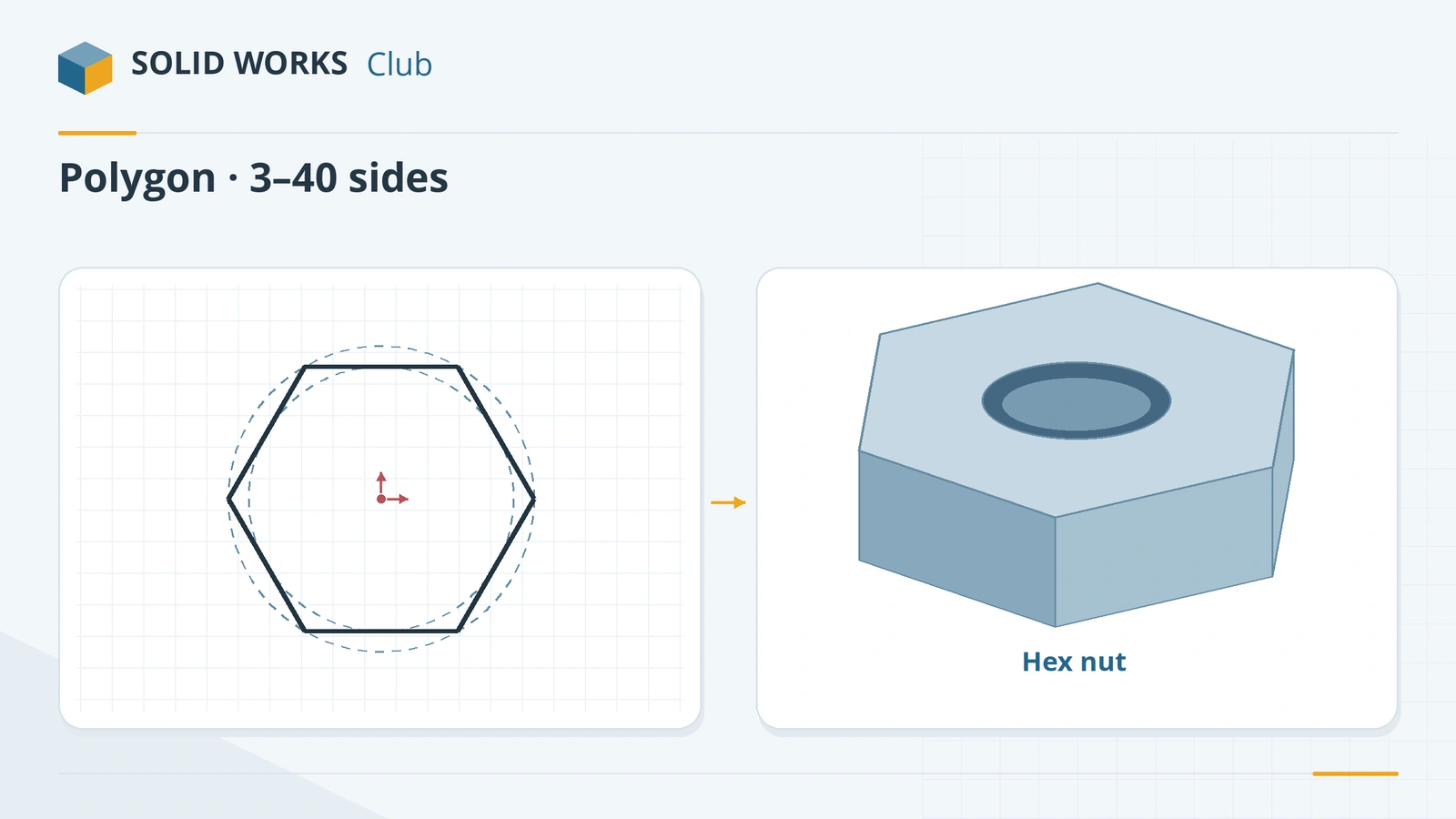
Where to find it
Sketch tab → Polygon
Polygon options
| Option | What it does |
|---|---|
| Number of Sides | 3 to 40 |
| Inscribed / Circumscribed circle | Corners on the circle, or flats touching it |
| Center X / Y | Centre position |
| Diameter | Size of the construction circle |
| Angle | Rotation of the polygon |
| New Polygon | Start another polygon with the same tool |
For standard hex nuts and bolts you rarely need to draw them — the Toolbox library inserts them. Draw your own polygons for custom heads, sockets and decorative shapes.
Practise it: the hex spacer exercise.
Practise it: the hexagon of the M10 bolt and nut.
Step by step
-
1
Choose Polygon and set the sides
Open a sketch on the Front Plane and click Polygon. In the PropertyManager set Number of Sides to 6.
-
2
Pick the circle type
Inscribed circle (the default) passes through the corners — its diameter is the across-corners size. Circumscribed circle touches the flats — its diameter is the across-flats size, which is how wrench sizes are given.
-
3
Draw it on the origin
Click the origin for the centre and drag or click outward. Then dimension the construction circle 40 (or type Diameter in the PropertyManager).
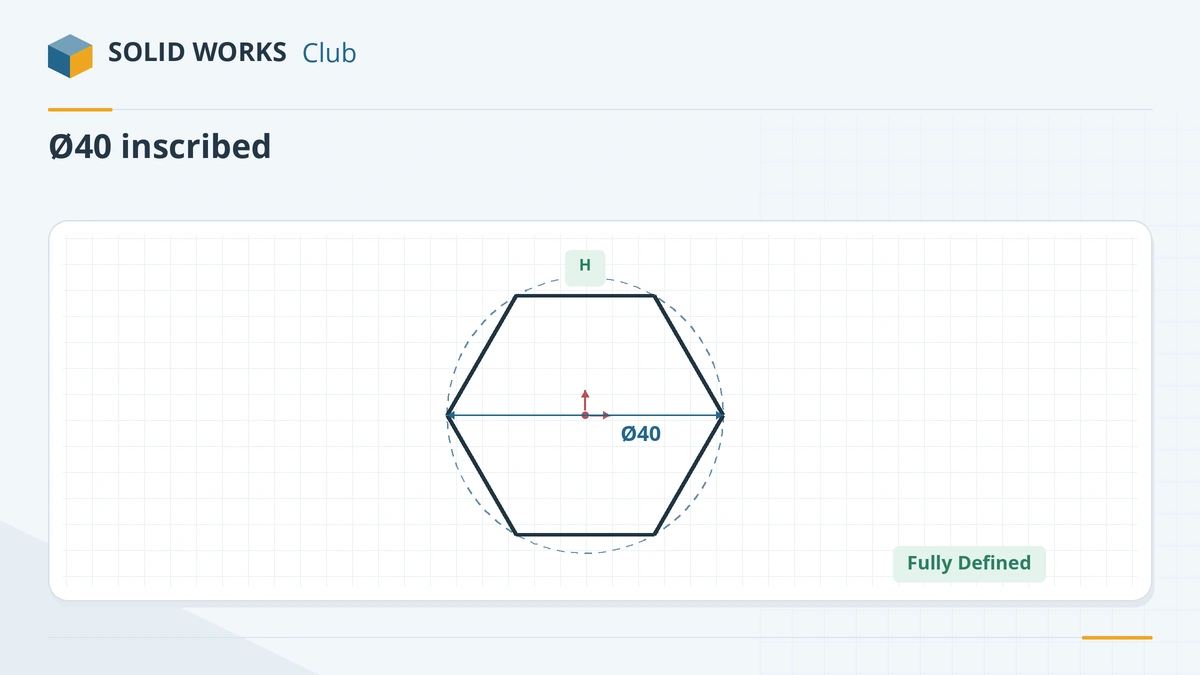
A hexagon in an inscribed Ø40 circle, rotated by a horizontal relation. -
4
Fix the rotation
The hexagon can still spin around its centre. Make one side Horizontal (select it, then Horizontal in the context toolbar) or set the Angle value. Now it turns black.
Common mistakes
- Mixing up across corners and across flats. Inscribed = corners, circumscribed = flats.
- Leaving the rotation free — the sketch stays blue.
- Drawing a hexagon from six lines. The Polygon tool keeps all sides equal for you.
Lesson 6 of 17 in the sketching course.
Practice
Sketch a hexagon on the origin with an inscribed circle of Ø40 and one side horizontal, and extrude it 10 mm. Check: volume 10,392.30 mm³; the across-flats distance is 34.64 mm (measure it with a dimension between two opposite sides).
Sources
- Planchard — SOLIDWORKS 2020 Reference Guide, sketch chapter (sample PDF)
- Javelin — Choosing the best sketch method (Dec 2025)
- GoEngineer — SOLIDWORKS sketch relations guide (Feb 2025)
Checked November 2026. SOLID WORKS Club is independent; menu names can differ slightly between releases.
Frequently asked questions
How do I draw a hexagon in SOLIDWORKS?
+
Use the Polygon tool with 6 sides. Click the centre, drag outward, then dimension the construction circle and make one side horizontal.
How many sides can a SOLIDWORKS polygon have?
+
Between 3 and 40.
What is the difference between inscribed and circumscribed?
+
With an inscribed circle the polygon's corners lie on the circle, so its diameter is the across-corners size. With a circumscribed circle the circle touches the flat sides, so its diameter is the across-flats size.
How do I size a hexagon across flats?
+
Choose Circumscribed circle and dimension the circle to the across-flats size, or dimension between two opposite sides directly.
Related
- SOLIDWORKS slot toolsHow to sketch slots in SOLIDWORKS: straight, centerpoint and arc slots, the Add dimensions option, and overall versus centre-to-centre length.
- SOLIDWORKS splines — free-form curvesHow to sketch splines in SOLIDWORKS: Spline vs Style Spline, spline handles, curvature combs, adding points, Fit Spline, equation driven curves and XYZ curves.
- SOLIDWORKS sketch relationsAll SOLIDWORKS sketch relations explained: horizontal, coincident, tangent, equal, symmetric, fix and more, plus how to add, view and delete them.
- SOLIDWORKS circle toolsHow to sketch circles in SOLIDWORKS with the Circle and Perimeter Circle tools, dimension the diameter, add Equal relations and measure to the edge.