Basic exercise 6
Exercise 6: Slotted plate
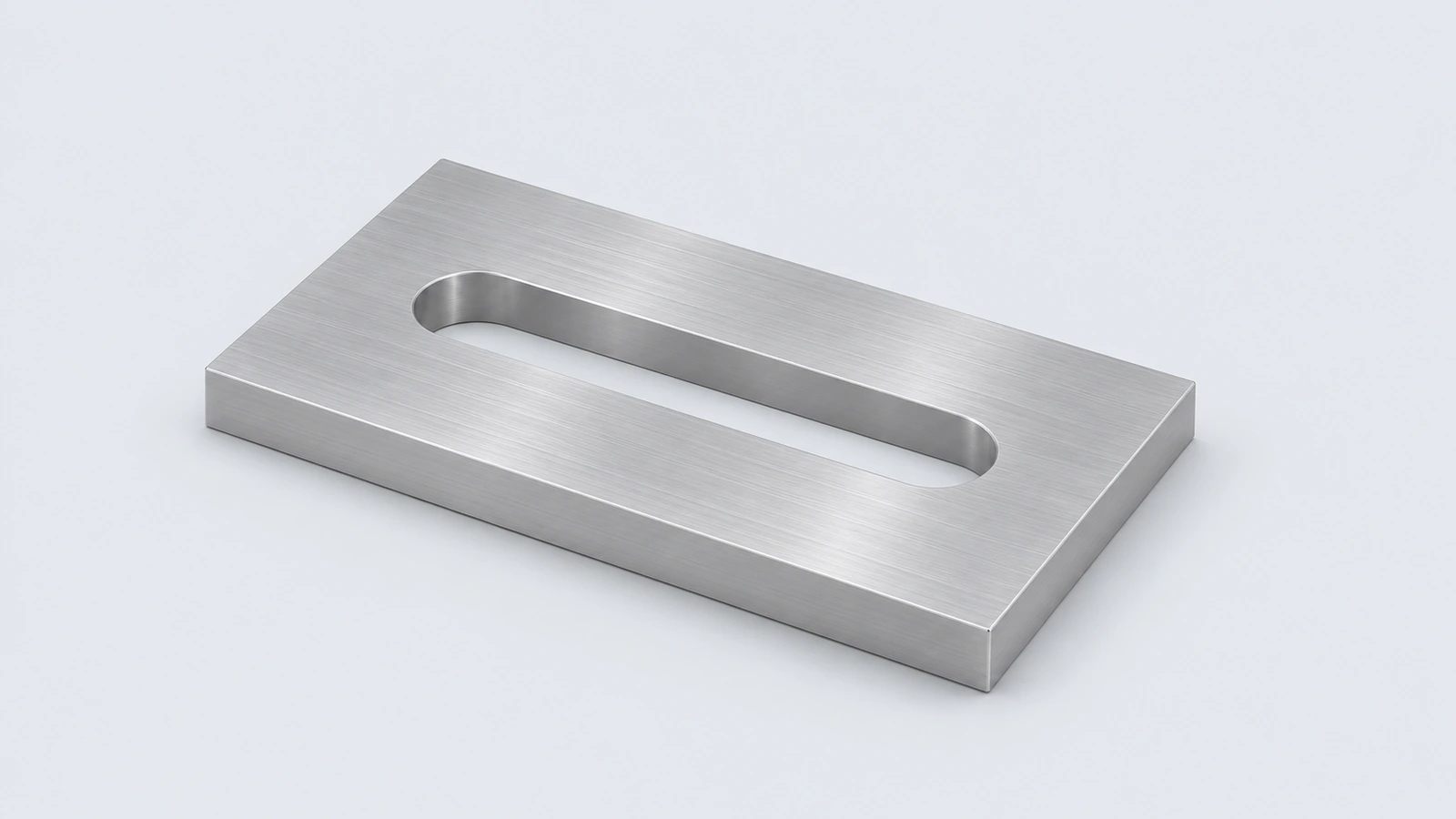
An aluminium plate with two straight slots — the shape used for adjustable mounting. It practises the Slot sketch tool and centre-to-centre dimensions.
 Kevin Walsh
- Level
- Basic
- Time
- 10 min
- Material
- Aluminium 6061, 2.70 g/cm³
- Check mass
- 98.92 g
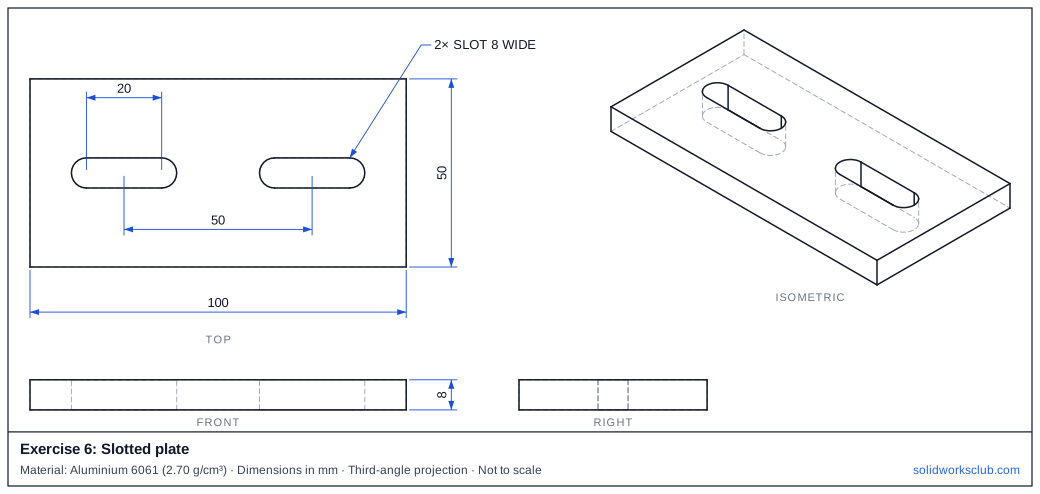
The drawing
What you practise
- Straight Slot sketch entity
- Slot length centre-to-centre vs overall
- Symmetric placement
How to approach it
- Plate 100 × 50 × 8.
- Straight Slot: centre-to-centre 20, width 8.
- Slot centres 50 apart, symmetric about the origin, on the middle line.
- Cut Through All.
Check your result
Apply the material — Aluminium 6061 — or a custom material with a density of 2.70 g/cm³, then open Evaluate → Mass Properties. The mass should be 98.92 g (volume 36,635.75 mm³). If you are out by a factor of 1,000, the density units are wrong; check them with the mass calculator. Mass properties are explained in the mass properties lesson.
Next: exercise 7.
Download files
Commands used
Show solution
- Centre rectangle 100 × 50 → Extrude 8.
- Two straight slots 20 c-c × 8 wide at x = ±25.
- Extruded Cut Through All.
- Each slot removes (20 × 8 + π × 4²) × 8 = 1,682.12 mm³.
Frequently asked questions
Is the slot length centre-to-centre or overall?
+
Here 20 mm is centre-to-centre; the overall slot length is 28 mm.
What is the mass of exercise 6?
+
98.92 g in aluminium 6061 at 2.70 g/cm³ — a volume of 36,635.75 mm³.
Related
- Exercise 7: Hex spacerSOLIDWORKS practice exercise 7, hex spacer: polygon tool with six sides. Dimensioned drawing, STEP file and a check mass of 98.71 g.
- Exercise 5: Angle bracketSOLIDWORKS practice exercise 5, angle bracket: l-shaped closed profile on the Front plane. Dimensioned drawing, STEP file and a check mass of 245.28 g.
- SOLIDWORKS slot toolsHow to sketch slots in SOLIDWORKS: straight, centerpoint and arc slots, the Add dimensions option, and overall versus centre-to-centre length.
- Mass calculator for SOLIDWORKS and CSWA problemsCalculate part mass from volume and density in mm, cm, m or inches, with typical densities for steel, aluminium, brass and copper. Built for CSWA checks.