Basic exercise 5
Exercise 5: Angle bracket
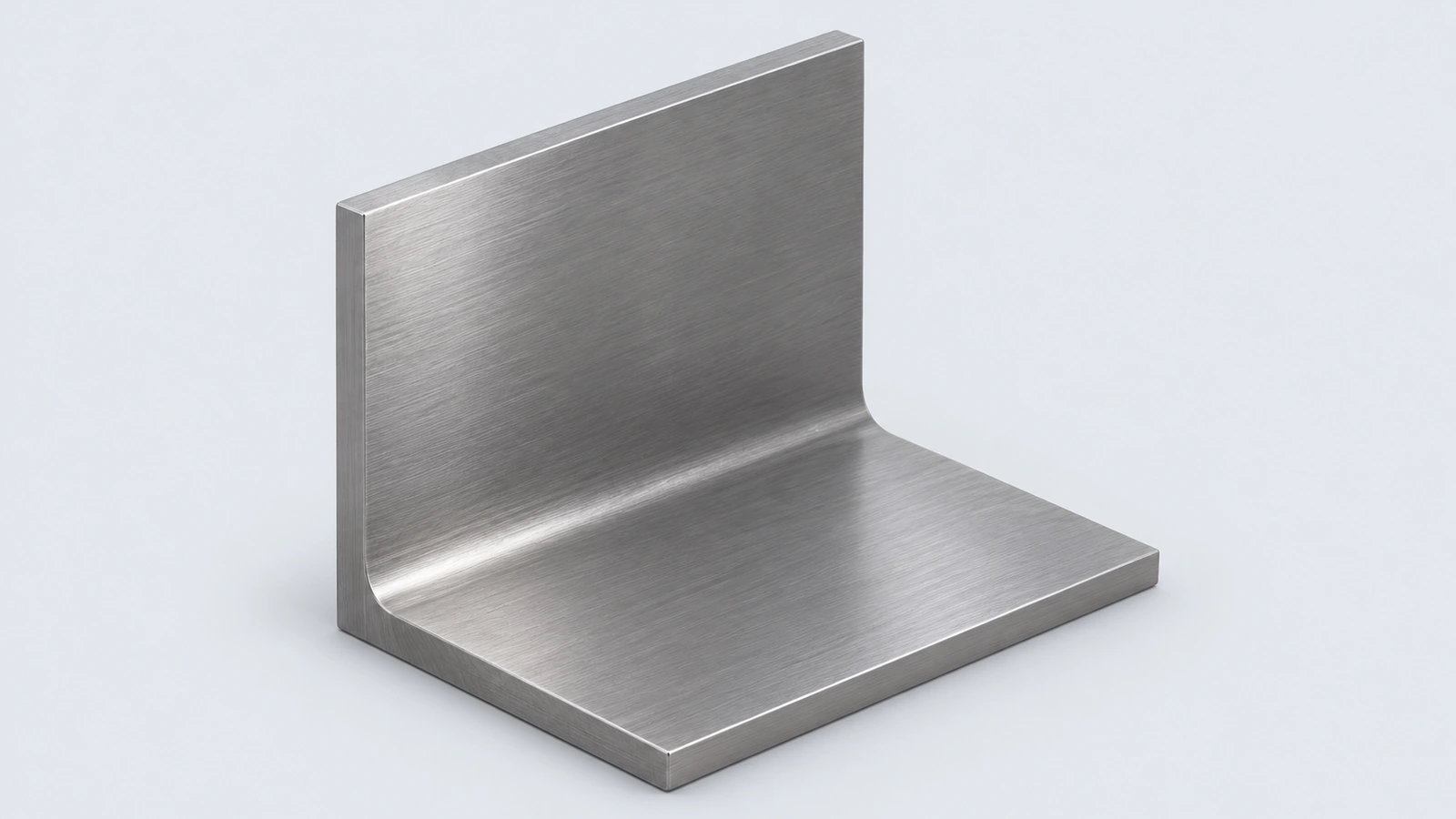
A steel L-bracket with an inside fillet and two holes in each leg. It practises an L-shaped profile, a fillet between walls and holes on two perpendicular faces.
 Kevin Walsh
- Level
- Basic
- Time
- 15 min
- Material
- Mild carbon steel, 7.85 g/cm³
- Check mass
- 245.28 g
The drawing
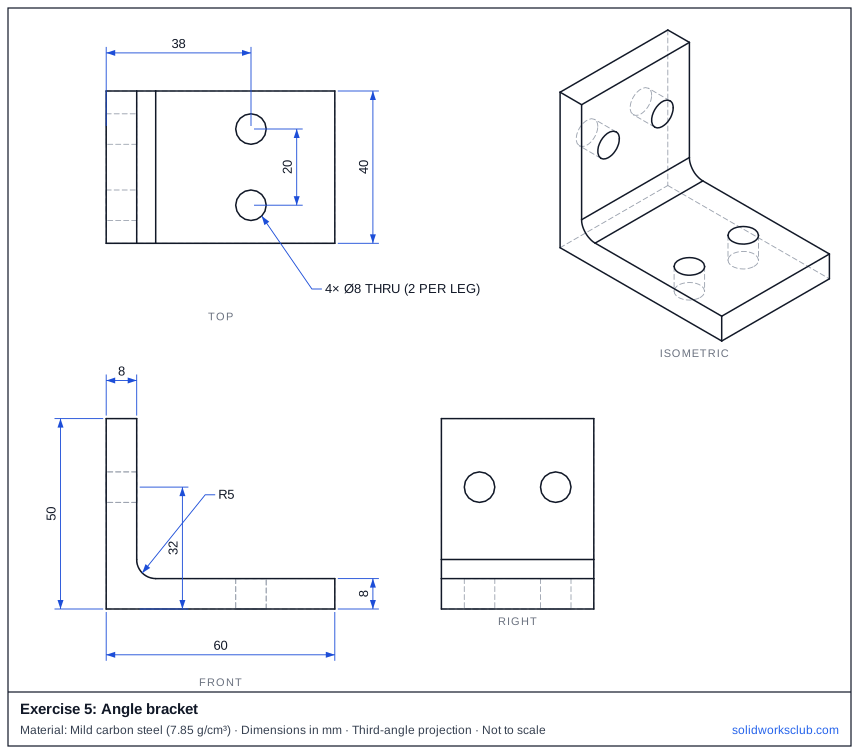
What you practise
- L-shaped closed profile on the Front plane
- Fillet on an inside edge
- Holes on two different faces
How to approach it
- Front plane: L profile 60 long, 50 high, 8 thick.
- Extrude 40 mm.
- Fillet the inside corner R5.
- Two Ø8 holes in the base at x = 38, 10 mm and 30 mm from the back; two in the upright at 32 mm high.
Check your result
Apply the material — Mild carbon steel — or a custom material with a density of 7.85 g/cm³, then open Evaluate → Mass Properties. The mass should be 245.28 g (volume 31,246.11 mm³). If you are out by a factor of 1,000, the density units are wrong; check them with the mass calculator. Mass properties are explained in the mass properties lesson.
Next: exercise 6.
Download files
Commands used
Show solution
- L profile → Extrude 40.
- Fillet R5 on the inside edge.
- Sketch two Ø8 on the base top face → Cut Through All; repeat on the outer face of the upright.
- Volume = (60 × 8 + 8 × 42) × 40 + (5² − π × 5²/4) × 40 − 4 × π × 4² × 8 = 31,246.11 mm³.
Frequently asked questions
Why does the fillet add volume?
+
An inside fillet fills the corner between the two legs, so the part gets slightly heavier.
What is the mass of exercise 5?
+
245.28 g in mild carbon steel at 7.85 g/cm³ — a volume of 31,246.11 mm³.
Related
- Exercise 6: Slotted plateSOLIDWORKS practice exercise 6, slotted plate: straight Slot sketch entity. Dimensioned drawing, STEP file and a check mass of 98.92 g.
- Exercise 4: Hub flangeSOLIDWORKS practice exercise 4, hub flange: extruding a second feature from a face. Dimensioned drawing, STEP file and a check mass of 439.57 g.
- SOLIDWORKS Line toolHow to draw lines in SOLIDWORKS: the Line, Centerline and Midpoint Line tools, chain drawing, switching to a tangent arc, orientation options and L.
- Mass calculator for SOLIDWORKS and CSWA problemsCalculate part mass from volume and density in mm, cm, m or inches, with typical densities for steel, aluminium, brass and copper. Built for CSWA checks.