Features · Lesson 6
SOLIDWORKS Fillet
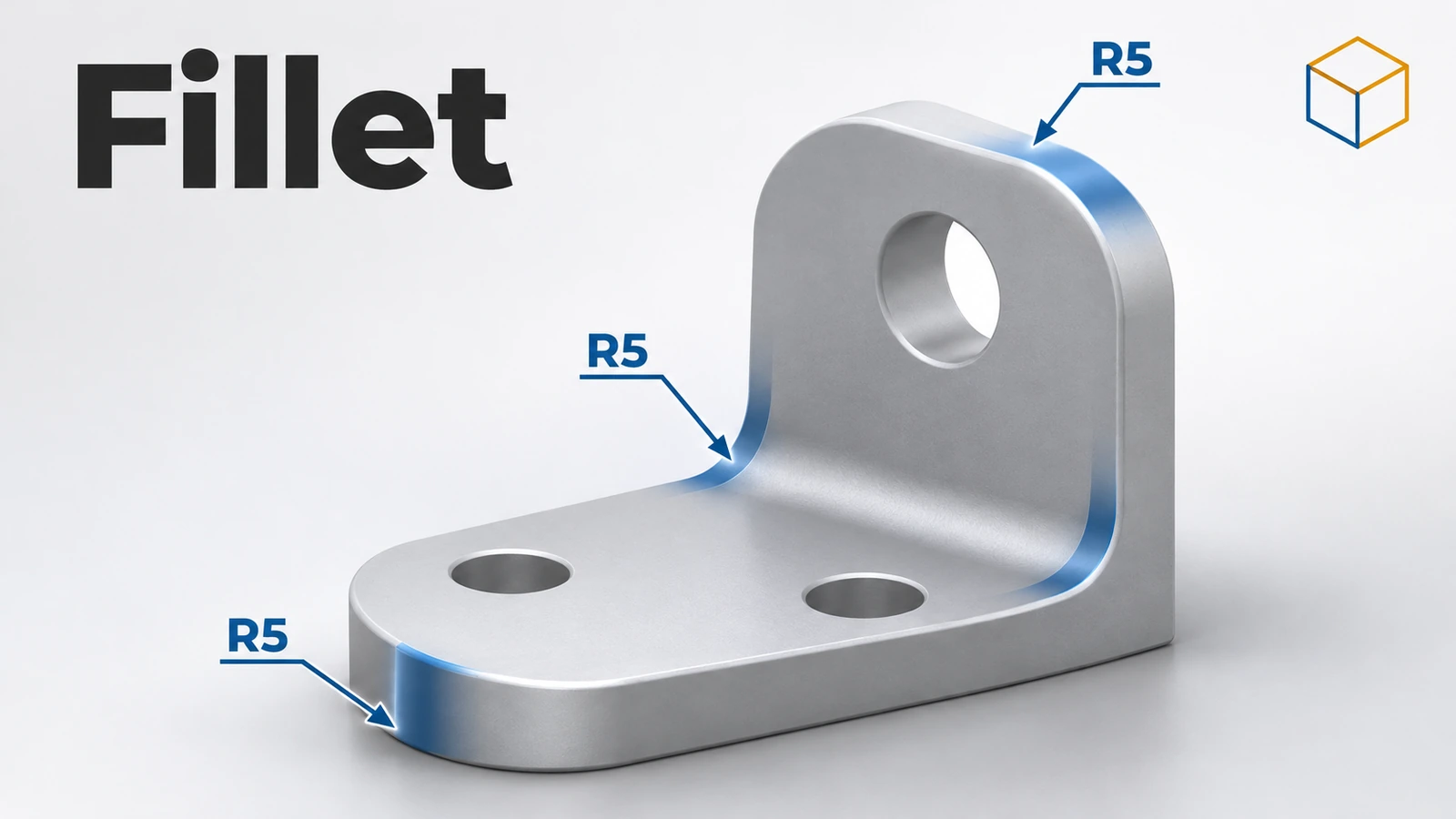
Fillet rounds sharp edges — outside edges become rounded, inside corners get material added. It is an applied feature: you pick edges or faces, set a radius, and SOLIDWORKS does the rest without a sketch. Fillets are best added near the end of the tree, largest radius first, because they remove the sharp edges other features may need.
 Kevin Walsh
Where to find it
Features tab → Fillet (Insert → Features → Fillet)
Fillet types
| Type | What it does |
|---|---|
| Constant Size | One radius along the edge; multiple radii and asymmetric fillets possible |
| Variable Size | Radius changes along the edge through control points |
| Face Fillet | Blends two sets of faces, even across a gap |
| Full Round | Rounds a face completely between two side faces — no radius needed |
Fillet profiles
| Profile | Shape |
|---|---|
| Circular | Standard round |
| Conic Rho / Conic Radius | Conic section — flatter or fuller than a circle (since 2014) |
| Curvature Continuous | Smooth transition matching the curvature of the faces (since 2016 for constant and variable fillets) |
Useful options
- Tangent propagation — continues the fillet along tangent edges with one pick.
- Full / Partial / No preview — turn the preview down when filleting dozens of edges.
- Setback — smooths corners where three filleted edges meet.
- Partial edge (since 2019) — fillet only part of an edge.
- FilletXpert tab — add, resize or remove fillets by size and fix corners.
Fillets that fail are covered in rebuild errors. The square-edged version is Chamfer.
Feature order with fillets is practised in the enclosure and fluted knob exercises.
When it fails: see fillet errors for fillet order, FilletXpert and corner fixes.
Step by step
-
1
Build a block
Extrude an 80 × 50 mm Center Rectangle on the Top Plane 20 mm up.
-
2
Start a constant size fillet
Features → Fillet. Keep Constant Size Fillet and set the radius to 5 mm.
-
3
Pick the edges
Click the four vertical edges of the block. Each appears in the Items to Fillet box with a preview. Picking a face instead would fillet all its edges.
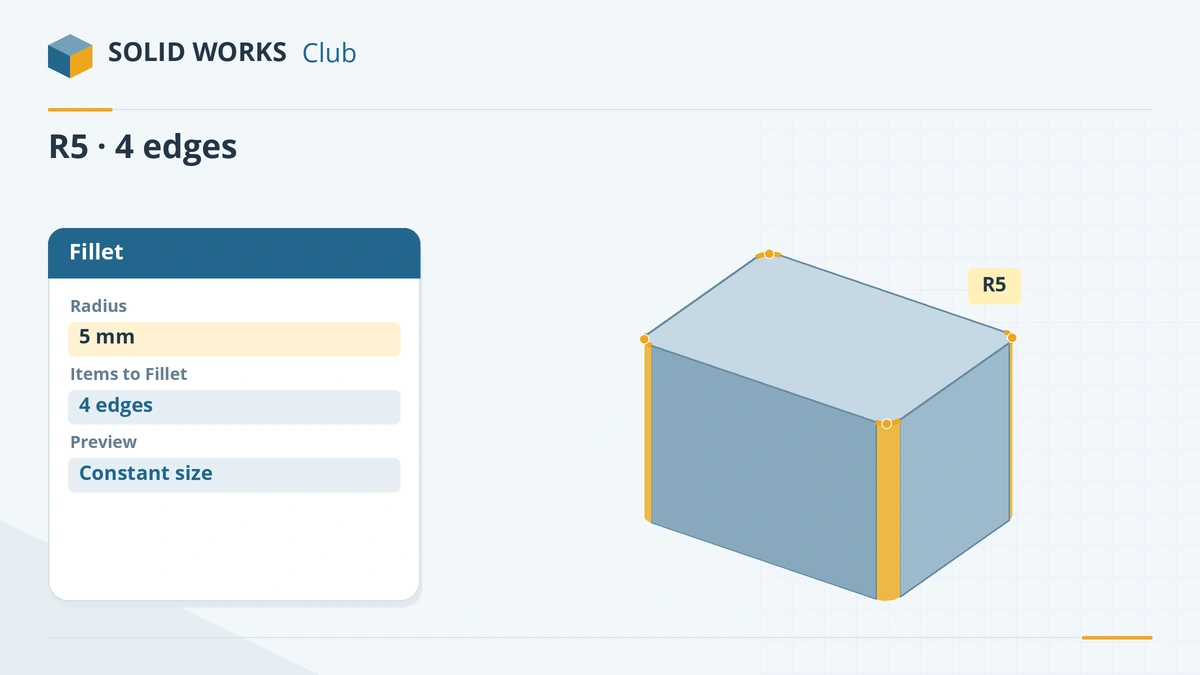
Pick the four vertical edges and set a 5 mm radius. -
4
Confirm
Click the tick. If you want different radii on some edges, tick Multiple radius fillet and set a value per edge.
Common mistakes
- Filleting early in the tree. Later features lose the sharp edges they referenced and fail. Fillet last, largest radius first.
- Too many edges of different sizes in one fillet feature. Group edges of one size per feature.
- A radius too large for the geometry — the preview disappears. As the SOLIDWORKS blog puts it, no preview means no fillet.
- Clearing Keep features — the fillet can swallow a nearby hole or boss.
Lesson 6 of 18 in the features course.
Practice
Fillet the four vertical edges of an 80 × 50 × 20 mm block with R5. Check: volume 79,570.80 mm³ (each R5 corner removes 107.30 mm³).
Sources
- Hawk Ridge — Features basics in SOLIDWORKS
- Hawk Ridge — Exploring fillets in SOLIDWORKS
- Javelin — How to use fillet tools (May 2023)
- GoEngineer — FilletXpert tool tutorial (Jan 2023)
- Javelin — Full round fillets
- GoEngineer — Partial chamfers and fillets explained
- Javelin — How feature ordering affects your design (Jun 2026)
- SOLIDWORKS blog — Basic techniques: learning fillets
- TriMech — Introducing FilletXpert
- TriMech — SOLIDWORKS modelling errors, part two (Jan 2023)
Checked November 2026. SOLID WORKS Club is independent; menu names can differ slightly between releases.
Frequently asked questions
Why does my fillet fail in SOLIDWORKS?
+
Common causes are a radius too large for the neighbouring faces, too many edges in one feature, or a fillet placed before features that change the edges. Try a smaller radius, split the fillet, or move it later in the tree. FeatureXpert can reorder fillets automatically.
What is a full round fillet?
+
A fillet with no radius value that rounds a face completely between two side faces, like the end of a rib. Pick side face, centre face and other side face in order.
What is FilletXpert?
+
A tab in the Fillet PropertyManager that adds, changes and removes fillets by radius, solves corner fillets and can reorder fillets to avoid errors.
Fillet or chamfer?
+
Fillets for strength, handling and moulded parts; chamfers for machined edges, lead-ins and easy deburring. Since 2017 you can convert one into the other.
Related
- SOLIDWORKS ChamferHow to add chamfers in SOLIDWORKS: distance and angle, equal distance, vertex, Offset Face and Face-Face types, partial edges and Keep features.
- SOLIDWORKS ShellHow to use Shell in SOLIDWORKS to hollow a part: faces to remove, wall thickness, shell outward, multi-thickness walls, and what to do when the shell fails.
- SOLIDWORKS rebuild errors and warnings — how to fix themFix SOLIDWORKS rebuild errors: red and yellow feature icons, the What's Wrong dialog, dangling references, zero-thickness geometry and failed fillets.
- Your first SOLIDWORKS part, step by stepModel your first SOLIDWORKS part in 15 minutes: a sketch on the Front Plane, Smart Dimension, Extruded Boss, a hole and fillets, with a check mass.