Intermediate exercise 10
Intermediate exercise 10: Fluted knob
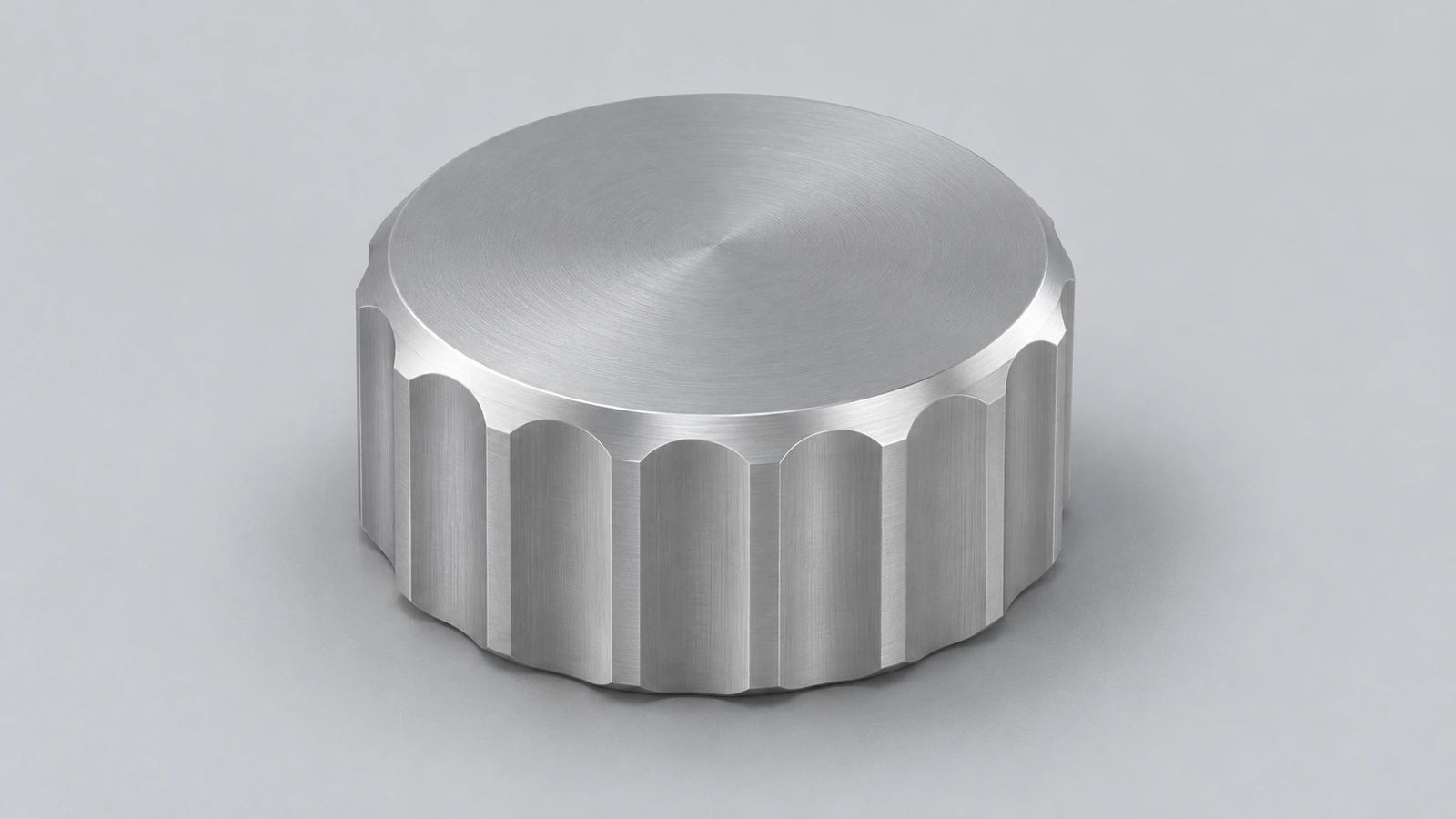
An aluminium knob with eight flutes for grip, rounded top edges and a blind hole for a shaft. Pattern first, fillet after — then the fillet runs around every flute.
 Kevin Walsh
- Level
- Intermediate
- Time
- 15 min
- Material
- Aluminium 6061, 2.70 g/cm³
- Check mass
- 62.67 g
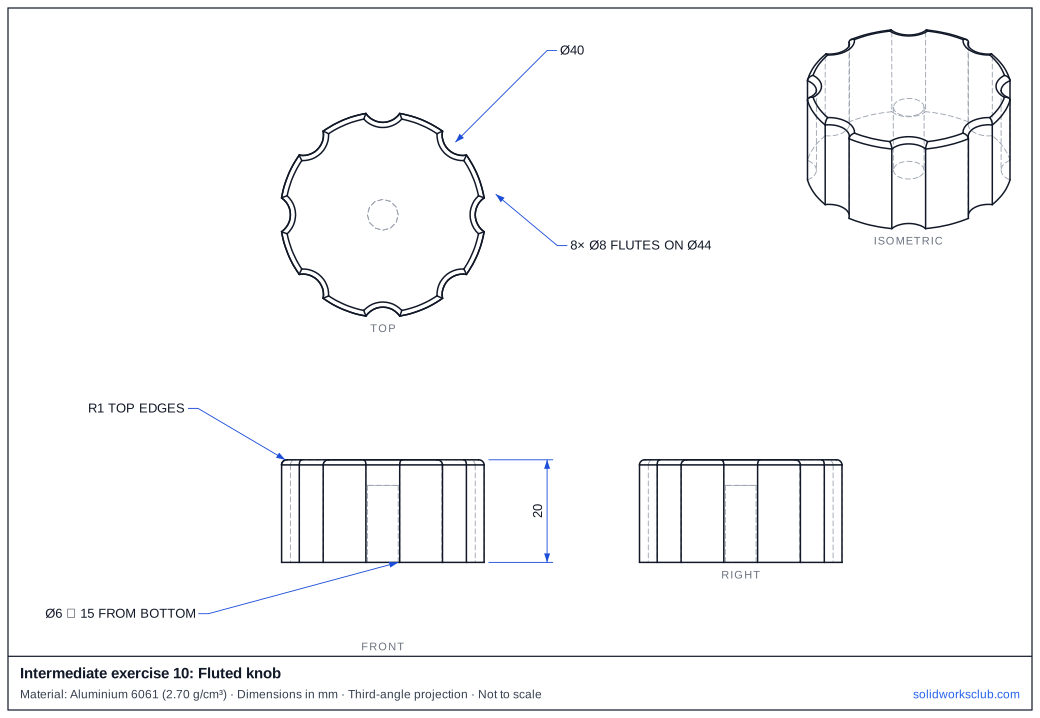
The drawing
What you practise
- Cutting one flute and patterning it
- Fillet on a complex edge loop
- Blind hole from the bottom face
How to approach it
- Cylinder Ø40 × 20.
- One Ø8 cut centred on a Ø44 circle → Circular Pattern 8.
- R1 fillet on all top edges.
- Ø6 hole 15 deep from the bottom.
Check your result
Apply Aluminium 6061 or a custom material with 2.70 g/cm³, then open Evaluate → Mass Properties. The mass should be 62.67 g (volume 23,211.07 mm³). Off by 1,000? Check the density units with the mass calculator.
Next: intermediate exercise 11.
Download files
Commands used
Show solution
- Ø40 → Extrude 20.
- Ø8 at radius 22 → Cut Through All → Circular Pattern 8.
- Fillet R1, select the top face (all its edges).
- Ø6 → Cut Blind 15 from the bottom face.
Frequently asked questions
Why fillet after the pattern?
+
If you fillet first, the pattern cuts through the fillet and leaves sharp edges on every flute.
Related
- Intermediate exercise 11: Pipe teeIntermediate SOLIDWORKS exercise 11, pipe tee: two extrudes on different planes. Drawing, STEP file and check mass 265.16 g.
- Intermediate exercise 9: BottleIntermediate SOLIDWORKS exercise 9, bottle: revolve with a tangent arc. Drawing, STEP file and check mass 107.26 g. Free practice.
- SOLIDWORKS Circular PatternHow to use Circular Pattern in SOLIDWORKS: pattern axis, equal spacing, angle and instances, symmetric Direction 2, skipping instances and preview options.
- Mass calculator for SOLIDWORKS and CSWA problemsCalculate part mass from volume and density in mm, cm, m or inches, with typical densities for steel, aluminium, brass and copper. Built for CSWA checks.