Intermediate exercise 5
Intermediate exercise 5: Enclosure with screw bosses
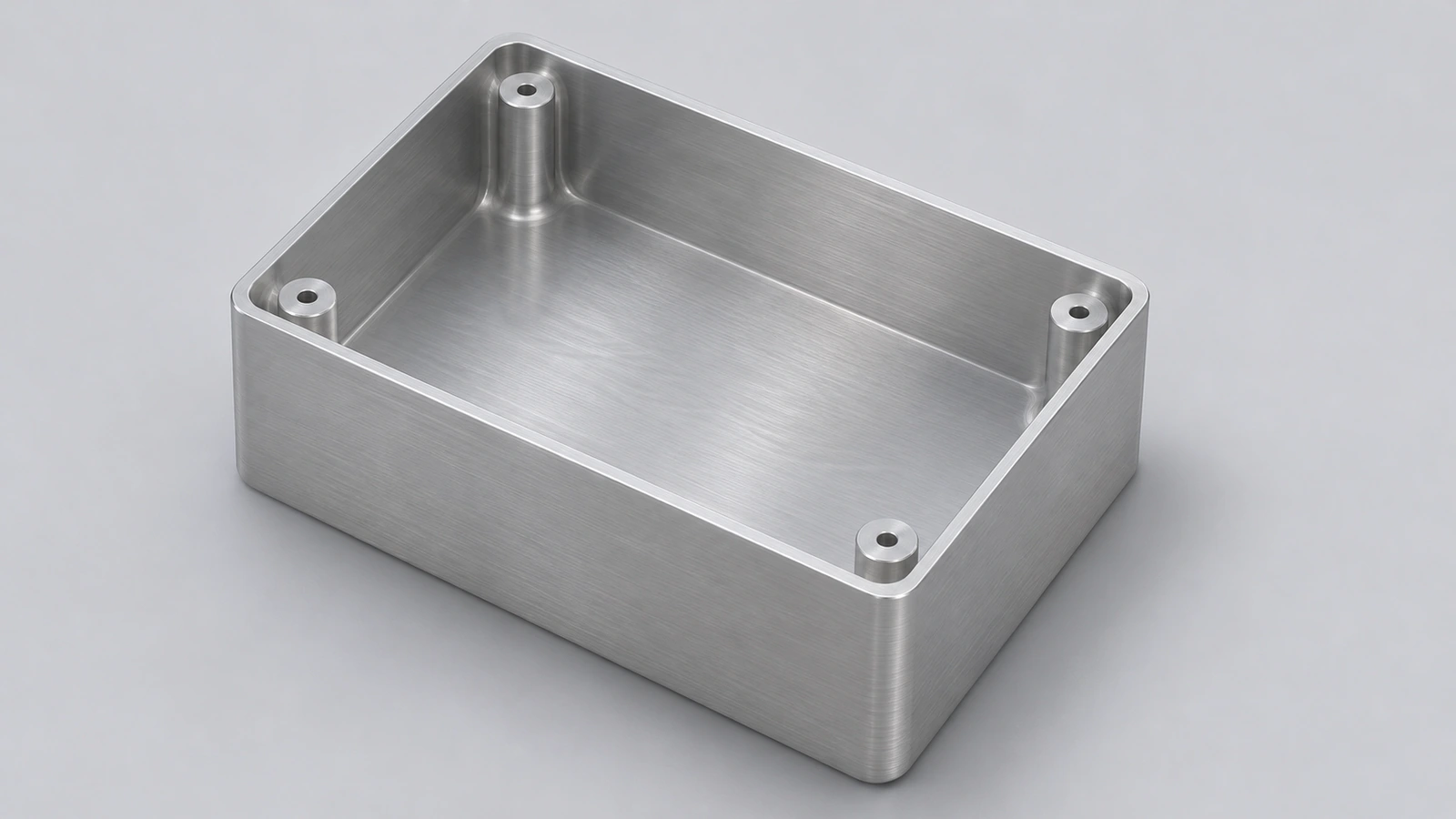
An aluminium enclosure with rounded corners, 2.5 mm walls and four screw bosses inside. Feature order matters: fillet the corners before shelling so the inside corners follow.
 Kevin Walsh
- Level
- Intermediate
- Time
- 25 min
- Material
- Aluminium 6061, 2.70 g/cm³
- Check mass
- 166.92 g
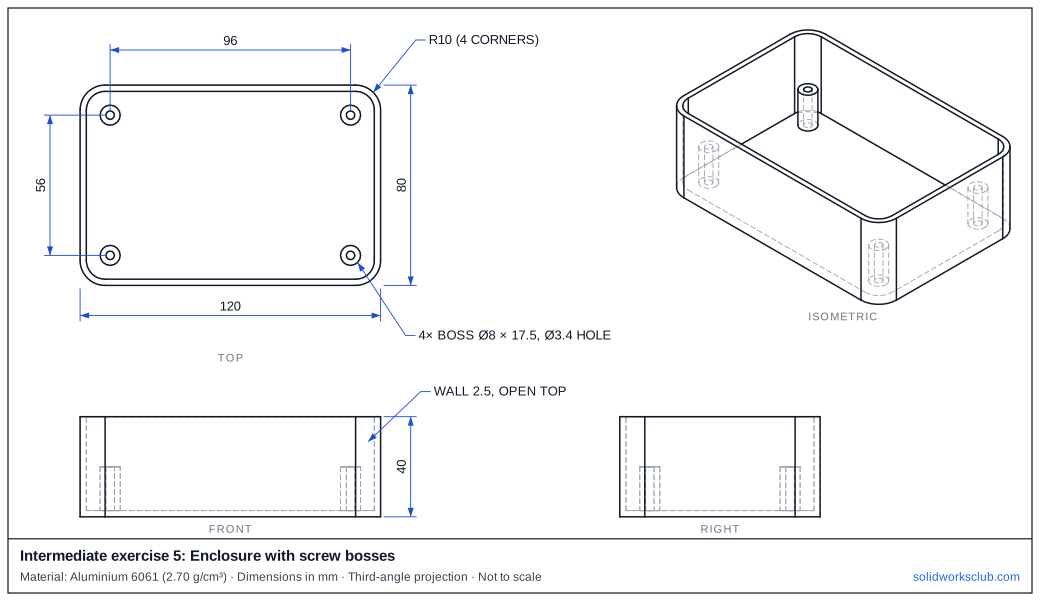
The drawing
What you practise
- Fillet before Shell
- Bosses from the inside floor
- Holes in bosses
How to approach it
- Block 120 × 80 × 40; R10 on the four vertical edges.
- Shell 2.5 mm, open top.
- Four Ø8 bosses from the inside floor to 20 above the base, 96 × 56 apart.
- Ø3.4 holes through the bosses.
Check your result
Apply Aluminium 6061 or a custom material with 2.70 g/cm³, then open Evaluate → Mass Properties. The mass should be 166.92 g (volume 61,822.61 mm³). Off by 1,000? Check the density units with the mass calculator.
Next: intermediate exercise 6.
Download files
Commands used
Show solution
- Centre rectangle 120 × 80 → Extrude 40 → Fillet R10 vertical edges.
- Shell 2.5, remove the top face.
- Sketch on the inside floor: four Ø8 circles → Extrude 17.5.
- Four Ø3.4 on the boss tops → Cut 17.5 (down to the floor).
Frequently asked questions
What happens if I shell first, then fillet?
+
The outer edges round but the inside corners stay sharp — and the wall is thinner at the corners.
Related
- Intermediate exercise 6: Compression springIntermediate SOLIDWORKS exercise 6, compression spring: helix/Spiral curve from a circle. Drawing, STEP file and check mass 31.38 g.
- Intermediate exercise 4: Lightened wheelIntermediate SOLIDWORKS exercise 4, lightened wheel: mid-plane web between a rim and a hub. Drawing, STEP file and check mass 350.57 g.
- SOLIDWORKS FilletHow to use Fillet in SOLIDWORKS: constant, variable, face and full round fillets, profiles, tangent propagation, FilletXpert and why fillets fail.
- Mass calculator for SOLIDWORKS and CSWA problemsCalculate part mass from volume and density in mm, cm, m or inches, with typical densities for steel, aluminium, brass and copper. Built for CSWA checks.