Advanced parts · Lesson 9
SOLIDWORKS global variables
A global variable is a named value — Thk = 8 mm, Clearance = 0.5 mm — that any dimension or equation in the file can use. Change it once and every dimension that uses it updates. Linked to an external text file, the same variables can drive several parts at once. Always give global variables units, or a switch of document units can change their meaning.
 Kevin Walsh
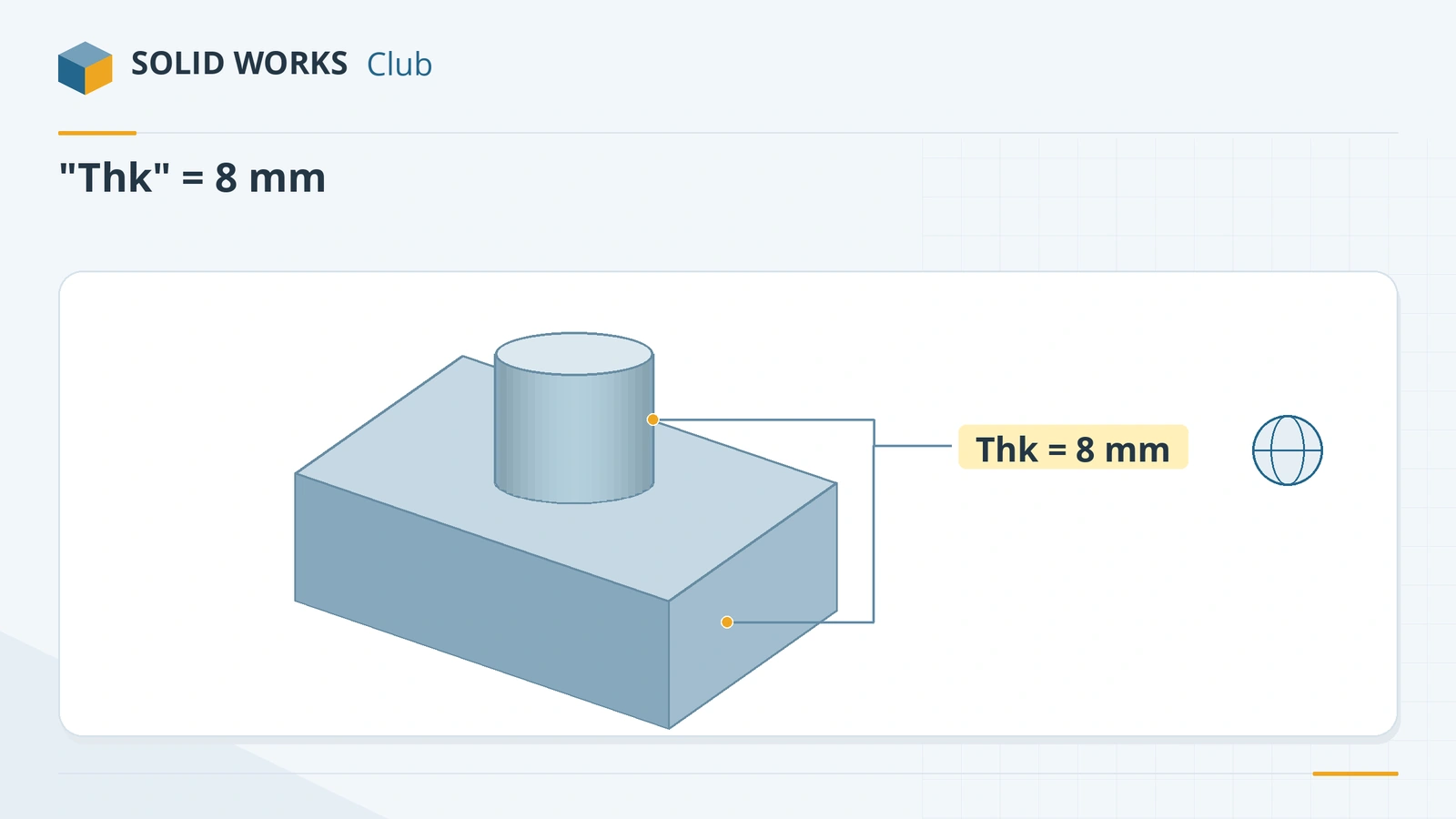
Where to find it
Tools → Equations → Global Variables; or type = and a new name in a Modify box
Global variables at a glance
| Item | Detail |
|---|---|
| Create | Equations dialog, or = plus a new name in a Modify box |
| Shown as | Gold text with a globe icon |
| Use in | Any dimension or equation, in quotes: "Thk" |
| Units | Supported since 2013 — always type them |
| Configurations | Configurable since 2014 |
| Share | Link to external file (equations.txt); lines read "Name" = value |
For formulas between dimensions, see equations; for whole families of sizes, design tables.
Practise it: drive the spur gear from module and tooth count.
Step by step
-
1
Create the variable
Tools → Equations. Under Global Variables add Thk with the value 8mm (type the unit). It shows in gold with a globe icon.
-
2
Use it for the plate
Extrude a 100 × 50 mm rectangle and set the depth to
= "Thk"in the Modify box.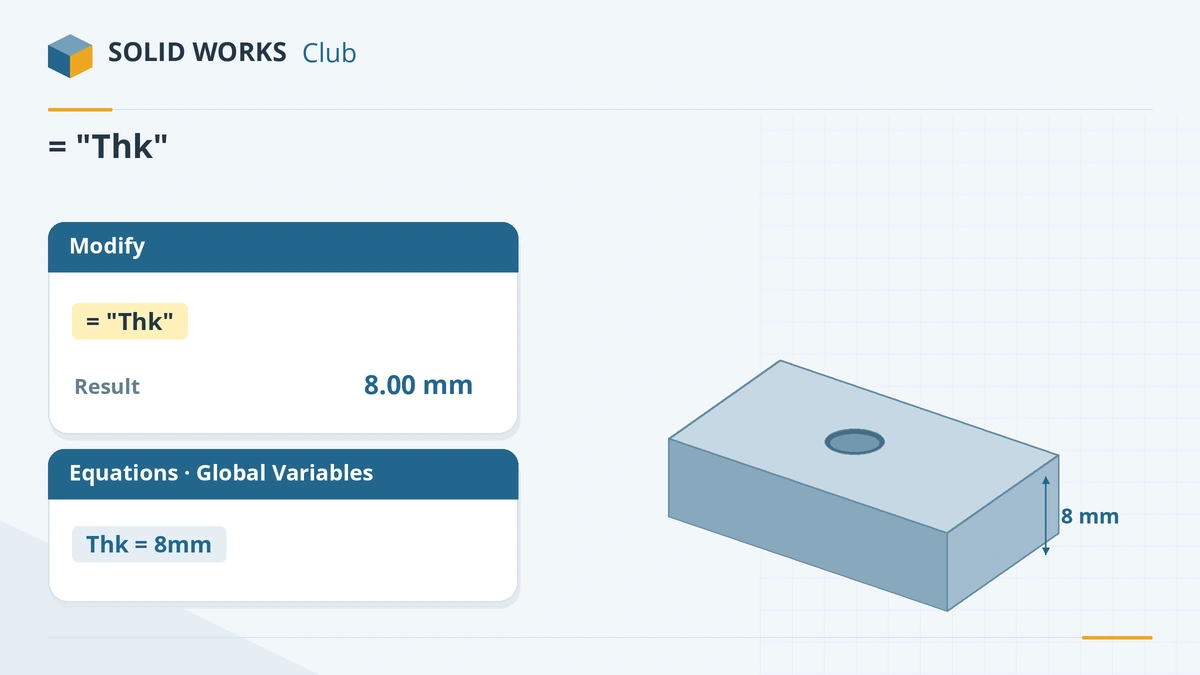
Any dimension can use a global variable. -
3
Use it twice
Add a Ø20 boss on top, centred, and set its height to
= "Thk" * 2. -
4
Change the variable
In Tools → Equations change Thk to 10mm and rebuild. The plate and the boss both update.
-
5
Share with other parts (optional)
In the Equations dialog use Link to external file to save the variables in a text file. Other parts can link to the same file; edit it, save and rebuild (Ctrl + B) to update them all.
Common mistakes
- Values without units. Hawk Ridge describes a 20 in screen size turning into 20 mm after a unit change. Type the unit.
- Expecting a global variable to exist in other files. It belongs to its file unless you share it through an external text file.
- Editing linked variables inside SOLIDWORKS — they are locked; edit the text file.
Lesson 9 of 16 in the advanced parts course.
Practice
Build the plate (100 × 50 × Thk) and the Ø20 boss (height 2 × Thk). Check: with Thk = 8 mm the volume is 45,026.55 mm³; with Thk = 10 mm it is 56,283.19 mm³.
Sources
- GoEngineer — Global variables explained (Jul 2021)
- Hawk Ridge — Global variables and equations
- CATI — Global variables scope
- GoEngineer — Link values with external files (Jun 2022)
- Hawk Ridge — Driving global variables from an external text file
- Javelin — Configure equations
Checked November 2026. SOLID WORKS Club is independent; menu names can differ slightly between releases.
Frequently asked questions
How do I create a global variable in SOLIDWORKS?
+
In Tools → Equations add it under Global Variables, or type = and a new name in a dimension's Modify box and SOLIDWORKS offers to create it.
Can global variables be used in several parts?
+
A global variable belongs to one file, but you can link files to the same external text file so they share the values.
Do global variables need units?
+
Yes, give them units. Without units a change of document units can change what the number means.
Can global variables differ by configuration?
+
Yes, since SOLIDWORKS 2014 their values can be configured per configuration.
Related
- SOLIDWORKS equationsHow to use equations in SOLIDWORKS: the Equations dialog, typing = in a dimension, units, configurable equations, and IIF statements to suppress features.
- SOLIDWORKS design tablesHow to create a design table in SOLIDWORKS: the Excel requirement, auto-create, dimension and $PRP@ columns, edit options and common mistakes.
- SOLIDWORKS configurationsHow to use configurations in SOLIDWORKS: add them, change dimensions and suppress features per configuration, configuration tables and display states.
- How to change units in SOLIDWORKSChange units in SOLIDWORKS from the status bar or Document Properties: MMGS, IPS, MKS, CGS or custom. Set decimals, dual dimensions and default units.