Requirements & Hardware
SOLIDWORKS on Windows 11: editions, upgrade and setup
Windows 11 64-bit has been supported since SOLIDWORKS 2022 SP2, and from SOLIDWORKS 2026 it is the only desktop Windows supported. Use Windows 11 Pro, Enterprise or Education — Home editions are not supported — on an Intel or AMD processor, not an ARM laptop.
 Kevin Walsh
Which Windows 11 editions work
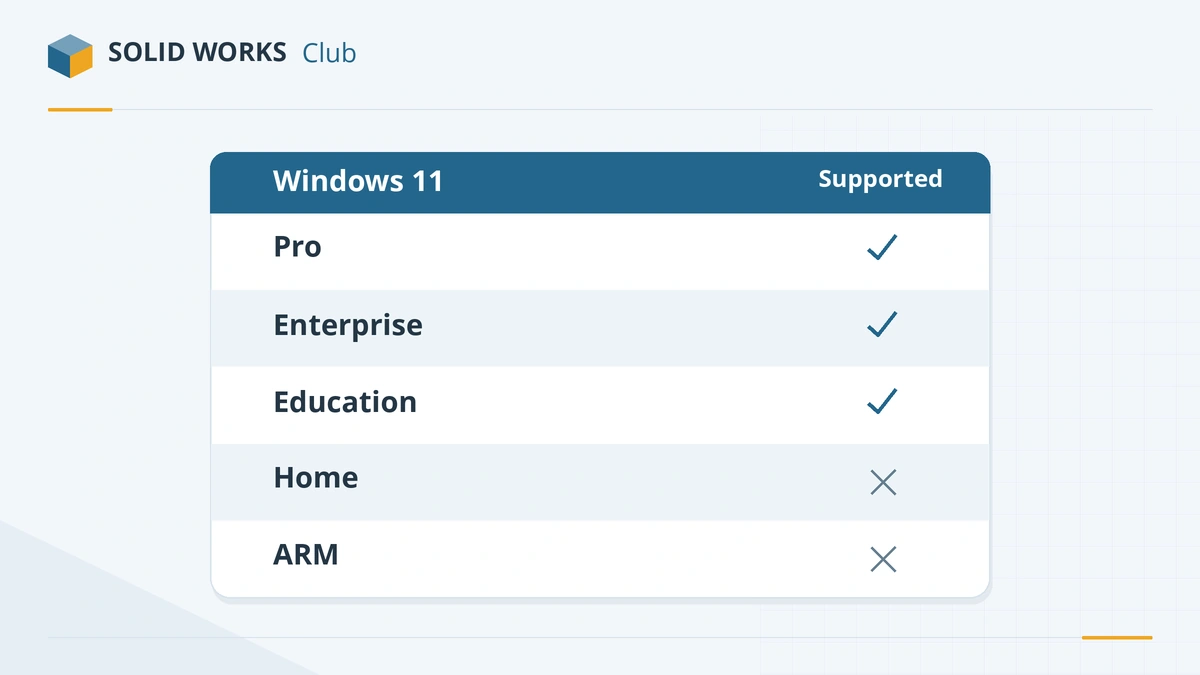
| Windows 11 | SOLIDWORKS 2025 | 2026 | 2027 |
|---|---|---|---|
| Pro, Enterprise, Education (64-bit, x86_64) | Yes | Yes | Yes |
| Home | Not supported | Not supported | Not supported |
| On ARM processors (Snapdragon) | Not supported | Not supported | Not supported |
| Windows 10 64-bit | Yes, through SP5 | No | No |
The official requirements say that Windows Home editions and Windows To Go are not supported, and that each Windows 11 feature release is supported while it is covered by both the SOLIDWORKS and Microsoft lifecycles. They also recommend installing the latest Windows updates.
Moving from Windows 10
Microsoft ended support for Windows 10 on October 14, 2025 (apart from paid Extended Security Updates), and SOLIDWORKS followed: SOLIDWORKS 2025 is the last release for it. A practical order:
- Check the hardware. Windows 11 needs TPM 2.0 and a supported CPU. Older workstations may fail this check — then it is time for new hardware.
- Back up your SOLIDWORKS settings with the Copy Settings Wizard, plus templates, libraries and custom properties.
- Install Windows 11 Pro and the latest graphics driver certified for your card.
- Install SOLIDWORKS 2026 or later, then restore your settings.
Settings to change after installing
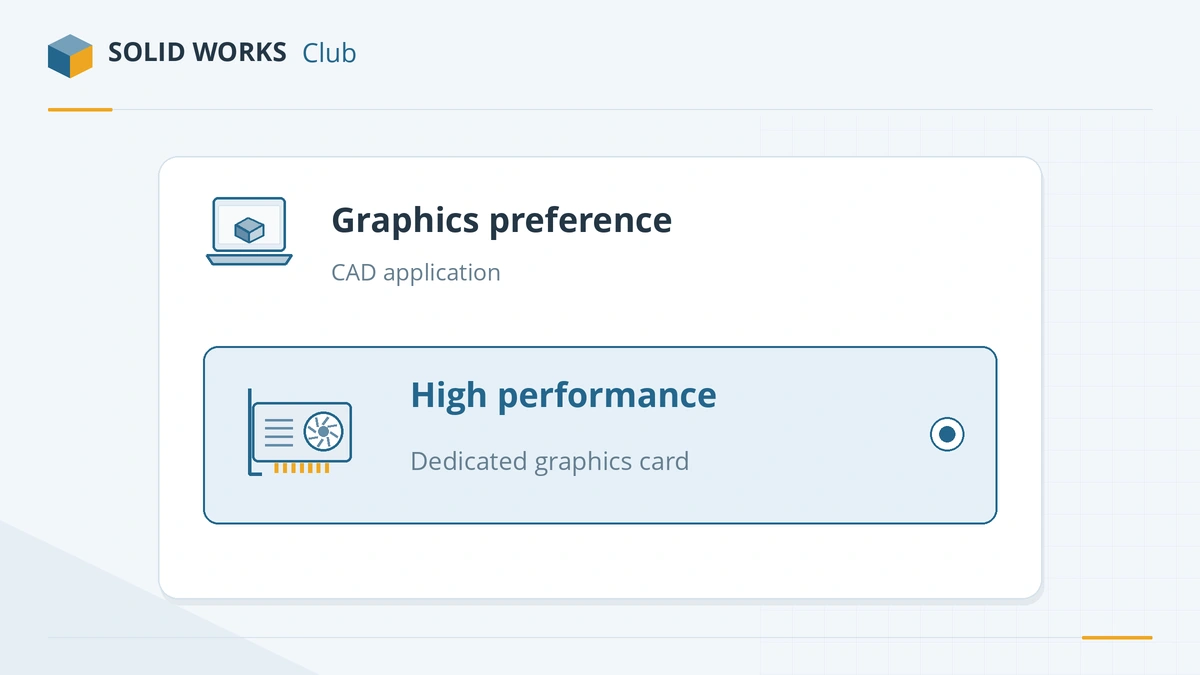
- Use the dedicated graphics card. On laptops with integrated and dedicated graphics, open Windows Settings → System → Display → Graphics, add the SOLIDWORKS program and choose High performance. GoEngineer recommends the same step in its graphics setup guide.
- Install the certified driver, not the one Windows Update picks. Find it on the hardware certification page; Solid Solutions has a step-by-step walkthrough.
- Power plan: on laptops, use the best-performance power mode while plugged in.
- Antivirus exclusions for SOLIDWORKS file types and folders, as Dassault suggests, speed up opening and saving.
Windows 11 on ARM laptops
Copilot+ laptops with Snapdragon chips run Windows 11 on ARM. SOLIDWORKS requires an x86_64 processor, so on these machines it can only run through Microsoft's x64 emulation — outside the official requirements. For SOLIDWORKS, buy a laptop with an Intel or AMD processor; our laptop guide lists suitable models. Mac users face the same issue; see Apple silicon and Parallels. Linux users have their own options, covered in SOLIDWORKS on Linux.
Not sure your PC qualifies? The PC checker tells you in a few clicks.
Something broke after the upgrade? Our Windows 11 problems guide covers scaling, drivers replaced by Windows Update, blocked saves and reactivation.
Frequently asked questions
Is SOLIDWORKS compatible with Windows 11?
+
Yes. Windows 11 64-bit is supported from SOLIDWORKS 2022 SP2 onwards, and SOLIDWORKS 2026 and 2027 support only Windows 11 among desktop versions of Windows.
Can I use SOLIDWORKS on Windows 11 Home?
+
It is not supported: the official requirements exclude Windows Home editions. SOLIDWORKS may still install, but you risk problems that support will not cover. Upgrade to Windows 11 Pro in Settings → System → Activation.
Does SOLIDWORKS work on Windows 11 ARM laptops?
+
Not officially. SOLIDWORKS requires an Intel 64 or AMD64 (x86_64) processor. Snapdragon and other ARM laptops can only run it through x64 emulation, which is outside the requirements.
I am still on Windows 10. Which SOLIDWORKS can I use?
+
SOLIDWORKS 2025, up to SP5, is the last release for Windows 10. Its hotfix support ends on December 31, 2026, so plan the move to Windows 11 before then.
Related
- SOLIDWORKS system requirements (2025–2027)Official SOLIDWORKS system requirements for 2025–2027 — Windows 11, 16 GB RAM minimum, 32 GB recommended, x86_64 CPU, certified graphics card and an SSD.
- SOLIDWORKS certified graphics cards and driversWhich graphics cards are certified for SOLIDWORKS 2026, why GeForce cards are not, how to find the certified driver for your card, and what RealView needs.
- SOLIDWORKS 2025: release date, features and supportSOLIDWORKS 2025 was released on November 15, 2024. Its top features, why it is the last version for Windows 10, and hotfix support until December 31, 2026.
- Can my PC run SOLIDWORKS?Check your computer against the official SOLIDWORKS 2025–2027 requirements in seconds — Windows edition, CPU, RAM, GPU and drive — with a fix for each item.