Requirements & Hardware
SOLIDWORKS on Linux: what works in 2026
There is no Linux version of SOLIDWORKS, and Linux does not appear anywhere in the official system requirements. To use it from a Linux computer you need Windows: in a virtual machine, on a second drive, or on a cloud workstation. Browser-based SOLIDWORKS xDesign is the only Dassault option that needs no Windows at all.
 Kevin Walsh
The options
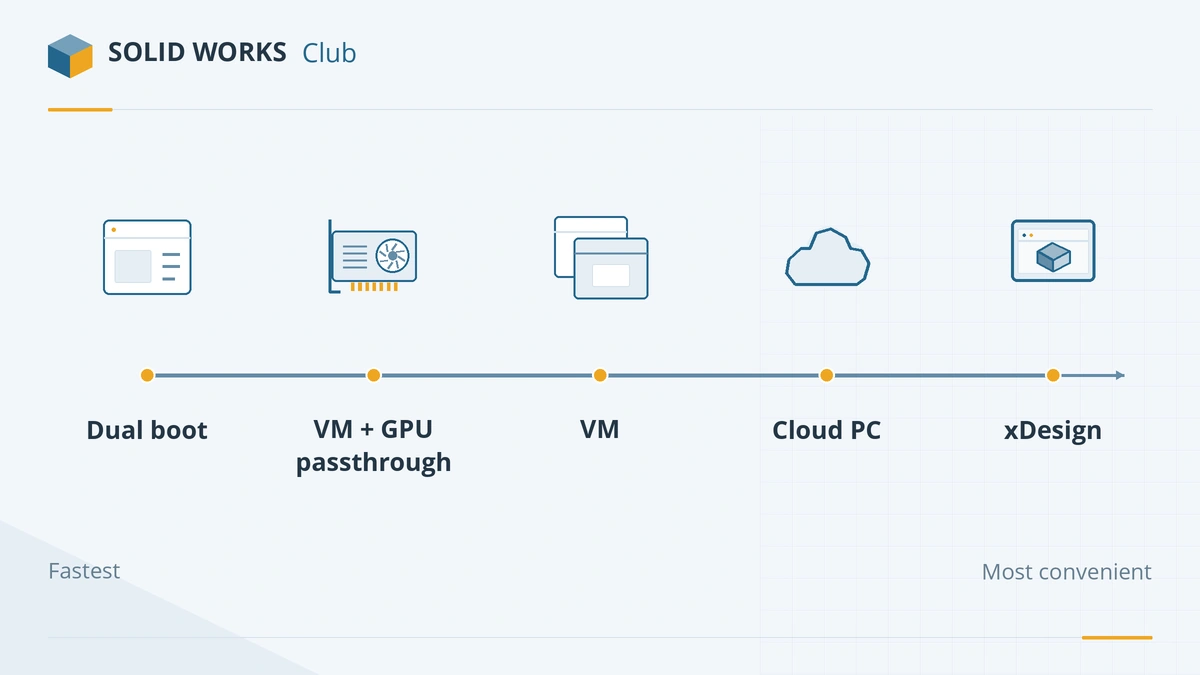
| Option | Performance | Effort | Notes |
|---|---|---|---|
| Dual boot Windows 11 Pro | Full | Medium | Same as a Windows PC; reboot to switch |
| VM with GPU passthrough (KVM/QEMU, VFIO) | Close to native | High | Needs a second GPU or an iGPU for Linux, and IOMMU support |
| Standard VM (VMware Workstation, VirtualBox) | Modest | Low | Virtual graphics limit large models |
| Cloud workstation | Good, depends on network | Low | Monthly or hourly cost; bring your own licence |
| SOLIDWORKS xDesign | Browser-based | Lowest | Different program from SOLIDWORKS Design |
| Wine / Proton | — | — | Not a dependable option |
Dual boot: the simplest full-speed option
Install Windows 11 Pro on a second drive and choose it at start-up. SOLIDWORKS then runs exactly as on a Windows PC, with the certified graphics driver. It must be Pro, Enterprise or Education — the official requirements exclude Home editions.
Virtual machines
The SOLIDWORKS requirements list supported hypervisor versions — VMware Workstation 17.6.4 and Hyper-V 2025 for SOLIDWORKS 2026, for example — and note that SOLIDWORKS needs a GPU for good performance in a virtual machine. Linux hosts are not mentioned, so a VM on Linux is at your own risk.
- Plain VM: easy to set up, but virtual graphics adapters make rotating big assemblies slow, and SOLIDWORKS may warn about an unsupported graphics card.
- GPU passthrough: with KVM/QEMU and VFIO you can give the Windows VM a dedicated professional graphics card. Performance is close to a native install, but setup needs a motherboard and CPU with IOMMU support and a second GPU for Linux.
Give the VM at least 16 GB of RAM — the SOLIDWORKS minimum — and place its disk on an SSD.
SOLIDWORKS xDesign
xDesign runs in a web browser on the 3DEXPERIENCE platform, so it works from Linux. It is a separate CAD program with its own interface and features, offered for Makers, students and commercial users. It suits new designs better than editing an existing SOLIDWORKS dataset.
Why not Wine?
Wine translates Windows calls on Linux and runs many Windows programs, but SOLIDWORKS is not one of the practical ones: it depends on Windows installer components, .NET, OpenGL graphics drivers and a licensing and activation system that Wine does not reproduce reliably. Dassault does not support it, and a setup that breaks after an update is a bad base for real work.
Our recommendation
If SOLIDWORKS is part of your job, dual-boot or keep a separate Windows workstation — see the best laptops for SOLIDWORKS. For learning or occasional use, a VM or xDesign is enough. Mac users have similar trade-offs, covered in SOLIDWORKS on Mac.
Frequently asked questions
Is there a SOLIDWORKS version for Linux?
+
No. SOLIDWORKS Design is Windows-only, and the official requirements list only Windows desktop and server operating systems.
Can I run SOLIDWORKS with Wine on Linux?
+
Not in any dependable way. SOLIDWORKS relies on Windows components, OpenGL drivers and an installer and licensing system that Wine does not reproduce reliably, and Dassault offers no support for it. Use a Windows virtual machine instead.
What is the best way to use SOLIDWORKS from Linux?
+
Dual-boot Windows 11 Pro for full performance. If you must stay in Linux, run Windows in a virtual machine, ideally with a dedicated graphics card passed through to it, or use a cloud workstation.
Which CAD software runs natively on Linux?
+
FreeCAD runs natively, and browser-based tools such as Onshape and SOLIDWORKS xDesign work in a Linux web browser. See SOLIDWORKS vs FreeCAD and SOLIDWORKS vs Onshape.
Related
- SOLIDWORKS system requirements (2025–2027)Official SOLIDWORKS system requirements for 2025–2027 — Windows 11, 16 GB RAM minimum, 32 GB recommended, x86_64 CPU, certified graphics card and an SSD.
- SOLIDWORKS on Mac: every option in 2026There is no SOLIDWORKS for macOS. Run it in Parallels on Apple silicon or Intel Macs, view files with eDrawings for Mac, or design in the browser with xDesign.
- SOLIDWORKS xDesign for Makers vs desktop SOLIDWORKS for MakersxDesign for Makers runs SOLIDWORKS in a browser on Mac, Chromebook or tablet for $48 a year. How it differs from desktop Makers and which to choose.
- Can my PC run SOLIDWORKS?Check your computer against the official SOLIDWORKS 2025–2027 requirements in seconds — Windows edition, CPU, RAM, GPU and drive — with a fix for each item.