Requirements & Hardware
How to run SOLIDWORKS on Apple silicon with Parallels
On an M1 to M5 Mac, SOLIDWORKS runs inside Parallels Desktop with Windows 11 on Arm, which emulates the x64 program. You need Parallels Desktop Pro (the Standard edition caps a VM at 8 GB of RAM), Windows 11 Pro on Arm and a Mac with at least 32 GB of unified memory. It works well for learning and mid-size models, but it is not a certified setup.
 Kevin Walsh

Where to find it
Parallels Desktop → File → New → Get Windows 11 from Microsoft
How it works
SOLIDWORKS is built for x86_64 Windows. Apple silicon Macs use ARM processors, so Parallels runs Windows 11 on Arm, the only Windows version Microsoft has authorised for Apple silicon. Inside it, Windows' built-in emulation runs x64 programs such as SOLIDWORKS. Graphics calls are translated to Apple's Metal, which Parallels says gives hardware-accelerated viewports for CAD.
| Layer | What runs there |
|---|---|
| Mac hardware | Apple M-series chip, unified memory |
| macOS | Parallels Desktop Pro |
| Virtual machine | Windows 11 Pro on Arm |
| x64 emulation | SOLIDWORKS Design |
Official support status
- Parallels Desktop is a supported hypervisor: version 20.2.0 for SOLIDWORKS 2025 and 26.0.1 for SOLIDWORKS 2026; the 2027 version is still to be announced (system requirements).
- The processor requirement is x86_64 (Intel 64 or AMD64). Apple silicon is ARM, so a SOLIDWORKS-on-Apple-silicon setup sits outside the certified configuration, even though Parallels itself is listed.
- Boot Camp is not supported — and is not available on Apple silicon anyway.
In short: it is a well-trodden, workable route, but resellers such as Solid Solutions give no guarantees on performance or stability and advise against it for Visualize and Simulation. If something goes wrong, you may be asked to reproduce the problem on a certified Windows PC.
How fast is it?
Parallels' own July 2026 test describes an M3 Max Mac with 64 GB as productive but with long rebuild times, and does not recommend a 16 GB MacBook Air. That matches the rule of thumb on this page: plenty of unified memory first, then a Pro or Max chip.
Known limits
- Large assemblies and Simulation are noticeably slower than on a Windows workstation with a professional GPU.
- Graphics card warnings. SOLIDWORKS does not recognise the Parallels video adapter by default. Parallels documents a registry fix (an AllowList entry under HKCU\Software\SolidWorks) in KB 122790. Even then, reseller TriMech reports that RealView and enhanced graphics are unavailable on a Mac, while Parallels says RealView works in supported configurations — test it yourself.
- Some add-ins do not run on Windows on Arm. TriMech advises disabling SOLIDWORKS CAM and Electrical, which rely on Microsoft components that do not run there, and notes that Visualize may fail.
- Device drivers must exist for Windows on Arm, because drivers are not emulated. Check 3D mice, USB devices and add-ins that install drivers with each vendor.
- Licence activation treats the VM as its own computer. Deactivate before deleting or moving a VM.
If these limits matter, compare the other options in SOLIDWORKS on Mac or look at a Windows laptop for SOLIDWORKS.
Step by step
-
1
Check your Mac
Aim for 32 GB of unified memory or more — Windows needs at least 16 GB of its own for SOLIDWORKS — and at least 150 GB of free SSD space for Windows, SOLIDWORKS and your files. A Pro or Max chip helps with larger assemblies.
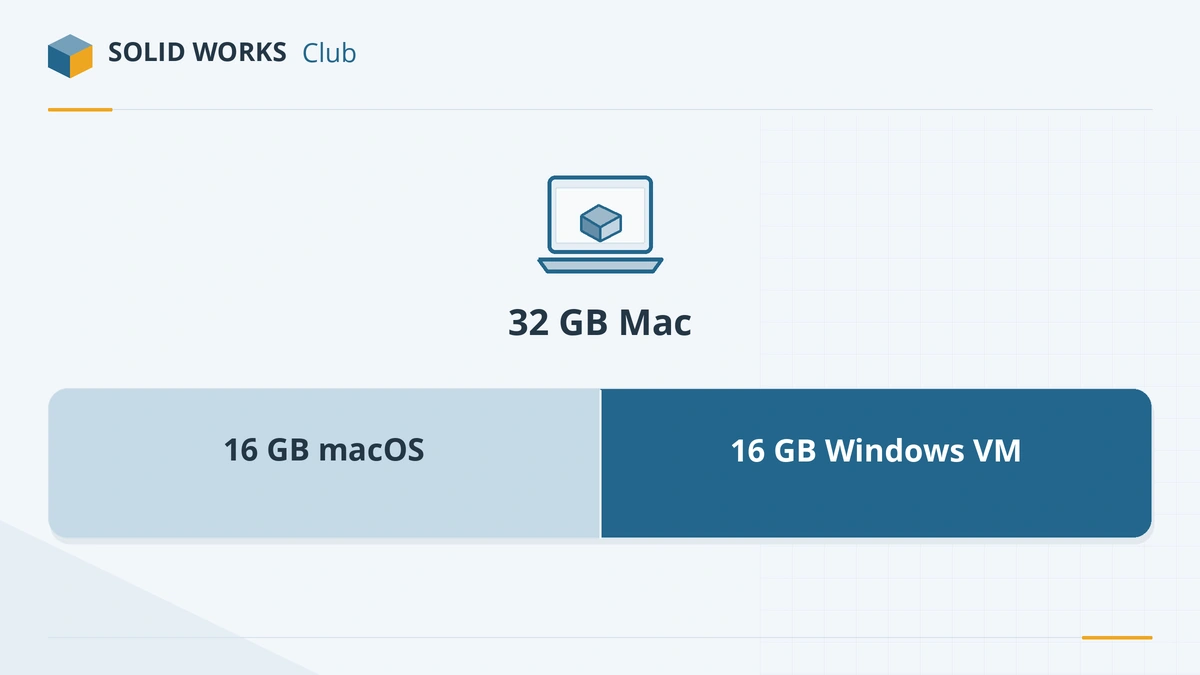
With 32 GB, give Windows 16 GB and leave the rest to macOS. -
2
Install Parallels Desktop Pro
Download Parallels Desktop and choose the Pro edition. Standard limits a virtual machine to 8 GB of RAM and 4 vCPUs, which is below the SOLIDWORKS minimum; Pro allows up to 128 GB and 32 vCPUs. SOLIDWORKS 2026 lists Parallels Desktop 26.0.1 as a supported version — use that or newer.
-
3
Install Windows 11 Pro on Arm
Let the Parallels installation assistant download Windows 11 from Microsoft. Activate it as Pro (or Enterprise) — SOLIDWORKS does not support Home editions.
-
4
Give Windows enough resources
With the VM shut down, open its configuration → Hardware. Set memory to at least 16 GB (24–32 GB if your Mac has 48 GB or more) and give it most of your performance cores. Leave enough memory for macOS, or both systems will slow down.
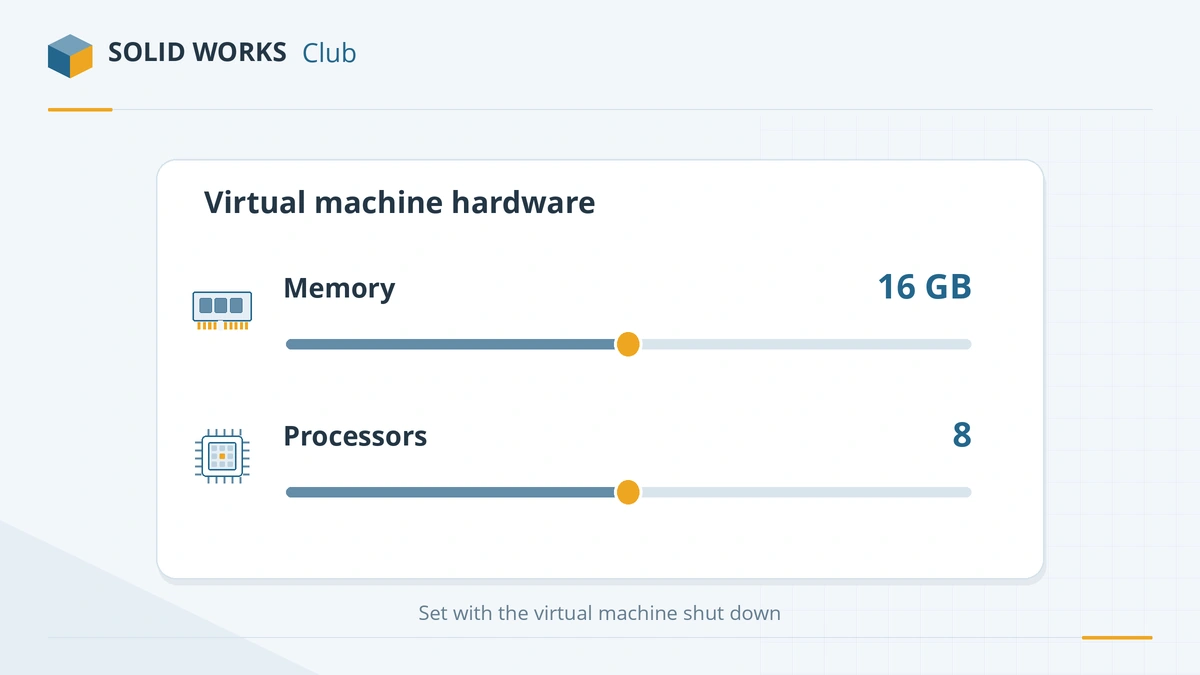
Set memory and processors with the virtual machine shut down. -
5
Install SOLIDWORKS inside Windows
Download the installer from your SOLIDWORKS account or the student or Makers portal, and install it as you would on a PC. Store your working files inside the Windows disk rather than on a shared Mac folder — opening and saving over the shared folder is slower.
-
6
Test before you rely on it
Open your largest assembly, rotate it, run a rebuild and create a drawing. If SOLIDWORKS warns that the graphics card is not supported, apply the registry fix from Parallels KB 122790 (linked below). If performance is not good enough, see the alternatives in our Mac guide.
Common mistakes
- Buying Parallels Standard — its 8 GB VM limit is below SOLIDWORKS' 16 GB minimum.
- Giving Windows all of the Mac's memory, which starves macOS and slows both systems.
- Installing Windows 11 Home, which SOLIDWORKS does not support.
- Keeping SOLIDWORKS files on a shared macOS folder instead of the Windows disk.
- Expecting certified-workstation performance on large assemblies or Simulation.
Frequently asked questions
Is SOLIDWORKS on Parallels officially supported?
+
Partly. Parallels Desktop is on the official list of supported hypervisors (26.0.1 for SOLIDWORKS 2026), but SOLIDWORKS requires an x86_64 processor. On Apple silicon it runs under Windows on Arm emulation, so that combination is outside the certified requirements.
How much RAM does my Mac need for SOLIDWORKS?
+
At least 32 GB of unified memory, so that Windows can have 16 GB — the SOLIDWORKS minimum — and macOS still has room. For large assemblies, a Mac with 48 GB or 64 GB lets you give Windows 24–32 GB.
Does RealView work in Parallels?
+
Parallels says SOLIDWORKS can use hardware-accelerated graphics, including RealView in supported configurations, by translating DirectX 11 and OpenGL to Apple's Metal. Results vary, so test with your own models during the Parallels trial.
Can I use the free student edition on a Mac with Parallels?
+
Yes. The student license is for Windows; install it inside the Windows 11 virtual machine. Alternatively, xDesign for Students runs in the browser without Parallels.
Related
- SOLIDWORKS on Mac: every option in 2026There is no SOLIDWORKS for macOS. Run it in Parallels on Apple silicon or Intel Macs, view files with eDrawings for Mac, or design in the browser with xDesign.
- SOLIDWORKS system requirements (2025–2027)Official SOLIDWORKS system requirements for 2025–2027 — Windows 11, 16 GB RAM minimum, 32 GB recommended, x86_64 CPU, certified graphics card and an SSD.
- How to get the free SOLIDWORKS student edition (2026)Since July 1, 2026, students get SOLIDWORKS Design Standard free, no .edu email needed. Who qualifies, how to download it, its limits and the $60 Premium.
- Can my PC run SOLIDWORKS?Check your computer against the official SOLIDWORKS 2025–2027 requirements in seconds — Windows edition, CPU, RAM, GPU and drive — with a fix for each item.