Project 8
How to design a phone case in SOLIDWORKS
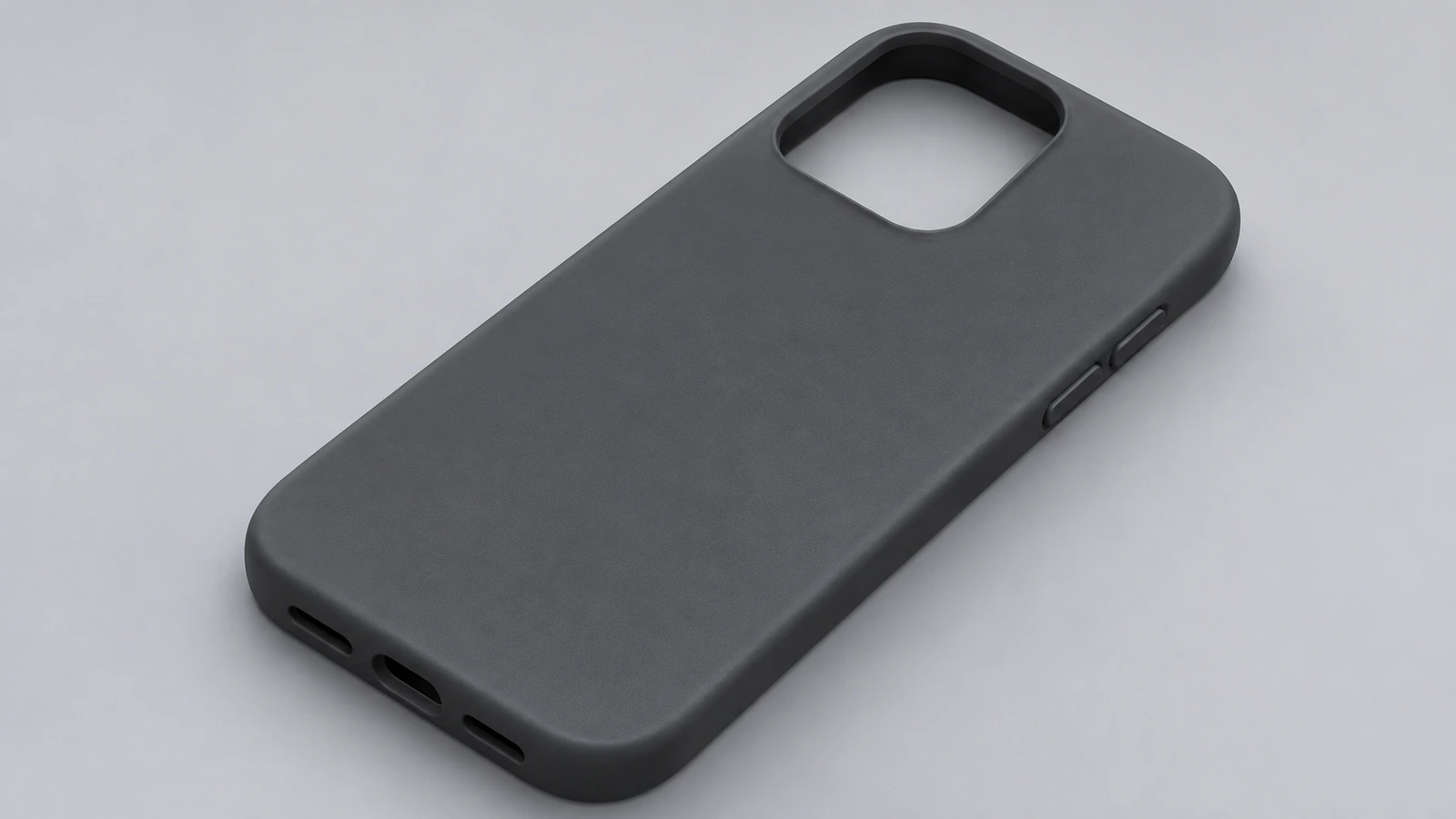
A phone case is modelled around the phone, not from scratch. Make (or import) a phone body, grow it by the clearance, wrap a wall around it, open the front with a lip, and cut the camera and ports. Printing guides suggest 1.5–2.5 mm TPU walls, 0.2–0.3 mm clearance per side for a snap fit and a screen lip of at least 1 mm.
 Kevin Walsh
- Level
- Project
- Time
- 45 min
- Material
- TPU (print)
Specification
| Parameter | Value |
|---|---|
| Phone body (example) | 150 × 72 × 8 mm, R8 corners |
| Clearance per side | 0.3 mm |
| Wall | 1.5 mm |
| Screen lip | 1 mm over the edge |
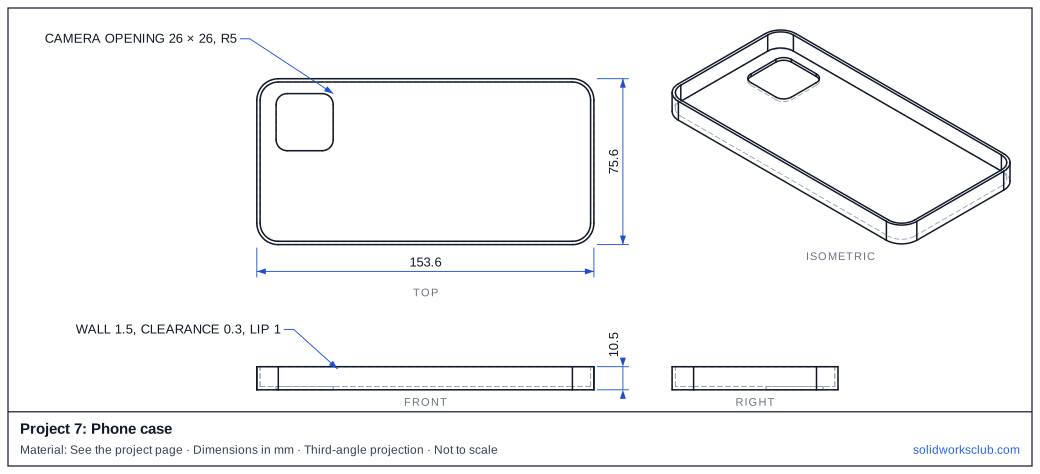
| Camera opening | 26 × 26 mm, R5 |
| Material | TPU 95A for printing |
The drawing
Step by step
1. Reference body
Model the phone as a simple solid — or import the manufacturer's STEP — and keep it in its own part.
2. Outer shell
Offset the phone outline by clearance plus wall, extrude it with a back thickness, and subtract a body grown by the 0.3 mm clearance (Combine → Subtract).
3. Front opening
Cut the front leaving a 1 mm lip over the screen edge; split lines help where the lip changes height.
4. Openings
Camera, buttons and USB-C: make cutouts 0.5–1 mm larger than the features.
5. Export for printing
Save as STL or 3MF and print in TPU; thicker corners (3–4 mm) protect drops.
Check your result
- Outside 153.6 × 75.6 mm.
- Our STEP model has a volume of 22,210.42 mm³ — multiply by your filament's density for print weight.
Compare your model with the STEP file above — it opens in SOLIDWORKS and most other CAD programs.
Next: project 9 — 250 drone frame.
Download files
Commands used
Show solution
- Reference body. Model the phone as a simple solid — or import the manufacturer's STEP — and keep it in its own part.
- Outer shell. Offset the phone outline by clearance plus wall, extrude it with a back thickness, and subtract a body grown by the 0.3 mm clearance (Combine → Subtract).
- Front opening. Cut the front leaving a 1 mm lip over the screen edge; split lines help where the lip changes height.
- Openings. Camera, buttons and USB-C: make cutouts 0.5–1 mm larger than the features.
- Export for printing. Save as STL or 3MF and print in TPU; thicker corners (3–4 mm) protect drops.
Sources
- QIDI Tech — How to print custom phone cases with TPU (Mar 2026)
- Siraya Tech — TPU phone case filament
- Javelin — Multi-thickness shell (Nov 2023)
- Javelin — How to use Split Line (Jul 2017)
- GoEngineer — Offset Surface and Thicken for 3D prints (Nov 2019)
- Protolabs — Injection molding wall thickness guidelines
Checked November 2026. SOLID WORKS Club is independent; menu names can differ slightly between releases.
Frequently asked questions
How much clearance should a phone case have?
+
One TPU printing guide gives 0.2–0.3 mm per side for a snap fit and 0.3–0.5 mm for a friction fit; 0.6 mm or more is likely to slip off.
How thick should a TPU case be?
+
Guides suggest 1.5–2.5 mm walls with thicker corners, and under about 3 mm at the back for wireless charging.
Related
- How to design a drone frame in SOLIDWORKSDesign a 250-class quadcopter frame in SOLIDWORKS: 250 mm motor-to-motor diagonal, 16 × 19 mm motor holes, 30.5 × 30.5 flight controller mount, DXF for cutting.
- How to design a chair in SOLIDWORKSDesign a chair in SOLIDWORKS: weldment frame from 25 mm square tube, seat at 450 mm, seat board, cut list and mass, with ergonomic sizes from design guides.
- SOLIDWORKS ShellHow to use Shell in SOLIDWORKS to hollow a part: faces to remove, wall thickness, shell outward, multi-thickness walls, and what to do when the shell fails.
- Intermediate SOLIDWORKS exercises19 intermediate SOLIDWORKS exercises: sweeps, lofts, shells, draft, Hole Wizard and three small assemblies, each with a drawing, STEP file and check mass.