Surfacing · Lesson 7
Thicken — from surface to solid
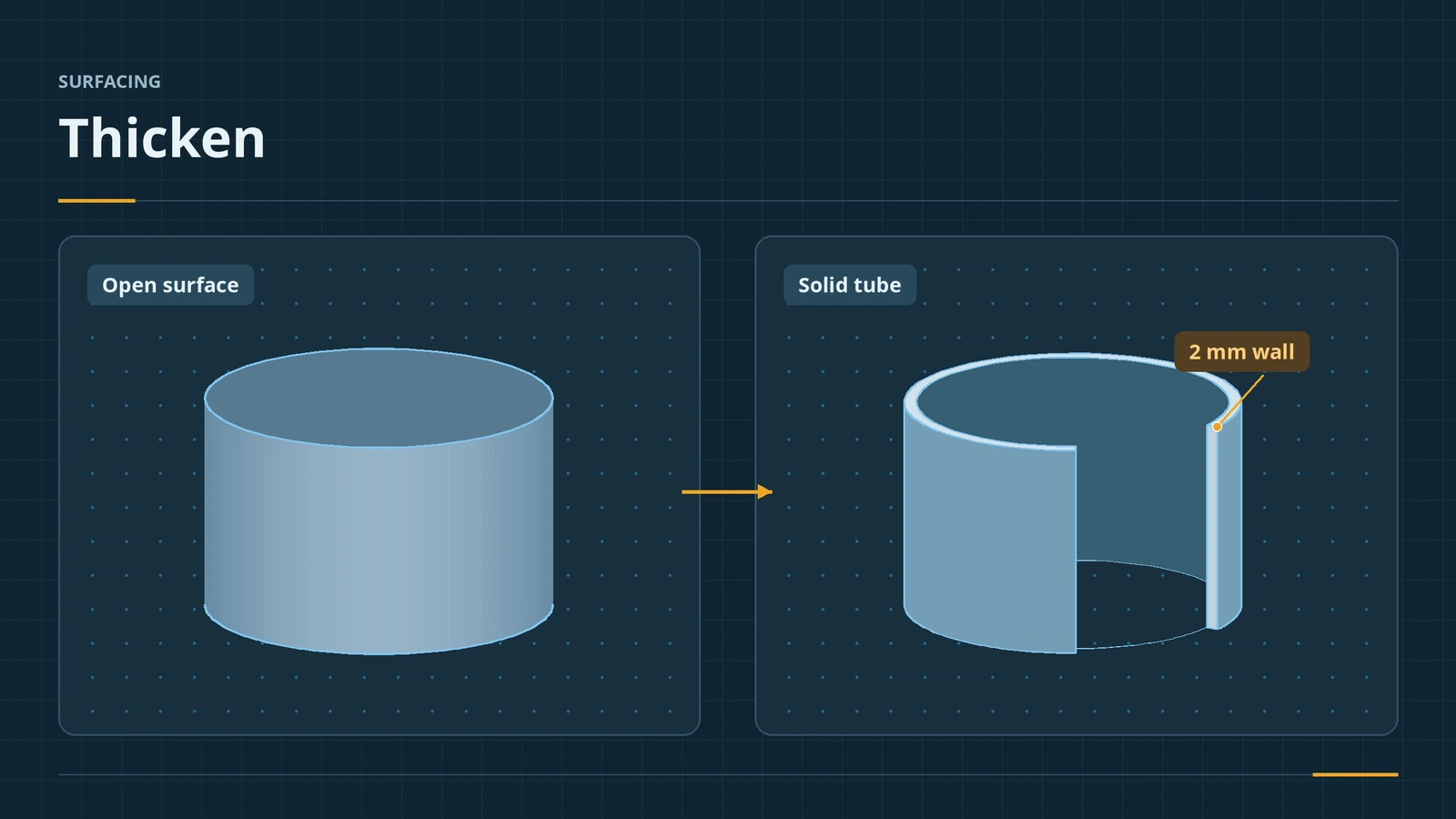
Thicken gives a surface a wall thickness and makes it a solid — the usual last step of a surface model. Choose one side, the other side or both; since 2020 the thickness can follow a direction other than the surface normal. On a closed surface body, Create solid from enclosed volume fills it instead. When Thicken fails, the curvature is usually too tight for the thickness.
 Kevin Walsh
Where to find it
Insert → Boss/Base → Thicken; Thickened Cut
Options
| Option | Use |
|---|---|
| Side 1 / Side 2 / Both | Where the thickness goes |
| Thickness | Wall thickness |
| Direction (2020+) | Thicken along a line, axis, plane or face instead of the normal |
| Create solid from enclosed volume | Fill one closed surface body |
| Thickened Cut | Remove material instead of adding |
Shell, the solid-side equivalent, fails for the same curvature reasons — see Shell. This is the last lesson of the surfacing course.
Step by step
-
1
Pick the surface
Reuse the open R20 × 60 mm revolved cylinder. Insert → Boss/Base → Thicken, select it as the surface to thicken.
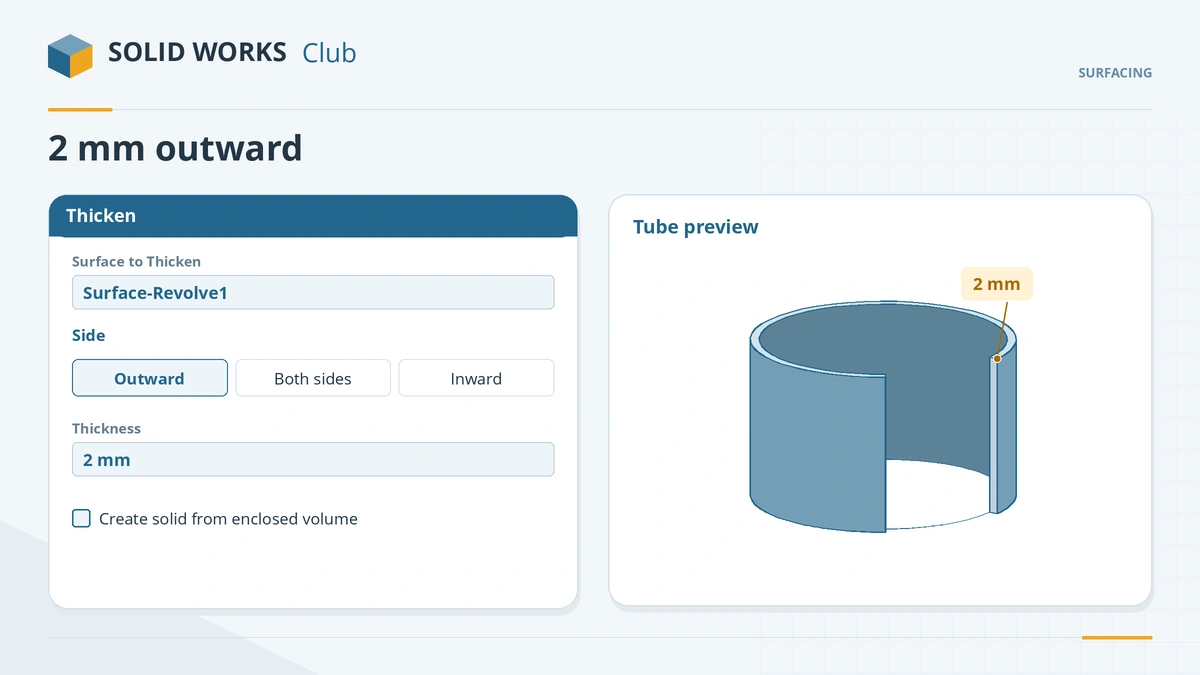
Pick the surface, the side and the thickness. -
2
Choose side and thickness
Pick the side that adds material outward and enter 2 mm. Click the tick — a tube with a 20 mm inside radius.
-
3
Try enclosed volume
Knit the six box surfaces from lesson 6 without Create solid, then Thicken that closed body with Create solid from enclosed volume — the result is the same 60,000 mm³ solid.
Common mistakes
- Thickness larger than the smallest radius of curvature on the inside — the offset fails; check minimum radius with Evaluate → Check.
- Faces offsetting into neighbours or tiny faces — isolate them, offset the rest, then repair.
- Thickening a set of separate surfaces — knit them into one body first.
Lesson 7 of 7 in the surfacing course.
Practice
Thicken the R20 × 60 mm open cylinder 2 mm outward. Check: the solid's volume is 15,833.63 mm³ — π × (22² − 20²) × 60.
Sources
- Javelin — Thicken a surface with a specified direction in 2020 (Oct 2019)
- Solid Solutions — Convert surfaces to solid bodies (Aug 2023)
- Javelin — Create a solid from an enclosed volume with Thicken (May 2018)
- Javelin — Surfacing challenges designing a golf club head (Aug 2015)
- SOLIDWORKS Tech Blog — Surface and advanced modeling skills, part 1 (May 2020)
- GoEngineer — Offset surface without failed faces (Mar 2020)
- GoEngineer — Insights of SOLIDWORKS surfacing: tips and tricks (Nov 2019)
- GoEngineer — Check tool tutorial (Jul 2022)
Checked November 2026. SOLID WORKS Club is independent; menu names can differ slightly between releases.
Frequently asked questions
How do I thicken a surface in SOLIDWORKS?
+
Insert → Boss/Base → Thicken, select the surface, choose the side and thickness, and click OK.
Why does Thicken fail?
+
Usually the thickness is larger than a radius of curvature, faces offset into each other, or there are tiny faces. Check minimum radius with Evaluate → Check.
Can Thicken follow a direction other than the normal?
+
Yes, since SOLIDWORKS 2020: pick a sketch line, two points, a cylindrical face, a plane or an axis as the direction.
What is Thickened Cut?
+
The cut version of Thicken: it removes material along a thickened surface.
Related
- Knit Surface and Create SolidKnit SOLIDWORKS surfaces into one body or a solid: Knit Surface, Create Solid, gap control, seed faces, and finding gaps with Check when no solid forms.
- SOLIDWORKS ShellHow to use Shell in SOLIDWORKS to hollow a part: faces to remove, wall thickness, shell outward, multi-thickness walls, and what to do when the shell fails.
- Surfaces vs solids in SOLIDWORKSSurfaces vs solids in SOLIDWORKS: zero-thickness bodies, open edges, hybrid modelling, the Surfaces tab, continuity (contact, tangent, curvature), Check.
- SOLIDWORKS Mass PropertiesHow to use Mass Properties in SOLIDWORKS: mass, volume, centre of mass and inertia, units, coordinate systems, overrides, Measure and Section Properties.