Basic exercise 14
Exercise 14: T-bar
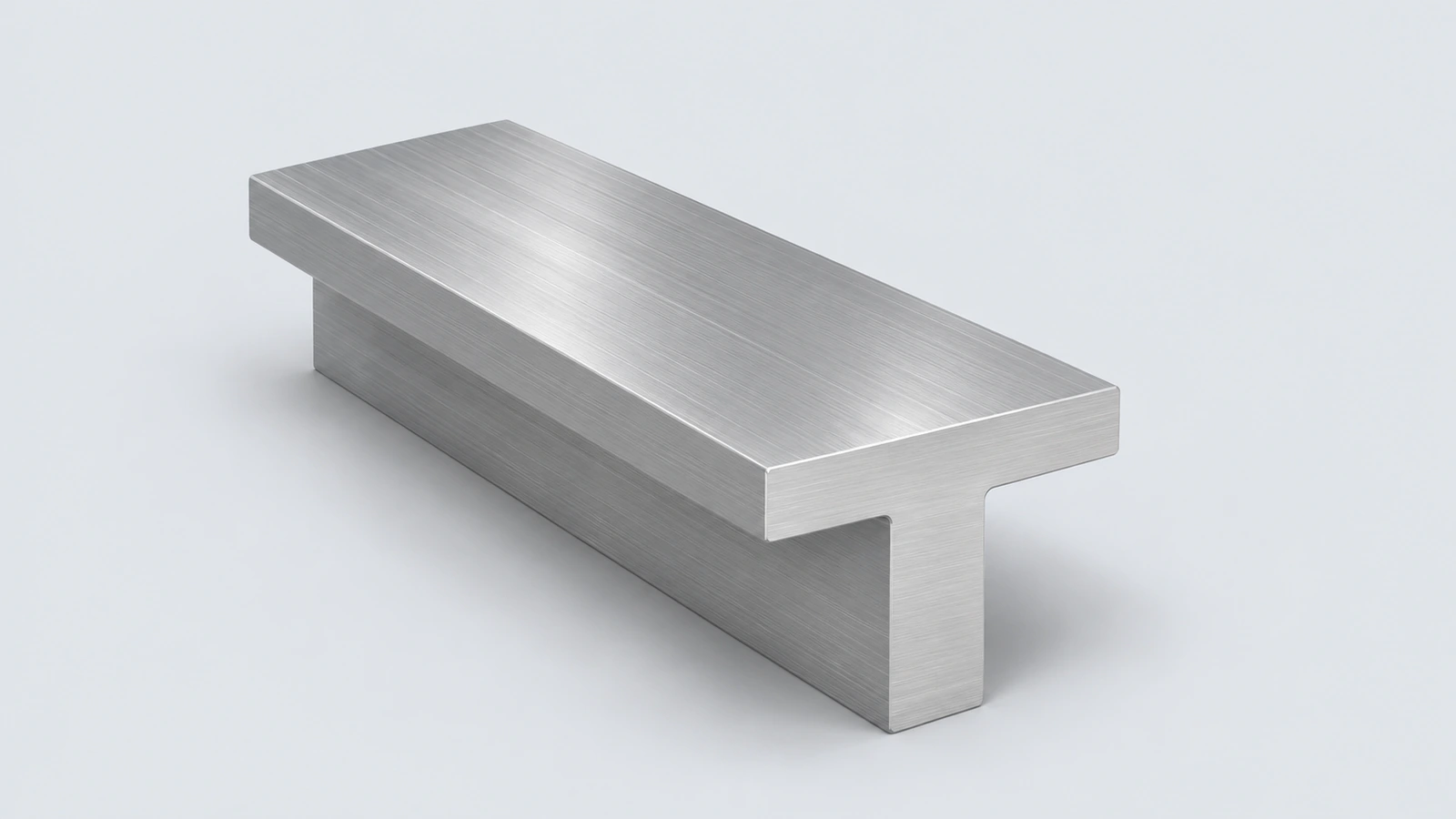
An aluminium T-bar, 120 mm long. Practise sketching a symmetric T profile, fully defining it, and extruding it.
 Kevin Walsh
- Level
- Basic
- Time
- 5 min
- Material
- Aluminium 6061, 2.70 g/cm³
- Check mass
- 217.73 g
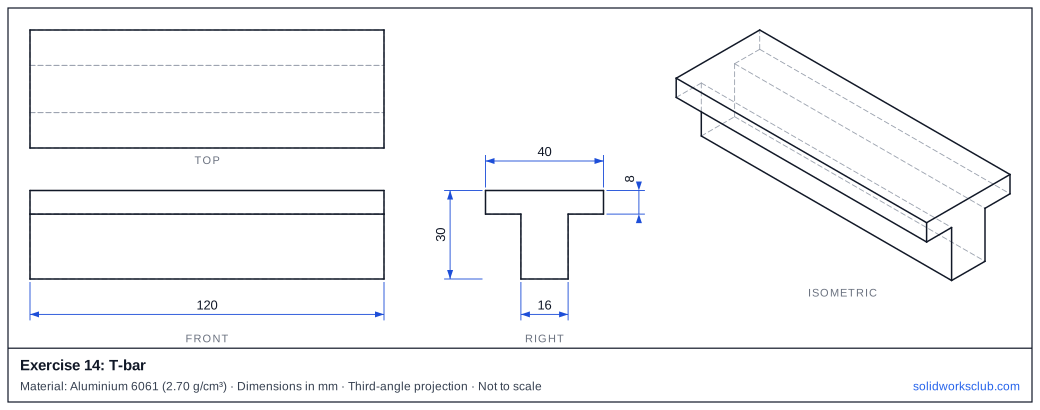
The drawing
What you practise
- Symmetric profile about a centreline
- Fully defined sketch
- Extrusion length
How to approach it
- Right plane: flange 40 × 8 on top of a 16 wide stem, 30 high overall.
- Symmetric relations to a vertical centreline.
- Extrude 120.
Check your result
Apply the material — Aluminium 6061 — or a custom material with a density of 2.70 g/cm³, then open Evaluate → Mass Properties. The mass should be 217.73 g (volume 80,640.00 mm³). If you are out by a factor of 1,000, the density units are wrong; check them with the mass calculator. Mass properties are explained in the mass properties lesson.
Next: exercise 15.
Download files
Commands used
Show solution
- 8-line T profile, symmetric.
- Extrude 120.
- Section area = 40 × 8 + 16 × 22 = 672 mm² → 80,640 mm³.
Frequently asked questions
How do I know the sketch is fully defined?
+
All lines turn black and the status bar says Fully Defined.
What is the mass of exercise 14?
+
217.73 g in aluminium 6061 at 2.70 g/cm³ — a volume of 80,640.00 mm³.
Related
- Exercise 15: Grooved pinSOLIDWORKS practice exercise 15, grooved pin: revolve with a groove in the profile. Dimensioned drawing, STEP file and a check mass of 30.43 g.
- Exercise 13: Counterbored blockSOLIDWORKS practice exercise 13, counterbored block: hole Wizard counterbore type. Dimensioned drawing, STEP file and a check mass of 234.33 g.
- SOLIDWORKS Line toolHow to draw lines in SOLIDWORKS: the Line, Centerline and Midpoint Line tools, chain drawing, switching to a tangent arc, orientation options and L.
- Mass calculator for SOLIDWORKS and CSWA problemsCalculate part mass from volume and density in mm, cm, m or inches, with typical densities for steel, aluminium, brass and copper. Built for CSWA checks.