Basic exercise 10
Exercise 10: Ribbed bracket
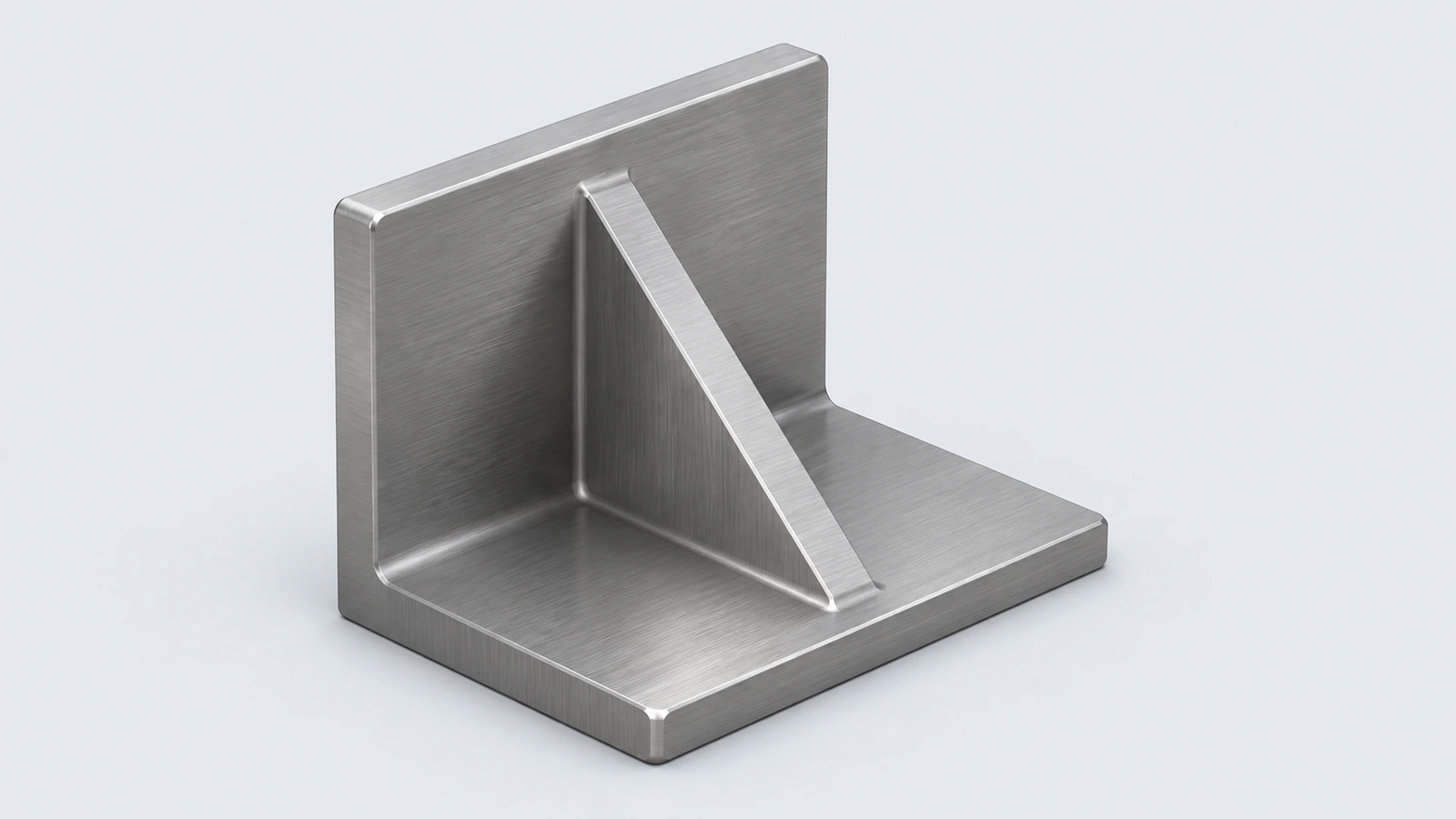
A steel bracket: a base, a back wall and a triangular rib between them. The Rib feature turns a single sketched line into a stiffener.
 Kevin Walsh
- Level
- Basic
- Time
- 15 min
- Material
- Mild carbon steel, 7.85 g/cm³
- Check mass
- 492.35 g
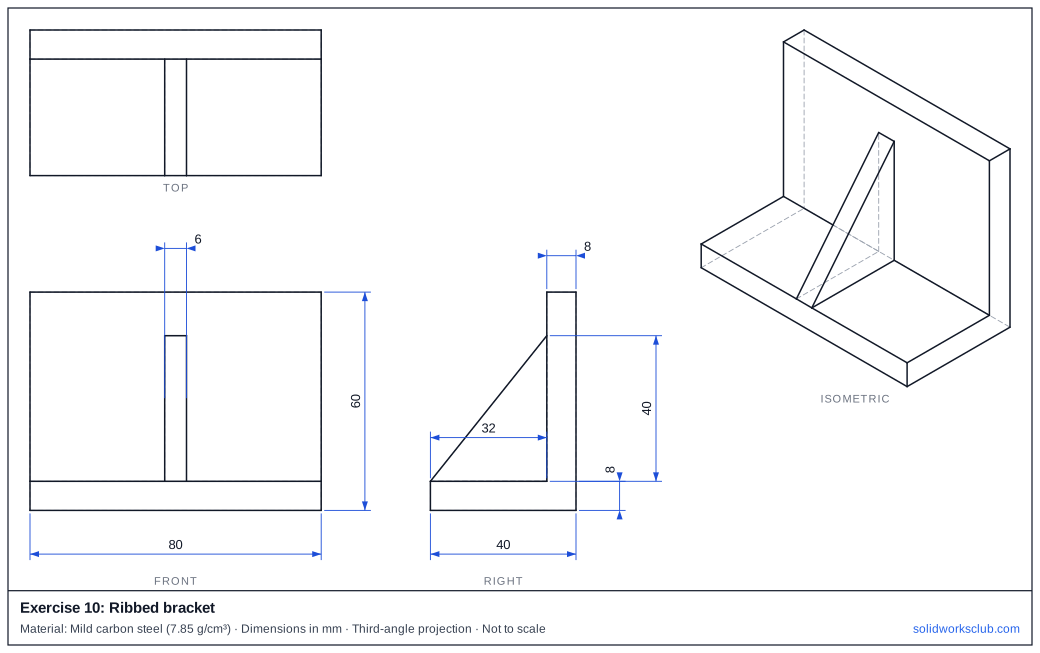
The drawing
What you practise
- Building a part from two extrudes
- Rib from an open sketch line
- Rib thickness symmetric about the sketch plane
How to approach it
- Base 80 × 40 × 8; back wall 80 × 8, standing 52 above the base (60 total).
- On the Right plane sketch one line from the base, 32 mm in front of the wall, to the wall, 40 mm above the base.
- Rib, thickness 6, both sides.
Check your result
Apply the material — Mild carbon steel — or a custom material with a density of 7.85 g/cm³, then open Evaluate → Mass Properties. The mass should be 492.35 g (volume 62,720.00 mm³). If you are out by a factor of 1,000, the density units are wrong; check them with the mass calculator. Mass properties are explained in the mass properties lesson.
Next: exercise 11.
Download files
Commands used
Show solution
- Base → Extrude 8. Wall sketch on the base → Extrude 52.
- Right plane: line from (32 from the wall, on the base) to (on the wall, 40 up).
- Rib 6 mm, both sides, direction toward the corner.
- Rib volume = ½ × 32 × 40 × 6 = 3,840 mm³.
Frequently asked questions
Why is the rib a single line?
+
Rib extends an open sketch to the existing walls and gives it a thickness, so one line is enough.
What is the mass of exercise 10?
+
492.35 g in mild carbon steel at 7.85 g/cm³ — a volume of 62,720.00 mm³.
Related
- Exercise 11: U-channelSOLIDWORKS practice exercise 11, u-channel: closed profile from lines. Dimensioned drawing, STEP file and a check mass of 263.25 g.
- Exercise 9: Open boxSOLIDWORKS practice exercise 9, open box: shell on a rectangular block. Dimensioned drawing, STEP file and a check mass of 140.91 g.
- SOLIDWORKS Extruded Boss/BaseHow to use Extruded Boss/Base in SOLIDWORKS: every end condition from Blind to Mid Plane, Direction 2, draft, thin features, Selected Contours and Merge result.
- Mass calculator for SOLIDWORKS and CSWA problemsCalculate part mass from volume and density in mm, cm, m or inches, with typical densities for steel, aluminium, brass and copper. Built for CSWA checks.