Basic exercise 16
Exercise 16: Link arm
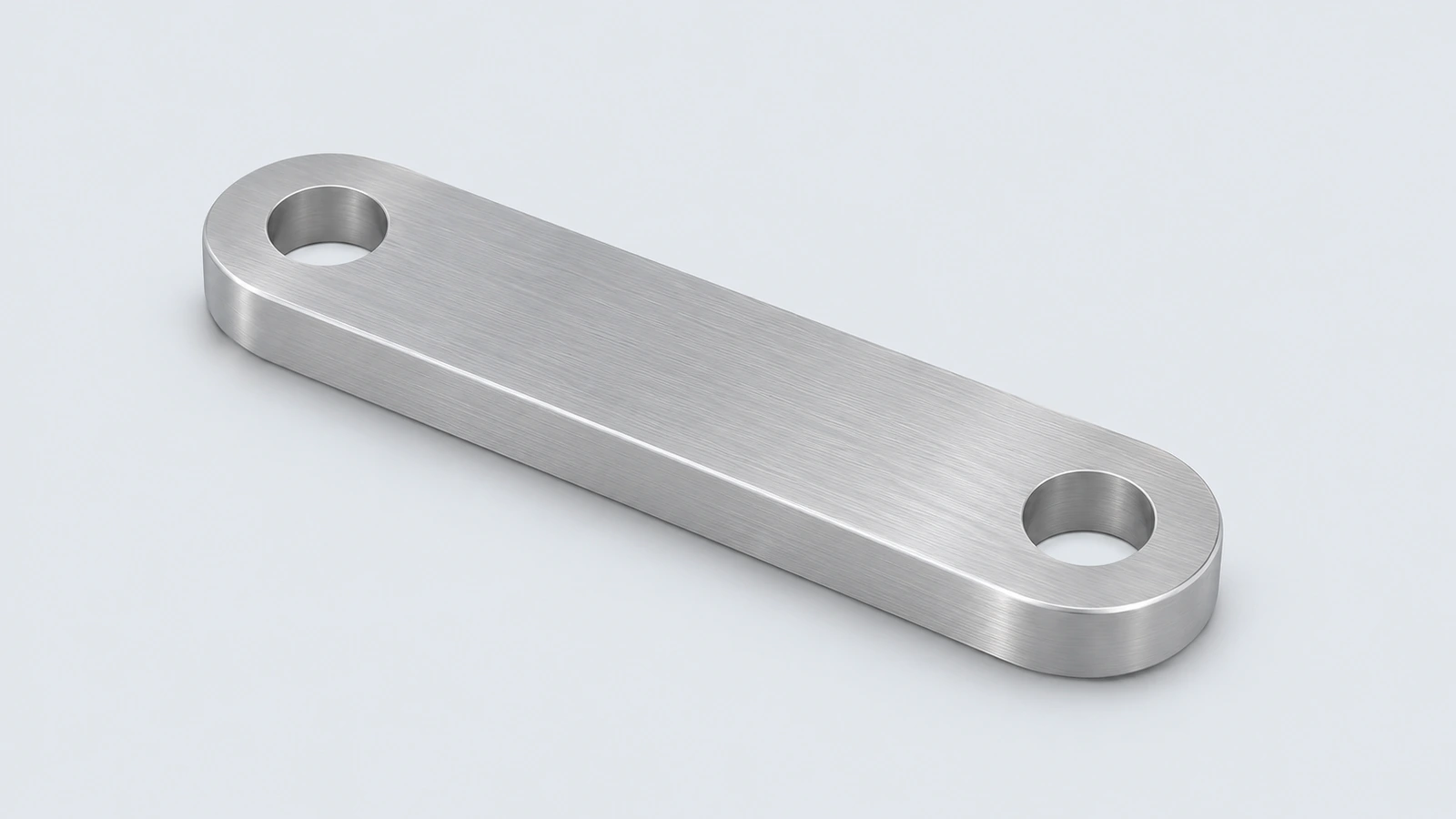
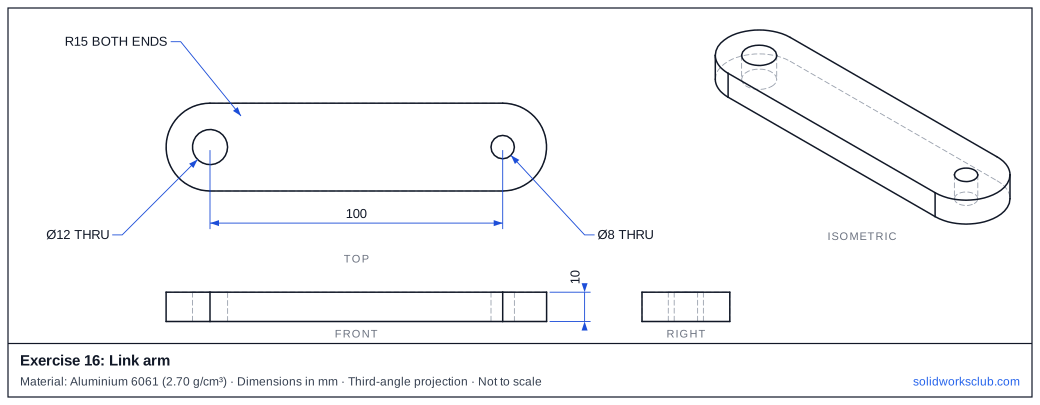
An aluminium link with rounded ends and two different holes 100 mm apart. The outline is a slot shape — tangent arcs drawn with one tool.
 Kevin Walsh
- Level
- Basic
- Time
- 10 min
- Material
- Aluminium 6061, 2.70 g/cm³
- Check mass
- 95.67 g
The drawing
What you practise
- Straight Slot as an outer profile
- Centre-to-centre dimension
- Holes concentric with arcs
How to approach it
- Straight Slot, centre-to-centre 100, width 30.
- Extrude 10.
- Ø12 hole concentric with one end, Ø8 with the other.
Check your result
Apply the material — Aluminium 6061 — or a custom material with a density of 2.70 g/cm³, then open Evaluate → Mass Properties. The mass should be 95.67 g (volume 35,434.96 mm³). If you are out by a factor of 1,000, the density units are wrong; check them with the mass calculator. Mass properties are explained in the mass properties lesson.
Next: exercise 17.
Download files
Commands used
Show solution
- Slot 100 c-c × 30 → Extrude 10.
- Two circles concentric with the end arcs: Ø12 and Ø8 → Cut Through All.
- Outline area = 100 × 30 + π × 15² = 3,706.86 mm².
Frequently asked questions
How do I make the holes concentric?
+
Select the hole circle and the end arc and add a Concentric relation.
What is the mass of exercise 16?
+
95.67 g in aluminium 6061 at 2.70 g/cm³ — a volume of 35,434.96 mm³.
Related
- Exercise 17: Wedge blockSOLIDWORKS practice exercise 17, wedge block: four-line profile with a sloped line. Dimensioned drawing, STEP file and a check mass of 423.90 g.
- Exercise 15: Grooved pinSOLIDWORKS practice exercise 15, grooved pin: revolve with a groove in the profile. Dimensioned drawing, STEP file and a check mass of 30.43 g.
- SOLIDWORKS slot toolsHow to sketch slots in SOLIDWORKS: straight, centerpoint and arc slots, the Add dimensions option, and overall versus centre-to-centre length.
- Mass calculator for SOLIDWORKS and CSWA problemsCalculate part mass from volume and density in mm, cm, m or inches, with typical densities for steel, aluminium, brass and copper. Built for CSWA checks.