Features · Lesson 18
SOLIDWORKS Wrap
Wrap transfers a flat sketch onto a curved face, like a label around a bottle. The sketch can be raised (Emboss), sunk (Deboss) or just split onto the face (Scribe) for a colour or a later feature. It is the usual way to put text, logos and grip patterns on cylinders. Since SOLIDWORKS 2017 the Spline Surface method also wraps onto freeform faces.
 Kevin Walsh
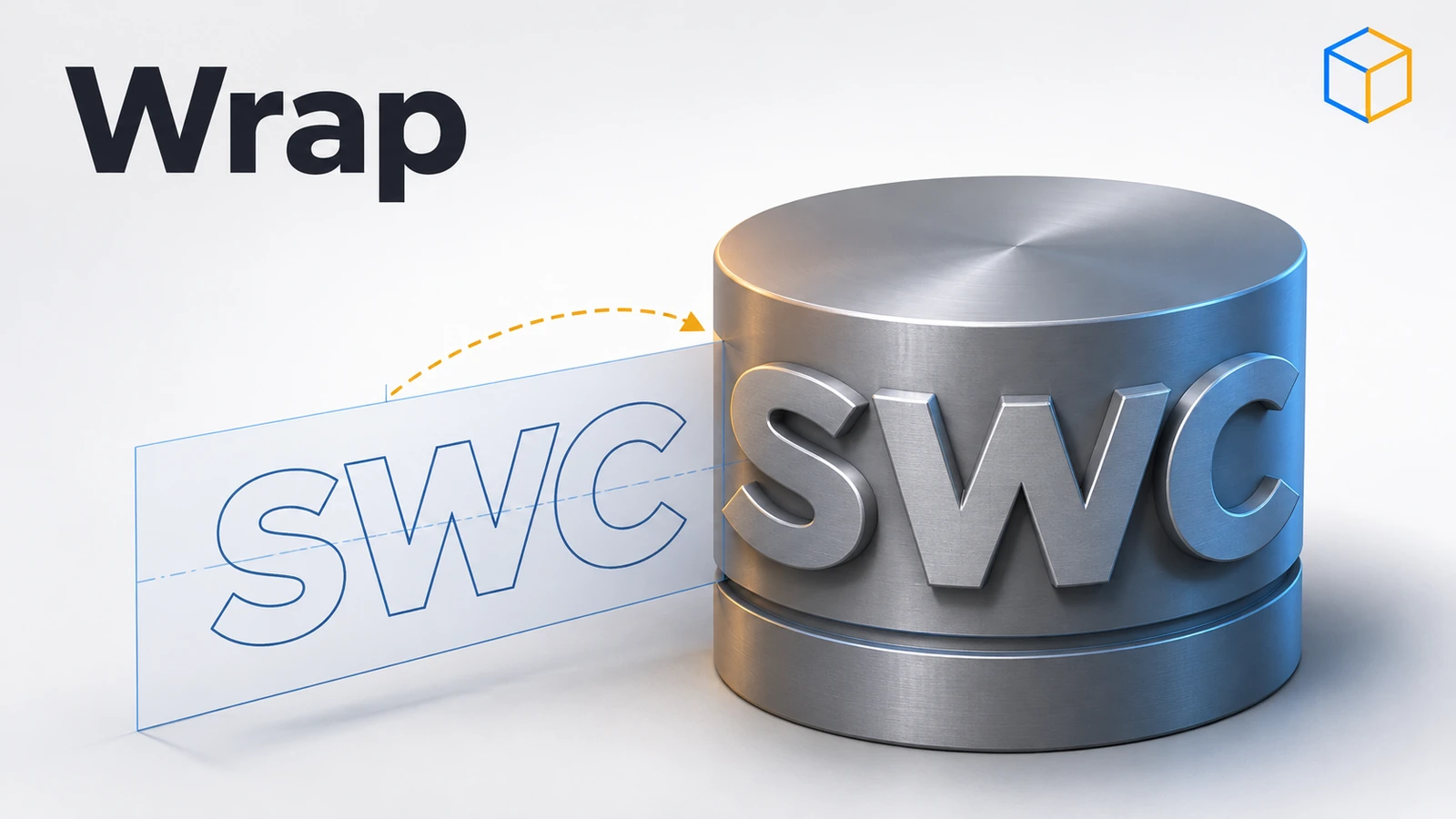
Where to find it
Features tab → Wrap (Insert → Features → Wrap)
Wrap types and methods
| Option | What it does |
|---|---|
| Emboss | Raises the sketch from the face |
| Deboss | Cuts the sketch into the face |
| Scribe | Splits the face along the sketch (no thickness) |
| Analytical | Cylinders and cones; can wrap fully around |
| Spline Surface (2017+) | Any face, also several faces; cannot wrap fully around |
| Pull direction | Optional line, edge or plane for the direction |
| Accuracy | Slider trading accuracy for speed |
This is the last lesson of the features course. Next: the advanced parts course, starting with Linear Pattern.
Step by step
-
1
Make a cylinder
Extrude a Ø40 circle on the Top Plane 60 mm up.
-
2
Create a tangent plane and sketch
Create a plane tangent to the cylinder (or parallel to the Front Plane at 20 mm). On it, sketch the text or a closed shape — for example a Text entity "SWC" 15 mm high, or a 30 × 10 mm rectangle.
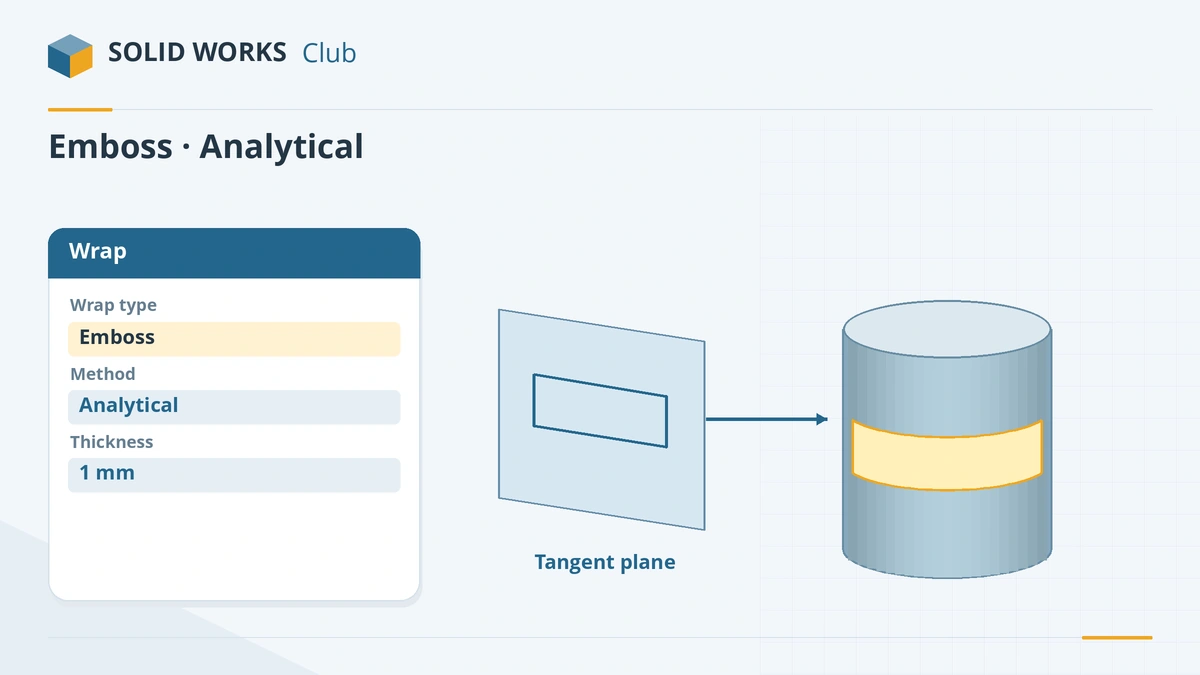
Sketch on a tangent plane, then emboss it onto the cylinder. -
3
Wrap it
Features → Wrap, type Emboss, method Analytical, face = the cylinder, thickness 1 mm. Click the tick: the text stands 1 mm proud of the surface.
-
4
Try Deboss and Scribe
Edit the feature and switch to Deboss (engraved) or Scribe (only splits the face — useful for applying a different colour).
Common mistakes
- Sketch not on a plane tangent or parallel to the face, so the wrap distorts or fails.
- Wrapping long text with many characters as one feature — text is the most expensive way to add geometry, and rebuilds slow down. Plain extrudes of flat text are about four times faster.
- Guessing the length of a band that should go exactly once around. Tie its sketch length to the circumference with an equation.
Lesson 18 of 18 in the features course.
Practice
Emboss a 30 × 10 mm rectangle 1 mm onto a Ø40 × 60 mm cylinder with the Analytical method. Check: with Evaluate → Measure, the arc length of the patch's bottom edge along the cylinder should be about 30 mm — the sketch length is kept as it wraps.
Sources
- GoEngineer — Wrap feature tutorial (Aug 2021)
- Hawk Ridge — Wrap feature enhancements in 2017
- Solid Solutions — What's new with Wrap in SOLIDWORKS 2017
- Javelin — Modeling text in SOLIDWORKS (Sep 2022)
Checked November 2026. SOLID WORKS Club is independent; menu names can differ slightly between releases.
Frequently asked questions
How do I put text on a curved surface in SOLIDWORKS?
+
Sketch the text on a plane tangent to the surface, then use Wrap with Emboss (raised), Deboss (engraved) or Scribe (split line on the face).
What is the difference between Analytical and Spline Surface?
+
Analytical works on cylinders and cones and can wrap all the way around. Spline Surface (since 2017) works on any face, including several faces, but cannot wrap completely around.
Why is Wrap slow with text?
+
Text creates many small faces. Wrapping it is the most expensive way to model text; split lines and flat extrudes are cheaper.
Can I wrap a logo?
+
Yes. Import or sketch the logo as closed contours on the tangent plane and wrap it like text.
Related
- SOLIDWORKS DomeHow to use the Dome feature in SOLIDWORKS: dome a face by a distance, elliptical and continuous domes, concave domes with Reverse, and constraint sketches.
- SOLIDWORKS reference planesHow to create reference planes in SOLIDWORKS: offset, angled, mid plane, tangent to a cylinder, normal to an edge, several at once, and Ctrl-drag.
- SOLIDWORKS splines — free-form curvesHow to sketch splines in SOLIDWORKS: Spline vs Style Spline, spline handles, curvature combs, adding points, Fit Spline, equation driven curves and XYZ curves.
- SOLIDWORKS Extruded Boss/BaseHow to use Extruded Boss/Base in SOLIDWORKS: every end condition from Blind to Mid Plane, Direction 2, draft, thin features, Selected Contours and Merge result.