Intermediate exercise 1
Intermediate exercise 1: Pillow block
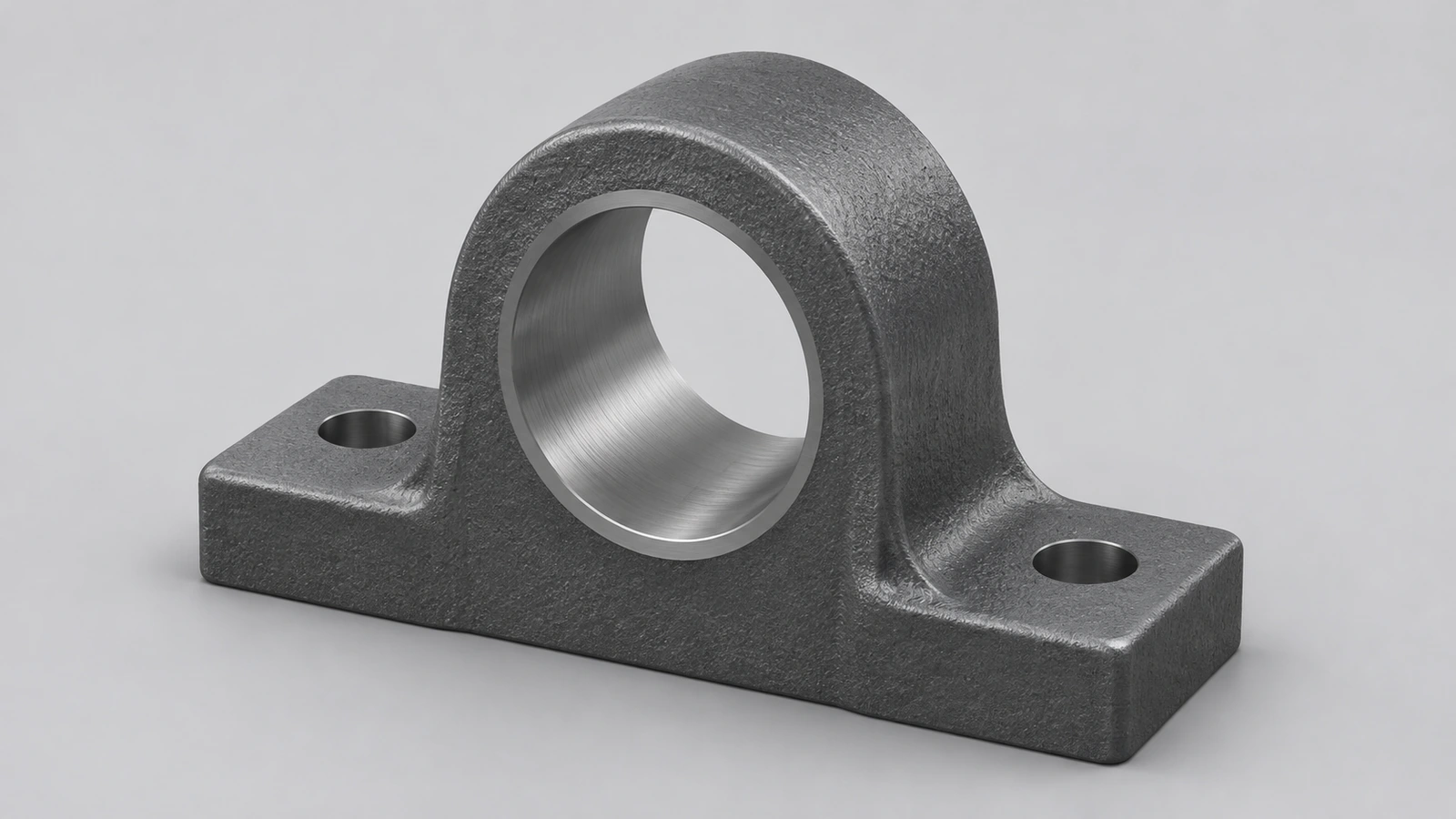
A cast-iron pillow block: a base with two bolt holes, a web and a round boss carrying a Ø20 bore. The part is reused in the shaft assembly at the end of this set, so model it with its origin at the centre of the base's bottom face.
 Kevin Walsh
- Level
- Intermediate
- Time
- 20 min
- Material
- Grey cast iron, 7.20 g/cm³
- Check mass
- 655.48 g
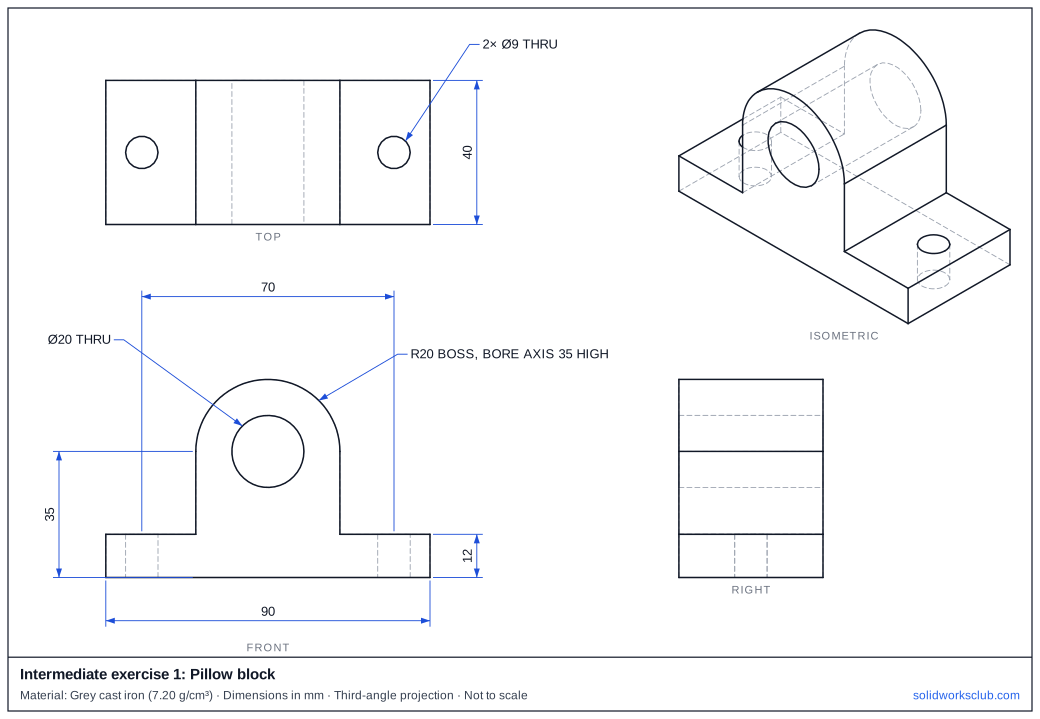
The drawing
What you practise
- Combining a rectangular base, a web and a tangent boss
- A bore along a different axis from the base holes
- Choosing the origin so the part is easy to assemble
How to approach it
- Base 90 × 40 × 12, centred on the origin on the Top plane.
- On the Front plane, sketch the web and boss outline: a 40 wide rectangle up to the bore axis at 35, topped by an R20 arc.
- Extrude it 40 mm, mid-plane, so it lines up with the base.
- Cut the Ø20 bore through, then two Ø9 holes 70 apart in the base.
Check your result
Apply Grey cast iron or a custom material with 7.20 g/cm³, then open Evaluate → Mass Properties. The mass should be 655.48 g (volume 91,039.56 mm³). Off by 1,000? Check the density units with the mass calculator.
Next: intermediate exercise 2.
Download files
Commands used
Show solution
- Centre rectangle 90 × 40 on Top → Extrude 12.
- Front plane: rectangle 40 wide from the base to 35 high, R20 arc centred at 35 → Extrude Mid Plane 40.
- Ø20 circle at the arc centre → Cut Through All (both directions).
- Two Ø9 holes at x = ±35 → Cut Through All.
Frequently asked questions
Why put the origin under the base?
+
Because the bottom face is what sits on the machine. With the origin there, mates and the centre-of-mass check in the assembly exercise are simple.
Related
- Intermediate exercise 2: V-belt pulleyIntermediate SOLIDWORKS exercise 2, v-belt pulley: revolving a closed half profile with sloped lines. Drawing, STEP file and check mass 193.19 g.
- Intermediate SOLIDWORKS exercises19 intermediate SOLIDWORKS exercises: sweeps, lofts, shells, draft, Hole Wizard and three small assemblies, each with a drawing, STEP file and check mass.
- SOLIDWORKS Extruded Boss/BaseHow to use Extruded Boss/Base in SOLIDWORKS: every end condition from Blind to Mid Plane, Direction 2, draft, thin features, Selected Contours and Merge result.
- Mass calculator for SOLIDWORKS and CSWA problemsCalculate part mass from volume and density in mm, cm, m or inches, with typical densities for steel, aluminium, brass and copper. Built for CSWA checks.