Intermediate exercise 15
Intermediate exercise 15: Eccentric cam
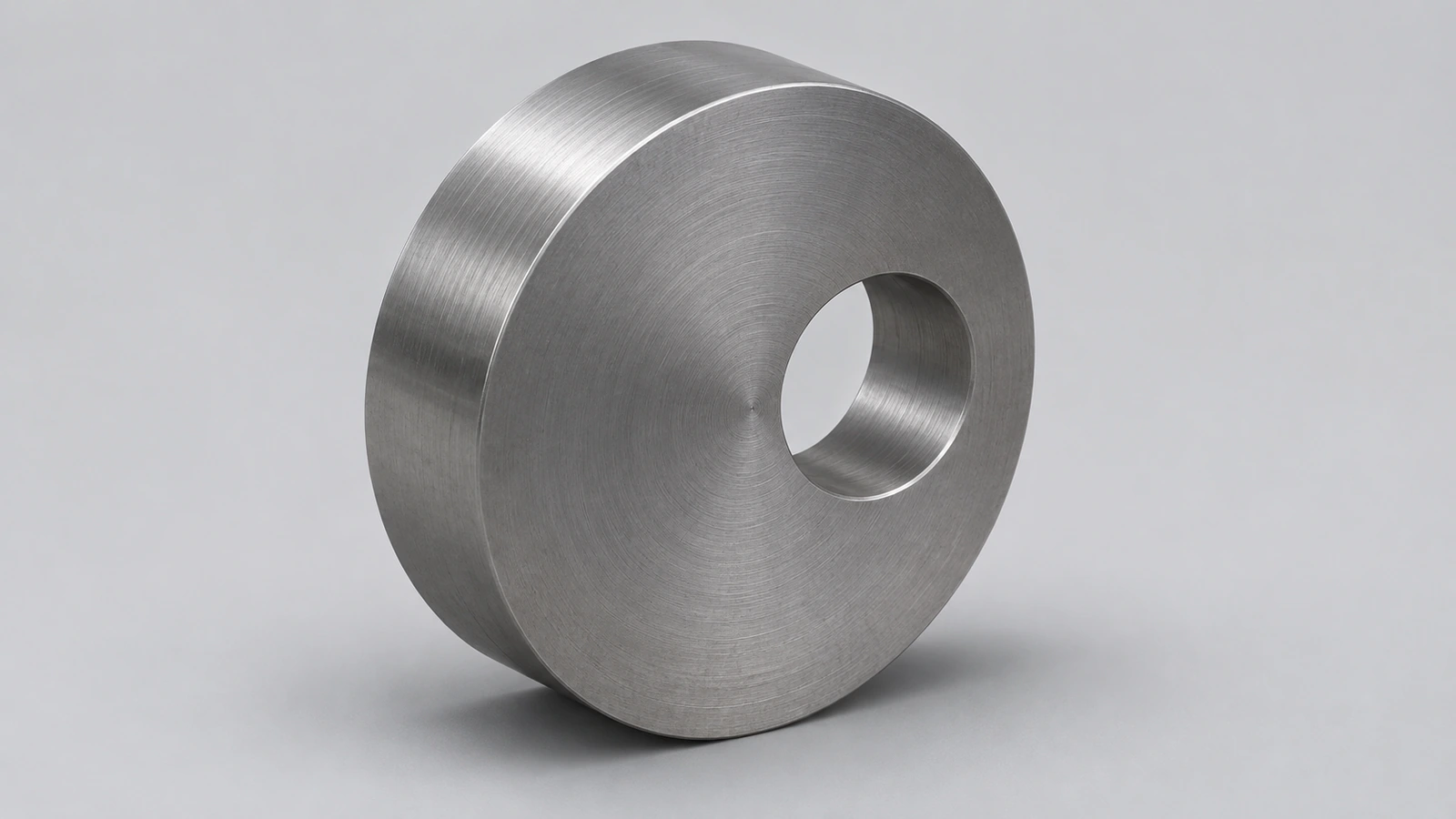
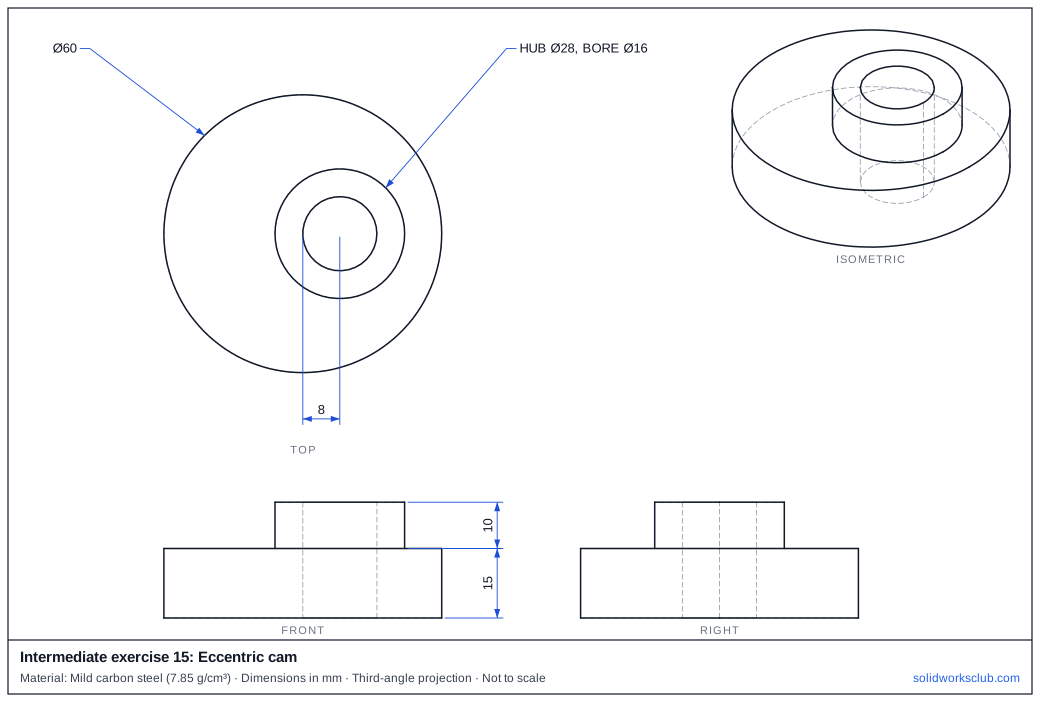
A steel eccentric cam: a Ø60 disk with its bore 8 mm off centre and a hub on the bore axis. The offset is the whole function — it turns rotation into a stroke of 16 mm.
 Kevin Walsh
- Level
- Intermediate
- Time
- 10 min
- Material
- Mild carbon steel, 7.85 g/cm³
- Check mass
- 341.81 g
The drawing
What you practise
- Offset bore dimensioned from the disk centre
- Hub concentric with the bore, not the disk
- Asymmetric mass
How to approach it
- Disk Ø60 × 15.
- Bore Ø16 centred 8 mm from the disk centre.
- Hub Ø28 × 10 on top, concentric with the bore.
Check your result
Apply Mild carbon steel or a custom material with 7.85 g/cm³, then open Evaluate → Mass Properties. The mass should be 341.81 g (volume 43,542.47 mm³). Off by 1,000? Check the density units with the mass calculator.
Next: intermediate exercise 16.
Download files
Commands used
Show solution
- Ø60 → Extrude 15.
- Ø16 at (8, 0) → Cut Through All.
- Top face: Ø28 and Ø16 concentric with the bore → Extrude 10.
Frequently asked questions
What is the stroke of this cam?
+
Twice the offset: 16 mm.
Related
- Intermediate exercise 16: Motor mount plateIntermediate SOLIDWORKS exercise 16, motor mount plate: holes on a rotated pitch circle. Drawing, STEP file and check mass 174.81 g.
- Intermediate exercise 14: Drafted trayIntermediate SOLIDWORKS exercise 14, drafted tray: extrude with draft. Drawing, STEP file and check mass 77.85 g. Free practice.
- SOLIDWORKS circle toolsHow to sketch circles in SOLIDWORKS with the Circle and Perimeter Circle tools, dimension the diameter, add Equal relations and measure to the edge.
- Mass calculator for SOLIDWORKS and CSWA problemsCalculate part mass from volume and density in mm, cm, m or inches, with typical densities for steel, aluminium, brass and copper. Built for CSWA checks.