Intermediate exercise 12
Intermediate exercise 12: Countersunk plate
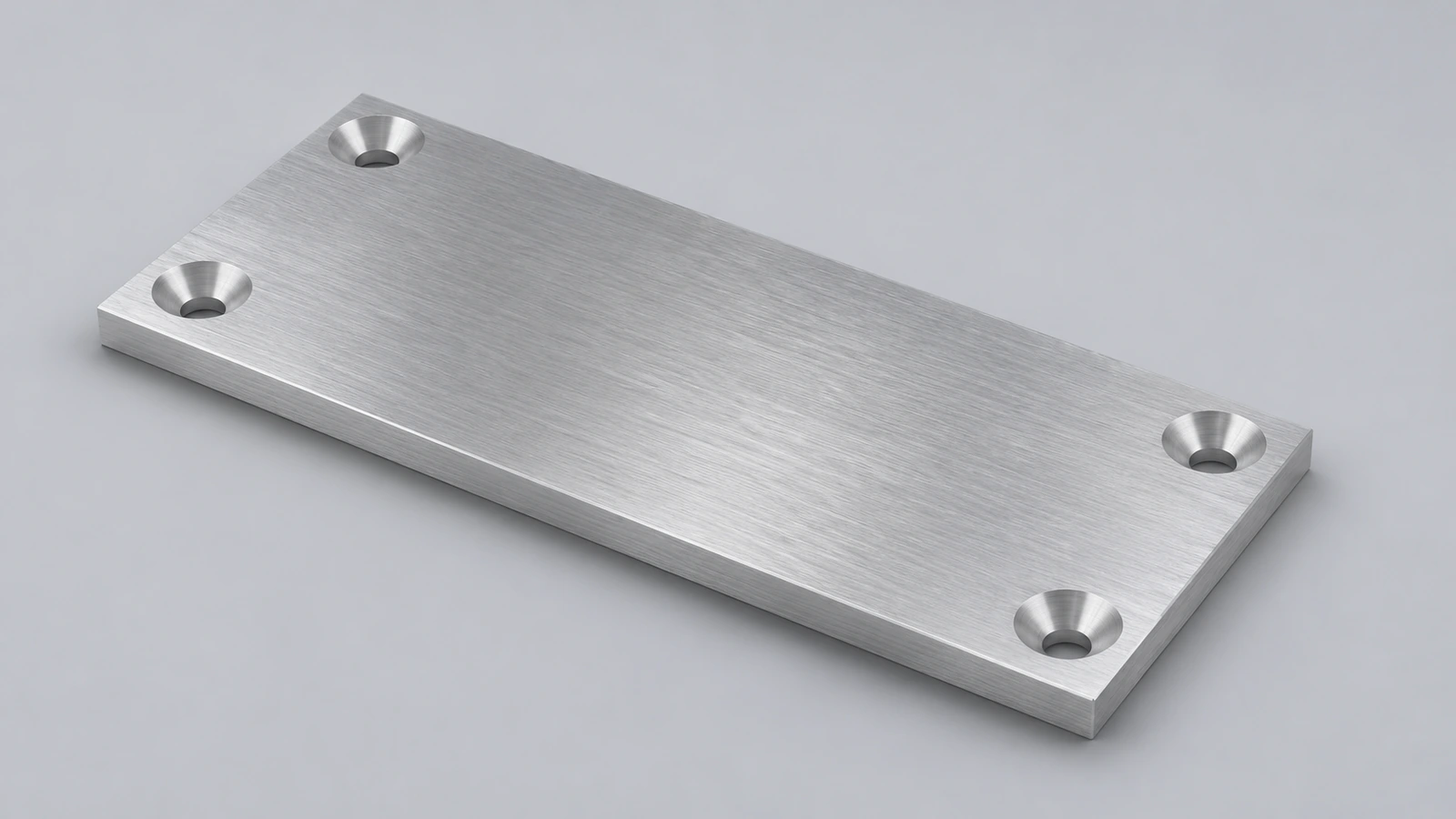
An aluminium plate with six countersunk holes for M6 flat-head screws and rounded corners. Hole Wizard plus a linear pattern does it in three features.
 Kevin Walsh
- Level
- Intermediate
- Time
- 15 min
- Material
- Aluminium 6061, 2.70 g/cm³
- Check mass
- 139.31 g
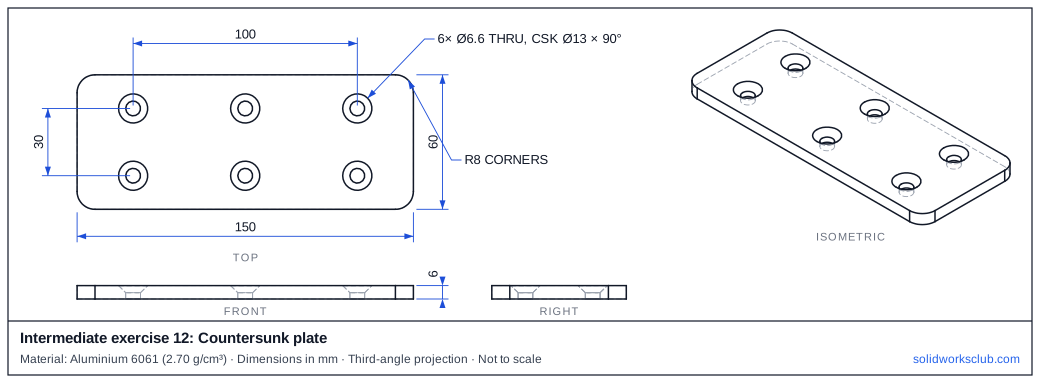
The drawing
What you practise
- Hole Wizard countersink
- Linear pattern in two directions
- Corner fillets on a plate
How to approach it
- Plate 150 × 60 × 6 with R8 vertical corners.
- Hole Wizard countersink: Ø6.6 thru, Ø13 × 90°.
- First hole at (−50, 15); pattern 3 × 50 and 2 × 30.
Check your result
Apply Aluminium 6061 or a custom material with 2.70 g/cm³, then open Evaluate → Mass Properties. The mass should be 139.31 g (volume 51,595.89 mm³). Off by 1,000? Check the density units with the mass calculator.
Next: intermediate exercise 13.
Download files
Commands used
Show solution
- Centre rectangle → Extrude 6 → Fillet R8.
- Hole Wizard → Countersink, custom: Ø6.6, Ø13, 90°.
- Linear Pattern: 3 at 50 mm, 2 at 30 mm.
Frequently asked questions
Why Ø6.6?
+
It is the normal clearance hole for an M6 screw.
Related
- Intermediate exercise 13: Bearing housingIntermediate SOLIDWORKS exercise 13, bearing housing: stepped bore: seat plus through hole. Drawing, STEP file and check mass 775.40 g.
- Intermediate exercise 11: Pipe teeIntermediate SOLIDWORKS exercise 11, pipe tee: two extrudes on different planes. Drawing, STEP file and check mass 265.16 g.
- SOLIDWORKS Hole WizardHow to use the SOLIDWORKS Hole Wizard: hole types, standards, sizes and fit, the Type and Positions tabs, cosmetic threads, slots, favourites and Advanced Hole.
- Mass calculator for SOLIDWORKS and CSWA problemsCalculate part mass from volume and density in mm, cm, m or inches, with typical densities for steel, aluminium, brass and copper. Built for CSWA checks.