Intermediate exercise 3
Intermediate exercise 3: Clevis
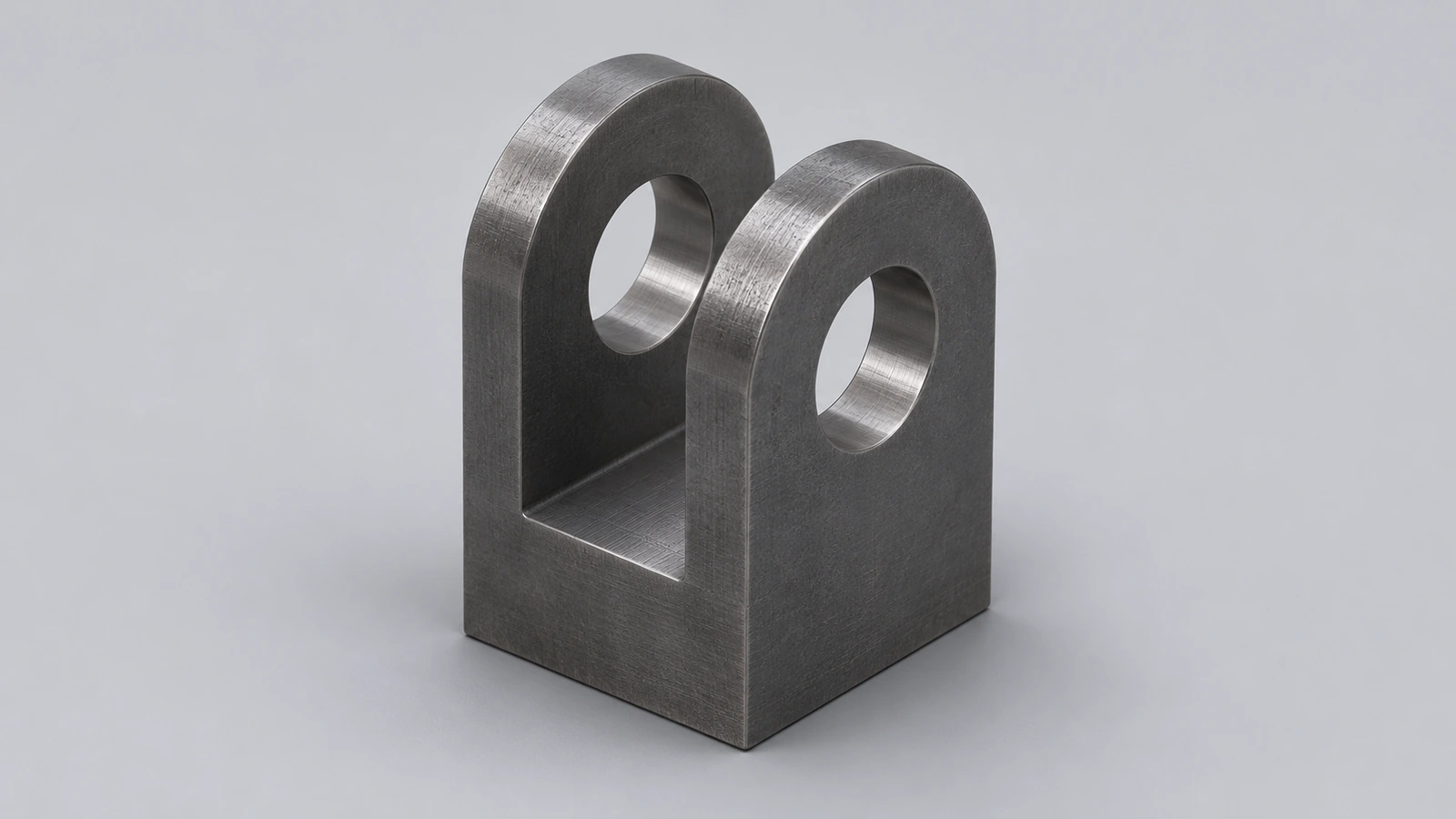
A steel clevis: a block with a 16 mm slot, a cross hole for a pin and a blind hole underneath. A good test of cutting from three different directions.
 Kevin Walsh
- Level
- Intermediate
- Time
- 15 min
- Material
- Mild carbon steel, 7.85 g/cm³
- Check mass
- 336.48 g
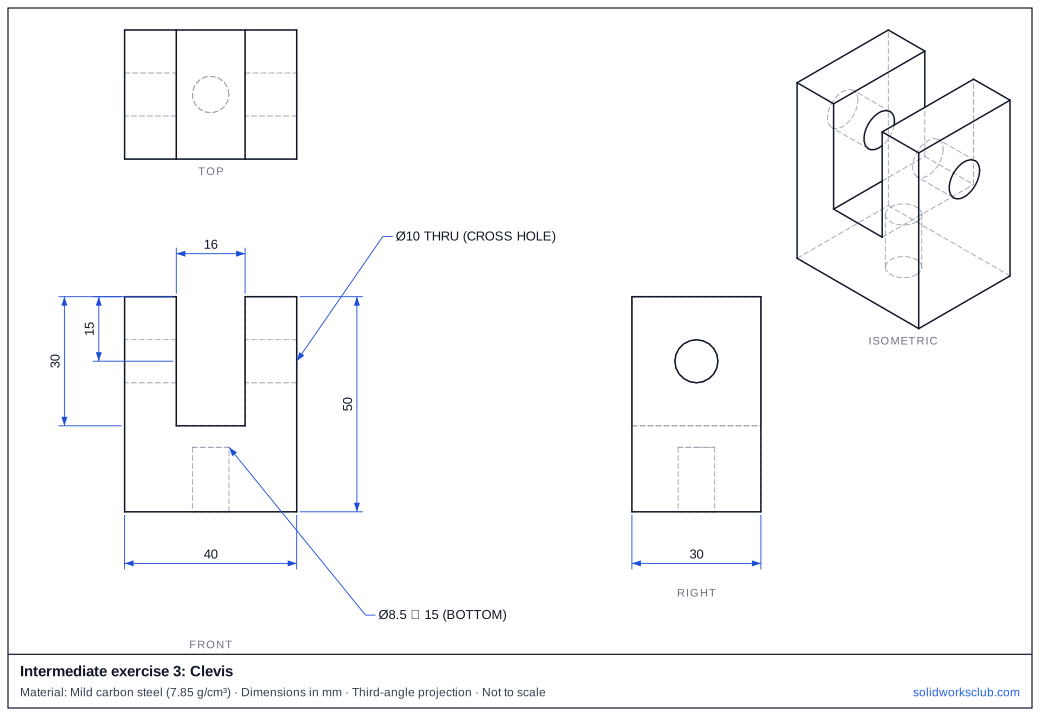
The drawing
What you practise
- Slot cut from the top face
- Cross hole perpendicular to the slot
- Blind hole with a depth
How to approach it
- Block 40 × 30 × 50.
- Cut a 16 wide slot 30 deep down from the top, through the full 30 depth.
- Ø10 cross hole through the side faces, 15 below the top.
- Ø8.5 blind hole 15 deep up from the bottom.
Check your result
Apply Mild carbon steel or a custom material with 7.85 g/cm³, then open Evaluate → Mass Properties. The mass should be 336.48 g (volume 42,863.87 mm³). Off by 1,000? Check the density units with the mass calculator.
Next: intermediate exercise 4.
Download files
Commands used
Show solution
- Centre rectangle 40 × 30 → Extrude 50.
- Top face: 16 mm wide rectangle across the full depth → Cut Blind 30.
- Side face: Ø10 at 35 high → Cut Through All.
- Bottom face: Ø8.5 → Cut Blind 15.
Frequently asked questions
Could the bottom hole be tapped?
+
Yes — Ø8.5 is the tap drill for an M10 thread. Use Hole Wizard's Straight Tap type to add the thread.
Related
- Intermediate exercise 4: Lightened wheelIntermediate SOLIDWORKS exercise 4, lightened wheel: mid-plane web between a rim and a hub. Drawing, STEP file and check mass 350.57 g.
- Intermediate exercise 2: V-belt pulleyIntermediate SOLIDWORKS exercise 2, v-belt pulley: revolving a closed half profile with sloped lines. Drawing, STEP file and check mass 193.19 g.
- SOLIDWORKS Extruded CutHow to use Extruded Cut in SOLIDWORKS: sketch on a face, choose Blind or Through All, flip side to cut, open-profile cuts, and when to use Hole Wizard.
- Mass calculator for SOLIDWORKS and CSWA problemsCalculate part mass from volume and density in mm, cm, m or inches, with typical densities for steel, aluminium, brass and copper. Built for CSWA checks.