Basic exercise 18
Exercise 18: Disk with hole pattern
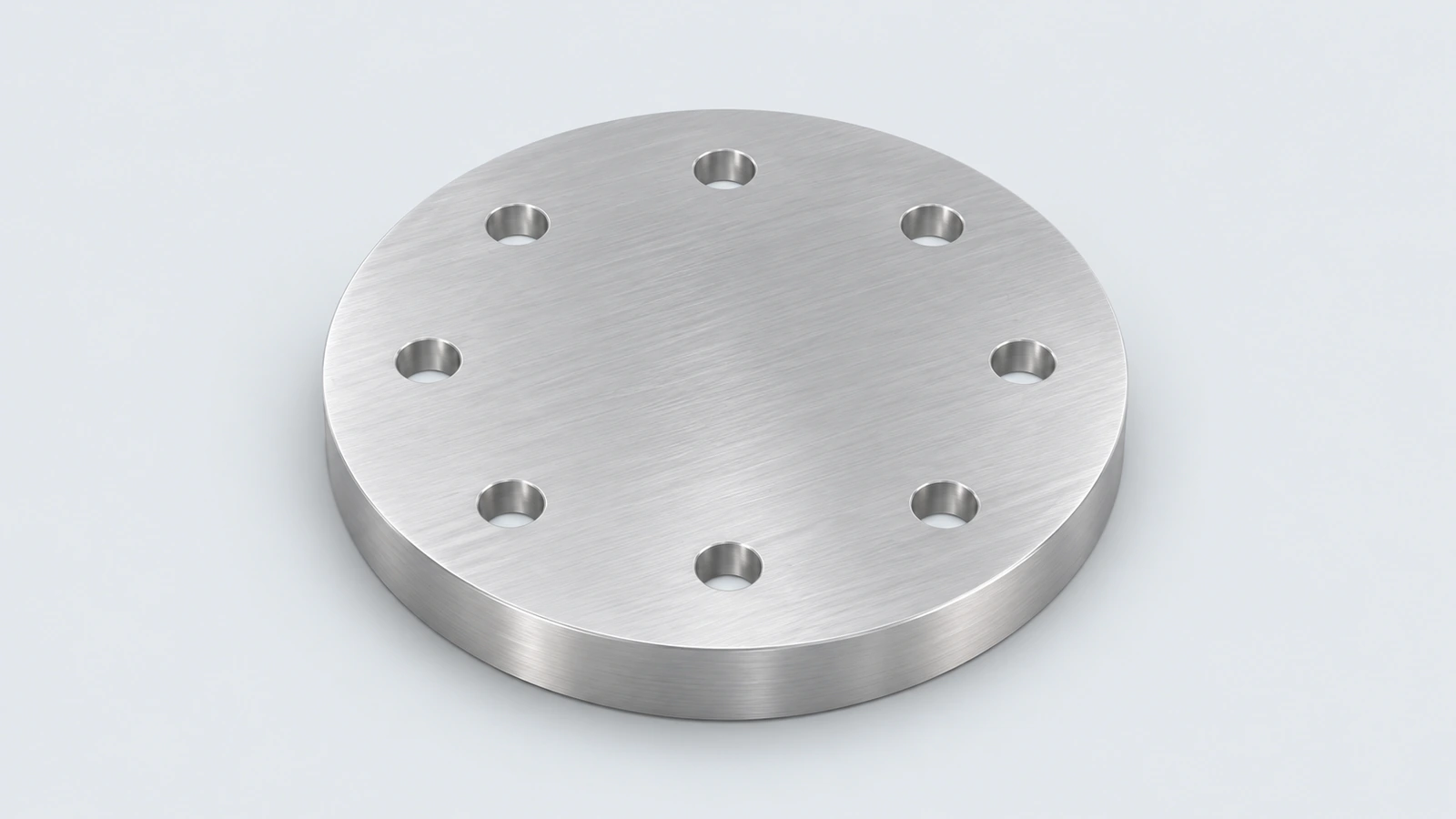
An aluminium disk with a centre hole and eight holes on a Ø70 pitch circle, rotated 22.5° so no hole sits on the axes. It practises circular patterns with an offset start.
 Kevin Walsh
- Level
- Basic
- Time
- 10 min
- Material
- Aluminium 6061, 2.70 g/cm³
- Check mass
- 174.37 g
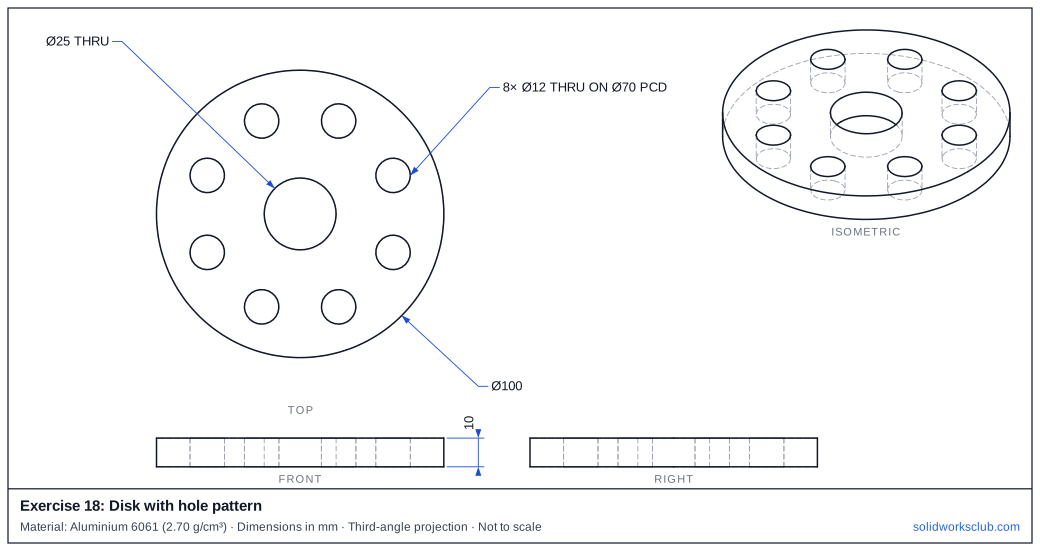
The drawing
What you practise
- Circular pattern with equal spacing
- Construction circle as a pitch circle
- Angular offset of the first instance
How to approach it
- Disk Ø100 × 10, centre hole Ø25.
- One Ø12 hole on a Ø70 construction circle at 22.5° from the horizontal.
- Circular Pattern, 8 instances, equal spacing.
Check your result
Apply the material — Aluminium 6061 — or a custom material with a density of 2.70 g/cm³, then open Evaluate → Mass Properties. The mass should be 174.37 g (volume 64,583.29 mm³). If you are out by a factor of 1,000, the density units are wrong; check them with the mass calculator. Mass properties are explained in the mass properties lesson.
Next: all exercises.
Download files
Commands used
Show solution
- Ø100 → Extrude 10; Ø25 → Cut Through All.
- Ø12 at 22.5° on Ø70 → Cut → Circular Pattern 8 × 45°.
- Volume = π × 10 × (50² − 12.5² − 8 × 6²) = 64,583.29 mm³.
Frequently asked questions
Why rotate the pattern by 22.5°?
+
Half of the 45° spacing puts the holes symmetrically between the axes — a common drawing detail to check.
What is the mass of exercise 18?
+
174.37 g in aluminium 6061 at 2.70 g/cm³ — a volume of 64,583.29 mm³.
Related
- SOLIDWORKS practice exercisesFree SOLIDWORKS practice exercises: dimensioned drawings, STEP files and a check mass for every part, from first plates and shafts to bigger parts.
- Exercise 17: Wedge blockSOLIDWORKS practice exercise 17, wedge block: four-line profile with a sloped line. Dimensioned drawing, STEP file and a check mass of 423.90 g.
- SOLIDWORKS Circular PatternHow to use Circular Pattern in SOLIDWORKS: pattern axis, equal spacing, angle and instances, symmetric Direction 2, skipping instances and preview options.
- Mass calculator for SOLIDWORKS and CSWA problemsCalculate part mass from volume and density in mm, cm, m or inches, with typical densities for steel, aluminium, brass and copper. Built for CSWA checks.