Errors & Fixes
SOLIDWORKS missing references — unable to locate file
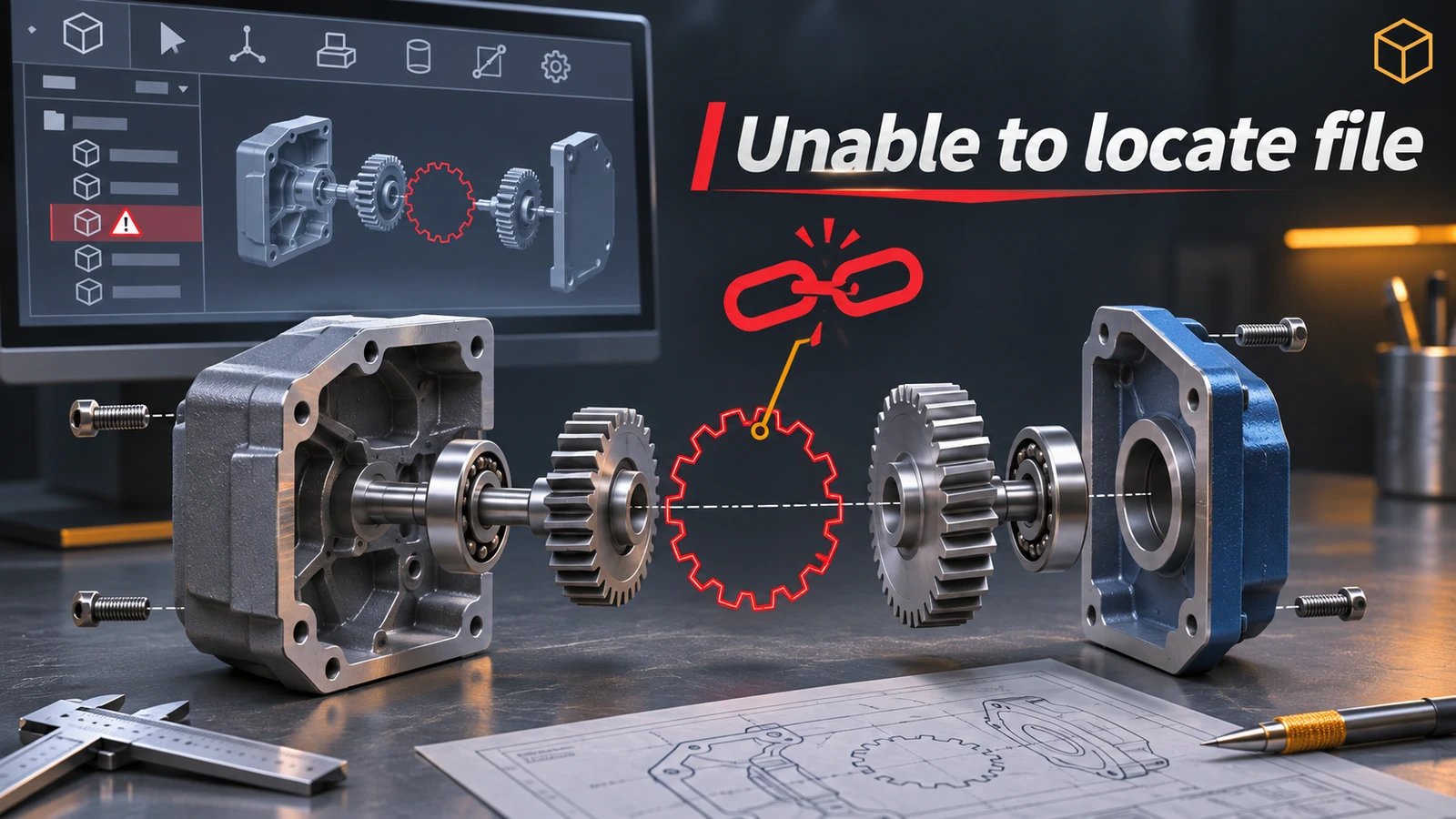
An assembly does not contain its parts — it stores links (references) to separate part files, and a drawing links to the model it shows. When a referenced file has been moved, renamed or deleted, or a drive letter has changed, SOLIDWORKS cannot find it and asks you to browse for it or suppress the missing components. Never save the assembly with suppressed missing parts until you have found them: repair the references instead.
 Kevin Walsh
Applies to: SOLIDWORKS 2022–2027 assemblies and drawings (SLDASM, SLDDRW).
Most likely causes
- Part file renamed or moved in Windows File Explorer (most common)
- Assembly copied without its parts (no Pack and Go) (common)
- Network drive letter changed or server folder renamed (offices)
- Part deleted or still in someone's email or downloads (occasional)
- In-context (external) references to a file that changed (->? and ->x symbols)
Where SOLIDWORKS looks for a missing file
When it opens an assembly, SOLIDWORKS searches in a fixed order. According to Hawk Ridge's description:
- Files already open in memory.
- Folders listed under File Locations → Referenced Documents (and their subfolders).
- The folder of the assembly or drawing you are opening, and its subfolders.
- The path where the file was when the assembly was last saved.
- If nothing is found — it asks you to browse.
That is why copying an assembly and its parts into one folder usually works, and why a file with the same name in another folder can be picked up by mistake.
External reference symbols
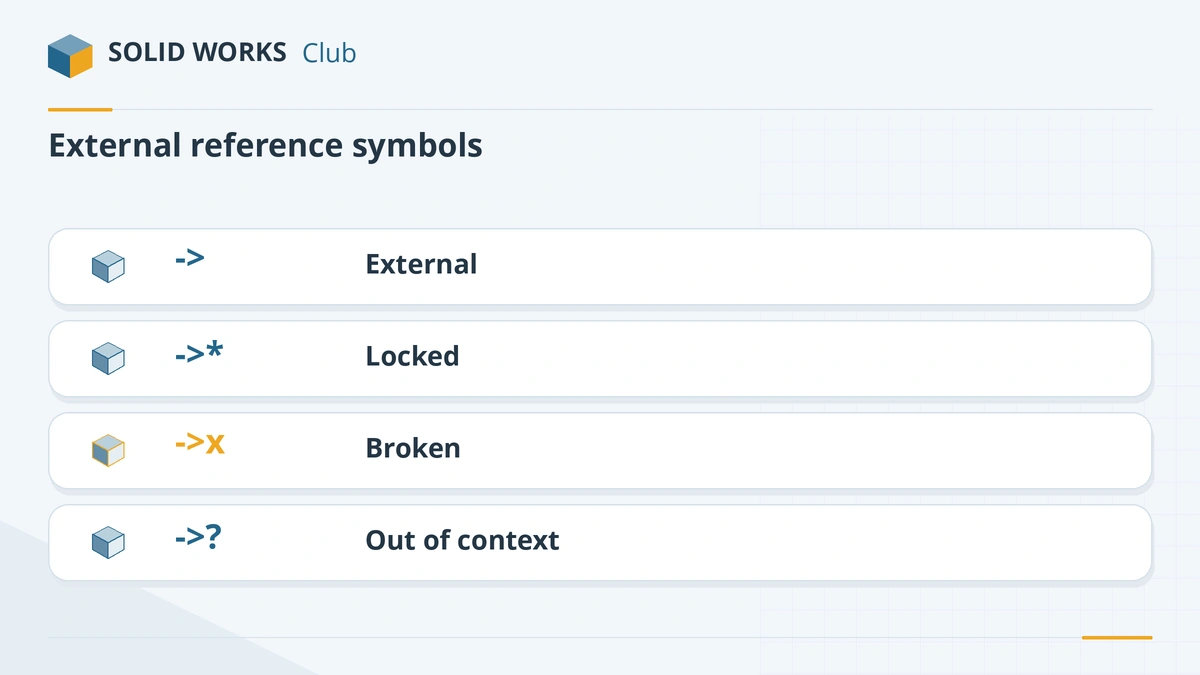
| Symbol | Meaning |
|---|---|
-> |
Has an external reference |
->* |
External reference is locked |
->x |
External reference is broken |
->? |
Out of context — the referenced file is not open |
From the official FeatureManager tree conventions. More about the file types in SLDASM files and SLDDRW files.
Prevent broken references
- Move and rename only with SOLIDWORKS tools (or PDM), never in File Explorer.
- Send assemblies with Pack and Go.
- Keep projects in one folder tree on a fixed drive letter or UNC path.
- After you fix references, components may still show mate problems — see mate errors.
To avoid broken references from the start, follow how to organise SOLIDWORKS files and folders.
In-context references explained: in-context external references.
Files open read-only or refuse to save? See read-only files and save errors.
Fixes, in order
1. Do not save with suppressed components
If you suppressed the missing components to get the assembly open, close it without saving. Saving would store the mates and features that use them in a broken state.
2. Repair from the Open dialog
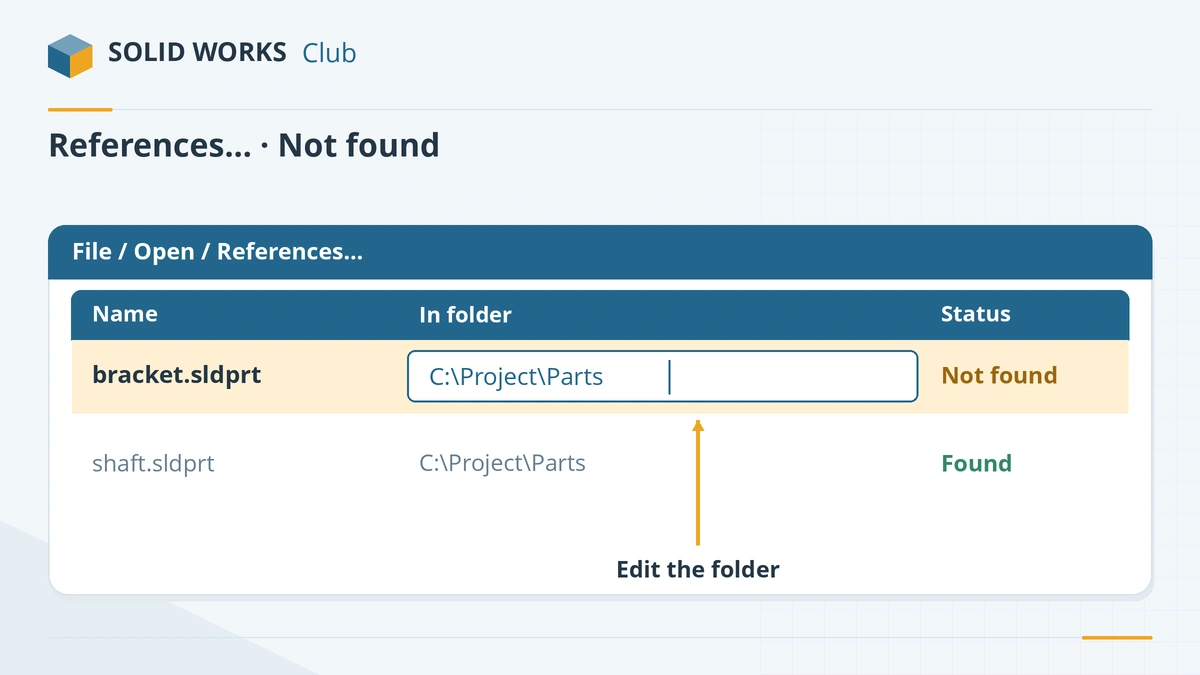
File → Open, select the assembly or drawing, and click References…. The list shows every referenced file; missing ones are marked. Edit the name or folder cell to point to the right file, click OK, open, and save. A part can replace only a part, and a subassembly only a subassembly.
3. See which file is missing
With the file open, File → Find References lists every referenced file with its path — missing ones show as File not found. Copy the list to search for the files.
4. Add the folder to the search locations
Tools → Options → System Options → File Locations → Referenced Documents: add the folder where the parts are. SOLIDWORKS also searches the folder of the assembly. Turn on Search file locations for external references under External References so the folders you list are used.
5. Map the drive letter back
If the files were saved when the server was
P:and now it isS:, map the old letter again, open the assembly and save it — or repair the paths with the References dialog. Use the same mapping on every PC.6. Rename and move files with SOLIDWORKS tools
In File Explorer right-click → SOLIDWORKS → Rename (or Move) and tick Update where used so assemblies and drawings follow the change. On Windows 11, choose Show more options first. This is SOLIDWORKS File Utilities, which replaced SOLIDWORKS Explorer. In an open assembly you can also rename a part from the FeatureManager tree (enable it under System Options → FeatureManager). In PDM, use the vault's own rename.
7. Fix in-context references
In the FeatureManager tree,
->marks an external reference,->*a locked one,->xa broken one and->?an out-of-context one (the file that drives it is not open). Open the parent assembly to update->?references. Right-click the part → List External Refs to lock or break them; broken references cannot be restored.
Sources
- Hawk Ridge — SOLIDWORKS search routine order
- Javelin — Why is SOLIDWORKS unable to locate my components?
- GoEngineer — Repair broken references in SOLIDWORKS
- Javelin — How to rename or move SOLIDWORKS files correctly (Mar 2025)
- Javelin — File Utilities replaces SOLIDWORKS Explorer
- Javelin — How to rename parts in an assembly (Aug 2026)
- Hawk Ridge — SOLIDWORKS external reference definitions
- SOLIDWORKS Help 2024 — FeatureManager design tree conventions
Checked November 2026. SOLID WORKS Club is independent; menu names can differ slightly between releases.
Frequently asked questions
Why does my assembly open without its parts?
+
An assembly only stores links to separate part files. If the parts were moved, renamed outside SOLIDWORKS or not copied with the assembly, SOLIDWORKS cannot find them. Repair the links with File → Open → References, or copy the full set with Pack and Go.
How do I send an assembly with all its parts?
+
Use File → Pack and Go. It collects the assembly, all referenced parts and subassemblies, and optionally drawings and Toolbox parts, into one folder or zip file.
Can I rename a SOLIDWORKS part in Windows Explorer?
+
You can, but assemblies and drawings that use it will lose the link. Use the SOLIDWORKS Rename command in the right-click menu with Update where used ticked, or rename the part inside the open assembly.
What does ->? mean in SOLIDWORKS?
+
It marks an out-of-context external reference: the feature depends on geometry in a file that is not open. Opening the assembly in which it was created brings it back in context.
Related
- What is an SLDASM file?An SLDASM file is a SOLIDWORKS assembly that references its part files. Why it opens with missing parts, how to send it with Pack and Go, and how to convert it.
- What is an SLDDRW file?An SLDDRW file is a SOLIDWORKS 2D drawing linked to its part or assembly. How to open it without SOLIDWORKS and convert it to PDF, DWG or DXF for others.
- SOLIDWORKS Toolbox and Hole Wizard errors — fixesFix SOLIDWORKS Toolbox errors: swbrowser.sldedb wrong version or missing, Hole Wizard database errors, fasteners changing size, read-only parts and PDM.
- SOLIDWORKS mate errors — over defined and failed matesFix SOLIDWORKS mate errors: over defined components, mates not satisfied, conflicting mates and fixed parts, using MateXpert and the Mates folder.