Getting Started
How to organize SOLIDWORKS files and folders
A SOLIDWORKS assembly does not contain its parts — it stores the path to each part file, and a drawing stores the path to its model. That one fact decides how you should organise files: keep a project in one folder tree, give files unique names, move and rename them only with SOLIDWORKS tools, and avoid cloud sync folders while you work. Do that from the first day and you will rarely see a missing reference.
 Kevin Walsh
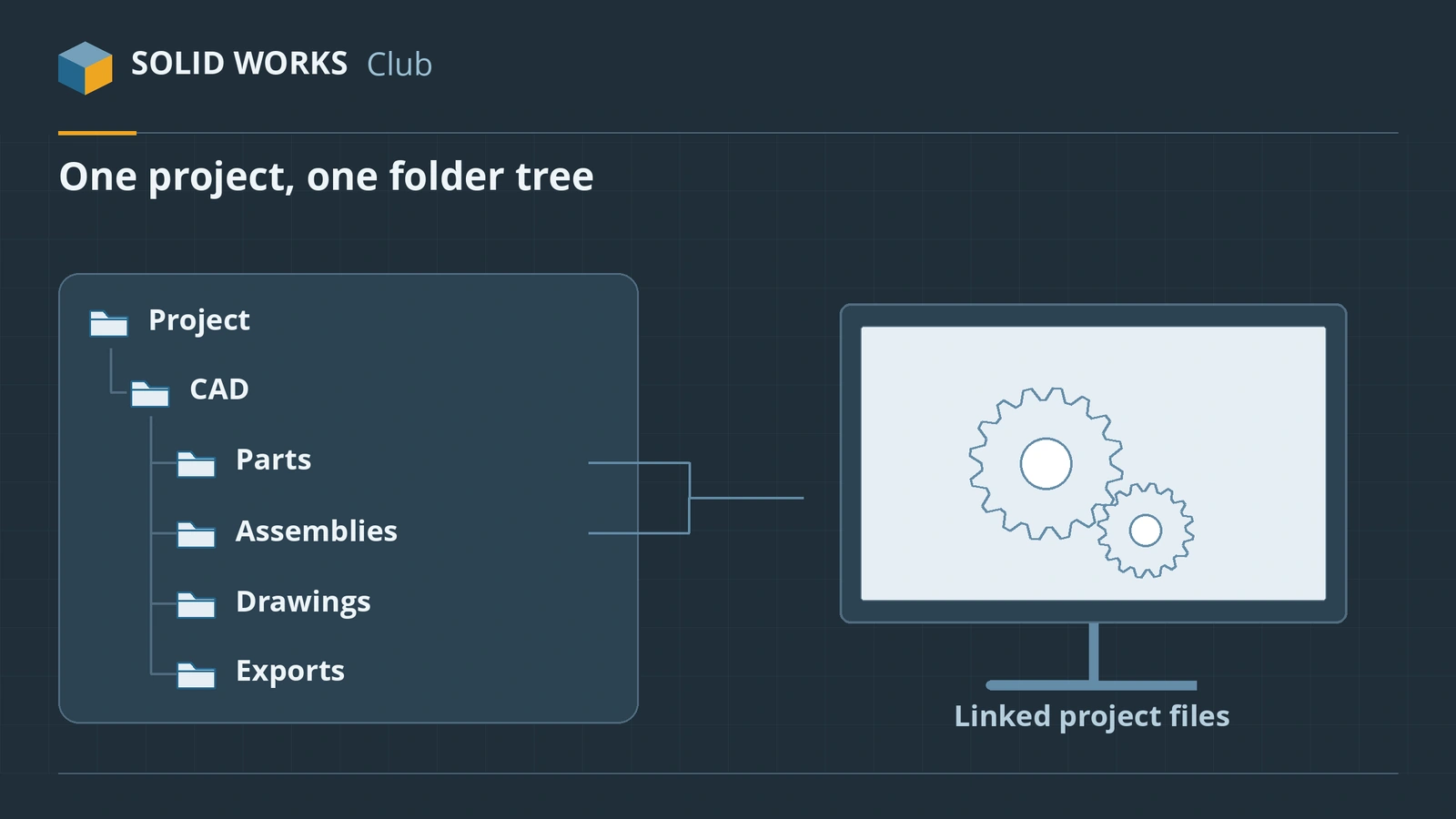
A simple project folder structure
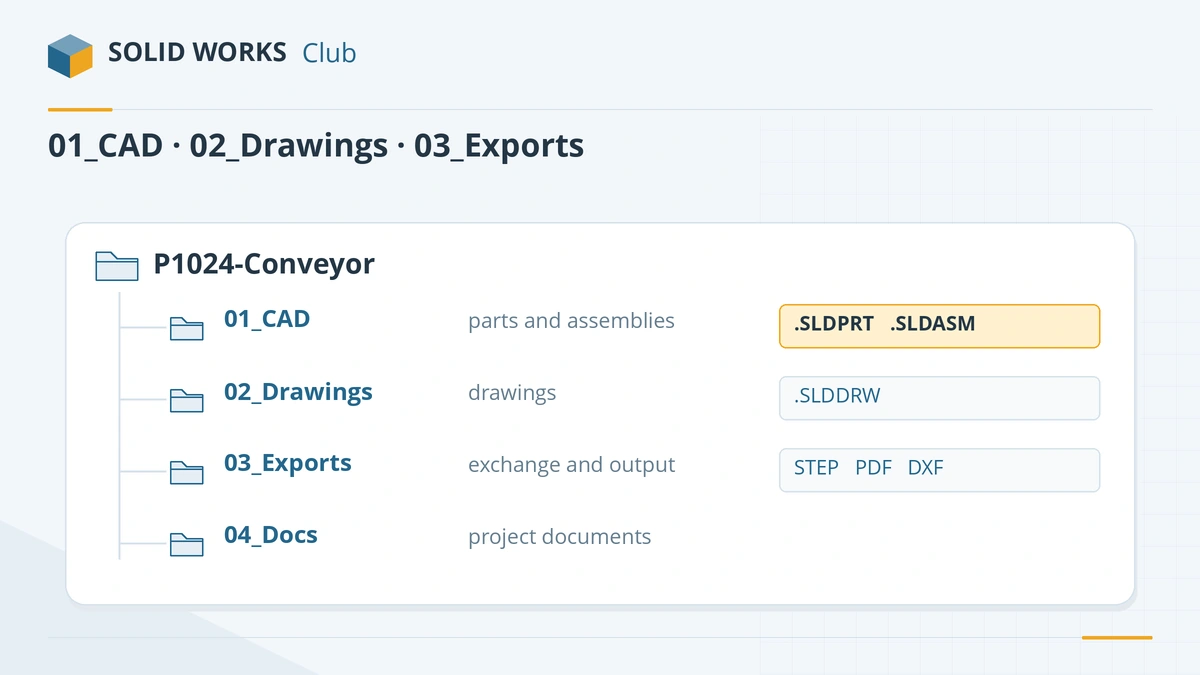
| Folder | What goes in it |
|---|---|
01_CAD |
Parts and assemblies (subfolders for purchased parts if you like) |
02_Drawings |
Drawings — or keep them next to their models, as long as you are consistent |
03_Exports |
STEP, PDF, DXF and STL files for suppliers |
04_Docs |
Specifications, quotes, photos |
Keep the whole project under one top folder so it can be moved or zipped as a unit. Use a fixed drive letter or a UNC path (\\server\projects) that is the same on every PC.
Naming rules that save time
- Unique names across all projects you work with, for example a project number plus a description:
P1024-101 Base plate.SLDPRT. SOLIDWORKS looks for referenced files by name and uses an open file with the same name first. - Do not encode revision in the file name if you use PDM; it manages revisions for you.
- Avoid very long paths and special characters.
Move and rename with SOLIDWORKS tools
Renaming or moving a part in Windows File Explorer breaks every assembly and drawing that uses it. Instead:
- Right-click the file in File Explorer → SOLIDWORKS → Rename or Move, with Update where used ticked (on Windows 11, open Show more options first). These File Utilities replaced SOLIDWORKS Explorer.
- Or rename a component from the FeatureManager tree of an open assembly.
- Or let PDM rename it.
If references are already broken, see missing references, which also explains the order in which SOLIDWORKS searches folders.
Copy projects with Pack and Go
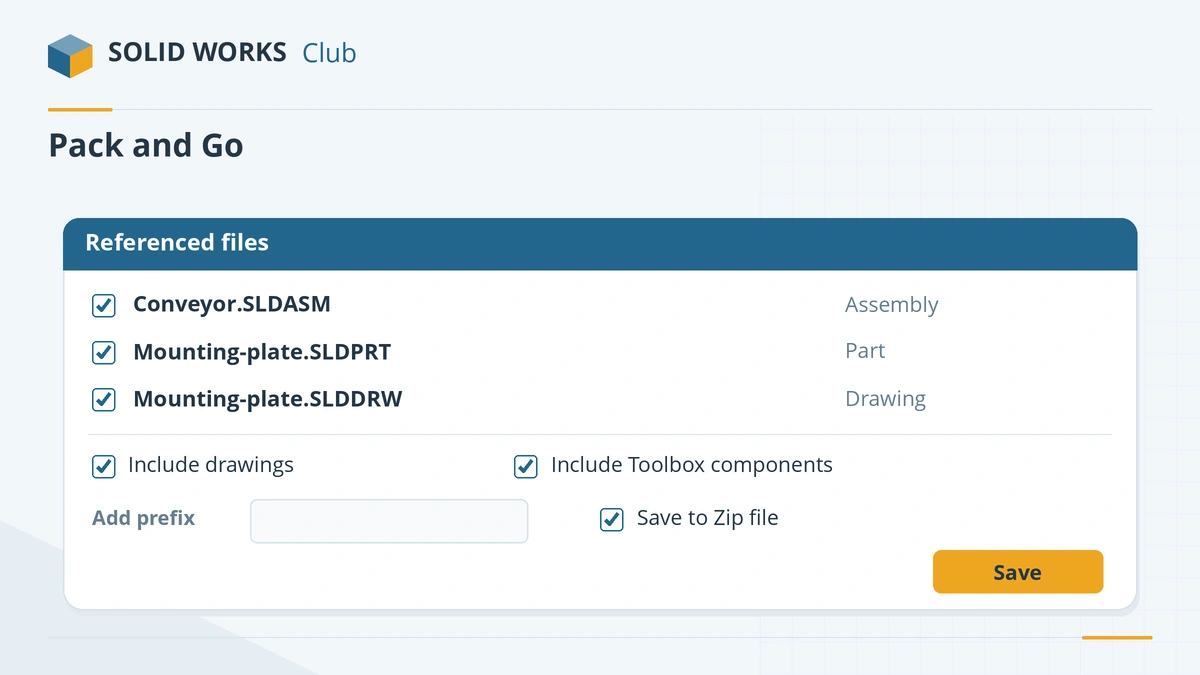
File → Pack and Go collects an assembly or drawing with every referenced file into a folder or zip. Use it to send work to a customer, to start a new project from an old one (with a name prefix), or to archive a finished project. Include Toolbox parts when the receiver does not share your Toolbox.
Local, network or cloud?
| Where you work | Verdict |
|---|---|
| Local SSD | Fastest and safest; back it up |
| Network share | Works, but slower — SOLIDWORKS writes temporary files next to the files you open |
| PDM vault | Best for teams; works from a local cache |
| OneDrive / Dropbox / Google Drive sync folder | Avoid for active work; sync can lock files mid-save |
Point the auto-recover and backup folders to a local drive (Tools → Options → System Options → Backup/Recover). Shared resources — templates, Toolbox, materials — are best kept in one shared location for the whole team; see SOLIDWORKS file locations and templates.
Reusable features and parts belong in the Design Library.
Sources
- Hawk Ridge — SOLIDWORKS search routine order
- Javelin — How to rename or move SOLIDWORKS files correctly (Mar 2025)
- Javelin — File Utilities replaces SOLIDWORKS Explorer
- GoEngineer — Cloud file management recommendations (Oct 2025)
- Hawk Ridge — Slow SOLIDWORKS performance on the network
- Solid Solutions — How to recover SOLIDWORKS files after a crash
- Javelin — SOLIDWORKS template file locations (Jan 2024)
- Javelin — Fix wrong-size Toolbox components (Dec 2025)
Checked November 2026. SOLID WORKS Club is independent; menu names can differ slightly between releases.
Frequently asked questions
Can I keep SOLIDWORKS files in OneDrive or Dropbox?
+
Storing finished files there is fine, but working directly in a sync folder is risky: sync clients that are not CAD-aware can lock files in the middle of a save and cause crashes or corrupt files. Work in a local folder or PDM and sync or back up afterwards.
How do I copy a SOLIDWORKS project?
+
Open the top assembly or drawing and use File → Pack and Go. It copies the assembly with every referenced part and subassembly, and optionally drawings and Toolbox parts, to a new folder or zip, and can add a prefix or suffix to the names.
Why should SOLIDWORKS file names be unique?
+
SOLIDWORKS finds referenced files by name and checks open files first. Two different parts both called bracket.sldprt can be swapped by mistake when you open an assembly.
Do I need PDM?
+
Not when you work alone. For teams sharing assemblies, a PDM system handles versions, check-out, renaming and references, and avoids many network-folder problems.
Related
- SOLIDWORKS missing references — unable to locate fileSOLIDWORKS "unable to locate file" when opening an assembly or drawing? How the search order works, how to repair references, and how to rename files safely.
- SOLIDWORKS default file locationsDefault SOLIDWORKS folders for templates, sheet formats, the Design Library, BOM templates, profiles and materials, and how to point to shared folders.
- What is an SLDASM file?An SLDASM file is a SOLIDWORKS assembly that references its part files. Why it opens with missing parts, how to send it with Pack and Go, and how to convert it.
- How to create SOLIDWORKS templatesCreate SOLIDWORKS part, assembly and drawing templates (.prtdot, .asmdot, .drwdot), save them to your own folder and set them as the defaults.