Reference
SOLIDWORKS version compatibility: will my file open?
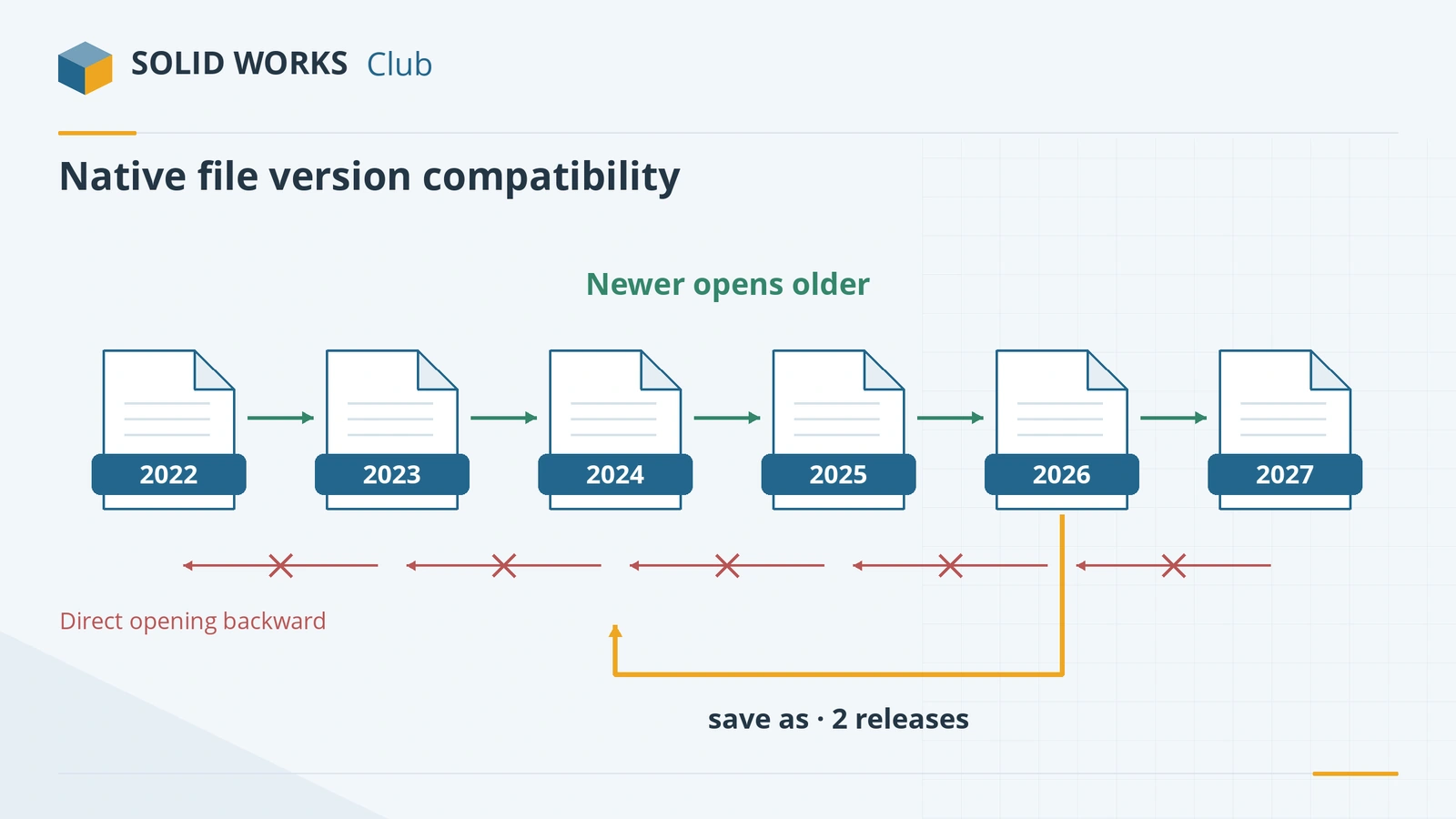
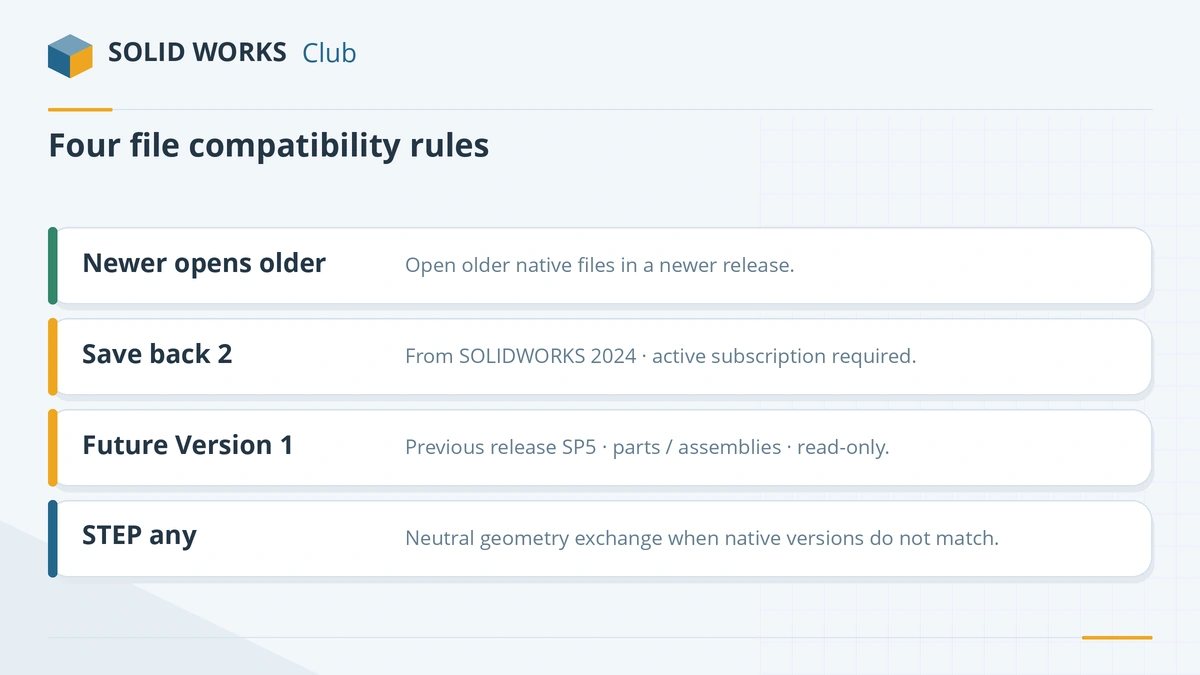
A newer SOLIDWORKS always opens files from older versions, but an older version cannot open a newer file. Since SOLIDWORKS 2024, the sender can save parts, assemblies and drawings back two releases, with an active subscription. The previous release on its final service pack can also use next year's parts read-only. Otherwise, exchange STEP or Parasolid.
 Kevin Walsh
The four rules
| Situation | What works | Feature history |
|---|---|---|
| Newer SOLIDWORKS, older file | Opens normally; converted when saved | Kept |
| Older SOLIDWORKS, file 1–2 releases newer (saved in 2024+) | Sender uses Save As → SOLIDWORKS 20xx (subscription needed) | Kept |
| Previous release on its final service pack, file one release newer | Future Version mode: insert and use read-only | Not editable |
| Any other combination | Exchange STEP or Parasolid | Lost |
Sources: SOLIDWORKS tech blog, GoEngineer, Javelin.
Save as previous version
Introduced in SOLIDWORKS 2024 for parts, assemblies and drawings (SOLIDWORKS 2024):
- Goes back two releases only — 2026 can save to 2025 or 2024.
- Needs an active subscription; 3DEXPERIENCE licences count.
- In File → Save As, choose "SOLIDWORKS 20xx Part/Assembly/Drawing"; Pack and Go can do a whole assembly.
- A check flags features the older release does not have; delete (not just suppress) them. Add-in data such as Simulation may be lost.
- SOLIDWORKS 2026 SP5 adds a setting for the default version used when saving to previous versions (What's New 2026).
Future Version mode
Since SOLIDWORKS 2013, the previous release's SP5 can open next-year files — one release only, and SP4 cannot. They open read-only with no feature tree, but you can mate them, measure, check interference, include them in BOMs and make new drawings of them, and they stay associative. You cannot open drawings made in the newer release.
Other tips
- Install several releases on one computer if you work with customers on different versions, oldest first. SOLIDWORKS 2027 makes this easier — see what's new in 2027.
- STEP works across any versions and CAD systems: how to export STEP.
- Viewing only? Install the free eDrawings of the newer release.
Release dates and support status for every version are on the versions overview.
Got a file you cannot open? Step-by-step options are in file saved in a newer version.
Frequently asked questions
Can SOLIDWORKS 2024 open a 2026 file?
+
Not directly. The 2026 user can save it as a SOLIDWORKS 2024 file (two releases back) if they have an active subscription. Otherwise ask for STEP or Parasolid.
What is Future Version mode?
+
Since SOLIDWORKS 2013, the previous release on its final service pack (SP5) can open files from the next release as read-only geometry. You can mate them, measure them, use them in BOMs and make new drawings, but you cannot edit their features or open future-version drawings.
Does save as previous version keep the feature tree?
+
Yes — that is its advantage over STEP. Features that do not exist in the older release are flagged and must be removed or rebuilt, and add-in data such as Simulation studies may be lost, so work on copies.
Can I upgrade an old SOLIDWORKS file?
+
Yes. Open it in the newer release and save. Once saved, older releases can no longer open it, so keep a copy if you still need the original.
Related
- SOLIDWORKS versions and the latest releaseThe latest SOLIDWORKS version is 2026 (2027 is in pre-release). Every release from 2020 to 2027 with dates, Windows support and end of support.
- How to export SOLIDWORKS to STEPHow to save a SOLIDWORKS part or assembly as STEP, which AP version to choose (AP203, AP214, AP242), exporting components separately, and pitfalls.
- What is an SLDPRT file?An SLDPRT file is a SOLIDWORKS part. How to open it with or without SOLIDWORKS, which versions can read it, and how to convert SLDPRT to STEP, STL or DXF.
- SOLIDWORKS 2024: release date, features and supportSOLIDWORKS 2024 SP0 came out on November 6, 2023. It introduced saving to older versions, plus collinear dimensions and sheet metal and weldment upgrades.