Versions & What's New
What's new in SOLIDWORKS 2027
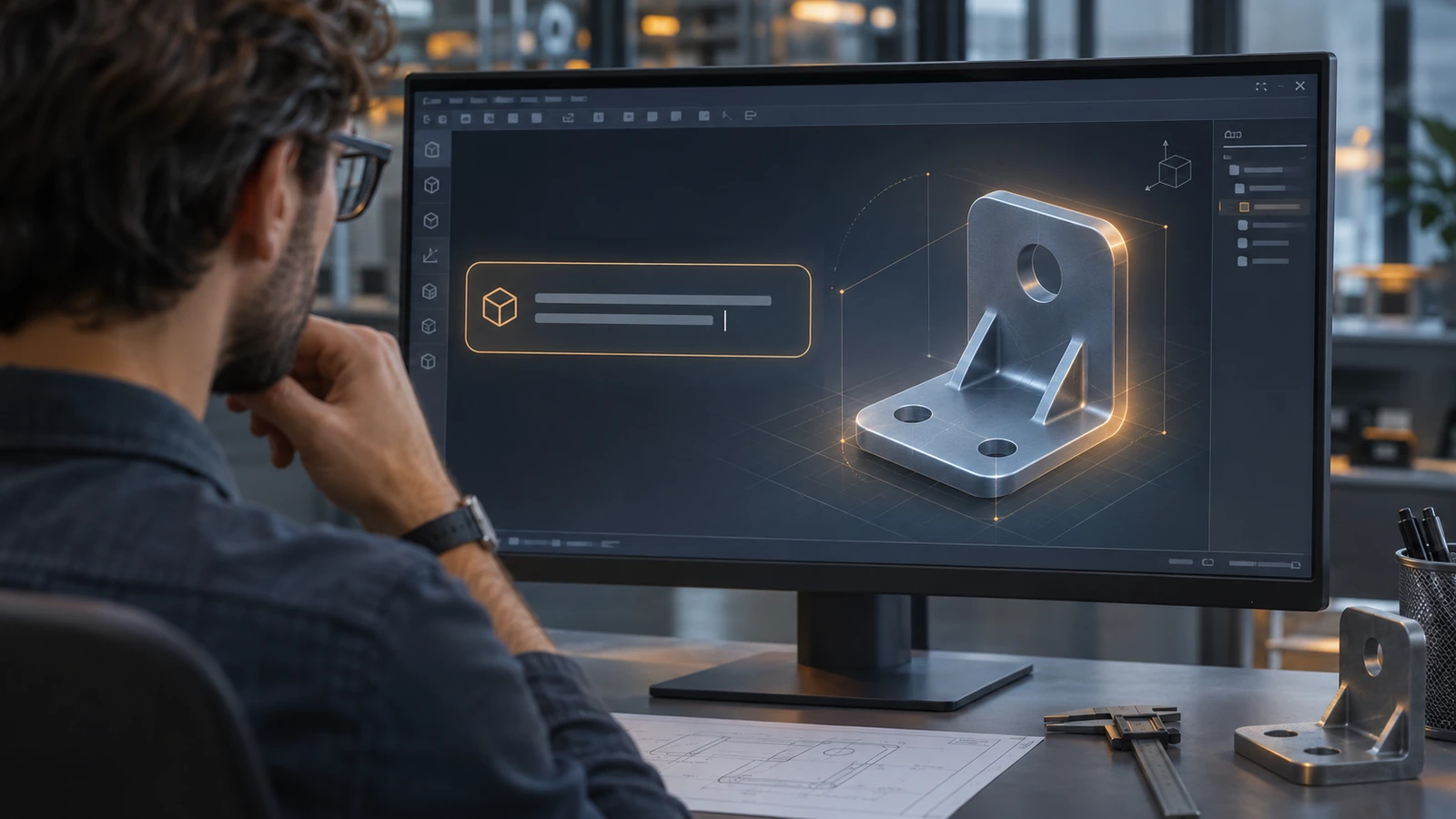
SOLIDWORKS 2027 is built around AI: it can create geometry from a text prompt, an image or a legacy 2D drawing, turn imported solids into editable features and explain why an assembly is slow. Beyond AI, the release brings stamped features on sheet metal bends, grouping of mated components without subassemblies and one reference number for identical parts in drawings.
 Kevin Walsh
- Version
- SOLIDWORKS 2027 (rev. 35)
- Released
- Pre-release since Aug 10, 2026
- Supported OS
- Windows 11 64-bit
- Status
- Pre-release
Highlights
- Five AI pillars: Intent to CAD, Design Validation, Engineering Guidance, Manufacturing Documentation and Assembly Optimization.
- AI finds and fixes assembly slowdowns, writes assembly instructions and generates macros from plain English.
- Stamped geometry on sheet metal bend regions and editable bend radii on imported sheet metal.
- Group mated components without creating subassemblies; detect fastener clusters and pattern them.
- One component reference number for identical instances; Annotation Favorites; ordinate dimensions in MBD.
This page summarises the official What's New in SOLIDWORKS Design 2027 material in plain language. We group the changes the way Dassault does and say who each one helps. SOLIDWORKS 2027 is still a pre-release; release status is tracked on our SOLIDWORKS 2027 page, and hardware needs on SOLIDWORKS 2027 requirements.
AI: the five pillars
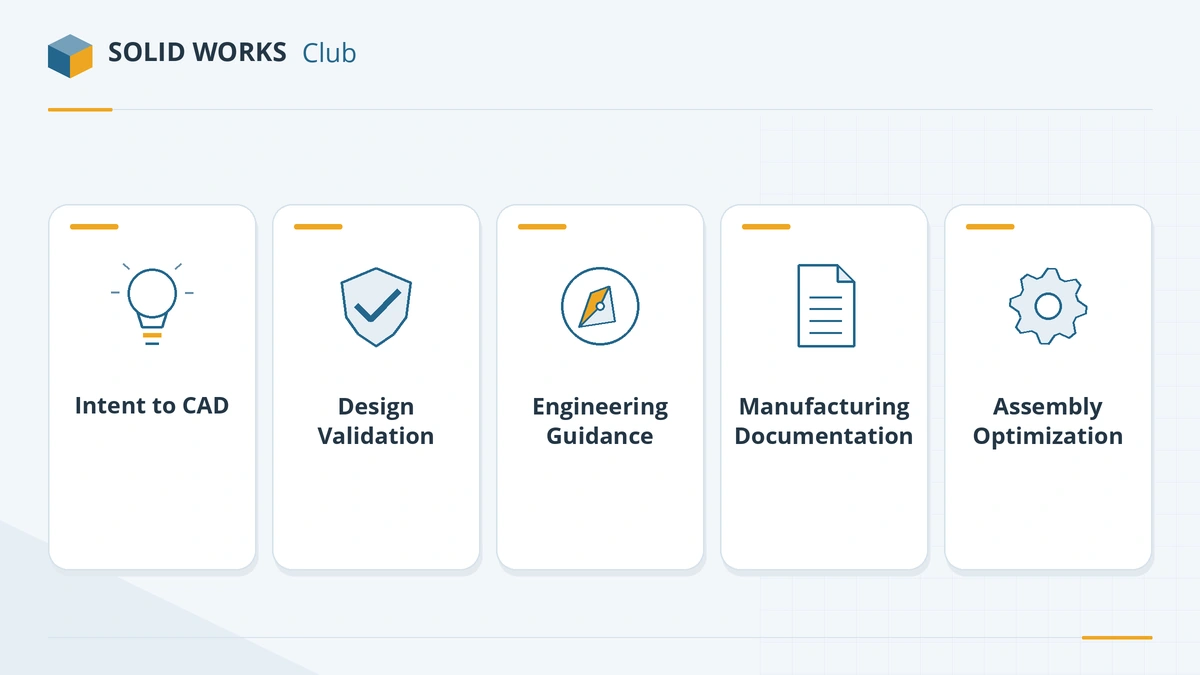
Dassault groups the 2027 AI work into five pillars:
| Pillar | What it covers | Example in 2027 |
|---|---|---|
| Intent to CAD | Going from an idea to geometry | Create parts from a text prompt, an image or a legacy 2D drawing; turn an imported B-rep solid into parametric features |
| Design Validation | Checking that a design works | Run checks and simulation studies from a prompt (LEO) |
| Engineering Guidance | Answering "how should I…" questions | Ask a companion about standards, materials or your company's know-how (AURA) |
| Manufacturing Documentation | Drawings and instructions | Generate assembly instructions automatically |
| Assembly Optimization | Large assemblies | Find and fix what slows an assembly down |
Two smaller AI tools are likely to be used every day: natural-language macro generation, which writes a macro from a description of the task, and the assembly slowdown finder, which points to the mates, features or components that cost the most rebuild time.
AI use is metered. Interacting with a companion is free, but every skill that produces a result consumes tokens from your organisation's pool. Dassault's token page lists a pack of 25,000 tokens for $1,250 a year, and unused tokens expire after 12 months. Student, Makers and academic tenants are excluded from this first rollout.
Design and modelling
- In-Context Design Assistant — helps when you build a part inside an assembly and reference other components.
- Performance Assistant — suggests settings and modelling changes that speed up a slow model.
- Large coloured point clouds — import scans with their colour information for reverse engineering.
- Several versions on one computer — install more than one SOLIDWORKS Design version side by side, so you can work in your customer's version without a second PC.
Parts and sheet metal
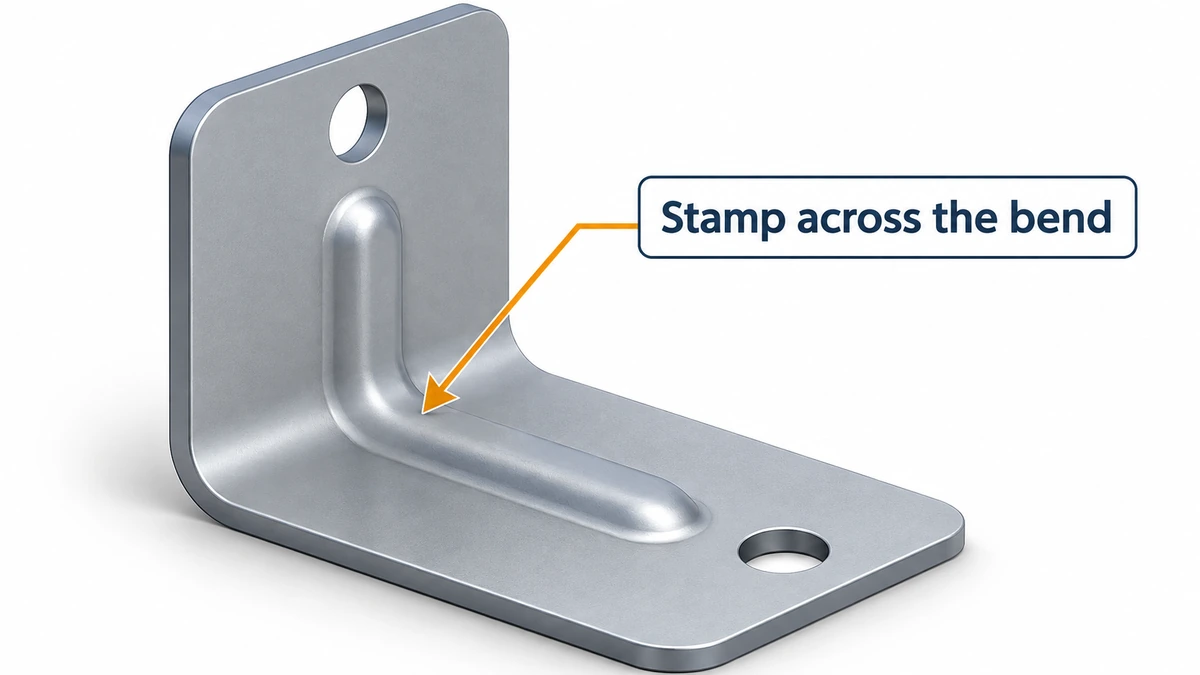
- Stamped geometry on bend regions. Until now, forming tools and stamps had to sit on flat faces. In 2027 they can run across a bend.
- Editable bend radii on imported sheet metal. When you convert an imported part to sheet metal, you can change the radii during or after conversion.
- Grouped sketch relations. Apply one relation (for example, equal or parallel) to many sketch entities at once.
Assemblies
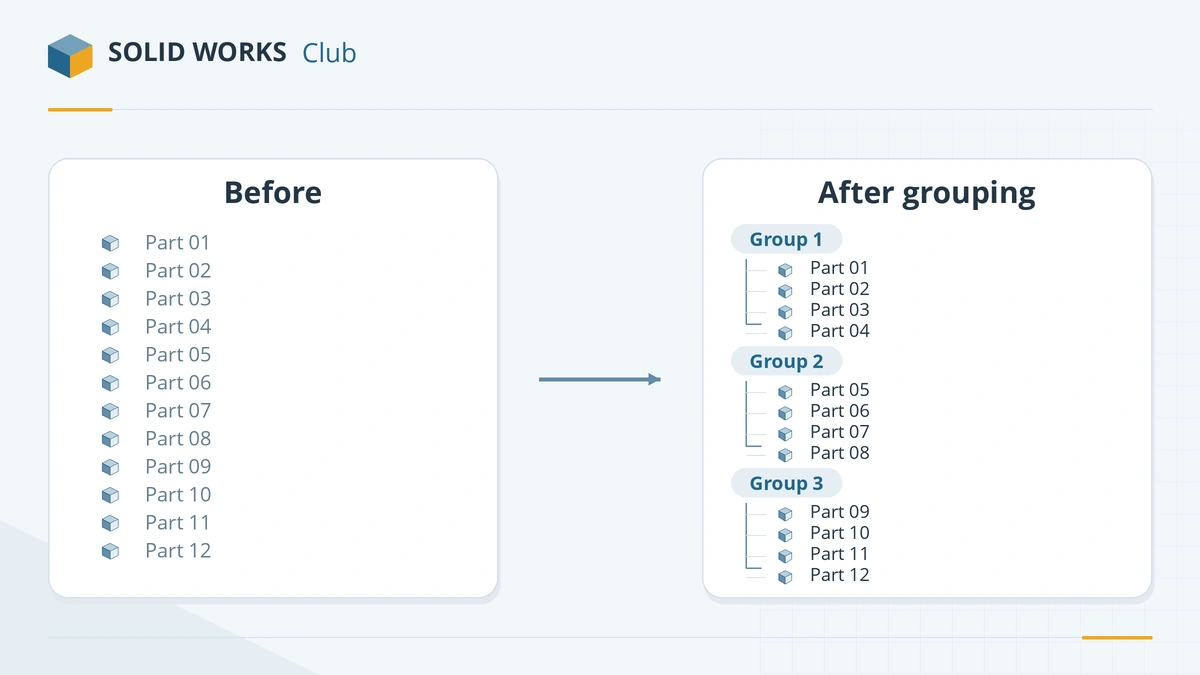
- Mate-based component grouping. Group mated components in the tree without making a formal subassembly, so BOM structure does not change.
- Variability parameters. Drive top-level parameters of a configurable assembly from variability definitions.
- Fastener cluster patterns. SOLIDWORKS detects clusters of fasteners and creates a pattern of the whole group in one step.
Drawings and MBD
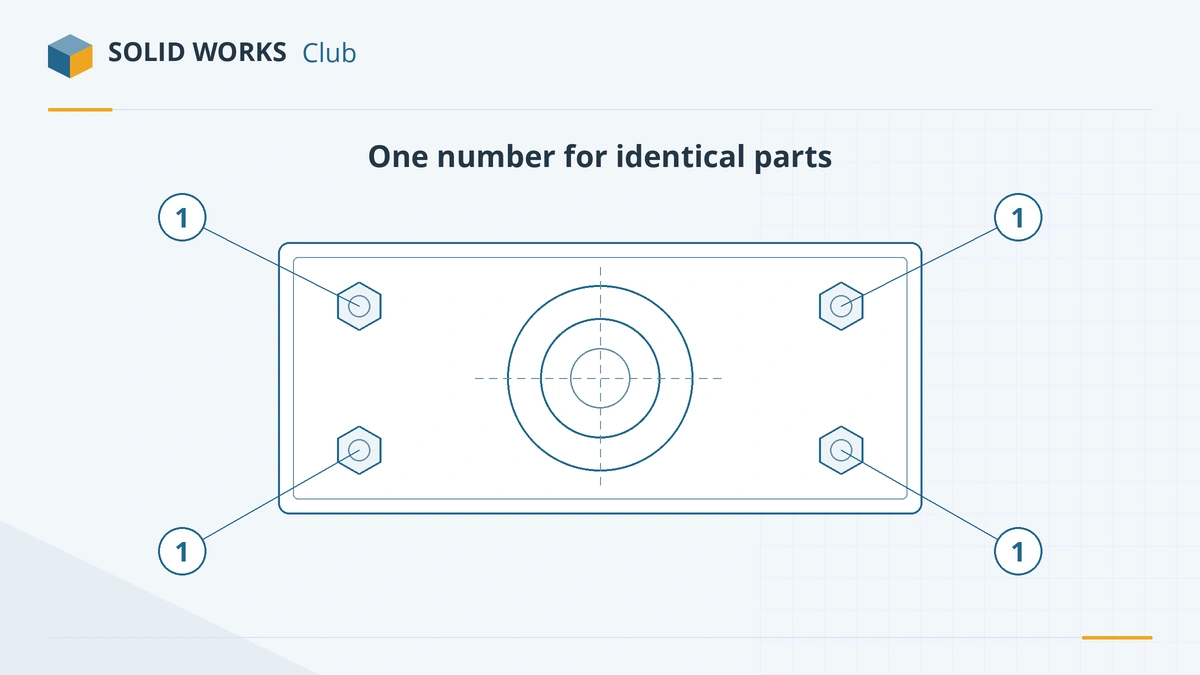
- One reference number for identical instances — useful for balloons and BOMs with many identical fasteners.
- Annotation Favorites — save frequently used symbols to a favourites folder.
- Ordinate dimensions in 3D MBD — model-based definition catches up with 2D drawings for ordinate dimensioning.
Data and collaboration
- Browse and open 3DEXPERIENCE platform content directly from the SOLIDWORKS Open dialog.
- Content Explorer in the Task Pane.
- Automatic alignment of material definitions with the platform's governed materials.
- SOLIDWORKS can act as the conversion engine for derived formats defined on the platform.
Which changes matter to whom
| You mainly… | Most useful 2027 changes |
|---|---|
| Design sheet metal | Stamps across bends, editable radii on imported parts |
| Manage large or configurable assemblies | Component grouping, variability parameters, fastener patterns, slowdown finder |
| Produce drawings | Shared reference numbers, Annotation Favorites, AI assembly instructions |
| Work with suppliers on older versions | Several versions on one PC |
| Inherit old 2D drawings and STEP files | Drawing-to-3D and B-rep-to-parametric AI |
Compare with the previous release in SOLIDWORKS 2026: top changes. The 2026 release is also where the product was renamed — see SOLIDWORKS Design: the rebrand explained.
Sources
Frequently asked questions
What are the biggest new features in SOLIDWORKS 2027?
+
The AI capabilities: creating geometry from prompts, images and legacy drawings, converting imported B-rep solids into parametric features, diagnosing slow assemblies and writing macros from a description. Outside AI, the In-Context Design and Performance Assistants and several sheet metal, assembly and drawing upgrades stand out.
Are the SOLIDWORKS 2027 AI features free?
+
The AI companions are included with commercial SOLIDWORKS Design and Design with Cloud Services licenses, but running an AI skill uses tokens. Dassault lists a pack of 25,000 tokens at $1,250 a year; simply chatting with a companion uses none. See AURA, LEO and MARIE.
Does SOLIDWORKS 2027 replace FD releases?
+
No. Dassault says the 2027 enhancements are delivered across five releases each year, so new features keep arriving during the year through functional deliveries, not only in the autumn release.
Can I install SOLIDWORKS 2027 next to 2026?
+
Yes. Installing several SOLIDWORKS Design versions on one computer is one of the listed 2027 design improvements, aimed at people who must work in the version their customer uses.
Related
- SOLIDWORKS 2027 release date and statusSOLIDWORKS 2027 is in pre-release (PR1, Aug 10, 2026); the first full release, SP0, is expected in November 2026. Who can try it now and what to check first.
- SOLIDWORKS AI assistants: AURA, LEO and MARIE explainedWhat the SOLIDWORKS AI companions AURA, LEO and MARIE do, which licenses include them, how AI tokens are counted and priced, and how to start using them.
- SOLIDWORKS 2026: release date, new features and supportSOLIDWORKS 2026 was released on November 14, 2025. Top new features, the SOLIDWORKS Design name, Windows 11 only, FD releases and support until 2027.
- SOLIDWORKS Design: the name change explainedWhy SOLIDWORKS is now called SOLIDWORKS Design, the old and new names from Sept 2025, what Connected and Augmented meant, and how to tell which you have.