Features · Lesson 16
SOLIDWORKS Boundary Boss/Base
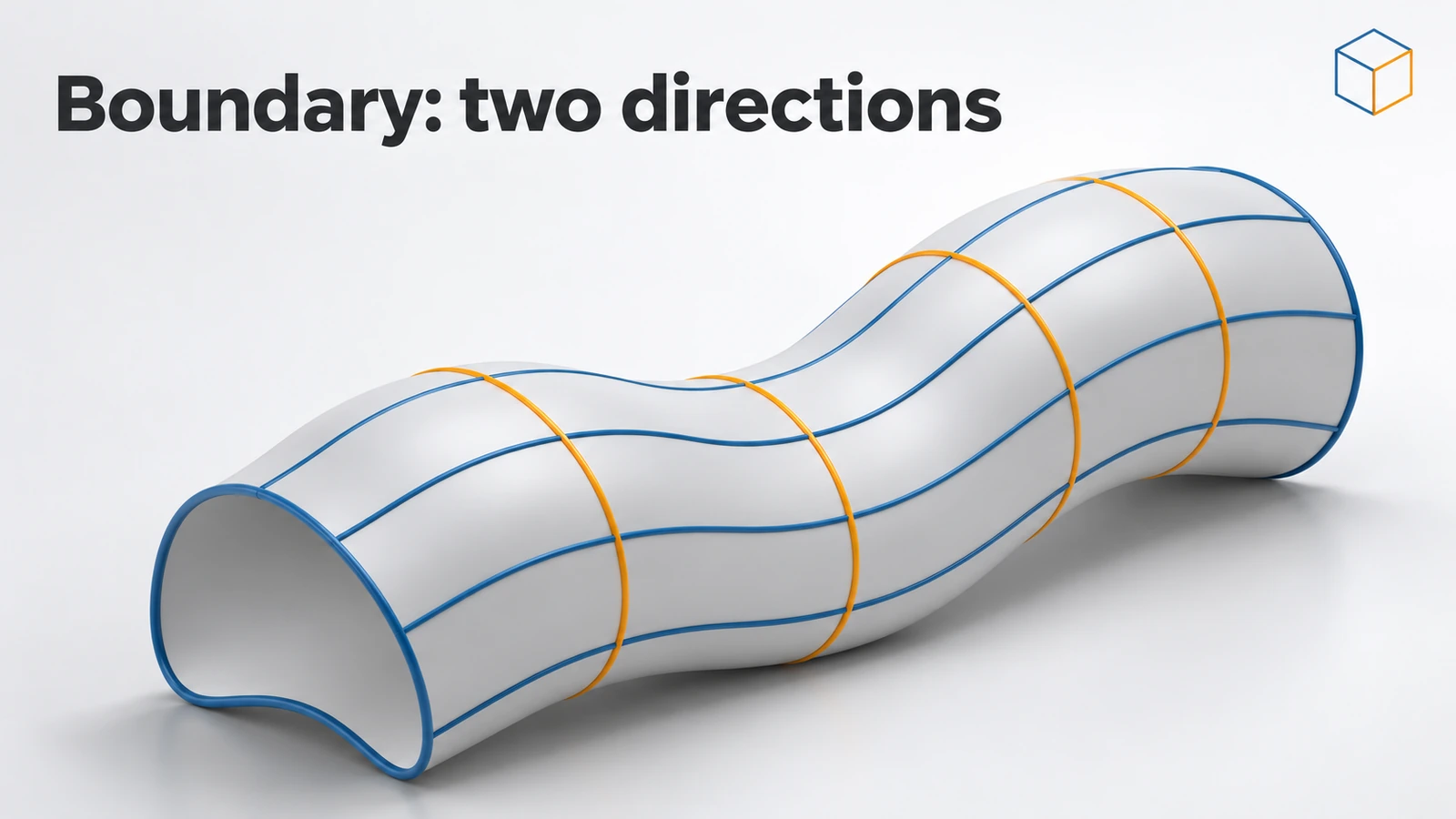
Boundary Boss/Base builds a solid from curves in two directions, like a net. It looks similar to Loft, but treats both directions equally: the curves you would use as guide curves in a loft become Direction 2. It follows the input curves more closely and can control tangency and curvature at every curve, not just the first and last, which is why designers prefer it for smooth consumer-product shapes.
 Kevin Walsh
Where to find it
Features tab → Boundary Boss/Base (Insert → Boss/Base → Boundary)
Loft vs Boundary
| Loft | Boundary | |
|---|---|---|
| Inputs | Profiles + optional guide curves | Curves in Direction 1 and Direction 2 |
| Directions | Profiles lead, guides follow | Both directions equal |
| Tangency / curvature control | At the first and last profiles | At every curve, in both directions |
| Follows input curves | Approximately | More closely |
| Best for | Simple transitions | Smooth freeform and consumer shapes |
From GoEngineer's comparison of the two features. Boundary also exists as a cut and as a surface feature — see Boundary Surface.
Step by step
-
1
Reuse the loft sketches
Use the same two sketches as in the Loft lesson: a 40 × 40 square on the Top Plane and a 20 × 20 square 50 mm above.
-
2
Create the boundary
Boundary Boss/Base → pick the two squares in Direction 1, near matching corners. With no Direction 2 curves and no tangency set, the result matches the loft.
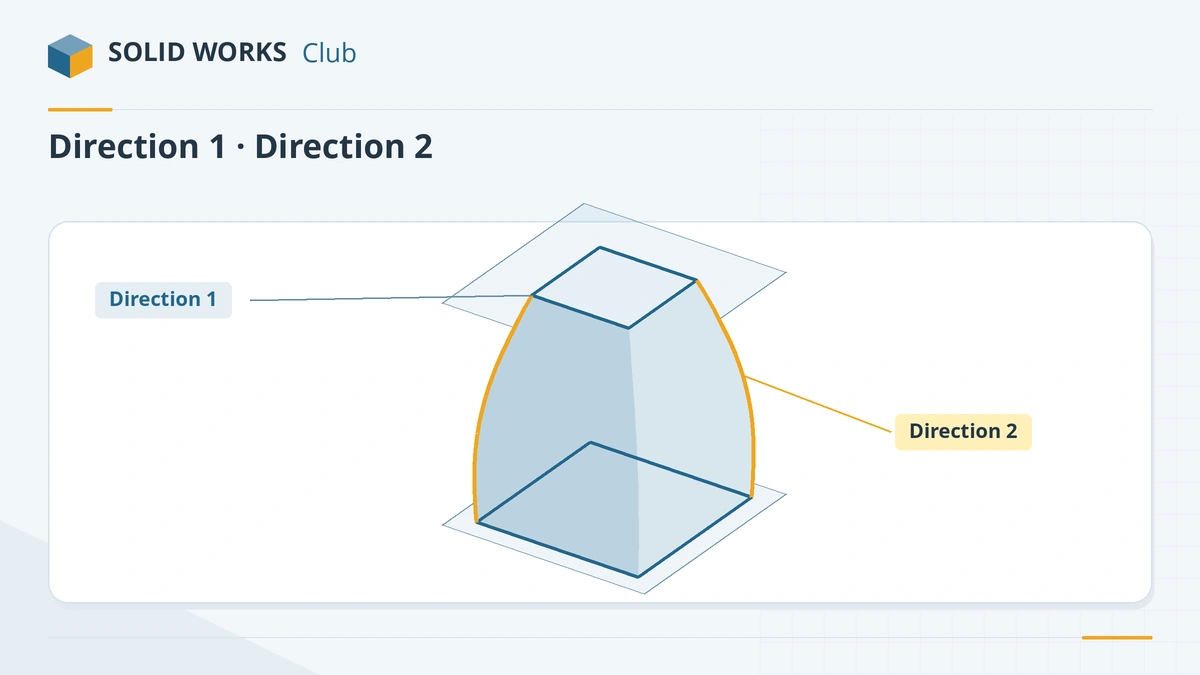
Direction 1 holds the profiles; Direction 2 holds the cross curves. -
3
Add Direction 2 curves
Sketch a curved line on the Front Plane from a corner of the bottom square to the matching corner of the top square, and another on the Right Plane. Add them in Direction 2. The sides now bulge along these curves.
-
4
Compare with Loft
Build the same shape as a loft with the curves as guide curves and compare the faces with Zebra Stripes (Evaluate tab). Boundary usually gives smoother transitions.
Common mistakes
- Curves in Direction 2 that do not touch every Direction 1 profile — the boundary fails.
- Expecting Boundary to be faster to set up for simple transitions; for two simple profiles Loft is enough.
- Mismatched connectors twisting the shape, as with lofts.
Lesson 16 of 18 in the features course.
Practice
Build the boundary between the two squares without Direction 2 curves. Check: volume 46,666.67 mm³, the same as the loft. Then add the two Direction 2 curves and see the volume change as the sides bulge.
Sources
- GoEngineer — Loft vs Boundary: key differences (Sep 2024)
- GoEngineer — SOLIDWORKS lofts FAQ
- Javelin — Getting to know the loft feature (May 2025)
Checked November 2026. SOLID WORKS Club is independent; menu names can differ slightly between releases.
Frequently asked questions
What is the difference between Loft and Boundary in SOLIDWORKS?
+
Loft uses profiles plus optional guide curves and controls tangency only at the ends. Boundary uses curves in two equal directions, follows them more closely and can control tangency or curvature at each curve.
When should I use Boundary instead of Loft?
+
For smooth freeform shapes where surface quality matters — handles, housings, consumer products — and when you need curvature continuity to neighbouring faces.
Does Boundary need closed profiles?
+
For a solid (Boundary Boss/Base) the Direction 1 profiles must form a closed shape. Boundary Surface also works with open curves.
Related
- SOLIDWORKS LoftHow to use Lofted Boss/Base in SOLIDWORKS: profiles on offset planes, profile order, guide curves, end tangency, and fixing twisted lofts.
- SOLIDWORKS SweepHow to use Swept Boss/Base and Swept Cut in SOLIDWORKS: profile and path rules, Pierce, circular profiles, orientation, twist and guide curves.
- SOLIDWORKS splines — free-form curvesHow to sketch splines in SOLIDWORKS: Spline vs Style Spline, spline handles, curvature combs, adding points, Fit Spline, equation driven curves and XYZ curves.
- SOLIDWORKS DomeHow to use the Dome feature in SOLIDWORKS: dome a face by a distance, elliptical and continuous domes, concave domes with Reverse, and constraint sketches.