Surfacing · Lesson 4
Boundary Surface
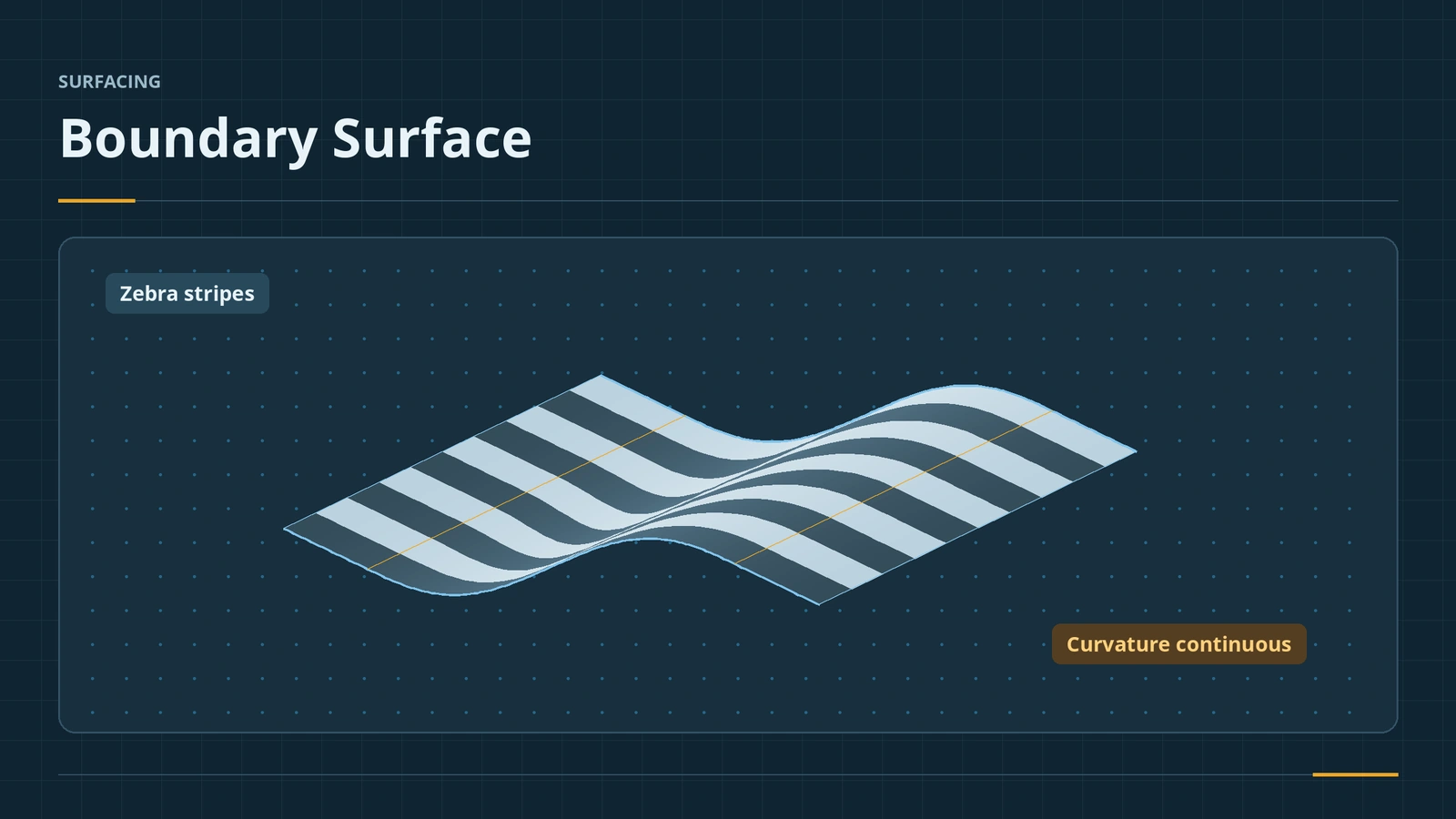
Boundary Surface builds a surface from curves in two directions and is the main tool for smooth, high-quality shapes. Unlike Loft, it can hold tangency or curvature to neighbouring faces on any curve, in both directions, and it follows the input curves closely. Use it to blend between faces with a smooth transition you can check with zebra stripes.
 Kevin Walsh
Where to find it
Surfaces tab → Boundary Surface
Boundary vs Loft
| Boundary | Loft | |
|---|---|---|
| Tangency control | Any curve, both directions | First and last profiles |
| Curvature to face | Both directions | Limited |
| Follows input curves | Closely | Smoother, less exact |
| Connectors | Both directions | One |
| Centerline / Add Loft Section | No | Yes |
Trim By Direction limits how much of each curve is used; Drag Sketch updates the preview while you edit a single-sketch input. The solid version is in Boundary.
Step by step
-
1
Make two surfaces to blend
Extrude two flat surfaces, 60 mm wide, with a 40 mm gap between their edges and one 20 mm higher than the other.
-
2
Direction 1 curves
Boundary Surface. In Direction 1 select the facing edges of the two surfaces.
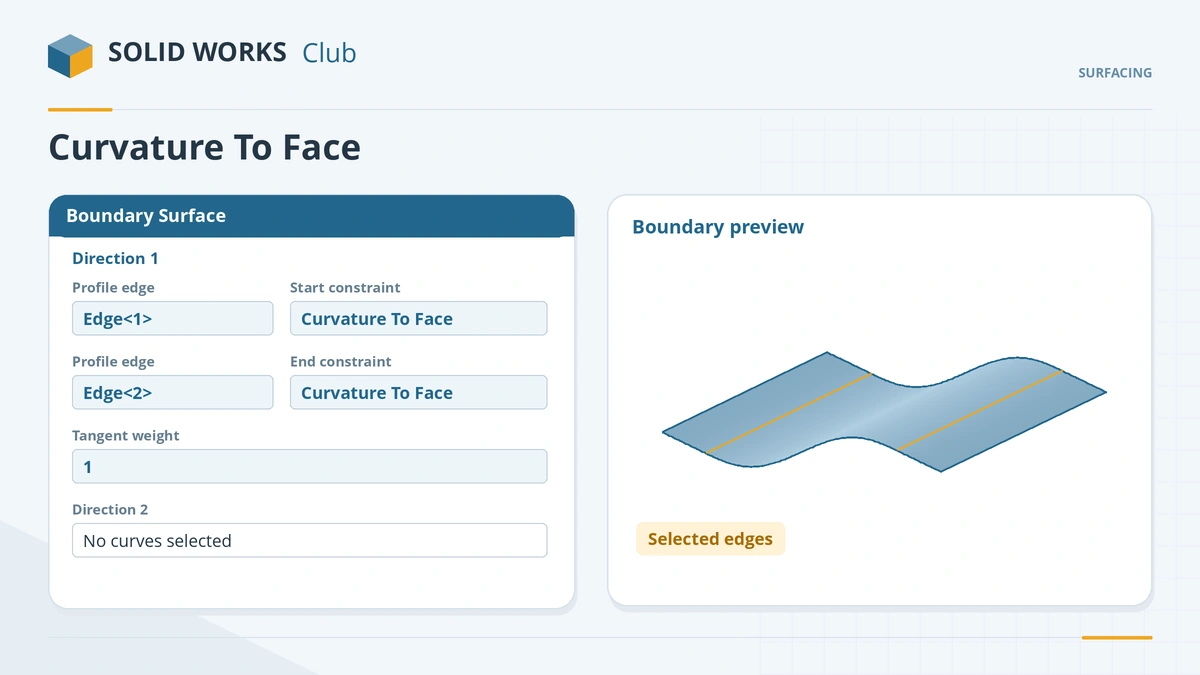
Pick the curves, then set tangency or curvature to the neighbouring faces. -
3
Set tangency
For both curves choose Curvature to Face (or Tangency to Face). Adjust the tangent weight if the blend bulges.
-
4
Check the result
Turn on Zebra Stripes: across both edges the stripes should flow smoothly with no kink.
Common mistakes
- Tangency set to None — the blend meets the faces with a crease.
- Curves picked at opposite ends — the preview twists; fix the connectors.
- Using Boundary where Loft's centerline or Add Loft Section is needed.
Lesson 4 of 7 in the surfacing course.
Practice
Blend the two offset surfaces with Curvature to Face on both edges. Check: zebra stripes run smoothly across both joins with no sharp kink; set the tangency to None and the stripes break at the edges.
Sources
- Engineers Rule — The Boundary Surface feature (Feb 2021)
- Engineers Rule — Loft vs Boundary: which to use when? (May 2020)
- GoEngineer — Loft vs Boundary: key differences (Sep 2024)
- GoEngineer — Surface continuity, part 2 (Nov 2018)
- Javelin — New methods of converting surface into solid (Dec 2015)
- Javelin — Using zebra stripes (May 2023)
- GoEngineer — Investigating continuity and curvature, part 3 (Nov 2018)
Checked November 2026. SOLID WORKS Club is independent; menu names can differ slightly between releases.
Frequently asked questions
What is the difference between Boundary and Loft?
+
Loft controls tangency only at the first and last profiles. Boundary allows tangency or curvature on any curve in both directions and follows the curves more closely.
How many curves does Boundary Surface need?
+
At least two: two in one direction, or one in each direction.
When was Boundary added?
+
Boundary solid and surface features came in SOLIDWORKS 2008.
Can Boundary Surface make a solid?
+
It has a Create Solid option for surfaces that enclose a volume.
Related
- SOLIDWORKS Boundary Boss/BaseHow Boundary Boss/Base works in SOLIDWORKS, how it differs from Loft (Direction 1 and 2 curves, tangency and curvature at every curve), and when to choose each.
- SOLIDWORKS LoftHow to use Lofted Boss/Base in SOLIDWORKS: profiles on offset planes, profile order, guide curves, end tangency, and fixing twisted lofts.
- Filled SurfacePatch holes with SOLIDWORKS Filled Surface: boundary edges, contact, tangent or curvature per edge, constraint curves, optimize, merge and create solid.
- Trim Surface — standard and mutualTrim SOLIDWORKS surfaces with Trim Surface: standard vs mutual trim, keep or remove selections, split all, natural vs linear, Untrim and Extend.