Surfacing · Lesson 6
Knit Surface and Create Solid
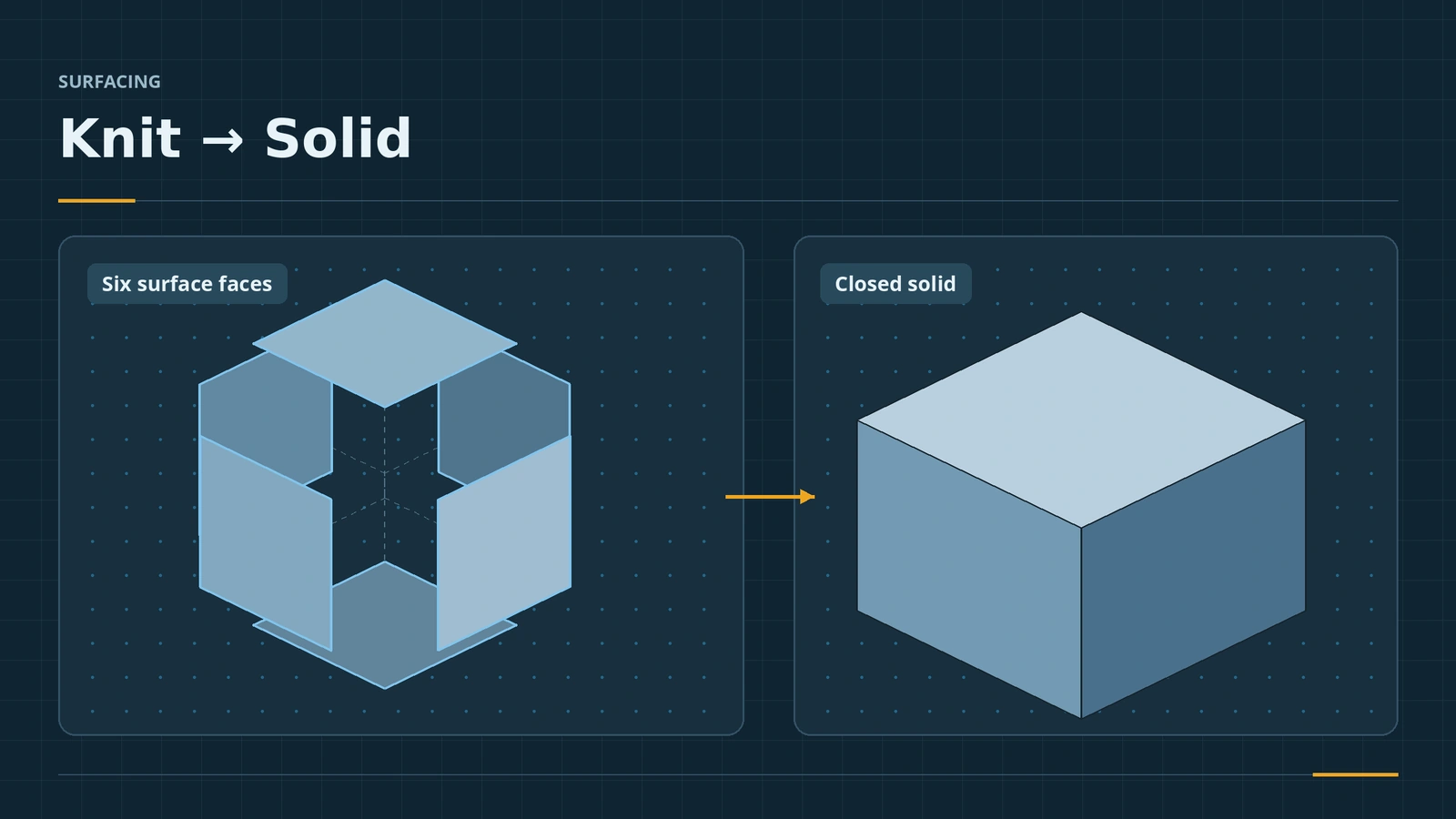
Surfaces that touch are still separate bodies until you knit them. Knit Surface joins adjacent surfaces into one body, and if they enclose a volume, Create Solid (formerly "Try to form solid") turns them into a solid with mass. When the option does not appear, there is a gap — and the Check tool will find it.
 Kevin Walsh
Where to find it
Surfaces tab → Knit Surface; Insert → Surface → Knit
Ways to get a solid from surfaces
| Tool | When |
|---|---|
| Knit Surface → Create solid | Several surfaces enclose a volume |
| Trim Surface (mutual) → Create solid | Trimming and closing in one step |
| Boundary / Filled Surface → Create solid | The last patch closes the volume |
| Thicken → Create solid from enclosed volume | One closed surface body |
| Thicken with a thickness | Open surface into a thin-walled solid |
The last two are covered in Thicken.
Step by step
-
1
Build six faces
Make the 50 × 40 × 30 box from surfaces: an Extruded Surface of the rectangle (four walls) and two Planar Surfaces for the top and bottom.
-
2
Knit
Knit Surface, select all three surface bodies.
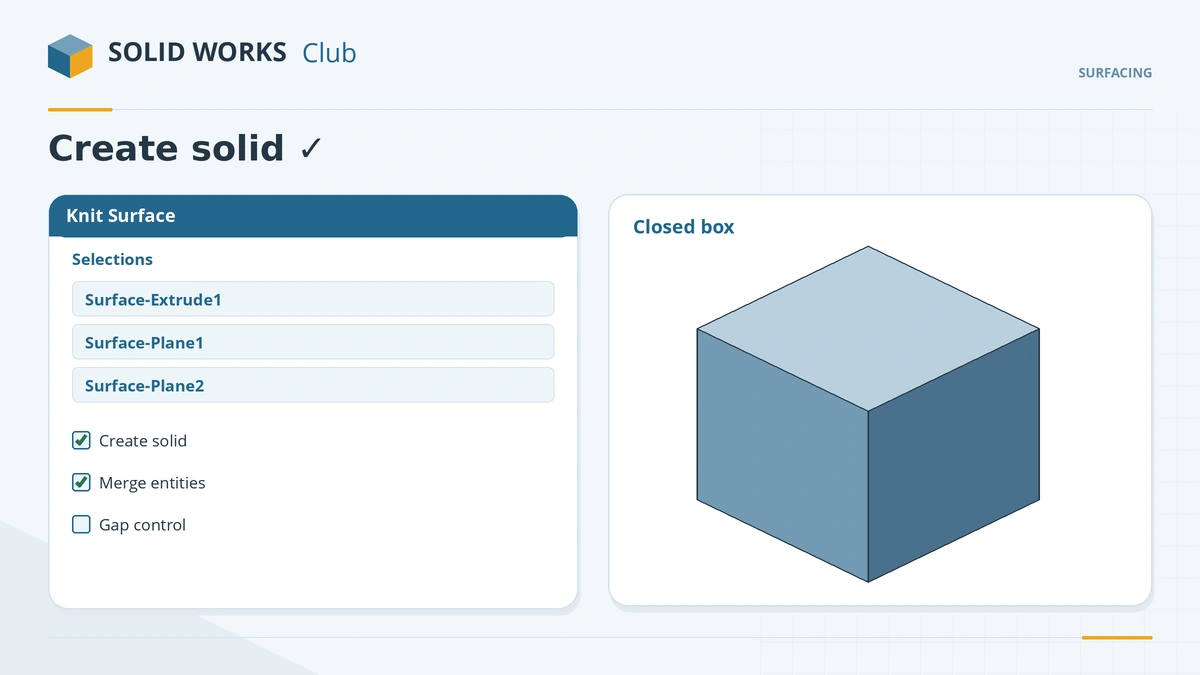
Create solid appears only when the surfaces close a volume. -
3
Create the solid
Tick Create solid — it only appears when the surfaces enclose a volume. Use gap control if tiny openings are reported. Click the tick.
-
4
Confirm
The Surface Bodies folder is empty and Solid Bodies has one body.
Common mistakes
- Create solid missing — there is a gap; run Evaluate → Check with Open surface(s).
- Knitting surfaces that only overlap — only surfaces with adjacent edges knit; trim them first.
- Knitting everything at the end — knit in stages so errors show early.
Lesson 6 of 7 in the surfacing course.
Practice
Knit the four walls and two caps of the 50 × 40 × 30 box with Create solid. Check: Mass Properties shows a volume of 60,000 mm³, and the Surface Bodies folder is empty.
Sources
- SOLIDWORKS Help 2024 — Using the seed faces option (Knit Surface)
- Solid Solutions — Convert surfaces to solid bodies (Aug 2023)
- GoEngineer — 3 surfacing tools to try (Dec 2018)
- GoEngineer — Check tool tutorial (Jul 2022)
- Javelin — New methods of converting surface into solid (Dec 2015)
- Javelin — Reverse engineering: surface modeling, part 1 (Jan 2023)
- GoEngineer — Insights of SOLIDWORKS surfacing: tips and tricks (Nov 2019)
Checked November 2026. SOLID WORKS Club is independent; menu names can differ slightly between releases.
Frequently asked questions
How do I turn surfaces into a solid in SOLIDWORKS?
+
Knit them with Knit Surface and tick Create solid. The surfaces must enclose a volume with no gaps.
Why is Create solid missing in Knit Surface?
+
The surfaces do not form a closed volume. Evaluate → Check with Open surface(s) shows where the gap is.
What are seed faces?
+
An option that knits a solid's faces to a radiated surface: the seed face and its adjacent faces are knitted.
Is "Try to form solid" the same as Create solid?
+
Yes. The option was renamed from Try to form solid to Create solid.
Related
- Thicken — from surface to solidThicken SOLIDWORKS surfaces into solids: side 1, side 2 or both, direction other than normal (2020+), create solid from enclosed volume, and why Thicken fails.
- Surfaces vs solids in SOLIDWORKSSurfaces vs solids in SOLIDWORKS: zero-thickness bodies, open edges, hybrid modelling, the Surfaces tab, continuity (contact, tangent, curvature), Check.
- Filled SurfacePatch holes with SOLIDWORKS Filled Surface: boundary edges, contact, tangent or curvature per edge, constraint curves, optimize, merge and create solid.
- SOLIDWORKS Mass PropertiesHow to use Mass Properties in SOLIDWORKS: mass, volume, centre of mass and inertia, units, coordinate systems, overrides, Measure and Section Properties.