Simulation · Lesson 6
Frequency studies
Every structure vibrates at natural frequencies. If a motor, fan or road excites it near one of them, it resonates. A frequency study finds those frequencies and their mode shapes so you can move them away from the forcing frequencies. No load is needed — only material, fixtures and a mesh.
 Kevin Walsh
Where to find it
Simulation tab → New Study → Frequency (Simulation Professional or Premium)
Reading the results
| Result | Meaning |
|---|---|
| Frequency list | Natural frequencies in Hz, lowest first |
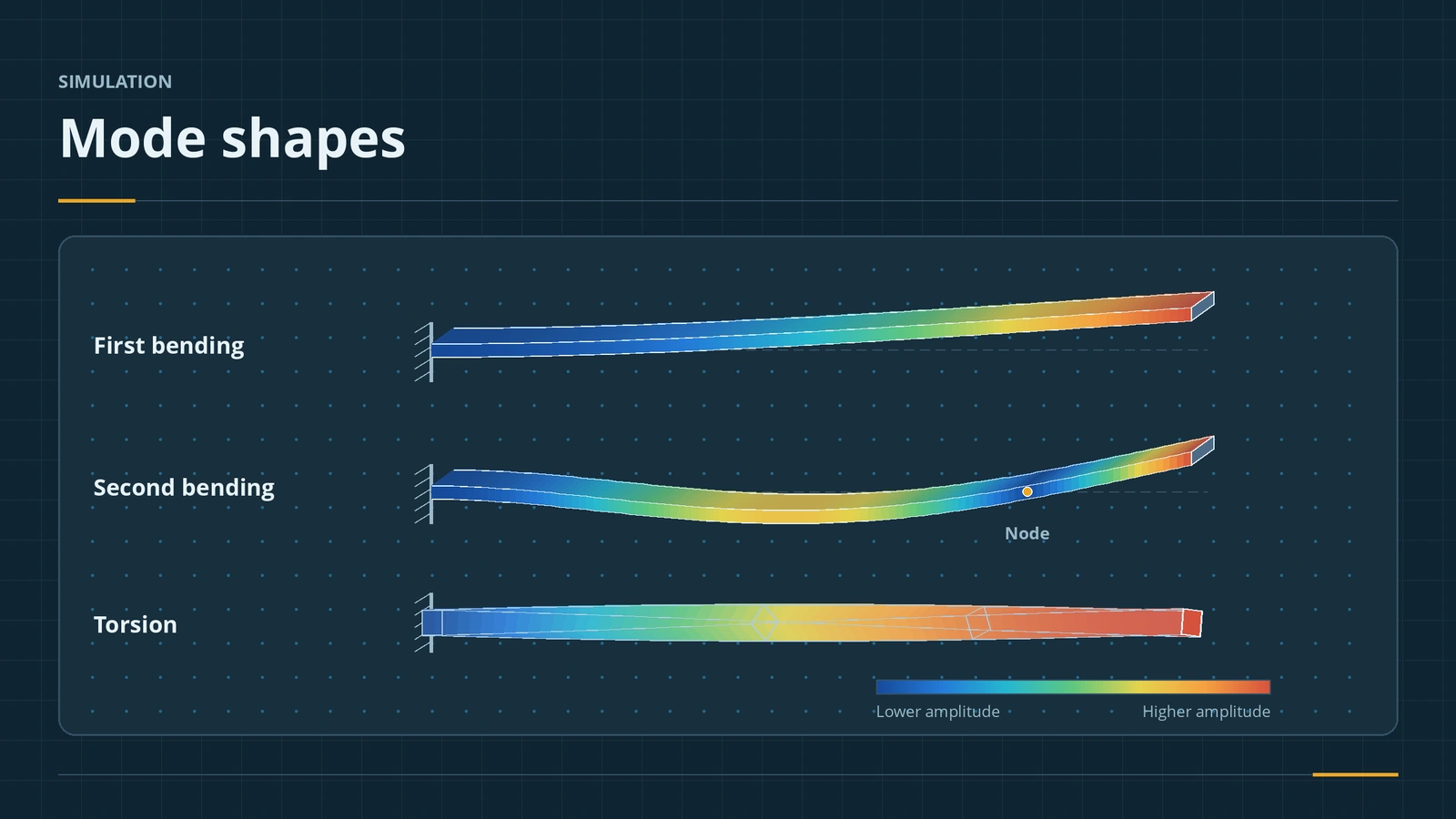
| Mode shapes | How the part moves in each mode (relative amplitudes) |
| Mass participation | Share of mass moving in each direction per mode |
| Frequency response graph (2015+) | Mode number, EMPF and cumulative EMPF |
Supports raise natural frequencies compared with a free part. Visual motion of mechanisms is covered in motion studies. This is the last lesson of the simulation course.
Step by step
-
1
New frequency study
On the beam, New Study → Frequency. Copy the fixture from the static study (Fixed Geometry at one end). No load is needed.
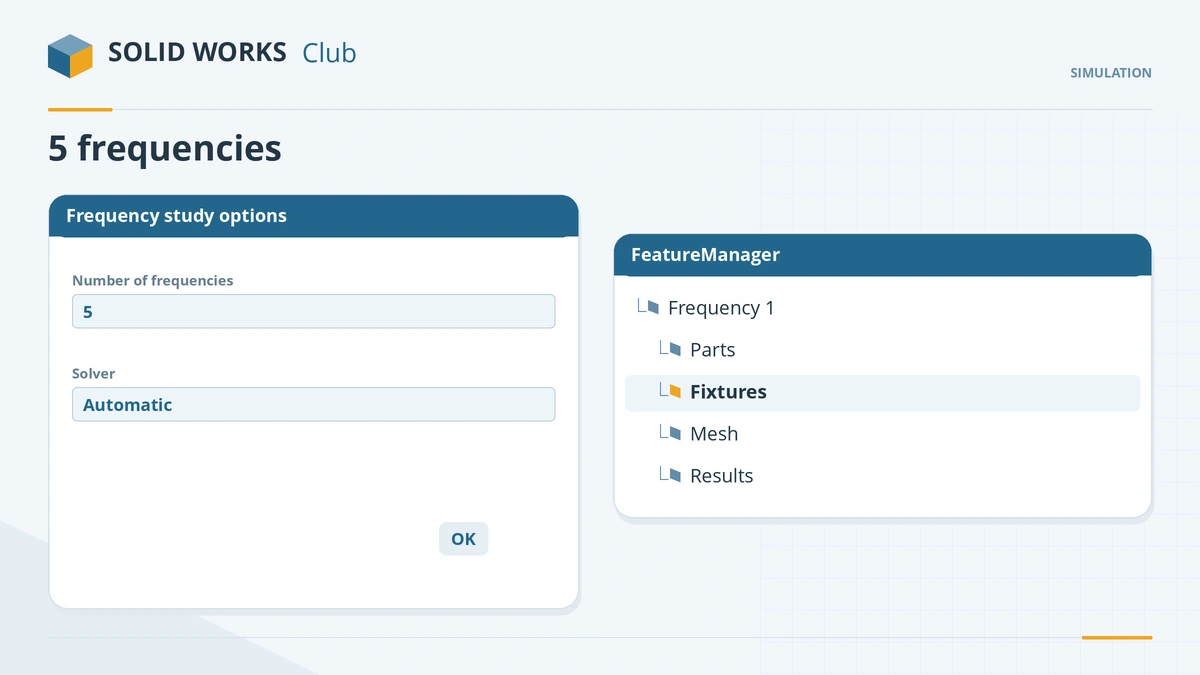
Five frequencies by default; no loads are needed. -
2
Number of frequencies
Study Properties → Number of frequencies: the default is 5.
-
3
Run and animate
Mesh and run. Open Mode Shape 1 and animate it — the first mode is the beam swinging in its weakest direction.
-
4
Mass participation
Check the mass participation results: include enough modes to reach about 80% cumulative participation in the direction of excitation.
Common mistakes
- A free part reporting six frequencies near 0 Hz — those are rigid-body modes; ask for 7 to see the first real one.
- Reading mode-shape displacements as real — they are relative only; real amplitudes need a dynamic study.
- Over-fine meshes — frequency studies need less refinement than stress studies.
Lesson 6 of 6 in the simulation course.
Practice
Run the fixed beam's frequency study. Check: the first mode bends the beam about its 10 mm side at about 211 Hz for E = 210 GPa and ρ = 7,700 kg/m³ — f₁ = (1.875² / 2π) · √(EI / ρAL⁴); recalculate with your material's E and density.
Sources
- CATI — Frequency analysis support issue (Apr 2011)
- GoEngineer — Natural frequencies, mode shapes and vibration (Dec 2021)
- Javelin — Setting up a frequency analysis (May 2023)
- CATI — Mass participation factor results (Nov 2019)
- SOLIDWORKS Blog — Mass participation factor (May 2009)
- CATI — Natural frequency analysis (Jul 2015)
- CATI — Making sense of Simulation meshing, part 1 (May 2017)
- Javelin — Which SOLIDWORKS Simulation package is best for me? (Jul 2019)
Checked November 2026. SOLID WORKS Club is independent; menu names can differ slightly between releases.
Frequently asked questions
How many frequencies does SOLIDWORKS calculate?
+
Five by default; change it in the study's Properties.
Do I need loads in a frequency study?
+
No. Loads are optional; they can shift frequencies slightly.
Why do I get frequencies of 0 Hz?
+
An unsupported part has six rigid-body modes at about 0 Hz. Add fixtures or request more frequencies.
Which licence includes frequency analysis?
+
SOLIDWORKS Simulation Professional or Premium.
Related
- Your first static studyRun your first SOLIDWORKS static study: add-in, material, fixtures, loads, contacts, mesh and run, then check the deflection against beam theory.
- Thermal studiesRun a SOLIDWORKS Simulation thermal study: steady state vs transient, temperature, heat power, convection and radiation, thermal resistance, and thermal stress.
- Meshing in SOLIDWORKS SimulationSOLIDWORKS Simulation meshing: blended curvature-based mesher, density slider, mesh controls, draft vs high quality elements, aspect ratio, convergence.
- Motion studies in SOLIDWORKSSOLIDWORKS motion studies: Animation vs Basic Motion vs Motion Analysis, the MotionManager timeline, key points, motors, springs, contact and plots.