Drawings · Lesson 13
Sheet formats, sizes and scale
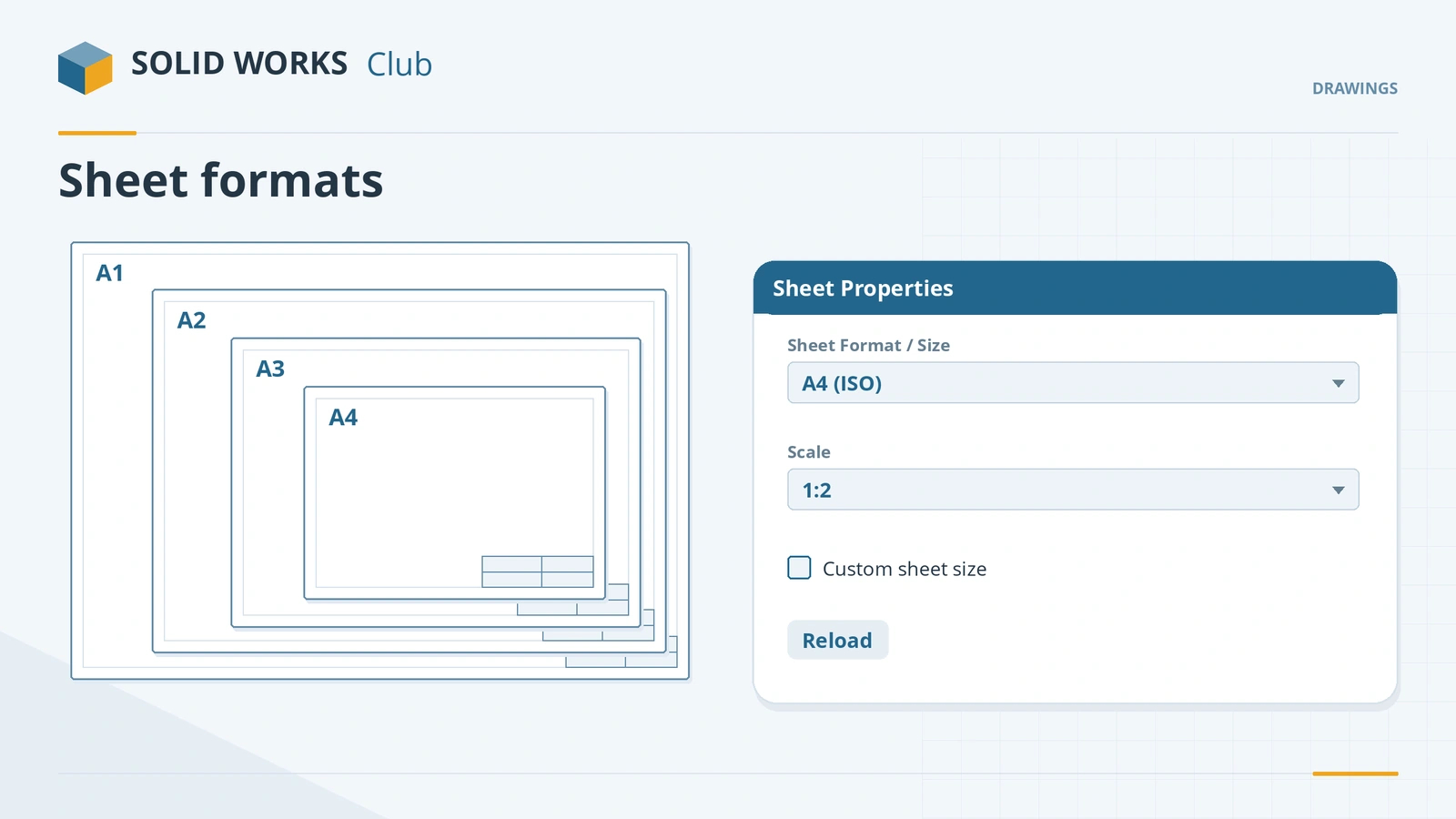
Each drawing sheet has its own properties: size and sheet format, scale, and projection type. Sheet formats are .slddrt files kept in a folder that File Locations points to. Change the size or swap the title block at any time from Sheet Properties, add sheets for more views, and print at true 1:1 when a drawing must be measured from paper.
 Kevin Walsh
Where to find it
Right-click the sheet → Properties; status bar → scale
Sheet settings
| Setting | Where |
|---|---|
| Size and format | Sheet Properties → Sheet Format/Size (standard or custom) |
| Scale | Sheet Properties or status bar; custom scales can be saved since 2020 |
| Projection | Sheet Properties; stored in the template |
| Format folder | System Options → File Locations → Sheet Formats |
| Different format for later sheets | Document Properties → Drawing Sheets |
| Reload a changed format | Sheet Properties → Reload |
Since 2025 Reload drawing reverts a drawing to its last save in one click. Ready to send the drawing? See export to PDF, DXF and DWG.
Step by step
-
1
Open Sheet Properties
On the plate drawing, right-click the sheet (or its tab) → Properties.
-
2
Change size and format
Under Sheet Format/Size choose another standard size, for example A4 (ISO). Or tick Custom sheet size and enter width and height — the border may then need fixing.
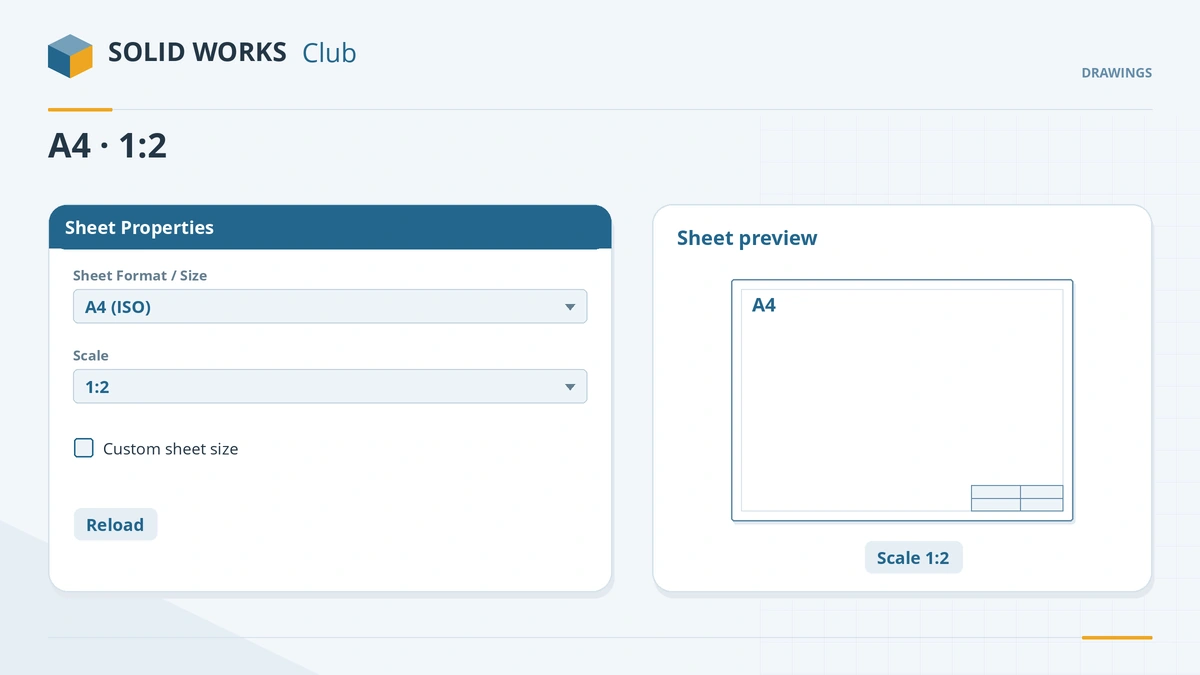
Size, format and scale are set per sheet in Sheet Properties. -
3
Set the sheet scale
Set the scale here or from the status bar. Views on Use sheet scale resize; views with a custom scale keep theirs.
-
4
Add a second sheet
Add a sheet with the tab at the bottom of the drawing. To use a different format for sheet 2 onwards, set Document Properties → Drawing Sheets → Use different sheet format.
Common mistakes
- A sheet format that cannot be found — browse to the .slddrt in Sheet Properties and reload it, and point File Locations → Sheet Formats to your folder.
- Printing at "fit to page" when the drawing must be to scale. Use a sheet size equal to the paper, Page Setup scale 100% and zero margins, and check with a ruler.
- Custom sheet sizes without adjusting the border.
Lesson 13 of 14 in the drawings course.
Practice
Change the plate drawing from A3 to A4 and set the sheet scale to 1:2. Check: the views shrink to half size, but the dimensions still read 100, 60 and 20.
Sources
- Hawk Ridge — How to change sheet scale (Jul 2024)
- CATI — Custom sheet size
- GoEngineer — Sheet format FAQ
- GoEngineer — Drawing templates vs sheet formats
- GoEngineer — Apply a new sheet format to future drawings
- Javelin — SOLIDWORKS drawing scale (2017)
- CATI — Custom drawing scales (2020)
- SOLIDWORKS Help 2024 — Sheet Format/Size dialog
- Solid Solutions — Technical drawings in SOLIDWORKS 2025
Checked November 2026. SOLID WORKS Club is independent; menu names can differ slightly between releases.
Frequently asked questions
How do I change the sheet size in SOLIDWORKS?
+
Right-click the sheet → Properties → Sheet Format/Size, choose a standard size or a custom size, and apply.
Where are SOLIDWORKS sheet formats stored?
+
By default in C:\ProgramData\SOLIDWORKS\SOLIDWORKS 20xx\lang\english\sheetformat. Point System Options → File Locations → Sheet Formats to your own folder.
How do I change the drawing scale?
+
Use the scale menu in the status bar or Sheet Properties. Views set to Use sheet scale follow; views with a custom scale do not.
How do I use an AutoCAD title block?
+
Copy the DWG entities, paste them in Edit Sheet Format mode, and save as a sheet format (.slddrt).
Related
- Title blocks and drawing templatesEdit the SOLIDWORKS title block in Edit Sheet Format, link notes to properties, set Title Block Fields and save a drawing template (.drwdot).
- Export drawings to PDF, DXF and DWGExport SOLIDWORKS drawings to PDF, DXF and DWG: Save As PDF vs printing, high-quality lines, DXF/DWG options, true 1:1 scale and flat patterns.
- SOLIDWORKS drawing basicsSOLIDWORKS drawing basics: make a drawing from a part, pick the template and sheet, place views from the View Palette, set scale, projection, Detailing mode.
- SOLIDWORKS default file locationsDefault SOLIDWORKS folders for templates, sheet formats, the Design Library, BOM templates, profiles and materials, and how to point to shared folders.