Requirements & Hardware
Budget laptops for SOLIDWORKS
On a budget, buy an entry certified workstation such as the Lenovo ThinkPad P16s Gen 4, HP ZBook 8 G1i or Dell Pro Precision 5 16 with an RTX PRO 500 or 1000, or a refurbished previous-generation model that is still on the certification list, such as a ThinkPad P16 Gen 1 or 2. Save on screen and storage size — never on RAM below 16 GB or on Windows Home.
 Kevin Walsh
Where to save — and where not to
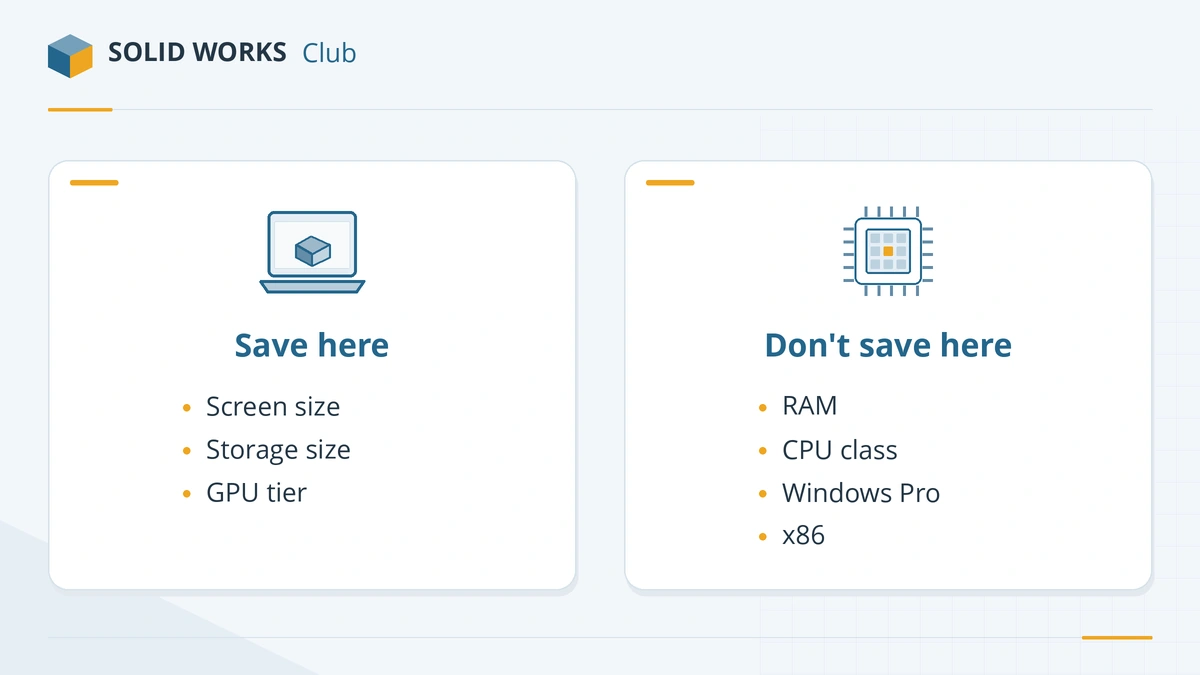
| Save on | Do not save on |
|---|---|
| Screen size and resolution (use an external monitor at your desk) | Memory: 16 GB is the official minimum, 32 GB the recommendation |
| Storage size (512 GB is workable; add an external SSD for archives) | Windows edition: Home is not supported |
| GPU tier (RTX PRO 500 or a certified integrated GPU is fine for learning) | Processor architecture: Intel or AMD only, not ARM |
| Brand-new model (previous generation is fine) | An SSD instead of a hard disk |
New entry-level certified laptops
| Laptop | Processor | Graphics | Memory |
|---|---|---|---|
| Lenovo ThinkPad P16s Gen 4 | Core Ultra 5 225H – 9 285H (also AMD version) | RTX PRO 500 (6 GB) / RTX PRO 1000 (8 GB) | up to 96 GB |
| HP ZBook 8 G1i 16 | Core Ultra 5 225U – 9 285H | Intel Arc or NVIDIA RTX 500 | up to 64 GB |
| Dell Pro Precision 5 16 | Core Ultra 5 336H – 9 386H | Integrated, RTX PRO 500 (6 GB), 1000 or 2000 (8 GB) | up to 64 GB LPCAMM2 |
All are on the SOLIDWORKS certification list for 2026 (checked 2026-11-06). The cheapest configurations usually come with integrated graphics and 16 GB; if you can, add an RTX PRO 500 or 1000 and 32 GB at purchase. Integrated GPUs that are certified include AMD Radeon 780M, AMD Radeon 890M, AMD Radeon 8040S / 8050S / 8060S, Intel Arc 130T / 140T, Intel Arc Pro B390.
Refurbished previous-generation workstations
Business workstations come off three-year leases in large numbers and sell refurbished at a fraction of the new price. Several are still on the SOLIDWORKS certification list:
- Lenovo ThinkPad P16 Gen 1 / Gen 2
- Lenovo ThinkPad P1 Gen 5 – Gen 7
- HP ZBook Studio G11 / Firefly G11 / Power G11 A
- Lenovo ThinkPad P16v Gen 3
When buying refurbished:
- Confirm it has an x86 processor that supports Windows 11 (8th-generation Intel Core or newer, or AMD Ryzen 2000 or newer, with TPM 2.0).
- Prefer models with SODIMM slots so you can add RAM yourself.
- Ask for the battery health report and a warranty of at least six months.
- Reinstall Windows 11 Pro and the certified graphics driver.
A gaming laptop instead?
For the same money, a gaming laptop often has a faster processor and GPU. It is not certified, may trigger graphics warnings and usually ships with Windows 11 Home — see the trade-offs in laptops for students. If you go this way, buy one with 32 GB of RAM and upgrade to Windows 11 Pro.
Check before you pay
Run any shortlisted laptop through the PC checker. If your budget stretches further, our best laptops for SOLIDWORKS covers the middle and top tiers.
Frequently asked questions
What is the cheapest laptop that can run SOLIDWORKS?
+
Any Windows 11 Pro laptop with an Intel or AMD processor and 16 GB of RAM will run it for learning. For a certified setup at low cost, look at entry workstations with certified integrated graphics or an RTX PRO 500, or at refurbished previous-generation workstations that remain on the certification list.
Is a refurbished workstation a good idea for SOLIDWORKS?
+
Often, yes. Business workstations are built to last, and older models such as the ThinkPad P16 Gen 1–2 and P1 Gen 5–7 are still on the SOLIDWORKS certification list. Check the battery, add RAM if it has slots, and make sure it can run Windows 11.
Can SOLIDWORKS run on 8 GB of RAM?
+
Not within the requirements — 16 GB is the minimum. Avoid laptops with 8 GB of soldered memory entirely.
Related
- Best laptops for students using SOLIDWORKSWhat laptop an engineering student needs for SOLIDWORKS in 2026 — certified models, minimum specs, gaming laptops, MacBooks and Windows 11 Home.
- Best laptops for SOLIDWORKS in 2026The best laptops for SOLIDWORKS in 2026 — certified Dell, HP and Lenovo mobile workstations by tier, with CPU, RTX PRO GPU and RAM options, and what to avoid.
- How much RAM does SOLIDWORKS need?SOLIDWORKS needs 16 GB of RAM minimum and 32 GB is recommended. How to size memory for your largest assembly, when 64 or 128 GB pays off, and ECC.
- Can my PC run SOLIDWORKS?Check your computer against the official SOLIDWORKS 2025–2027 requirements in seconds — Windows edition, CPU, RAM, GPU and drive — with a fix for each item.