Errors & Fixes
SOLIDWORKS activation errors — how to fix them
A standalone SOLIDWORKS license is activated on one computer at a time. Most activation errors happen because the license is still active on an old or reinstalled PC, or because the activation request cannot reach the SOLIDWORKS activation server through a firewall or proxy. Deactivate before you change hardware, and if the internet route is blocked, activate by email instead.
 Kevin Walsh

Applies to: Standalone and SolidNetWork licenses of SOLIDWORKS 2022–2027.
Most likely causes
- License still active on the old PC (new PC, reinstall, Windows reset) (most common)
- Hardware changed or disk reformatted before deactivating (common)
- Firewall or proxy blocks the activation server (company networks)
- Licensing services stopped or set to manual (occasional)
- Damaged local license data after switching license type (occasional)
Common activation messages
| Message | Meaning | Fix |
|---|---|---|
| Activation count exceeded | Already active on another PC | Fix 1 or 2 |
| Deactivating older version | A newer version is still active | Deactivate the newest version first |
| The computer has been disabled | Blocked on the SOLIDWORKS side | Contact your reseller |
| Unable to reach the license activation web site | Request blocked or no connection | Fixes 3–4 |
| Activation Wizard initialization issue | Licensing services not running | Fix 5 |
| Empty response received from the activation server | Damaged local license data | Fix 6 |
Messages as published by SOLIDWORKS and resellers; wording can vary slightly between releases.
Do it in this order when you change PCs
- Deactivate on the old PC.
- Uninstall, reformat or hand it over.
- Install and activate on the new PC.
Doing step 2 before step 1 is the most common reason people end up calling their reseller. If you are installing for the first time, see installation errors; for a trial, see the free trial guide.
The normal activation steps are in how to activate SOLIDWORKS.
Fixes, in order
1. Deactivate on the old computer
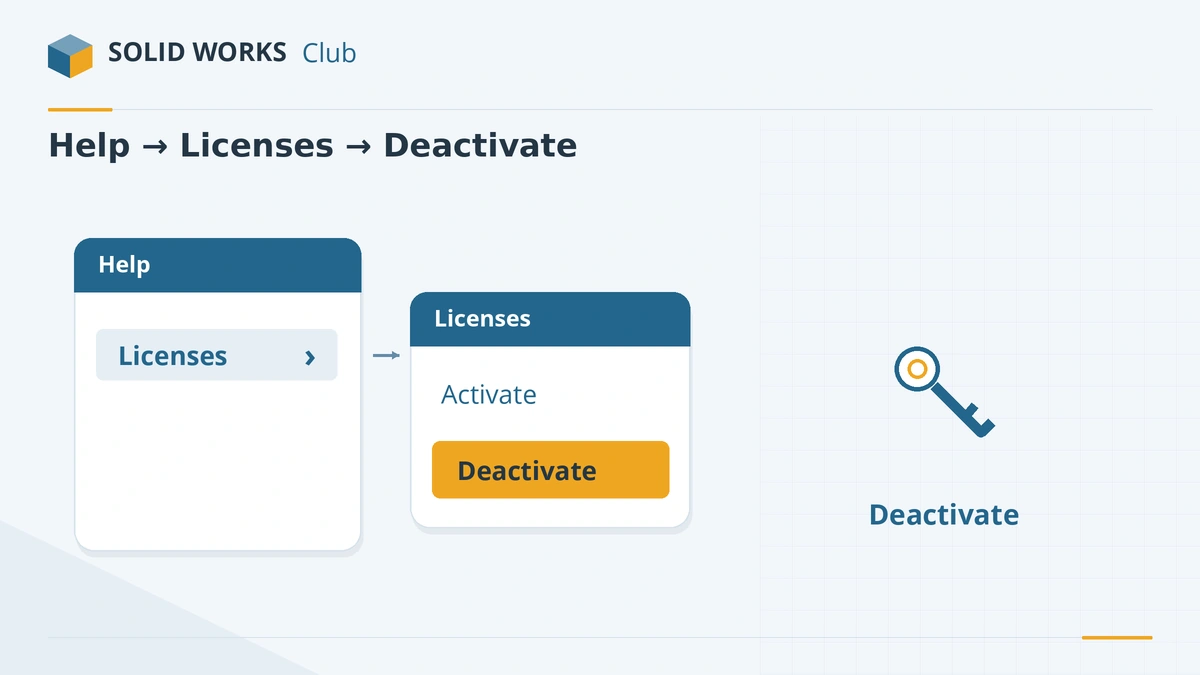
On the PC that still has the license: Help → Licenses → Deactivate (in newer releases also under the ? menu at the top right). Select the products, choose Automatically over the internet and finish. Then activate on the new PC with Help → Licenses → Activate.
2. If the old computer is dead or wiped
You cannot deactivate a PC that no longer exists. Contact your reseller with your serial number; they can request the activation to be released. This is the reason Activation count exceeded appears after a crashed disk or a Windows reset.
3. Activate by email when the internet route is blocked
In the activation wizard choose Manually via email, save the request file, send it to
[email protected]and open the response file you receive. This works when a firewall or proxy blocks automatic activation.4. Test the connection to the activation server
Unable to reach the license activation web site means the request did not get through: no internet, a proxy or firewall blocking it, or maintenance on the SOLIDWORKS side. Ask IT to check the proxy, or use email activation.
5. Check the licensing services
An Activation Wizard initialization error points to stopped services. Open services.msc and make sure the FlexNet Licensing Service and SolidWorks Licensing Service are running and set to start automatically.
6. Clear damaged license data
Empty response received from the activation server often follows a switch from a trial or standalone license to a network license. Hawk Ridge's fix is to close SOLIDWORKS, rename the FlexNet folder in
C:\ProgramData, and activate again. Ask your reseller before doing it on a PC with other FlexNet-licensed software.7. Network licenses
For a SolidNetWork license, activation happens once, on the server: SolidNetWork License Manager Server → Modify → Activate/Reactivate. Moving the server to new hardware uses Move your product license(s) to a new/upgraded computer. Client errors are covered in license errors.
Sources
- SOLIDWORKS Tech Blog — Activation error messages (standalone)
- SOLIDWORKS Tech Blog — Activation error messages (SNL)
- SOLIDWORKS SolidPractices — Licensing information and troubleshooting (Jun 2025)
- GoEngineer — SOLIDWORKS activation count exceeded
- GoEngineer — How to deactivate SOLIDWORKS (Feb 2025)
- GoEngineer — Manual activation of standalone and network licenses (Jan 2024)
- Hawk Ridge — SolidNetWork and activation errors
- Javelin — Annual SOLIDWORKS license reactivation
- CAD Software Direct — Activation server unavailable
Checked November 2026. SOLID WORKS Club is independent; menu names can differ slightly between releases.
Frequently asked questions
How do I move SOLIDWORKS to a new computer?
+
Deactivate the license on the old computer (Help → Licenses → Deactivate), install SOLIDWORKS on the new one and activate it with the same serial number.
What does "activation count exceeded" mean?
+
The serial number is already activated on as many computers as it allows — usually because it was activated on a new or reinstalled PC without deactivating the old one first. Deactivate the old PC or ask your reseller to release it.
Can I activate SOLIDWORKS without internet?
+
Yes. Choose the manual email option in the activation wizard, save the request file, send it from any connected device to [email protected] and load the response file.
Do I have to reactivate SOLIDWORKS every year?
+
Yes, from SOLIDWORKS 2022 licenses must be reactivated within 30 days of the anniversary of the last activation. SOLIDWORKS prompts you when it is due.
Related
- SOLIDWORKS license errors — could not obtain a licenseFix "Could not obtain a license for SOLIDWORKS" and license server errors: SNL version rules, ports 25734 and 25735, services and yearly reactivation.
- SOLIDWORKS installation errors and how to fix themFix SOLIDWORKS Installation Manager errors: pending reboot, cannot connect, additional files needed, 1722 and 1603, and where to find the install logs.
- SOLIDWORKS problems on Windows 11 and how to fix themSOLIDWORKS problems on Windows 11: unsupported versions and editions, blurry scaling, drivers replaced by Windows Update, blocked saves and licenses.
- How to get a SOLIDWORKS free trialGet a free SOLIDWORKS trial in 2026 — a 7-day browser trial of Premium with no install, or a desktop trial of up to 30 days from a reseller. Steps and limits.