Getting Started
How to activate SOLIDWORKS
Activation links your serial number to one computer. SOLIDWORKS opens the activation wizard the first time you start it; choose automatic activation over the internet and it takes a minute. You have 30 days to complete it. Since SOLIDWORKS 2022, licenses also have to be reactivated once a year. Network (SolidNetWork) licenses are activated once on the license server, and 3DEXPERIENCE licenses need no activation at all.
 Kevin Walsh

Where to find it
Help (?) → Licenses → Activate
Activation by license type
| License | How it is activated | Moving to another PC |
|---|---|---|
| Standalone (commercial or student) | Activation wizard on the PC | Deactivate, then activate on the new PC |
| SolidNetWork (network) | Once on the license server; clients just connect | Move the licenses in SolidNetWork License Manager |
| 3DEXPERIENCE SOLIDWORKS / Makers | No activation — role on your 3DEXPERIENCE ID | Sign in on the new PC |
Activation checks that the serial number is genuine and that it is not used on more computers than the license allows.
When it fails
The common messages — activation count exceeded, unable to reach the activation web site, empty responses — and their fixes are on activation errors. For network licenses see license errors. Before you wipe or sell a computer, deactivate it, or uninstall SOLIDWORKS, which offers to deactivate for you.
Step by step
-
1
Start SOLIDWORKS
On the first start after installing, the SOLIDWORKS Product Activation wizard opens. If you closed it, open it again from Help (the ? menu) → Licenses → Activate.
-
2
Select the products
Tick all products listed (SOLIDWORKS and any add-ins such as Simulation). Activate them together.
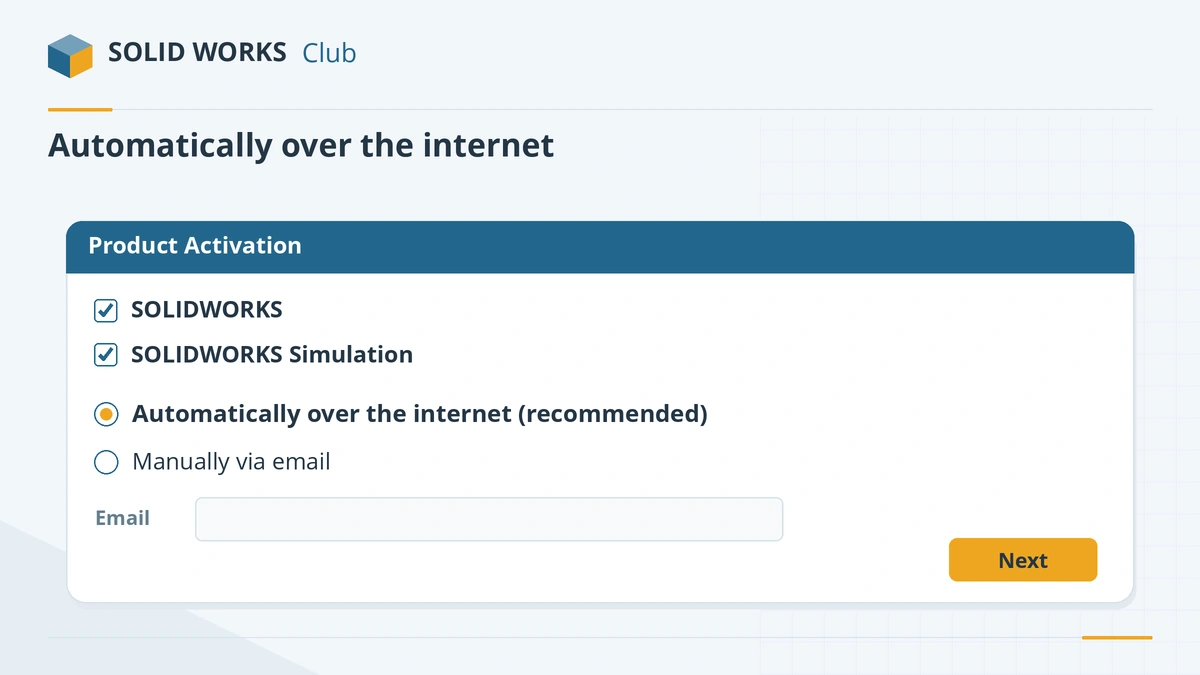
Select all products and activate them automatically over the internet. -
3
Choose automatic activation
Select Automatically over the internet (recommended), enter your email address and click Next. After a few seconds the wizard reports each product as activated.
-
4
No internet? Activate by email
Choose Manually via email, save the request file, send it to
[email protected]from any device, then open the wizard again and load the response file you receive. -
5
Note your reactivation date
SOLIDWORKS warns at start-up when licenses are about to expire. Run Help → Licenses → Activate again within 30 days of the anniversary of your last activation. According to Hawk Ridge, term licenses are not affected by the yearly reactivation.
Common mistakes
- Activating on a new PC before deactivating the old one — you get *activation count exceeded*.
- Reinstalling Windows or replacing the disk without deactivating first.
- Running activation behind a proxy that blocks it. Use the email method.
Sources
- Hawk Ridge — Activate a SOLIDWORKS product in 5 steps
- Hawk Ridge — How to install SOLIDWORKS
- GoEngineer — Manual activation of standalone and network licenses (Jan 2024)
- Hawk Ridge — Yearly activation required starting with SOLIDWORKS 2022
- Javelin — Why are my SOLIDWORKS licenses expiring? (Jun 2023)
- GoEngineer — SOLIDWORKS yearly reactivation date
- GoEngineer — How to deactivate SOLIDWORKS (Feb 2025)
- SOLIDWORKS 2026 Installation Guide (PDF, German edition)
- SOLIDWORKS Student Edition installation guide (PDF)
Checked November 2026. SOLID WORKS Club is independent; menu names can differ slightly between releases.
Frequently asked questions
How long do I have to activate SOLIDWORKS?
+
30 days from installation. After that SOLIDWORKS will not start until you activate.
Do I need to activate SOLIDWORKS every year?
+
Yes, from SOLIDWORKS 2022 standalone and SolidNetWork licenses must be reactivated once a year, within 30 days of the anniversary of the last activation. SOLIDWORKS reminds you at start-up.
How do I move SOLIDWORKS to another computer?
+
On the old computer choose Help → Licenses → Deactivate, then install and activate on the new computer with the same serial number.
Does 3DEXPERIENCE SOLIDWORKS need activation?
+
No. Its license is a role on your 3DEXPERIENCE ID. Sign in to the platform and the license is checked automatically.
Related
- How to install SOLIDWORKS step by stepInstall SOLIDWORKS step by step — download SolidWorksSetup.exe, run the Installation Manager, enter your serial, choose products and folders, then activate.
- SOLIDWORKS activation errors — how to fix themFix SOLIDWORKS activation errors: activation count exceeded, server unreachable or empty response. How to deactivate, transfer and activate by email.
- SOLIDWORKS license errors — could not obtain a licenseFix "Could not obtain a license for SOLIDWORKS" and license server errors: SNL version rules, ports 25734 and 25735, services and yearly reactivation.
- How to uninstall SOLIDWORKS completelyUninstall SOLIDWORKS the right way — deactivate first, back up settings and Toolbox, then use the Installation Manager's advanced options for a clean uninstall.