Versions & What's New
SOLIDWORKS 2027 release date and status
As of November 6, 2026, SOLIDWORKS 2027 is available only as a pre-release: PR1 was published for subscription customers on August 10, 2026. Resellers expect the first production release, SP0, in November 2026. Until then, SOLIDWORKS 2026 is the current version for production work.
 Kevin Walsh

- Version
- SOLIDWORKS 2027 (rev. 35)
- Released
- PR1 Aug 10, 2026 · SP0 expected Nov 2026
- Supported OS
- Windows 11 64-bit
- Status
- Pre-release
Highlights
- Preview (beta) programme ran from July 15 to mid-August 2026 for subscription customers and partners.
- PR1 was published on August 10, 2026 on the customer download site.
- The production release (SP0) is expected in November 2026 — not yet announced on the official bulletin page.
- Headline features: AI that turns prompts, images and old drawings into geometry, plus five AI 'pillars' — see what's new in 2027.
- Windows 11 only; Windows 10 support ended with 2025 SP5.
Where SOLIDWORKS 2027 stands today
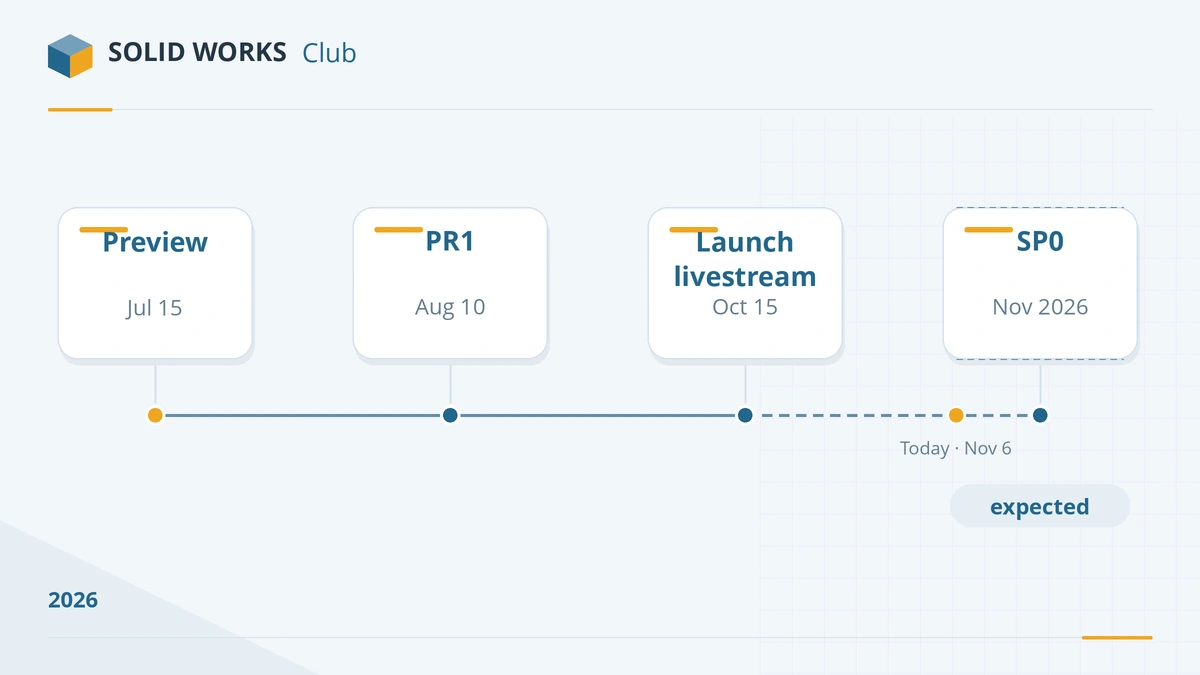
| Milestone | Date | Source |
|---|---|---|
| Preview (beta) opens to subscription customers | July 15, 2026 | SOLIDWORKS blog |
| What's New pages published | August 2026 | solidworks.com |
| SOLIDWORKS 2027 PR1 available for download | August 10, 2026 | Technical alerts & news |
| SP0 (first production release) | Expected November 2026 | Reseller estimates, e.g. GoEngineer: "fall 2026" |
We checked the official bulletin page on 2026-11-06. The latest entries are 2027 PR1 (August 10) and 2026 SP4.1 (September 14); there is no 2027 SP0 entry yet. Sites offering a "SOLIDWORKS 2027 full version download" are not official — genuine installers come only from the customer portal or your reseller.
Who can try SOLIDWORKS 2027 now
- Subscription customers with a serial number registered in their SOLIDWORKS account can download the pre-release from the download site.
- Channel partners (resellers) have the same access.
- Students and Makers get new releases through their own programmes, usually after the commercial release. See the student edition and SOLIDWORKS for Makers guides.
What's new in SOLIDWORKS 2027, in short
The 2027 release adds AI that turns text prompts, images and legacy 2D drawings into 3D geometry, converts imported "dumb" solids into parametric features, and finds why a large assembly is slow. There are also smaller but useful changes for sheet metal, large configurable assemblies and drawings. The full list, with what each change is for, is on our What's new in SOLIDWORKS 2027 page. The AI tools themselves are explained in AURA, LEO and MARIE.
Before you upgrade
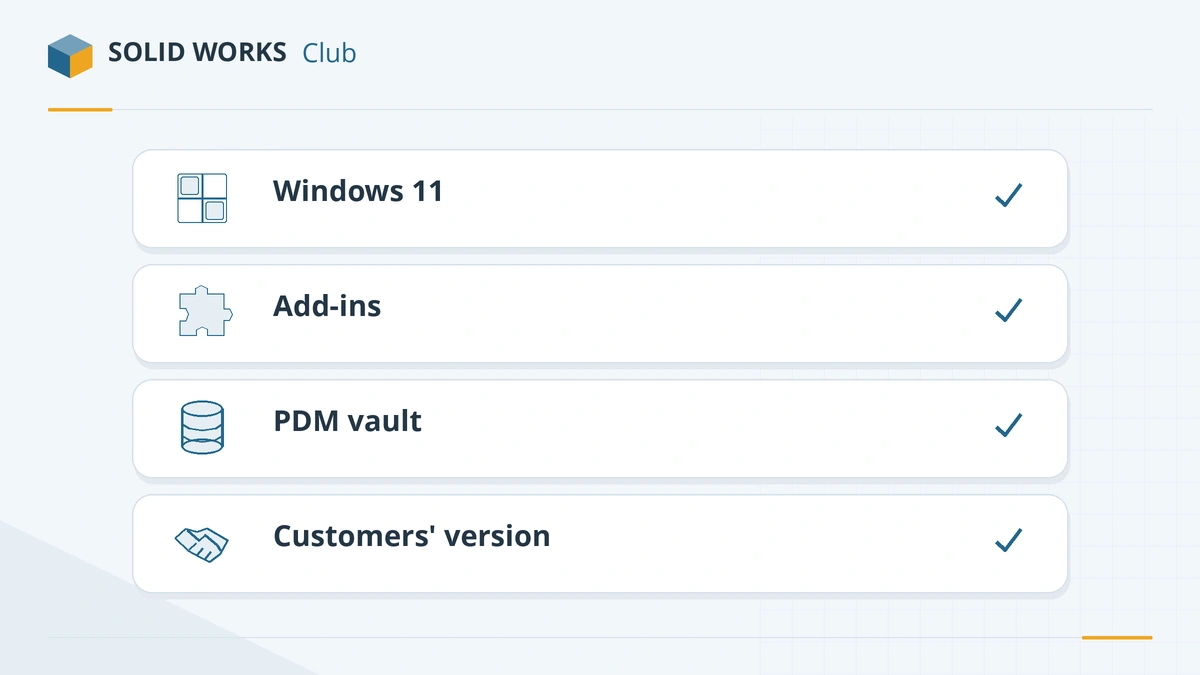
- Check the operating system. SOLIDWORKS 2026 and 2027 need 64-bit Windows 11 (full 2027 requirements) (or Windows Server 2022/2025). If any workstation still runs Windows 10, stay on SOLIDWORKS 2025 or upgrade Windows first.
- Check add-ins and macros. The 2027 API is revision 35; most add-ins need a build for the new release.
- Upgrade PDM first. A SOLIDWORKS PDM vault must be on the same or a newer version than the CAD clients that use it.
- Ask your customers and suppliers. Older releases cannot open files saved in a newer one. Since SOLIDWORKS 2024 you can save parts, assemblies and drawings as a previous version, but only two releases back (2027 → 2026 or 2025) and only with an active subscription. For anyone on an older release, agree on a version or send neutral formats such as STEP.
Most companies wait for SP1 or SP2 before moving production work, because the early service packs fix the most reported problems. The release schedule guide shows when each service pack usually arrives.
SOLIDWORKS 2027 vs 2026
SOLIDWORKS 2026 is the current production release and will receive its final service pack, SP5, before hotfixes end on December 31, 2027. See SOLIDWORKS 2026 for its top changes and the versions overview for every release since 2020.
Sources
Frequently asked questions
Is SOLIDWORKS 2027 out?
+
Not as a production release yet. As of November 6, 2026 the official bulletin page lists only SOLIDWORKS 2027 PR1, published on August 10, 2026. Resellers expect SP0, the first production release, in November 2026. We will update this page when it appears.
Can I use the SOLIDWORKS 2027 pre-release for real projects?
+
It is not intended for production. A pre-release can change before SP0, and files saved in 2027 do not open in 2026 without a save-as-previous step, so keep production data in your current version and test 2027 on copies.
Do I have to pay to upgrade to SOLIDWORKS 2027?
+
No, if your subscription is active — new releases are included. If your perpetual license is off maintenance, you need to reinstate it with your reseller before you can download 2027.
Does SOLIDWORKS 2027 run on Windows 10?
+
No. The official system requirements list Windows 11 64-bit (and Windows Server 2022 and 2025) for SOLIDWORKS 2026 and 2027. Windows 10 support ended with SOLIDWORKS 2025 SP5.
What is the difference between PR1 and SP0?
+
PR stands for pre-release: an early build for testing. SP0 is the first production build of a version; service packs SP1 to SP5 follow during the next year. Our release schedule guide explains the full cycle.
Related
- What's new in SOLIDWORKS 2027SOLIDWORKS 2027 new features explained — AI from prompts and drawings, In-Context Design Assistant, sheet metal, large assembly and drawing upgrades.
- SOLIDWORKS 2026: release date, new features and supportSOLIDWORKS 2026 was released on November 14, 2025. Top new features, the SOLIDWORKS Design name, Windows 11 only, FD releases and support until 2027.
- SOLIDWORKS release schedule: service packs, FD releases and supportWhen SOLIDWORKS releases come out — Preview, PR, SP0 to SP5 and the FD releases since 2026 — plus support end dates and the best time to upgrade.
- SOLIDWORKS AI assistants: AURA, LEO and MARIE explainedWhat the SOLIDWORKS AI companions AURA, LEO and MARIE do, which licenses include them, how AI tokens are counted and priced, and how to start using them.