Versions & What's New
SOLIDWORKS 2026: release date, new features and support
SOLIDWORKS 2026 SP0 was released on November 14, 2025 and is the current production version. It is the first release under the SOLIDWORKS Design name, the first that runs only on Windows 11, and the first to receive new features through Functional Delivery (FD) releases during the year. Hotfixes continue until December 31, 2027.
 Kevin Walsh
- Version
- SOLIDWORKS 2026 (rev. 34)
- Released
- Nov 14, 2025 (SP0)
- Supported OS
- Windows 11 64-bit
- Status
- Current release
Highlights
- Renamed SOLIDWORKS Design in the interface, the Windows Start menu and the desktop shortcut.
- AI drawing generation and AI fastener placement; Selective Loading for very large assemblies.
- SOLIDWORKS Visualize replaces PhotoView 360 as the built-in renderer.
- Option to skip rebuilds after cosmetic changes; Background Import for STEP and other neutral files.
- New features arrive in FD releases: FD01 (Feb 2026), FD02 (Apr), FD03 (Jul), FD04 (Sep).
SOLIDWORKS 2026 dates and support
| SOLIDWORKS 2026 | |
|---|---|
| SP0 release | Nov 14, 2025 |
| Latest service pack (Nov 6, 2026) | SP4.1, September 14, 2026 |
| Final service pack | SP5 expected late 2026 |
| Hotfixes until | Dec 31, 2027 |
| Operating system | Windows 11 64-bit, Windows Server 2022 or 2025 |
| Minimum memory | 16 GB RAM (32 GB recommended) |
Dates come from the official support lifecycle and bulletin pages; system requirements from the official requirements page.
Top new features in SOLIDWORKS 2026
Several features first appeared in FD releases of 2025 and became part of the standard 2026 desktop release. The list below follows the official SOLIDWORKS blog roundup of the top 2026 enhancements.
AI and automation
- AI drawing generation — creates routine drawings automatically so you start from a draft, not a blank sheet. First released in 2025 FD01 and improved in FD03.
- AI fastener automation — recognises holes, then positions and mates fasteners, including in non-native files.
Large assemblies and performance
- Selective Loading — opens only the parts you need from a very large assembly, using a filter built in the 3DEXPERIENCE web browser.
- Skip rebuilds for cosmetic changes — a system option that avoids rebuilds after changes that do not touch geometry, such as showing a sketch or hiding a body.
- Background Import — queues STEP and other neutral files and converts them in bulk in the background.
Modelling
- Pin commands — Fillet and Chamfer stay open so you can keep adding them.
- Squares with Shift — hold Shift while sketching a rectangle to get a square.
- Reference points by coordinates — type exact X, Y, Z values.
- Filter bodies by size and volume — select bodies quickly in multibody parts.
- Feature Filter — highlights parent and child relationships of a selected feature in the graphics area.
Drawings
- Break dimension lines around other annotations to reduce clutter.
- Magnetic lines now align notes, weld, tolerance, surface finish and revision symbols.
- Toggle visibility of properties — see linked drawing properties without editing the sheet format.
Interface and rendering
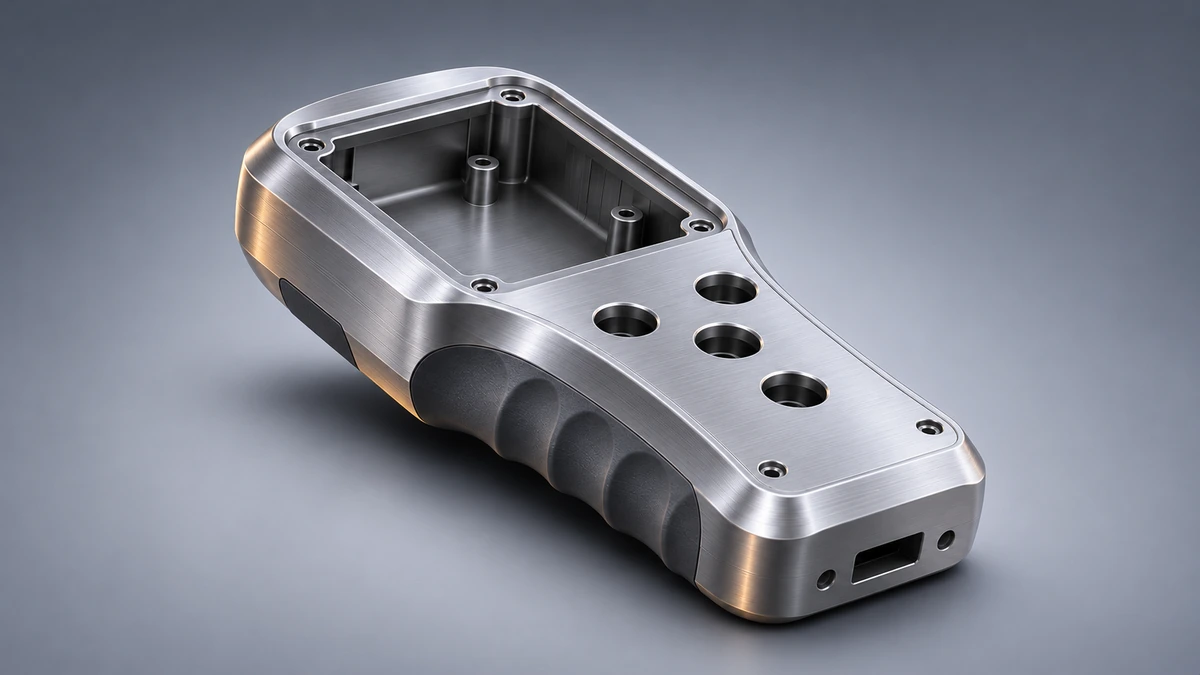
- SOLIDWORKS Visualize is the integrated renderer, replacing PhotoView 360.
- Custom command search terms and a tree display system option for the FeatureManager design tree.
- Dismissed messages — a reminder shows where to restore messages you hid.
FD releases: new features during the year
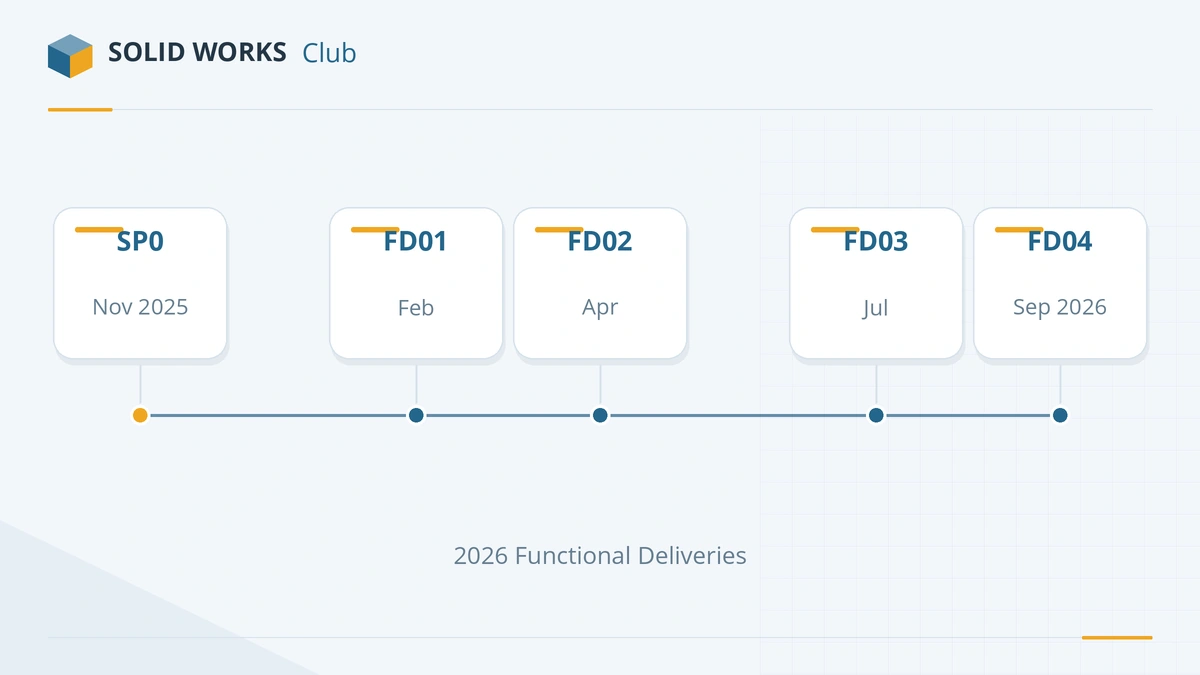
From 2026, Dassault delivers SOLIDWORKS Design enhancements five times a year: the autumn release plus four Functional Deliveries. For 2026 these were FD01 in February, FD02 in April (which added the Design Change Impact beta), FD03 in July and FD04 in September. Service packs still carry fixes on their own schedule — see the release schedule guide.
FD01 also introduced the AURA and LEO AI companions through the SOLIDWORKS Labs (Beta) tab. They are covered in AURA, LEO and MARIE explained.
Should you upgrade to SOLIDWORKS 2026?
Upgrade if your computers run Windows 11 and your add-ins support 2026 — the full list is in SOLIDWORKS 2026 system requirements. If you must stay on Windows 10, SOLIDWORKS 2025 is the last release that works on it, but its hotfix support ends on December 31, 2026. If you are planning an upgrade now, compare 2026 with SOLIDWORKS 2027, which is expected as a production release in November 2026. Every release since 2020 is listed in the versions overview.
Sources
Frequently asked questions
When was SOLIDWORKS 2026 released?
+
SOLIDWORKS 2026 SP0 was released on November 14, 2025, according to the official support lifecycle table. Service packs followed through 2026; SP4.1 was published on September 14, 2026.
Is SOLIDWORKS 2026 the latest version?
+
Yes, for production use. SOLIDWORKS 2027 is in pre-release (PR1 since August 10, 2026) and its first production build is expected in November 2026. See SOLIDWORKS 2027.
Does SOLIDWORKS 2026 work on Windows 10?
+
No. SOLIDWORKS 2026 supports 64-bit Windows 11 and Windows Server 2022 and 2025. The last release that supports Windows 10 is SOLIDWORKS 2025 SP5.
Why does my SOLIDWORKS 2026 say "SOLIDWORKS Design"?
+
The product was renamed. Since the 2026 release, the CAD application is called SOLIDWORKS Design; the software is the same. Our rebrand guide lists the old and new names.
How long is SOLIDWORKS 2026 supported?
+
The official lifecycle table lists hotfix support for SOLIDWORKS 2026 until December 31, 2027. After that, the release no longer gets fixes, though it keeps running.
Related
- SOLIDWORKS 2027 release date and statusSOLIDWORKS 2027 is in pre-release (PR1, Aug 10, 2026); the first full release, SP0, is expected in November 2026. Who can try it now and what to check first.
- SOLIDWORKS 2025: release date, features and supportSOLIDWORKS 2025 was released on November 15, 2024. Its top features, why it is the last version for Windows 10, and hotfix support until December 31, 2026.
- SOLIDWORKS Design: the name change explainedWhy SOLIDWORKS is now called SOLIDWORKS Design, the old and new names from Sept 2025, what Connected and Augmented meant, and how to tell which you have.
- SOLIDWORKS release schedule: service packs, FD releases and supportWhen SOLIDWORKS releases come out — Preview, PR, SP0 to SP5 and the FD releases since 2026 — plus support end dates and the best time to upgrade.