Modules
SOLIDWORKS PDM
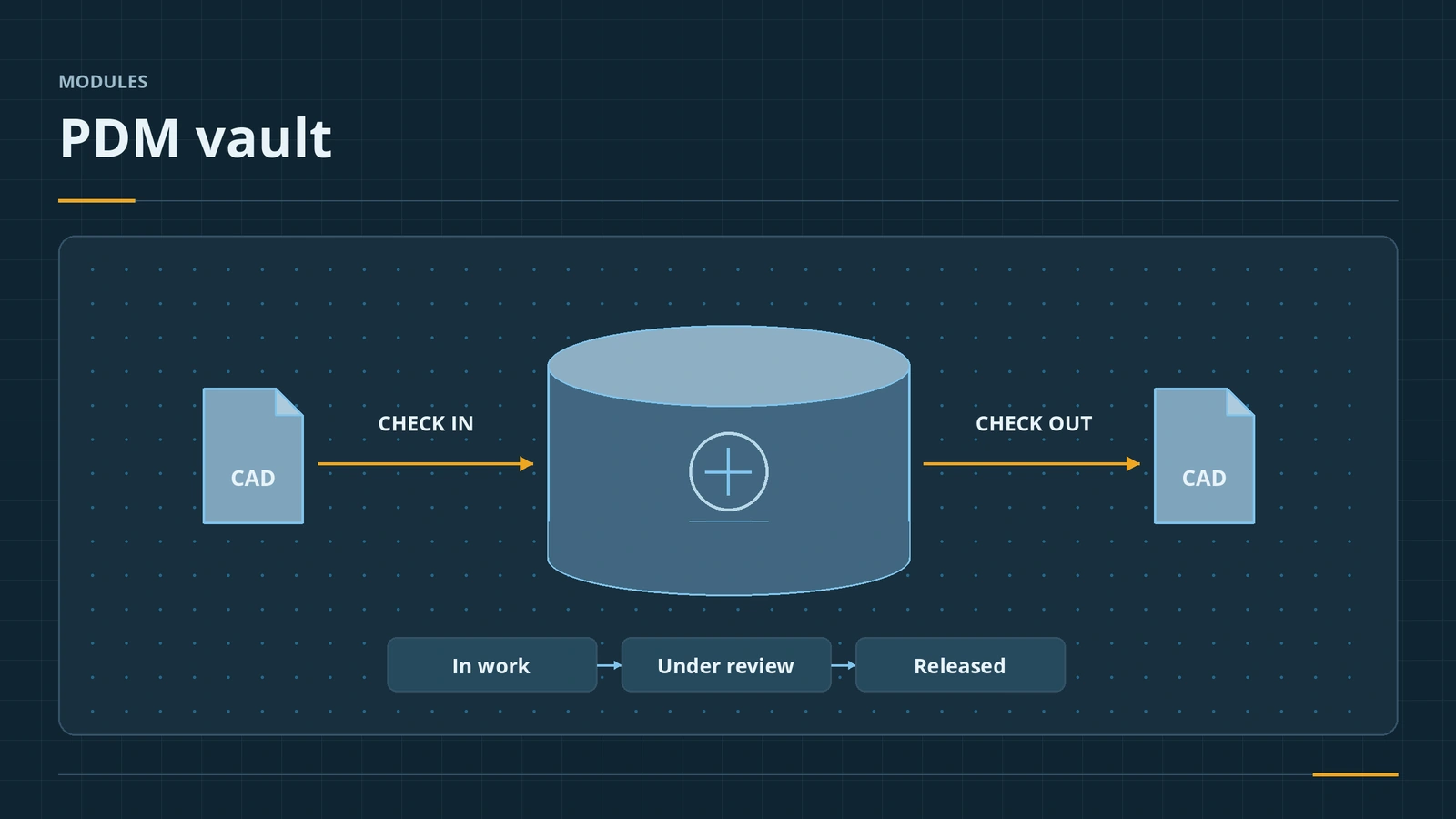
SOLIDWORKS PDM keeps CAD files in a shared vault with check-in and check-out, version history, approval workflows and revisions. PDM Standard comes with SOLIDWORKS Professional and Premium; PDM Professional is a separate product for larger teams, more workflows, a web client and multiple sites. You work in it through Windows Explorer and a SOLIDWORKS add-in.
 Kevin Walsh
Standard vs Professional
| PDM Standard | PDM Professional | |
|---|---|---|
| Licence | With SOLIDWORKS Professional/Premium | Separate |
| Database | SQL Express (10 GB) | SQL Server Standard |
| Workflows | One, up to 10 states | Multiple, unlimited states |
| Revision schemes | Two | More |
| Web client, replication | ✓ | |
| Other CAD and Office connectors | ✓ |
Daily work
- Check out to edit; save keeps changes on your PC; check in sends them to the vault and creates a new version.
- Explorer tabs show the Data Card, Version history, Bill of Materials, Contains and Where Used.
- Revision schemes can be letters, numbers or major/minor; one revision can span many versions.
- Licence types: Editor (SOLIDWORKS add-in), Contributor (Explorer), Viewer (read only).
A high version number does not mean a file is approved — only the revision does. Write clear check-in comments: the history becomes your audit trail. SOLIDWORKS Electrical projects can be managed by PDM Professional's connectors — see SOLIDWORKS Electrical. Revisions on drawings appear in the title block and revision table.
Without PDM: the multi-user options and their limits are in read-only files.
Sources
- Javelin — PDM Standard and Professional comparison (Oct 2015)
- Javelin — Overview of the PDM Windows Explorer (Aug 2017)
- GoEngineer — Versions and revisions in SOLIDWORKS PDM (Nov 2018)
- TriMech — Versions vs revisions in SOLIDWORKS PDM
- Javelin — Packages comparison: Standard vs Professional vs Premium (Jul 2018)
- SOLIDWORKS — Evaluating Standard, Professional, Premium and Ultimate
Checked November 2026. SOLID WORKS Club is independent; menu names can differ slightly between releases.
Frequently asked questions
Is SOLIDWORKS PDM included with SOLIDWORKS?
+
PDM Standard is included with SOLIDWORKS Professional and Premium. PDM Professional is bought separately.
What is the difference between a version and a revision?
+
A version is created every time a changed file is checked in. A revision is a formal, approved release set by a workflow or a user.
What database does PDM use?
+
PDM Standard runs on SQL Express (10 GB limit). PDM Professional supports SQL Server Standard.
Can I go back to an older version?
+
Use Get Version to copy an older version to your local cache. Rollback permanently deletes the versions in between.
Related
- What is an SLDASM file?An SLDASM file is a SOLIDWORKS assembly that references its part files. Why it opens with missing parts, how to send it with Pack and Go, and how to convert it.
- Title blocks and drawing templatesEdit the SOLIDWORKS title block in Edit Sheet Format, link notes to properties, set Title Block Fields and save a drawing template (.drwdot).
- SOLIDWORKS modules and add-insSOLIDWORKS add-ins explained: Motion, animation, Visualize, PhotoView 360, PDM, CAM, Routing, Electrical and Plastics, and which package includes each.
- How much does SOLIDWORKS cost in 2026?SOLIDWORKS costs $2,820 to $4,716 a year in the US in 2026, Standard to Premium. Official prices for the UK, Europe and Canada, plus perpetual and free options.