Tutorials
SOLIDWORKS Flow Simulation
Flow Simulation is the computational fluid dynamics (CFD) add-in for SOLIDWORKS: liquid and gas flow through and around parts, with heat transfer by conduction, convection and radiation. It is a separate product that needs a SOLIDWORKS Standard, Professional or Premium licence, with optional HVAC and Electronics Cooling modules. The lesson below runs a first internal analysis you can check by hand.
 Kevin Walsh
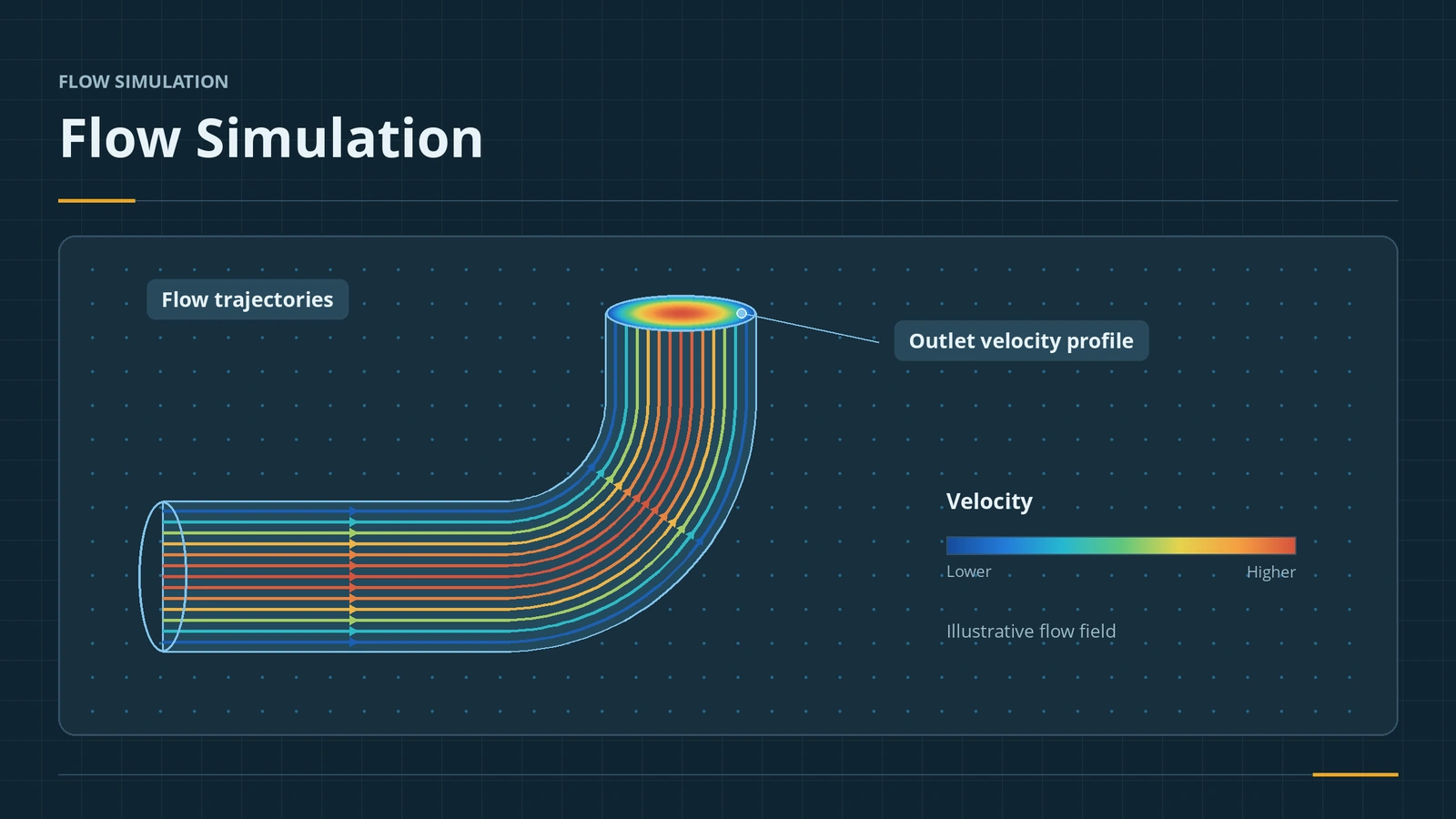
The Flow Simulation workflow
| Step | What happens |
|---|---|
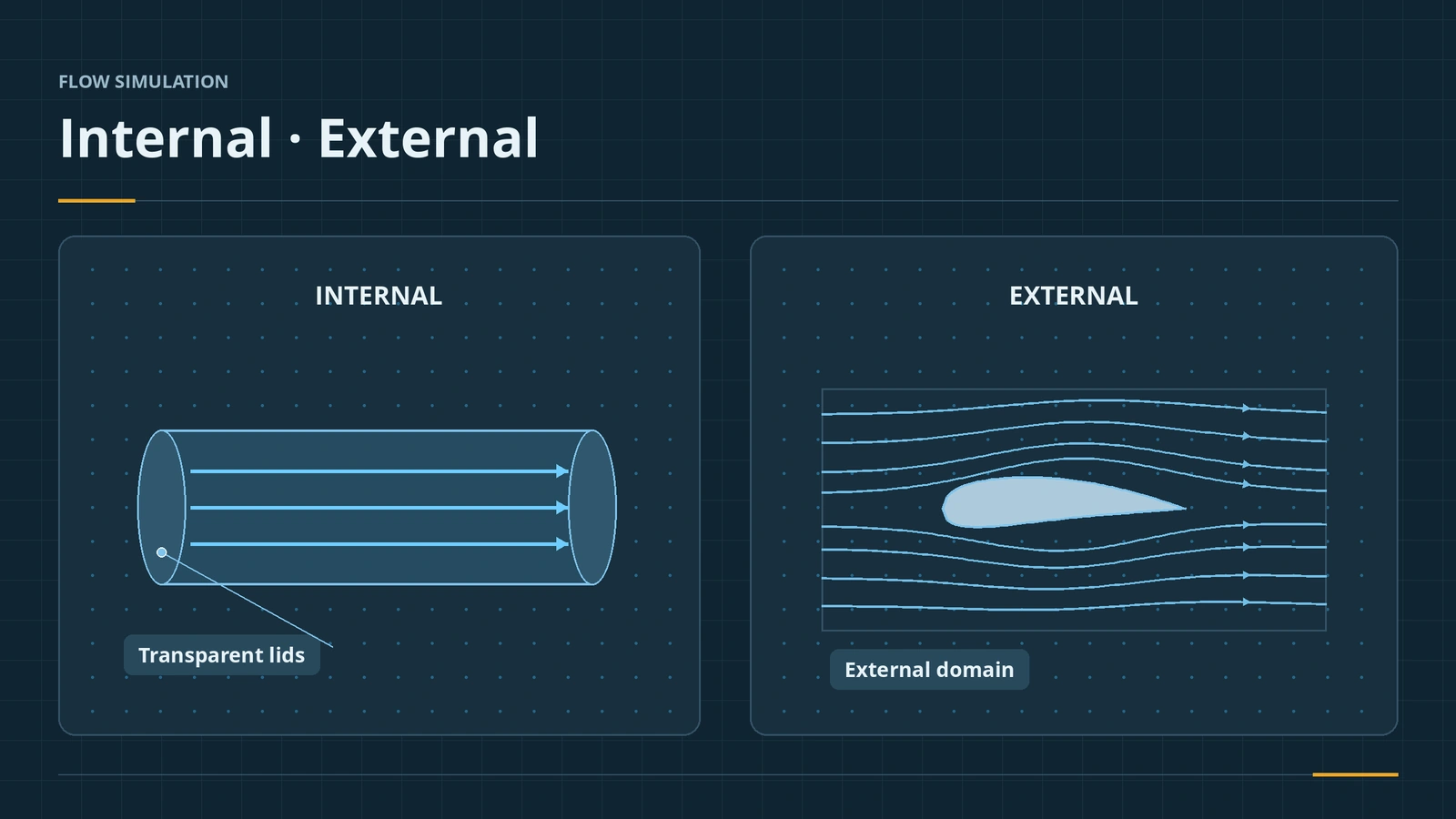
| Wizard | Units, internal or external analysis, fluid, wall and initial conditions |
| Lids (internal) | Close openings so the fluid volume is watertight |
| Check Geometry | Confirms the fluid volume; Leak Tracking finds gaps |
| Boundary conditions | Inlet flow or velocity, outlet environment pressure |
| Goals | Values that control convergence: global, point, surface, volume, equation |
| Mesh | Basic mesh, initial mesh level, local mesh, adaptive refinement |
| Results | Cut plots, surface plots, flow trajectories, goal plots |
Start with your first internal flow project. Solid temperatures and stresses are covered in the Simulation course; recent releases sped up meshing (2024–2025) and added Fill Thin Slot and goal locations (2026).
Flow Simulation lessons
Sources
- SOLIDWORKS — Flow Simulation product page
- Javelin — What is SOLIDWORKS Flow Simulation? (2024)
- Engineers Rule — Flow Simulation basic concepts (May 2016)
- CATI — How do I create a Flow Simulation project? (Aug 2020)
- Hawk Ridge — Flow Simulation new features (2023–2026)
- GoEngineer — Flow Simulation 2026 what's new (Oct 2025)
Checked November 2026. SOLID WORKS Club is independent; menu names can differ slightly between releases.
Frequently asked questions
Is Flow Simulation included in SOLIDWORKS Premium?
+
No. It is a separate add-in with its own serial number. It needs a SOLIDWORKS Standard, Professional or Premium licence.
What equations does Flow Simulation solve?
+
Reynolds-averaged Navier-Stokes (RANS) equations, for internal, external, free-surface and multispecies flow with heat transfer.
What do the HVAC and Electronics Cooling modules add?
+
HVAC adds comfort measures, advanced radiation and tracer studies. Electronics Cooling adds Joule heating, heat pipes, two-resistor components and a PCB generator. Both need base Flow Simulation.
Related
- SOLIDWORKS Simulation — 6 lessonsFree SOLIDWORKS Simulation course: static studies, mesh, fixtures and loads, stress and factor of safety, thermal and frequency, checked by hand.
- Thermal studiesRun a SOLIDWORKS Simulation thermal study: steady state vs transient, temperature, heat power, convection and radiation, thermal resistance, and thermal stress.
- SOLIDWORKS modules and add-insSOLIDWORKS add-ins explained: Motion, animation, Visualize, PhotoView 360, PDM, CAM, Routing, Electrical and Plastics, and which package includes each.
- SOLIDWORKS hardware guide: requirements and what to buyWhat SOLIDWORKS needs and what to buy in 2026 — official requirements, GPU, CPU and RAM advice, laptops, a PC build, Mac and Linux, and a free PC checker.