Versions & What's New
SOLIDWORKS 2023: release date, features and support
SOLIDWORKS 2023 SP0 was released on November 21, 2022, after a "What's New" livestream on September 29, 2022. It focused on large-assembly performance and drawing quality. The final service pack, SP5, came out in November 2023, and hotfix support ended on December 31, 2024.
 Kevin Walsh

- Version
- SOLIDWORKS 2023 (rev. 31)
- Released
- Nov 21, 2022 (SP0)
- Supported OS
- Windows 11 or 10, 64-bit
- Status
- End of support (Dec 31, 2024)
Highlights
- Automatic switching between resolved and lightweight mode for assemblies.
- Automatic repair of missing mate references.
- Transparent components in hidden-line drawing views.
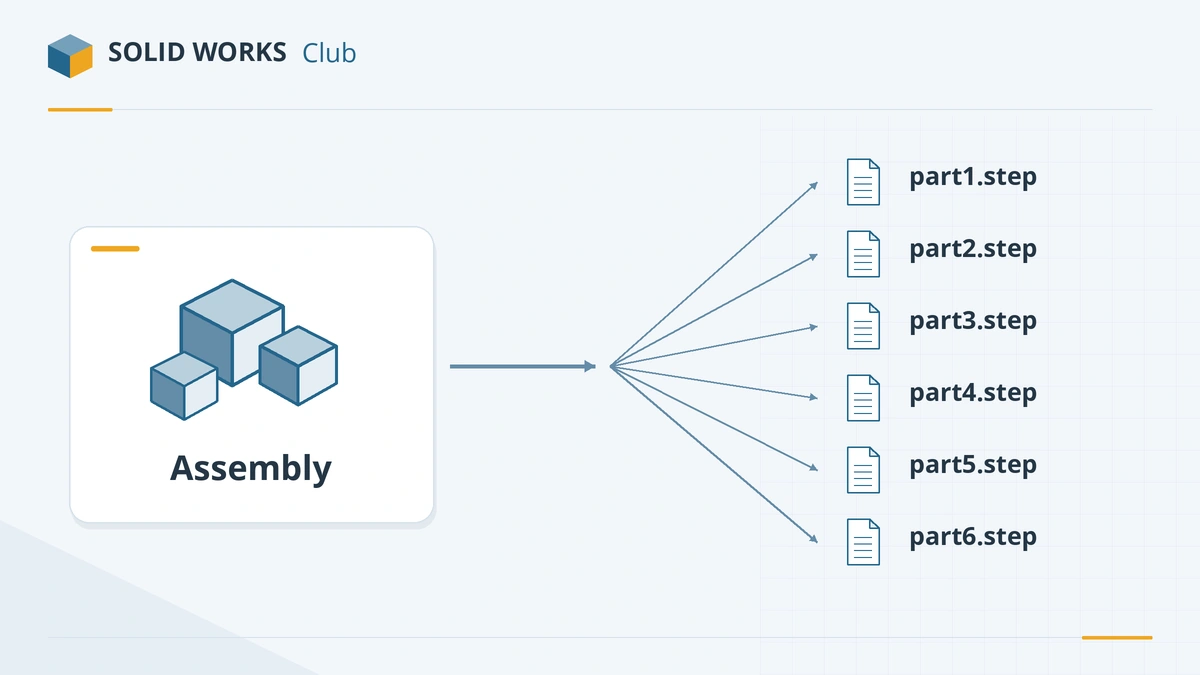
- Export each assembly component as a separate STEP file.
- Last release to support Windows Server 2016.
SOLIDWORKS 2023 dates and support
| SOLIDWORKS 2023 | |
|---|---|
| What's New livestream | September 29, 2022 |
| SP0 release | Nov 21, 2022 |
| Final service pack | SP5, Nov 2023 |
| Hotfixes until | Dec 31, 2024 (ended) |
| Operating system | Windows 11 or 10, 64-bit |
Top new features in SOLIDWORKS 2023
Assemblies
- Automatic resolved/lightweight optimisation — SOLIDWORKS chooses which components to load fully.
- Automatic repair of missing mate references after a component changes.
- Export components as separate STEP files in one operation.
Parts
- Move/Copy Body with equations for translation and rotation values.
- Sheet metal gauge linked to custom properties, and sensor alerts.
Drawings and BOMs
- Transparent components in hidden-lines-removed and hidden-lines-visible views.
- BOM filtering, with overridden values highlighted.
Inspection
- Auto Extract in SOLIDWORKS Inspection, which uses machine learning to read 2D PDF drawings.
These items are compiled from reseller reviews by Javelin and GoEngineer and the release notes listed below.
Should you still use SOLIDWORKS 2023?
Only to keep an existing project on the same version. It receives no fixes, and newer files can be saved back to it only from SOLIDWORKS 2024 or 2025. The release before was SOLIDWORKS 2022; see the versions overview for current options.
Sources
Frequently asked questions
When was SOLIDWORKS 2023 released?
+
SP0 was released on November 21, 2022, according to the official support lifecycle table. Dassault presented the release in a livestream on September 29, 2022.
Is SOLIDWORKS 2023 still supported?
+
No. Hotfix support ended on December 31, 2024. The last service pack is 2023 SP5.
Can I open SOLIDWORKS 2023 files in a newer version?
+
Yes. Every newer release opens 2023 files. Saving back to 2023 works only from 2024 or 2025 — save-as-previous reaches two releases back, so files last saved in 2026 or later cannot return to 2023.
Related
- SOLIDWORKS 2024: release date, features and supportSOLIDWORKS 2024 SP0 came out on November 6, 2023. It introduced saving to older versions, plus collinear dimensions and sheet metal and weldment upgrades.
- SOLIDWORKS 2022: release date, features and supportSOLIDWORKS 2022 SP0 came out on November 22, 2021. Its features, the first Windows 11 support (from SP2), hybrid mesh modelling and the end of support.
- SOLIDWORKS version history: every release since 1995Every SOLIDWORKS release from SolidWorks 95 to 2027 with release years, revision numbers and file version codes, plus company milestones since 1993.
- SOLIDWORKS versions and the latest releaseThe latest SOLIDWORKS version is 2026 (2027 is in pre-release). Every release from 2020 to 2027 with dates, Windows support and end of support.